Will a thermostat work if batteries are dead? Quick troubleshooting guide
If your thermostat won’t power on due to dead batteries, this guide helps you diagnose power issues, safely replace batteries, and restore control. Quick fixes, diagnostic flow, and expert tips from Thermostat Care.


If the batteries are dead, most thermostats won’t power on or display temperature. Replace with fresh batteries, check for correct polarity, and retest. If it still fails, there may be a wiring or furnace power issue that requires a professional inspection.
Battery power reality and why it matters
Many digital thermostats rely on battery power or a dedicated 24V supply to operate all functions. When batteries die or are inserted incorrectly, the display may go blank, schedules can reset, and temperature control can fail. Understanding the power source helps you decide whether you can fix it with a simple battery swap or if you need to check the furnace or wiring. Thermostat Care notes that battery health is a common fault in troubleshooting sessions, so start here before moving to more involved checks.
Will a thermostat work without batteries? common scenarios
In most common household models, a dead battery means the thermostat cannot power its display or memory, so you won’t get reliable readings or control. Some models with a strong backlight or programmable features may briefly display information when the battery is almost dead, but ongoing operation without power is unreliable at best. If your thermostat supports a C-wire or a constant power adapter, you can test whether the issue is purely battery-related by connecting the thermostat to a powered supply and observing any difference in performance.
Quick checks you can do before opening the device
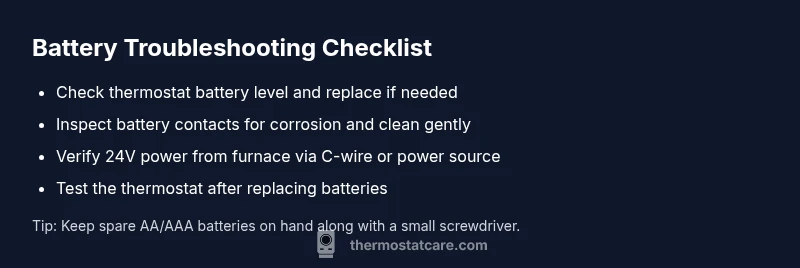
- Confirm the thermostat is not a purely battery-powered model and verify if a C-wire exists. If so, ensure the C-wire is connected properly at both the thermostat and furnace control board.
- Remove and reseat batteries, ensuring they’re the correct type and oriented with the positive and negative ends matching the terminals.
- Inspect battery contacts for any corrosion, dirt, or loose connections. Clean gently with a dry cloth or isopropyl alcohol if needed.
- Check the furnace breaker or power switch; a tripped breaker can cut power to the thermostat’s control circuit even if the thermostat appears fine on the wall.
- If your thermostat is wall-powered and uses batteries as a backup, test both power sources to confirm which is failing. Thermostat Care recommends documenting what you observe during these checks to guide next steps.
Diagnostic flow overview: symptom to solution
The symptom is a thermostat that won’t power on or displays erratic behavior. The likely causes, in order of probability, are a dead battery, corroded contacts, or a loss of 24V power from the HVAC system. Begin with the easiest fix (battery replacement), then rule out contact issues, then verify the HVAC power supply. If none of these steps resolve the problem, a professional should assess wiring, 24V supply integrity, and internal thermostat circuitry.
Safety and best practices when replacing batteries
- Always power down the thermostat if you’re manually wiring or reseating components, even if you think it’s just a battery change.
- Use fresh batteries of the same type, and do not mix old and new or different brands.
- Handle batteries carefully to avoid short circuits. If you notice leakage or corrosion, replace the battery holder or contacts rather than forcing the unit back together.
- Dispose of used batteries according to local regulations. If you’re unsure, check the manual or manufacturer’s website for guidance.
When to call a professional and what to expect
If you’ve replaced batteries, cleaned contacts, checked the C-wire, and confirmed 24V power but the thermostat still won’t work, it’s time to call a professional. A licensed HVAC technician can verify the 24VAC supply at the furnace, inspect wiring harnesses, and assess potential thermostat PCB failures. Early professional input can prevent wasted parts and safeguard your heating and cooling system.
Prevention: simple habits to avoid future outages
- Keep a small battery kit on hand and replace batteries proactively rather than waiting for a display to fail.
- Periodically inspect thermostat area for dust, moisture, or corrosion around terminals.
- If your home has frequent power or HVAC issues, consider installing a thermostat with a robust backup power design or an alternative power supply that suits your system.
Steps
Estimated time: 30-45 minutes
- 1
Power down and remove the thermostat cover
Gently remove the thermostat from the wall and open the cover to access the battery compartment. This reduces the risk of short circuits while you handle batteries and contacts.
Tip: Use a clean, dry workspace and avoid touching internal components with metal objects. - 2
Replace batteries with fresh ones
Insert new batteries of the same type, making sure the polarity aligns with the + and - markings. Do not mix battery brands or old with new ones.
Tip: If one battery is weak, replace both; weak cells can still cause behavior issues. - 3
Inspect and clean battery contacts
Look for any corrosion or residue on the contacts. Wipe gently with a dry cloth or dab with isopropyl alcohol on a cotton swab to remove buildup.
Tip: Ensure the contacts are dry before reseating the batteries. - 4
Reassemble and power on the thermostat
Push the thermostat back onto the mounting plate and restore power. If the display comes on, run a quick temperature test.
Tip: If the display remains blank, proceed to check the C-wire and the furnace power supply. - 5
Check the C-wire and furnace power
If you have a C-wire, verify it’s connected at both the thermostat and the furnace control board. Check the HVAC breaker/fuse panel for any tripped circuits.
Tip: Only perform power checks if you’re comfortable; otherwise call a professional. - 6
Test and observe
Set a target temperature and observe if the system responds. If not, a professional should diagnose power delivery and potential thermostat hardware faults.
Tip: Document what you tested and the results to share with the technician.
Diagnosis: Thermostat screen blank or unreliable control after power interruption
Possible Causes
- highBattery dead or not installed correctly
- mediumCorrosion or loose battery contacts
- lowHVAC 24V power interruption (breaker/fuse)
Fixes
- easyReplace with fresh batteries and verify correct orientation
- easyClean contacts and reseat batteries, ensuring solid connections
- mediumCheck furnace/air handler power and 24V supply at the stat; reset breakers if needed
- hardIf issues persist, contact a professional to inspect wiring and thermostat PCB
Questions & Answers
Will my thermostat still read the temperature if the batteries are dead?
Most digital thermostats require power from either batteries or the C-wire. When batteries are dead, the display may go blank and temperature reading and control can fail until power is restored.
Most thermostats need power from batteries or C-wire; dead batteries usually mean no display or control until they’re replaced.
What should I do first if the thermostat won't power on after replacing batteries?
Re-seat the thermostat and ensure the cover is properly mounted. If the display still won’t come on, check the C-wire and the furnace power supply for 24V continuity.
Re-seat the thermostat, verify the cover, and check the C-wire and furnace power if it remains dark.
Can I operate my thermostat with the battery dead if I have a C-wire?
If the thermostat is connected to a stable C-wire power, it may operate without battery power, but many units still need batteries for memory and display features.
Some models can run on C-wire power, but batteries often support memory and display features.
How often should I replace thermostat batteries?
Check the manual for your model; typical batteries last 1-2 years, but high-use backlight models may drain faster. Replace proactively if you notice dim displays or weak performance.
Most thermostats need battery replacement every 1-2 years depending on use and features.
Is there a risk of damaging the thermostat by using dead batteries?
Using dead batteries generally won’t damage the thermostat, but it can cause malfunction and voltage instability. Replace promptly to prevent further issues.
Dead batteries won’t usually damage the unit but can cause malfunctions. Replace them promptly.
When should I call a professional?
If battery replacement and contact cleaning don’t restore function, or if the 24V power checks fail, a licensed HVAC technician should diagnose power wiring and thermostat hardware.
Call a pro if the unit still won’t turn on after battery replacement or if the 24V supply checks fail.
Can a thermostat be powered by a backup battery pack?
Some thermostats support an external power source or backup pack, but compatibility varies. Refer to your model’s manual before attempting an alternate power source.
Some models allow external power; check your manual before using a backup pack.
Watch Video
What to Remember
- Start with fresh batteries and correct orientation
- Check contacts for corrosion and clean if needed
- Verify 24V power and C-wire connections
- If issues persist, call a licensed HVAC technician
- Maintain batteries and clean terminals to prevent future outages