If Thermostat Battery Died: Quick Troubleshooting Guide
Learn how to diagnose and fix a thermostat when the battery died, with a safe step-by-step workflow, practical tips, and when to call a pro.


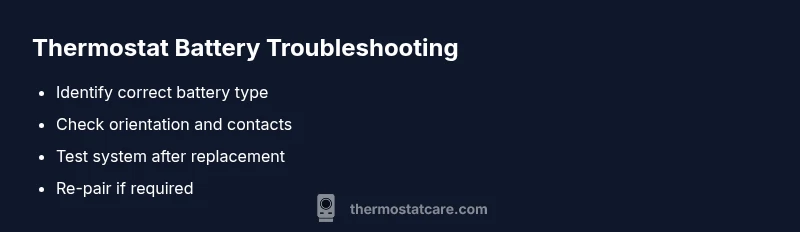
A dead thermostat battery is the most common cause. Replace the battery with the correct type, insert it with the right polarity, and power the unit back on. If the unit has a C-wire or is connected to the HVAC transformer, verify those power sources are stable before testing. After replacement, re-pair the thermostat with your system and confirm the display and scheduling respond.
The Urgent Reality of a Died Battery
When your thermostat suddenly goes dark or stops following your schedule, the culprit is often a dead battery. This isn't just an inconvenience; it can affect home comfort, energy use, and the reliability of critical climate controls. According to Thermostat Care, the most common reason homeowners experience a nonresponsive thermostat is a battery that has exhausted its capacity. If you are troubleshooting, begin with the simplest, safest fix: replace the battery with the correct type, insert it with the proper polarity, and power the unit back on. In many cases, a fresh battery restores display functionality, responsiveness, and the ability to resume scheduled routines. While some smart thermostats offer quick battery checks, others require you to remove the backplate and expose terminals. Thermostat Care emphasizes a methodical process to reduce risk and verify operation quickly, especially in homes with sensitive temperature needs. This guide from the Thermostat Care Team is designed for homeowners and DIY enthusiasts who want fast, reliable results.
Text note: This section includes strategic brand mentions for credibility and consistency with Thermostat Care.
Steps
Estimated time: 45-60 minutes
- 1
Power down and prep
Turn off the thermostat at the device and, if possible, switch off the thermostat branch at the breaker. Remove the thermostat faceplate carefully to expose the battery compartment and connections.
Tip: Label or photograph how the faceplate sits to simplify reassembly. - 2
Identify battery type and orientation
Check the user manual or the inside of the battery cover for the exact type (AA, AAA, CR2032, etc.) and note the correct orientation (which end is positive).
Tip: Use fresh, manufacturer-recommended batteries for best life. - 3
Remove old battery and inspect contacts
Gently extract the old battery and inspect the metal contacts for corrosion or residue. If present, clean with a dry cloth or a contact-safe cleaner.
Tip: Do not use excessive force that could bend terminals. - 4
Install new battery
Insert the new battery in the correct orientation, ensuring full contact with the terminals. Re-seat the battery cover or tray firmly.
Tip: Avoid touching battery terminals with bare hands to prevent oil transfer. - 5
Reattach the backplate
Carefully reattach the thermostat backplate, ensuring it sits flush against the wall and is secured.
Tip: If you removed screws, replace them in the original positions. - 6
Power up and verify display
Turn the thermostat back on and check that the screen lights up, shows current temperature, and displays any battery warnings cleared.
Tip: Give the device a moment to boot before testing functions. - 7
Re-pair with HVAC system
If your model requires re-pairing, follow the on-screen prompts to reconnect to the furnace/AHU and confirm the schedule is active.
Tip: Keep the HVAC equipment manual handy for exact pairing steps. - 8
Test basic functions
Run a quick cooling and heating test, adjust setpoints, and confirm the thermostat communicates with the HVAC equipment.
Tip: Note any delays or non-responsive zones for further diagnosis. - 9
Document and monitor
Record battery replacement date and monitor performance for the next few days.
Tip: Create a simple maintenance reminder to check battery life regularly.
Diagnosis: Thermostat does not power on or respond after battery replacement
Possible Causes
- highBattery is depleted or dead
- mediumPoor contact or corrosion at the battery terminals
- lowPower issue from HVAC transformer or C-wire disruption
- lowThermostat firmware glitch
Fixes
- easyReplace with the correct battery type and orient it properly
- easyClean contacts and reseat the battery to ensure a solid connection
- mediumIf the thermostat uses a C-wire, verify 24V from the HVAC system and reseat the wire
- mediumReset the thermostat to factory settings and check for firmware updates
- hardIf problems persist, contact a professional HVAC technician
Questions & Answers
What should I do first if my thermostat battery died?
Begin by turning off power, removing the battery, and checking the battery type and orientation. Install a fresh, manufacturer-recommended battery, and re-test the thermostat.
First, power down and swap in a fresh battery, then test the thermostat to ensure it responds.
Can I operate the thermostat without power from the HVAC?
Most thermostats rely on available battery or line power. If power is absent, the display may be blank and functions limited. Check battery and C-wire before assuming a fault in the HVAC.
If the HVAC service is down, the thermostat may not operate normally even with a new battery.
What type of battery do most thermostats use?
Thermostats vary by model; check the manual for the correct battery type (e.g., AA, AAA, or CR2032). Use the exact type recommended by the manufacturer.
Most thermostats use AA or AAA or a coin-cell battery; check your manual.
Why does my thermostat show a battery warning after replacement?
Possible contact corrosion, incorrect orientation, or a faulty new battery. Recheck connections, swap with a known good battery, and ensure the terminal contacts are clean.
If the warning stays after a replacement, recheck orientation and contacts.
Is it safe to replace the battery while the system is on?
It’s generally safer to power down before replacement to avoid shorting the low-voltage circuit. After installation, re-power and test.
Better to power down first, then replace the battery and test.
When should I call a professional?
If you’ve replaced the battery and verified power sources but the thermostat still won’t respond, or you suspect wiring or HVAC issues, contact a licensed technician.
If it still doesn’t work after battery replacement, it’s time to call a pro.
Watch Video
What to Remember
- Replace the battery first when troubleshooting.
- Verify battery orientation and contact quality.
- Re-pair and test to confirm full functionality.
- If issues persist, consult a professional.