Why Would a Thermostat Make Noise? Troubleshooting Guide
Urgent guide to diagnose and fix common thermostat noises, with step-by-step fixes and safety tips. Learn causes, testing methods, and when to call a pro from Thermostat Care.


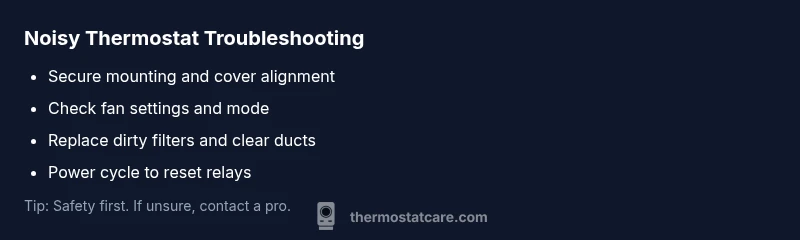
Noise from a thermostat is usually caused by airflow or mechanical issues rather than electrical faults. Start with easy checks: verify thermostat is securely mounted, ensure the HVAC fan setting matches your needs, and inspect surrounding ductwork for obstructions. If the noise persists, power down safely and inspect the furnace cabinet, then verify wiring connections.
How to recognize thermostat-noise symptoms
Noise from a thermostat typically reveals that the HVAC system is under load or that a moving part is rubbing or resonating within the air handler or ductwork. Common sounds include a soft buzzing, a high-pitched whine, ticking as the relay engages, or a metallic rattle when the fan starts or stops. If you recently changed settings or installed a new thermostat, a short-lived hum is not unusual, but persistent or growing noises are a sign something needs attention. In terms of urgency, treat new or sharp sounds as a potential safety concern if you notice burning smells, smoke, or overheating equipment. For homeowners asking, “why would a thermostat make noise?”, the quickest answer is that most noises originate from mechanical alignment, airflow issues, or loose mounting rather than dangerous electrical faults. Begin by isolating the thermostat from the system with basic checks to determine if the noise follows the thermostat or the HVAC equipment.
Common causes of thermostat noise
There are several frequent culprits behind thermostat-related sounds. The most common are mechanical or airflow issues rather than fatal electrical faults. Typical causes include a thermostat that isn’t mounted flush to the wall, a loose cover plate, or screws that have shifted over time. Airflow problems — such as a dirty filter, obstructed ducts, or restricted returns — can force the blower to work harder and create buzzing or whistling noises. In some systems, the blower motor or bearings may produce a rumble or grinding sound if worn. Relays or contactors clicking due to rapid power cycling can also generate repeating ticks. Finally, electrical wiring issues or loose terminals inside the furnace or the thermostat can introduce irregular noises. If any sound is accompanied by burning smells, smoke, or visible damage, it’s time to shut off power and call a pro.
Diagnostic approach: symptom to solution
A systematic approach helps you identify whether the noise is tied to the thermostat, the air handler, or the ductwork. Start by noting when the noise occurs: at startup, during cooling, or during heat cycles. Next, check for non-safety factors such as how recently the thermostat was installed or adjusted. Confirm that the thermostat is correctly wired and mounted, and ensure the fan setting is appropriate for your season. If the noise persists after basic checks, rule out airflow problems by inspecting and replacing filters, opening vents, and clearing obvious obstructions. Finally, if the hum remains after eliminating simple issues, the problem may lie with the blower assembly or electrical components, which warrants professional service.
Step-by-step fixes for the most common causes
-
Secure mounting and cover alignment: Tighten mounting screws so the thermostat sits flush against the wall. A loose mounting can transmit vibrations to the wall and into the thermostat enclosure, producing a hum or rattle. Tip: use a level to confirm flush alignment and avoid over-tightening that could crack the wall box.
-
Check fan settings and system mode: Ensure the thermostat is set to the correct mode (auto vs. on) and that the fan is not staying on after a cycle. An improper setting can cause the blower to run when it shouldn’t, creating a constant or intermittent noise. Tip: switch to “off” briefly to observe if the sound changes.
-
Inspect and replace the air filter: A clogged filter restricts airflow, causing the blower to work harder and produce whines or bangs. Replace with the correct MERV rating for your system and re-check after a full cycle. Tip: mark your calendar for monthly filter checks.
-
Clean and clear ducts/vents: Dust, debris, or pet hair can accumulate and cause whistling or rasping sounds. Use a vent brush or vacuum to clean supply and return registers. Tip: avoid aggressive scrubbing near sensitive ductwork joints.
-
Check the furnace blower and belt (if applicable): If you hear grinding, squealing, or rumbling, the blower may be rubbing a worn belt or bearing. This step may require professional service, especially if the part needs replacement. Tip: warn others not to touch moving parts during inspection.
-
Inspect wiring and terminals: Loose or damaged wiring can cause intermittent buzzing or ticking. Turn off power and re-seat connections at the furnace control board and thermostat terminals. If you see burnt insulation or melted plastic, do not use the system and call a pro. Tip: take photos before loosening wires to aid reassembly.
-
Reset power cycling: Some relays or contactors chatter when power is restored after a power outage or after a manual reset. Turn off power to the system, wait 30 seconds, and restore. Listen for changes in the cadence of the noise. Tip: document the sequence to replicate a successful reset later.
-
When in doubt, call for professional help: If you cannot locate the source or if the noise reappears after fixes, a licensed technician can diagnose mechanical wear, wiring faults, or refrigerant-related issues. Safety comes first. Tip: prepare a list of symptoms, recent changes, and any sounds you’ve heard to help the technician.
Safety considerations and when to call a pro
Safety is non-negotiable when dealing with thermostat-noise. Always start by turning off the power to the HVAC system before inspecting electrical components. If you smell burning, observe melted insulation, see scorch marks, or notice signs of arcing, do not attempt further work. Gas furnaces add additional hazard: if you smell gas or suspect a leak, evacuate and call the gas company or emergency services. When the issue involves wiring, high-voltage components, or refrigerant lines, professional assistance is required. If you’re unsure about whether a sound is normal, err on the side of caution and contact a licensed technician. Regular maintenance and yearly inspections can catch worn bearings, loose wires, and airflow restrictions before they become loud problems.
Maintenance to prevent thermostat noises
Proactive maintenance reduces the likelihood of unexpected noises. Schedule seasonal inspections of the blower and motor bearings, replace filters every 30-90 days (depending on usage and filtration), and clean the blower compartment when accessible. Keep vents unobstructed and verify that returns have adequate airflow. When installing a new thermostat, ensure the device is compatible with your heating system and that the mounting plate is aligned precisely. A small amount of vigilance goes a long way: treat squeaks and rattles as warnings signs and address them promptly rather than letting them fester.
Quick troubleshooting checklist you can run now
- Verify the thermostat is flush-mounted and secure.
- Confirm fan settings are correct for the season and mode.
- Replace or clean the air filter; inspect ducts for obstructions.
- Power cycle the system if safe to do so and observe any noise changes.
- Inspect low-voltage wiring or terminals for looseness.
- Schedule professional maintenance if the noise persists after basic steps.
Steps
Estimated time: 25-40 minutes
- 1
Power down and safety check
Turn off power to the HVAC system at the breaker panel and thermostat. Verify there are no exposed wires and wait a few minutes before rechecking. This reduces the risk of shock and helps confirm whether the noise persists after power is restored.
Tip: Always lockout the breaker if others may reset it while you work. - 2
Inspect thermostat mounting
Remove the thermostat if necessary and check that it sits flush against the wall with all screws tight. A loose plate can amplify vibrations and create rattling noises.
Tip: Do not overtighten—firm but snug is enough to secure the unit. - 3
Check fan settings and mode
Set the thermostat to Auto and ensure the fan turns off when not in use. If the sound occurs when the fan is on, note the cycling pattern for later analysis.
Tip: Document any unusual cycling timings for your records. - 4
Clean or replace air filters
Install a clean filter of the correct size and check all vents for blockages. A clogged filter is a frequent cause of strange noises due to restricted airflow.
Tip: Keep spare filters on hand for quick swaps. - 5
Inspect ducts and registers
Look for obvious obstructions in supply and return ducts or loose ductwork that could resonate with the blower. Clear debris and secure loose sections if you can safely reach them.
Tip: Be mindful of sharp edges; wear gloves when handling ducts. - 6
Evaluate electrical connections
With power still off, reseat low-voltage wires at the thermostat and furnace control board. Look for frayed insulation or signs of overheating and call a pro if needed.
Tip: Take a photo before disconnecting any wires to aid reassembly.
Diagnosis: Thermostat emits unusual buzzing or ticking noises during system cycles
Possible Causes
- highLoose mounting or cover screws causing vibrations
- mediumBlower fan rubbing or bearing wear
- mediumAirflow restrictions from dirty filters or obstructed ducts
- lowRelay or contactor chattering due to power cycling
- lowElectrical wiring issues or loose terminals in furnace/thermostat
Fixes
- easyTighten mounting screws and ensure the thermostat sits flush
- hardInspect blower for rubbing or bearing wear; replace worn parts as needed
- easyReplace dirty filters and clear ducts/vents to restore airflow
- easyReset power cycle or perform a controlled power restart of the thermostat and furnace
- mediumCheck and tighten wiring terminals; look for damaged insulation and replace if needed
Questions & Answers
What are common sounds a thermostat makes and what they mean?
Common sounds include buzzing, ticking, humming, or clicking. Buzzing often points to a motor or fan issue, ticking may indicate a relay engaging, and a steady hum can come from airflow restrictions or loose mounting. If the sound is new and persistent, perform basic checks before deciding on professional help.
Common sounds are buzzing, ticking, or clicking. Start with simple checks and then seek a professional if needed.
Can a noisy thermostat indicate a dangerous electrical problem?
Yes, especially if you notice burning smells, smoke, or melted insulation. Do not continue to use the system—shut it off at the breaker and call a licensed pro to inspect for wiring or control-board issues.
Yes. If you smell burning or see damage, stop and call a pro immediately.
Should I replace my thermostat if it’s loud?
Not necessarily. Many noises come from the HVAC system rather than the thermostat itself. Try the basic checks first, then consider replacement only if the thermostat is old or incompatible with your furnace.
Not always—check the basics first, then assess compatibility and age before replacing.
Is it safe to open the furnace cabinet to look for noises?
Opening a furnace cabinet can expose you to moving parts and potentially dangerous components. Power off, and if you’re unsure, leave it to a licensed technician.
Avoid opening the furnace cabinet unless you’re trained; safety first.
When should I call a professional for thermostat noises?
If the noise persists after basic checks, if you detect signs of electrical issues, or if you’re uncomfortable working with electrical components, contact a licensed HVAC technician for a thorough inspection.
Call a pro if noises persist or you’re unsure about safety.
Watch Video
What to Remember
- Identify noise sources quickly and safely.
- Start with simple checks before diving into complex fixes.
- If noises persist, prioritize safety and professional evaluation.
- Regular maintenance prevents most future noises.