Does a Bad Thermostat Make Noise? A Practical Troubleshooting Guide
Diagnose why your thermostat is noisy and learn safe fixes. This Thermostat Care guide walks homeowners through common causes, a diagnostic flow, and when to call a professional.


Yes, a bad thermostat can produce audible symptoms, but most noises originate from the HVAC system. According to Thermostat Care, common culprits include a stuck relay, incorrect fan settings, or loose wiring. Start by powering down the system, checking for loose wires and verifying the thermostat is set correctly, then inspect the furnace blower if the noise continues.
Why Noise Can Start With a Faulty Thermostat
Sound from a thermostat is not always the thermostat itself. Yet a malfunctioning control can trigger the HVAC system to cycle irregularly, causing clicks, hums, or buzzing. The Thermostat Care team notes that when a thermostat misreads room temperature or sends conflicting signals, the furnace or air handler may run more than needed, creating audible clues. In these cases repairing wiring connections, recalibrating the sensor, or replacing an aging thermostat often resolves the issue. This section explains why a control fault matters and how to separate thermostat issues from problem sources in the home.
Common Noise Types and What They Signal
Laboratory-tested behavior shows that you’ll typically hear three main sounds: a click, a buzz, or a rattle. A soft click can indicate a relay engaging or disengaging, while a persistent buzz often points to electrical components or a loose wire. A rattle or tapping might come from ductwork or the blower assembly rather than the thermostat itself. Thermostat Care analysis shows that most noises originate when the system is trying to start or stop abruptly due to control signals. Understanding these patterns helps homeowners diagnose safely.
Safe, Quick Checks You Can Perform
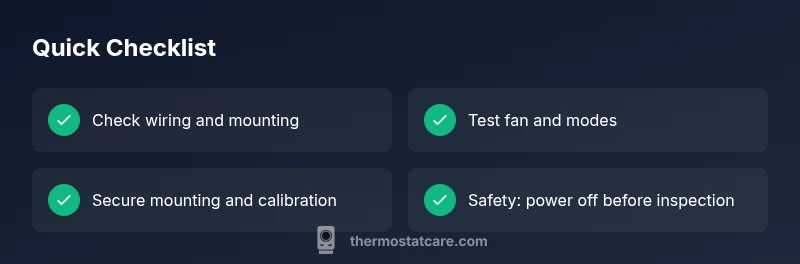
Before touching any HVAC components, power off at the breaker and the thermostat to avoid electric shock. Then:
- Inspect visible wiring at the thermostat for loose or corroded terminals and reseat them firmly.
- Confirm the thermostat is set to the correct mode (heat or cool) and that a fan is not forced on continuously.
- Check that the thermostat’s mounting plate is secure and not vibrating against the wall.
- Listen for changes after each adjustment to identify which action reduces the noise. If you hear sizzling, smell burning plastic, or notice a burnt odor, stop immediately and call a licensed technician.
In-Depth Diagnosis and When to Call a Pro
If basic checks don’t calm the noise, you’re dealing with a deeper issue. A diagnostic flow helps pinpoint whether the problem is electrical, mechanical, or a miscommunication between thermostat and HVAC equipment. Common fault points include a stubborn relay, frayed wiring, or a thermostat with an aging sensor. A pro can safely test voltage at the control board, verify proper amperage, and replace faulty parts. Remember: ongoing noises can indicate impending component failure and should not be ignored.
Steps
Estimated time: 40-60 minutes
- 1
Power down and secure safety
Switch off power at the circuit breaker and at the thermostat. This prevents shock while you inspect wiring and mounting. Confirm the unit is fully de-energized before touching any components.
Tip: Use a non-contact voltage tester to double-check absence of live current. - 2
Inspect thermostat wiring
Remove the thermostat faceplate and check all wire terminals for tightness and corrosion. If a wire is loose, reseat it firmly and ensure the color-coded wire matches the terminal label. Do not bend wires excessively.
Tip: Take a photo of the wiring before unplugging anything to ensure correct reconnection. - 3
Verify thermostat settings
Set the thermostat to ‘auto’ for fan control and ensure it is in the correct mode (heat or cool). An incorrect setting can trigger unnecessary cycle timing and noises. Run a short test cycle and listen for changes.
Tip: Avoid leaving the system on ‘on’ for extended periods unless needed, as it can wear the blower more quickly. - 4
Check mounting and wall path
A loose mounting plate can vibrate and amplify small noises. Tighten screws and verify the plate sits flush against the wall. Check for any rattling behind the wall if the noise seems wall-originated.
Tip: If you hear wall creaks after tightening, consider adding a small spacer behind the plate to dampen vibration. - 5
Test system with power restored
Restore power and run a quick heating and cooling cycle. Note if the noise persists after each adjustment. If changes are subtle or non-existent, move to professional diagnostics.
Tip: Keep a log of which setting changes alleviate or worsen the noise to share with a tech. - 6
Call a professional if needed
If you hear sizzling, see sparks, or smell burnt components, shut off power and contact a licensed HVAC technician immediately. Ongoing noises can indicate a failing control board or dangerous wiring.
Tip: Professional inspection is recommended for any electrical concerns to prevent fire risk.
Diagnosis: Thermostat makes buzzing, clicking, or popping noises during heating or cooling cycles
Possible Causes
- highLoose or dirty thermostat wiring
- mediumStuck relay or faulty relay on the control board
- mediumImproper fan settings or FAN ON when not needed
- lowHVAC component issues (blower, ductwork, blower wheel)
Fixes
- easyTighten and clean terminal connections at the thermostat and replace any damaged wires
- mediumTest and replace a sticking or failed relay on the control board by a professional
- easyReset fan settings to auto and verify correct mode on the thermostat
- mediumInspect the furnace blower and duct connections for loose parts or debris; call a pro if needed
Questions & Answers
Can a faulty thermostat cause the HVAC blower to run continuously?
Yes, a bad thermostat can cause the fan to run all the time if signals are misread or wiring is wrong. Check fan settings and wiring first, then consult a pro if the issue persists.
Yes. A faulty thermostat can keep the fan running if signals are misread or wires are loose. Start with settings and wiring, then seek a professional if it continues.
What noises should I listen for with a bad thermostat?
Listen for clicks, buzzing, or popping sounds. These can signal relay issues, loose wiring, or control-board problems tied to the thermostat.
Listen for clicks, buzzing, or popping sounds. They can mean relay or wiring issues tied to the thermostat.
Is it safe to ignore thermostat noises?
No. Ignoring noises can hide electrical or mechanical faults that may cause bigger problems or safety risks. Power down and inspect, then call a pro if unsure.
No. Noise can mean electrical or mechanical faults. Power down and check, and call a professional if you’re unsure.
When should I replace my thermostat?
If the thermostat reads temps inaccurately, causes frequent cycling, or is significantly outdated, replacement should be considered after evaluating the cost and reliability.
If readings are off or it cycles often, consider replacement after weighing cost and reliability.
Should I call a professional for thermostat noise?
If you can’t identify the source or hear electrical buzzing, smells, or see signs of overheating, contact a licensed HVAC technician. DIY safety first.
If you can't find the source or detect electrical issues, call a licensed HVAC tech.
Can loose wiring cause damage?
Yes, loose wiring can arc or overheat. Do not operate the system with loose connections; secure wires or have a pro repair them.
Yes. Loose wiring can arc and cause damage. Secure it or have a pro fix it.
Watch Video
What to Remember
- Identify whether the noise originates in the thermostat or HVAC components
- Safe initial checks can prevent unnecessary service calls
- Loose wiring or faulty relays are common noise culprits
- Call a professional for electrical signs or persistent noises