Does Bad Thermostat Cause Overheating? Troubleshooting Guide
Discover whether does bad thermostat cause overheating and follow practical steps to diagnose and fix thermostats. This guide covers symptoms, quick checks, a diagnostic flow, and when to call a pro.


Yes, a bad thermostat can contribute to overheating by misreading room temperature, sticking heating, or failing to call cooling when needed. Start with easy checks: verify power and wiring, replace batteries if applicable, and reset or reprogram the thermostat. If the issue persists, shut down the system and contact a licensed HVAC technician to inspect wiring, sensors, and the furnace or ductwork.
How a thermostat interacts with heating and cooling
If your home feels too warm while the system runs longer than expected, you might wonder: does bad thermostat cause overheating? The answer isn’t always simple, but a malfunctioning thermostat can contribute to overheating by sending incorrect signals to the HVAC equipment, causing the furnace to stay on or the air conditioner to run longer than needed. This isn’t always a failing furnace; it can be a control issue at the thermostat itself or a wiring fault. In many cases, simple fixes—like recalibrating the sensor, tweaking the temperature differential, or replacing a dying battery—resolve the problem without touching the mechanical components. However, the line between thermostat problems and HVAC faults can blur, so approach it systematically and avoid jumping to conclusions.
Thermostat Care notes that does bad thermostat cause overheating is a common question homeowners ask when the heat is cranking longer than expected. Treat this as a control issue first and rule out energy waste before assuming major system failure.
Key takeaway: start with the thermostat before blaming the furnace, blower, or refrigerant if you’re seeing excessive run times.
Signs the thermostat may be involved in overheating
Common indicators include the HVAC running longer than necessary after reaching the setpoint, rooms staying warmer than expected, strange or delayed responses to temperature changes, and a display that is dim, blank, or unresponsive. If you notice these cues, begin with the thermostat as the likely culprit rather than assuming a furnace problem. Consider miscalibrated schedules, a Hold setting stuck at a high temperature, or a failing sensor reporting the wrong room temperature. Remember that other issues—dirty filters, refrigerant leaks, or a malfunctioning blower—can mimic thermostat problems, so test in a structured order.
Thermostat Care emphasizes the importance of confirming the thermostat’s role through simple checks first, then moving to targeted diagnostics. The goal is to isolate whether the control device, rather than the HVAC hardware, is driving overheating.
Pro tip: keep track of when the issues happen (time of day, temperature setting, system mode) to spot patterns.
Quick, safe checks you can perform (no tools required)
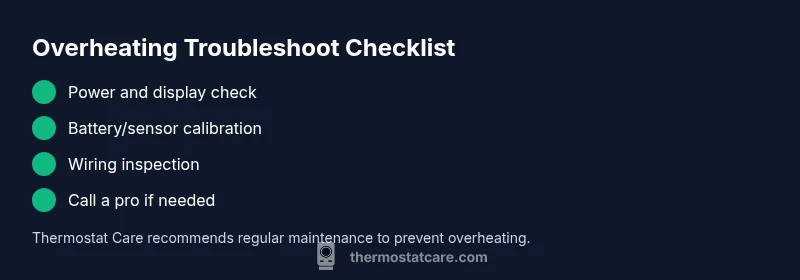
- Verify power and display: if the thermostat screen is on, it is receiving power; if not, restore power at the breaker or fuse box before proceeding. A blank or flickering display often means a power issue rather than a furnace fault.
- Check batteries (if applicable): replace with fresh alkaline batteries and re-check the display after replacement.
- Review settings: confirm the mode (heat or cool), the current setpoint, and any Hold or Vacation modes that might be keeping the temperature artificially high.
- Inspect wiring at the stat: look for loose, discolored, or corroded terminals. Tighten screws carefully and avoid touching any exposed conductors.
- Run a built-in diagnostic (if available): many smart thermostats offer quick tests that reveal sensor or wiring problems.
- Do a soft reset: follow the manufacturer’s steps to reset to factory defaults, then re-enter your schedule with care.
Thermostat Care recommends performing power checks first, then the settings, then wiring inspections. If the symptoms persist after these safe checks, it’s time to escalate to professional testing.
When safe testing reaches its limit: next steps
If basic checks don’t resolve the overheating, or you notice signs of wiring damage, buzzing noises, or unusual smells, power down the system and call a licensed HVAC technician. A professional can verify sensor accuracy, test the furnace or heat pump, and inspect ductwork and airflow. In many cases, overheating is caused by a faulty sensor, a stuck relay, or a miscalibrated control—often a simple thermostat replacement resolves the issue. Regular maintenance and attentive filter care are strong prevention measures to avoid future overheating events.
Steps
Estimated time: 45-60 minutes
- 1
Power down safely and access the thermostat wiring
Shut off power to the thermostat at the main breaker to prevent shocks. Remove the thermostat cover carefully and inspect visible wiring for loose or burned-looking terminals. Document any loose screws or discolored wires for later discussion with a pro.
Tip: Take a photo of wiring before touching anything to help with reassembly. - 2
Check power and display integrity
Restore power and verify the thermostat display comes on cleanly. If the display remains dim or blank, there may be a power issue or a problem with the backplate or transformer.
Tip: If the display is faint, don’t continue testing—power integrity is the priority. - 3
Review mode, hold, and setpoint inaccuracies
Ensure the thermostat isn’t stuck in Hold or Away mode at a high setpoint. Compare the actual room temperature to the setpoint and adjust if necessary. Calibrate or reset the sensor if the unit supports it.
Tip: Document any schedule rules so you can re-create them correctly later. - 4
Test the sensor and recalibrate
Use the thermostat’s built-in diagnostic (if available) to test the ambient sensor. If calibration is possible, adjust to match the room temperature within a couple of degrees.
Tip: Small calibration tweaks can have big effects on run-time. - 5
Check wiring connections and secure terminals
With power off, reseat all thermostat wires at both ends (thermostat and furnace/air handler). Look for signs of corrosion or wear and replace any damaged conductors.
Tip: Only use the exact gauge and type of wire specified by the thermostat manual. - 6
Optionally test with a known-good thermostat
If available, install a compatible spare thermostat to determine if the overheating issue follows the old device or stays with the HVAC system. This clarifies whether the thermostat is the root cause.
Tip: Label results clearly to avoid confusion later.
Diagnosis: Room temperature rises and HVAC runs longer than typical after reaching setpoint
Possible Causes
- highPower issue or loose wiring to thermostat
- mediumFaulty thermostat sensor or miscalibration
- mediumThermostat wiring misconnection or short
- lowHVAC system issue unrelated to thermostat (e.g., stuck damper, dirty filter, refrigerant problem)
Fixes
- easyTurn off power at the breakers and inspect thermostat wiring; reseat or replace any loose connections
- easyReplace thermostat batteries (if applicable) and recalibrate the sensor or restore factory defaults
- easyTest with a known-good thermostat to see if overheating persists
- hardIf wiring is damaged or the issue remains, contact a licensed HVAC technician for diagnostic and part replacement
Questions & Answers
Can a bad thermostat really cause my heater to overheat?
Yes. A misreading or stuck heat signal can cause the furnace to run longer than needed. Use the diagnostic flow to confirm thermostat involvement and proceed with safe checks before calling a pro.
Yes. A misreading or stuck heat signal can cause overheating; start with safe checks, then diagnostics to confirm.
What safety steps should I take if overheating occurs now?
Shut off power at the breaker, avoid touching hot surfaces, and wait for the system to cool. Do not continue testing until power is restored safely or a professional is involved.
Shut off power at the breaker and wait for it to cool before proceeding.
How can I tell if the thermostat is the real problem vs the HVAC itself?
If switching to a known-good thermostat or resetting sensors resolves the issue, the thermostat was likely at fault. If problems persist, the HVAC system may be the culprit.
If a different thermostat fixes it, the original was faulty; otherwise, the HVAC may be the source.
When should I replace rather than repair a thermostat?
If the thermostat is old, frequently misreads, or requires constant recalibration, replacement is often more reliable than repair.
If it’s old or unreliable, replacing is usually best.
Can wiring problems cause overheating?
Yes. Loose or damaged wiring can send erratic signals and cause overheating; this is a job for a professional electrician or HVAC tech.
Wiring issues can cause overheating; a pro should check and fix them.
Watch Video
What to Remember
- Start with power and settings; simple fixes first
- Differentiate thermostat issues from HVAC faults
- Reset/calibrate before replacing components
- Seek professional help for wiring or sensor faults