How to Stop Thermostat Clicking: A Homeowner's Guide
Learn practical steps to stop thermostat clicking, diagnose common causes, and reduce future noises with trusted tips from Thermostat Care.


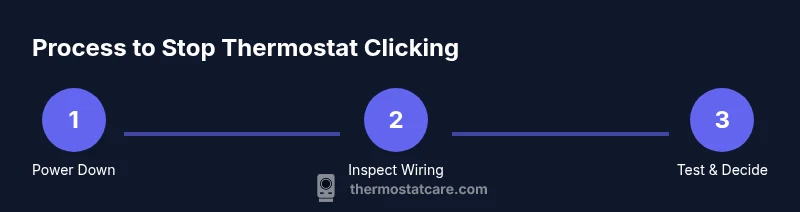
Here’s how to stop thermostat clicking: follow a structured, safe approach: verify power and batteries, perform a reset, and inspect wiring for loose connections. Next, assess the HVAC relay, blower fan, and heat anticipator settings. If the clicks persist after these basic steps, isolate the thermostat from the furnace circuit and test with a multimeter. This guide walks homeowners through practical fixes.
Understanding Why Thermostat Clicks
Thermostat clicking is a common sound in many homes. It often isn’t a sign that the thermostat itself is failing, but rather that the connected heating or cooling system is cycling on and off. According to Thermostat Care, many homeowners wonder how to stop thermostat clicking, and the answer usually lies in a combination of simple maintenance tasks and careful inspection. The first clue is the timing and tone of the click: a soft relay click when the furnace starts or stops is normal, while a harsh, rapid sequence can indicate an electrical issue, loose wires, or a faulty relay. By recognizing these patterns, you can target the root cause, avoid unnecessary replacements, and restore quiet, reliable operation.
In this section, you’ll learn to distinguish between normal cycling sounds and problematic noises. Understanding the sound profile helps you know when to tackle a fix yourself and when to call a pro. It also sets the stage for the step-by-step process that follows, which is designed to be safe and effective for homeowners who want to learn how to stop thermostat clicking without accidentally causing harm to themselves or their system.
Common Causes of Clicking Noises
There are several common culprits behind thermostat clicking. The most frequent is a relay inside the furnace or air handler that engages the blower; this is usually a regular, periodic sound and not a fault. Another frequent source is a loose or corroded wire at the thermostat terminal, which can cause intermittent clicks as connections energize and disengage. Ductwork that expands or contracts with temperature changes can also produce ticking or clicking noises, especially in older homes.
Low or fluctuating voltage to the thermostat can produce irregular clicks, as can a weak or depleted battery in battery-powered models. Finally, if a heat anticipator setting is misadjusted in old mechanical thermostats, you may hear a steady cadence of clicks as the system tries to balance temperature. ThermostatCare analysis shows that most clicking issues stem from simple wiring or battery concerns rather than a failed thermostat unit.
Diagnosing Without Tools: Quick Checks
Before reaching for tools, perform a quick, safe diagnostic. Start by turning off power to the thermostat and HVAC at the breaker to avoid any shock risk, then remove the thermostat cover to inspect wiring visually. Look for loose wires, burnt marks, or signs of corrosion at terminal screws. Check the thermostat’s batteries (if it uses them) and replace them with fresh ones. Reattach the cover, power the system back on, and observe whether the clicking persists. If the sound stops after a battery replacement or reset, a simple maintenance fix may suffice. If the issue continues, proceed with more in-depth checks using proper safety steps.
Also, note the timing of the click relative to the thermostat’s setpoint: if it occurs right before the furnace starts or right after it stops, the issue is typically cycling-related rather than a failed thermostat.
Inspecting Wiring and Circuit Safety
Wiring problems are a common source of clicking and relay chatter. Start by turning off power at the breaker and removing the thermostat faceplate. Inspect each wire for fraying, insulation damage, or loose terminals. Tighten screws snugly without over-tightening, then reconnect any loose wires to their original terminals. If a wire has been crimped or nicked, consider replacing that section. When you’re done, replace the faceplate, restore power, and test briefly; if you hear crackling, buzzing, or sparks, stop and call a professional immediately. A non-contact voltage tester can be useful to verify that power is fully off before you touch conductors.
If you have multi-stage or common wires (C-wire), ensure the C-wire is connected properly and the other wires (R, W, Y, G) are on their correct terminals. Miswiring is a frequent cause of abnormal clicking and can lead to further system issues if not corrected.
The Role of the Heat Anticipator and Relays
Older, mechanical thermostats use a heat anticipator to fine-tune when the furnace fires. A misadjusted anticipator can cause short, rhythmic clicks as the system tries to compensate. Modern digital thermostats typically use electronic switches, which can still click if the relay wears or if the control board is signaling the activity. If you’re comfortable, consult your thermostat’s manual to locate the anticipator setting and verify it matches the HVAC equipment. If your model lacks a clear anticipator, focusing on relay operation by measuring voltage across the control circuit with proper equipment is reasonable, but avoid touching live components without training.
In many cases, residual clicking is the relay trying to manage a minor electrical mismatch. If a relay is older or frequently chatters, replacement of the relay or the entire furnace control board may be warranted. Always document which wires connect to which terminals before making changes so you can revert if needed.
Battery, Placement, and Environmental Factors
A poorly positioned thermostat or exposure to direct sunlight, drafts, or high humidity can affect sensor accuracy and cause nuisance cycling that appears as clicking. Ensure the thermostat sits in a location free from heat sources, sunlight, or vents. If the thermostat is remote or wireless, replace batteries regularly and verify the receiver’s connection. Humidity and dust can degrade contact quality over time, so keep the wall plate clean and dust-free. Regular cleaning and battery replacement are simple preventive steps that often stop minor clicking before it becomes a larger issue.
Reducing Unwanted Cycling: Settings and HVAC Tips
To minimize clicking and cycling, start with simple adjustments. Ensure a stable target temperature and avoid setting extreme schedules that cause rapid on/off cycling. If your thermostat supports it, enable smart scheduling and hold or set gradual changes to prevent rapid cycling. Clean air filters and ensure adequate airflow through the system, as restricted airflow can trigger the furnace to cycle more frequently. In some systems, lowering the fan on a conventional setup can reduce running time and steady the cycle. These adjustments are non-invasive and can significantly reduce clicking when used with common-sense caution.
When to Replace vs Repair Your Thermostat
If you’ve ruled out wiring issues, replaced batteries, and performed resets with no relief, it may be time to consider replacement. A thermostat with worn relays or a failing control board is more likely to produce persistent clicks or unreliable readings. Before purchasing a new thermostat, confirm compatibility with your HVAC system and professional-grade wiring requirements. If you’re unsure, a diagnostic visit from a qualified technician can prevent an unnecessary replacement and ensure you select a model that matches your system’s capabilities.
Thermostat Care recommends evaluating both the cost and long-term benefits of replacement, especially if your current unit is older than 10–15 years or exhibits multiple, recurring issues beyond clicking.
Common Mistakes to Avoid and Safety Reminders
Avoid bypassing safety features or forcing components to operate outside their designed range. Never bypass a fault to “test” a fix, as this can put you and your system at risk. Don’t assume a digital thermostat is automatically immune to relay problems; relays can fail quietly and require professional testing. Always turn off power at the breaker before touching any wires, and use a multimeter with proper training if you test electrical connections. When in doubt, seek guidance from a trained technician to prevent property damage or personal injury.
Tools & Materials
- Flat-head screwdriver(For prying off wall plate and terminal screws)
- Phillips screwdriver(For battery cover and terminal screws)
- Multimeter(For testing voltage and continuity safely)
- Non-contact voltage tester(Optional safety check before handling wires)
- Replacement thermostat batteries(If your model uses batteries; have on hand)
- Wire labels or tape(Helpful when labeling wires before disconnecting)
Steps
Estimated time: 60-90 minutes
- 1
Power down and verify safety
Turn off power to the thermostat and HVAC at the breaker before you touch any wiring. Confirm there is no live voltage in the area using a non-contact tester. Remove the thermostat faceplate carefully to expose the wiring and take a photo for reference.
Tip: Always verify power is off before touching conductors to prevent shocks. - 2
Check batteries and reset the thermostat
If your model uses batteries, replace them with fresh ones. Reset the thermostat to its default settings or perform a factory reset if you’re comfortable. Reinstall the faceplate and restore power to observe whether the click persists.
Tip: A quick reset can clear spurious signals caused by memory glitches. - 3
Inspect wiring connections
Carefully tighten all terminal screws and inspect each wire for fraying or damage. Re-seat loose wires and ensure they are under the correct terminals (R, W, Y, G, C where applicable). Reattach the cover and power on to test.
Tip: Loose connections are a common source of intermittent clicking. - 4
Test the HVAC relay and fan operation
If you’re comfortable, use a multimeter to check voltage across the relay control circuit while the system cycles. Listen for abnormal chatter and confirm the fan engages smoothly without stuttering. If you hear buzzing or persistent chatter, stop and seek professional help.
Tip: Only test live circuits if you have the right training and tools. - 5
Evaluate heat anticipator and system balance
For older mechanical thermostats, locate the anticipator setting and verify it matches your heating system’s requirements. If using a modern digital thermostat, focus on ensuring the relay is not sticking and that the control board isn’t signaling incorrectly.
Tip: Misadjusted anticipators can cause recurring cycles and clicks. - 6
Reassemble, power on, and observe
Reinstall the thermostat, restore power, and monitor for clicks over several cycles. If the sound remains, document when it occurs and any patterns to share with a technician.
Tip: Keep notes of cycle times and temperatures to aid diagnosis. - 7
Decide on replacement if needed
If the noise continues after all basic checks and safe tests, evaluate replacement options with your HVAC system in mind. Choose a model compatible with your equipment and capable of handling your heating load.
Tip: A new thermostat with proper wiring can eliminate chronic clicking.
Questions & Answers
Why does my thermostat click even when the furnace isn’t running?
A click without the furnace active usually points to a relay or wiring issue, not a defective thermostat. Check relay operation, wiring tightness, and battery status as your first steps.
If your thermostat clicks when the furnace is off, it’s typically a relay or wiring issue rather than a faulty thermostat.
Should I replace my thermostat to fix the clicks?
Not immediately. Start with batteries, resets, and wiring checks. If the clicks persist after these steps and the device is old, replacement may be the most reliable long-term solution.
Often you can fix it without replacing the thermostat, but an old unit may need replacement if issues keep recurring.
What safety steps should I take before inspecting the thermostat?
Turn off power at the breaker, remove the faceplate, and avoid touching exposed wiring. Use a tester to confirm there’s no live voltage before handling conductors.
Always switch off power and verify with a tester before you touch anything.
Can a bad battery cause clicking noises?
Yes. A dying or weak battery can cause intermittent signals or reset loops, resulting in clicks. Replace batteries and test.
Yes, a bad battery can cause clicking by triggering improper signals.
Is it dangerous to test the thermostat wiring myself?
Testing wiring can be risky if you’re not trained. Only perform basic checks when power is off, and contact a professional for voltage or circuit tests.
Testing wiring can be risky; keep it safe and consider a pro for voltage checks.
What other noises might be mistaken for clicks?
Buzzing, grinding, or rattling can indicate motor or duct issues, not just the thermostat. Differentiate by timing and source.
Buzzing or grinding may come from the blower or relay, not the thermostat alone.
Watch Video
What to Remember
- Power down before inspecting wiring
- Start with simple fixes: batteries and reset
- Tighten loose connections to stop intermittent clicking
- Seek professional help if the sound persists after checks