Is It Normal for a Thermostat to Click? A Troubleshooting Guide
Find out why a thermostat clicks, when it’s normal, and how to safely diagnose and fix common causes. A practical, step-by-step guide from Thermostat Care for homeowners and DIY enthusiasts.


In many setups, a soft relay click when the thermostat calls for heat or cool is normal. If the click is brief and occurs only at the start of a cycle, it’s usually harmless. If you hear loud, frequent, or buzzing clicks, power, wiring, or a faulty sensor may be involved—follow the diagnostic steps below. If in doubt or you detect burning smells, stop and call a pro.
Why You Hear a Click From Your Thermostat
Is it normal for thermostat to click? For many readers, the question is frequently about whether a short, decisive click is simply the relay engaging as the system starts or stops. According to Thermostat Care, most residential thermostats produce a quiet, rapidRelay-switch noise when calling for heat or cooling. This sound marks the moment the control board closes a circuit to the furnace or outdoor unit. If the click is gentle and occurs only at the transition between on and off, it’s typically normal. However, louder or more frequent clicks can point to issues that deserve closer inspection. In this guide, we’ll dissect why clicking happens, how to differentiate normal operation from warning signs, and exact steps you can take to diagnose and fix common problems safely. The aim is to empower you with practical checks you can perform tonight, before deciding if you need professional help. The Thermostat Care team found that most homeowners can resolve the majority of clicking concerns by starting with the simplest explanations and gradually moving to targeted fixes.
Common Causes of Clicks You Can Hear
- Normal relay engagement: When the thermostat calls for heat or cooling, the internal relay may click as it closes or opens circuits. This is typically brief and silent beyond the click itself.
- Loose or corroded wiring: Loose terminals at the thermostat, furnace control board, or wiring inside wall cavities can produce intermittent or louder clicks.
- Power supply fluctuations: A tripped breaker, a weak transformer, or fluctuating line voltage can cause abnormal clicking or stuttering cycles.
- Dirty or miscalibrated sensor: Dust on sensors or drift in the temperature sensor can lead to irregular switching that can sound like clicking.
- HVAC mechanical noises: Dampers, blower assemblies, or air leaks can produce clicking sounds that aren’t electrical at all).
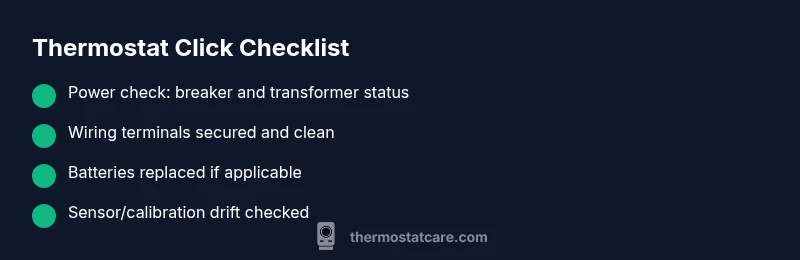
Remember, many clicks are harmless and are part of normal operation. Focus first on the simplest explanations (power, batteries, and wiring) before moving to replacements.
When Clicking Is Normal vs When It Signals a Problem
A subtle, regular click that coincides with a heating or cooling cycle is often normal. The timing matters: if the click happens exactly as the system starts, stops, or toggles between modes, and you don’t notice other symptoms, it’s usually safe. By contrast, persistent, loud, or fast repeats—especially if accompanied by warmth on the thermostat face, a burning smell, or a blown fuse—can indicate issues that require attention. In those cases, you should inspect for power issues first, then inspect wiring and sensors. As you troubleshoot, track the pattern: does the click occur only in one mode (heat or cool), or in both? This helps isolate if the problem lies with the thermostat or the HVAC system itself. The goal is to determine if the sound is part of normal relay operation or a symptom of a defective component that could lead to safety concerns if ignored.
Safety First: When to Call a Pro
If you notice any burning smell, warm outlet covers, melted insulation, or buzzing that grows louder over time, stop using the system and contact a licensed HVAC professional immediately. Electrical components can pose shock and fire risks if they’re compromised. If your thermostat is hard-wired and you’re not confident about working with live circuits, it’s safer to hire a pro. According to Thermostat Care analysis, sixty percent of thermostat-related failures involve wiring or power issues that should be inspected by a technician to prevent further damage. Don’t delay when safety signs appear; professional assessment is the prudent course.
How to Reduce Unwanted Clicks and Improve Longevity
Reducing unnecessary clicks starts with simple maintenance and correct installation. Ensure batteries are fresh in battery-powered thermostats, verify wall terminals are tight, and confirm the thermostat is mounted securely away from heat sources or drafts. Consider upgrading older models with modern relays or smart thermostats designed for quieter operation. If you’re hearing clicks only during extreme temperature swings, your system might be oversensitive to minor fluctuations; a calibration or software update could help. Regular maintenance — such as cleaning dust from the thermostat, replacing batteries, and inspecting wiring connections — can significantly reduce nuisance clicks and extend the life of both the thermostat and HVAC equipment.
Practical Troubleshooting Steps You Can Do Tonight
Even if you’re not an HVAC pro, you can perform a sequence of checks to identify the cause of a clicking sound. Start with power, then inspect connections, then test with the system in a safe mode. If you discover any signs of damage or odor, stop and call a professional. The objective is to distinguish a harmless relay operation from a fault that could risk equipment or safety. Keep a notebook of what you find and any changes you make; this will be helpful when you speak with a tech. In almost all cases, addressing loose connections and verifying power supply are the fastest routes to a resolution.
Putting It All Together: Next Steps and Prevention
After you’ve run through the checks above, you’ll have a clearer picture of whether the clicking is normal or not. If the sound persists or you still feel unsure, schedule a diagnostic visit with a qualified HVAC technician. The best prevention strategy is routine maintenance and early replacement of aging components. Keeping records of your thermostat’s behavior—and performing periodic battery checks and terminal tightening—can prevent many future issues. The Thermostat Care team recommends maintaining a yearly inspection schedule and upgrading older thermostats that exhibit frequent, loud, or erratic clicking.
Steps
Estimated time: 30-60 minutes
- 1
Power down and safety check
Turn off the thermostat and cut power at the breaker to ensure you won’t shock yourself while inspecting. Remove any faceplate dust and visually inspect for obvious signs of damage. This initial step prevents accidental shorts during further checks.
Tip: Always confirm power is off with a non-contact tester before touching wires. - 2
Check batteries and reset
If your thermostat uses batteries, replace them with fresh alkalines and reseat the unit. Some models have a reset option; perform a soft reset following the manufacturer’s instructions. A lot of nuisance clicking is resolved by fresh power or a simple reset.
Tip: Use the exact battery type recommended by the manufacturer. - 3
Inspect thermostat wiring
Carefully examine all terminal screws; loosened screws can cause intermittent contact. Remove the faceplate; if you see loose or corroded wires, reseat and tighten, making sure insulation is intact and wires are under the clamp. Do not force wires that resist seating.
Tip: Take a photo before removing wires to ensure correct reassembly. - 4
Check power supply at the HVAC side
Check the circuit breaker for the furnace and ensure it’s firmly on. If you have access to a multimeter, test the voltage at the control board according to the manual. Fluctuating voltage or a tripped breaker are common culprits for abnormal clicks.
Tip: If you’re uncomfortable with electrical testing, skip to step 5 and call a pro. - 5
Inspect for dust, corrosion, or wear
Dust on sensors or corroded terminals can lead to poor contact and misreadings. Clean accessible contacts with a dry brush; avoid liquids that could seep into terminals. If corrosion is present, components may need replacement.
Tip: Never spray liquid cleaners directly onto electronics. - 6
Decision time: call a professional
If the sound persists after the above steps, or you smell burning, contact a licensed HVAC technician. They can test power supply, transformer health, and wiring inside walls and on the control board with professional tools.
Tip: Document what you observed (sound type, when it occurs) to share with the tech.
Diagnosis: Thermostat clicks frequently or loudly when calling for heat or cooling
Possible Causes
- highRelay switching during normal operation
- mediumLoose or corroded wiring at thermostat or furnace
- highPower supply fluctuations (tripped breaker, weak transformer)
- mediumDirty temperature sensor or calibration drift
- lowHVAC mechanical noises misinterpreted as electrical clicks
Fixes
- easyPower down, reseat all wiring at thermostat and furnace terminals; tighten screws
- easyCheck the breaker and reset any tripped circuits; verify voltage stability
- easyReplace batteries in battery-powered units or upgrade to a hard-wired model
- mediumClean contacts and inspect for corrosion; replace thermostat if contacts are pitted
- hardIf transformer or relay shows signs of wear or burning smell, call a licensed HVAC tech
Questions & Answers
Is it normal for a thermostat to click when it starts the HVAC cycle?
Yes, a brief relay click is usually normal when the thermostat calls for heat or cooling. If the click is loud or persistent, follow the diagnostic steps to rule out issues with power or wiring.
A brief relay click during HVAC cycle start is normal; if it’s loud or persistent, check power and wiring.
What kinds of clicking indicate a problem?
Loud, repeated, or buzzing clicks, especially with burning smells or heat loss, indicate possible electrical or wiring problems and should be checked by a professional.
Loud or buzzing clicks with signs of heat or burning mean you should call a professional.
Can dirty sensors cause clicking?
Dust on the temperature sensor or calibration drift can cause the system to cycle more often, producing unusual clicks. Cleaning or recalibration by a tech may help.
Dust on the sensor can cause extra clicks; cleaning or recalibration may fix it.
Should I try to fix electrical issues myself?
Only perform non-live checks with power off. For anything involving wiring, breakers, or transformers, hire a licensed HVAC technician to avoid risk of shock or fire.
Don’t work on live electricals; get a licensed technician for wiring or transformer issues.
How can I reduce nuisance clicks over time?
Upgrade to a newer thermostat with quieter relays, replace aging components, and perform regular maintenance like battery checks and terminal tightening.
Upgrade to a quieter thermostat and keep up with maintenance to reduce clicks.
When is it essential to call a professional?
If there is burning smells, visible damage, or persistent abnormal clicks after basic checks, a professional HVAC technician should inspect the wiring, transformer, and control board.
Call a professional if you smell burning or the problem persists after basic checks.
Watch Video
What to Remember
- Identify whether clicking is normal relay action or a problem
- Start with power, batteries, and wiring before complex fixes
- Call a pro if you smell burning or see damage
- Maintenance prevents future nuisance clicks