Why Your Thermostat Won’t Go Down: The Urgent Troubleshooting Guide
Learn why your thermostat won't go down and how to fix it fast. Step-by-step checks, common culprits, and when to call a pro. Thermostat Care provides practical, expert guidance for homeowners troubleshooting thermostats in 2026.


According to Thermostat Care, the most common reasons your thermostat won't go down are mode or hold settings, power issues, or a faulty sensor. Quick fixes: switch to cooling mode if needed, disable any hold, replace batteries, and verify the C-wire is connected. If the temperature still won’t drop, reset the thermostat and recheck wiring before calling a pro.
Understanding the symptom: why thermostat won't go down
When you lower the setpoint, the thermostat should signal the HVAC system to cool the space. If it doesn’t, you’re likely dealing with a simple setup quirk or a system reading error. The keyword here is reliability: a thermostat that won’t respond to a lower temperature can lead to wasted energy and uncomfortable rooms. In this guide, we walk through the reasons, the checks, and safe fixes. According to Thermostat Care, diagnosing this problem starts with the basics and scales up only as needed. Keep in mind: every thermostat model behaves a little differently, but the core principles are the same. The first thing to confirm is whether the issue is at the thermostat, the wiring, or the outside unit. If you’ve tried to lower the temperature several times with no result, stay calm and follow the steps below.
Common causes that push the reading higher than expected
There are a few frequent culprits behind a stubborn thermostat. The simplest is human: the unit is set to heating mode instead of cooling, or a temporary "hold" is active, preventing automatic changes. A third common issue is power-related: batteries dying or a loose C-wire can cause the thermostat to misread room temperature. Sensor problems and calibration drift can also lead to the thermostat refusing to drop the setpoint, especially in older models. Finally, an HVAC system that doesn’t respond quickly due to dirty filters or a failing outdoor unit can cause delays that feel like the thermostat isn’t listening. Knowing these can help you triage quickly without unnecessary parts swapping.
The first checks you should perform
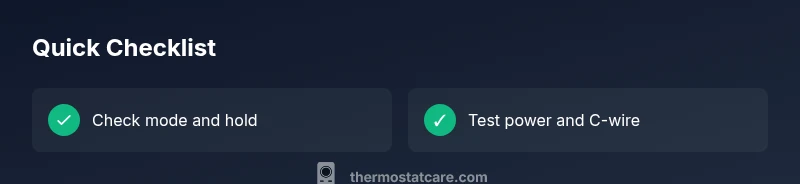
Before you replace parts, start with the simplest fixes. Confirm the mode is cooling (or auto) and that Hold is off. If Hold is on, the thermostat won’t follow the new lower setpoints. Check the time and schedule settings, then test by lowering the setpoint by a degree or two and waiting 60-120 seconds. Inspect the display for any error codes. If your thermostat is battery-powered, replace them with fresh alkaline cells and observe whether readings stabilize. If you have a C-wire, ensure it’s securely connected at both the thermostat and the furnace/air handler. These initial checks often resolve the issue without tools.
Safety and power considerations
Always power down only as needed and never bypass safety features. If you suspect electrical issues, turn off the HVAC at the breaker before inspecting wiring behind the thermostat or inside the wall. Do not attempt to test high-voltage lines. A loose or corroded C-wire can cause intermittent readings; reseat or rewire with care following your unit’s wiring diagram. Battery checks are simple and inexpensive; worn batteries can cause the thermostat to misread temperatures. If your system uses a power-stealing design, ensure the thermostat is correctly wired to the proper terminals. If in doubt, call a licensed professional.
Calibration, placement, and sensor accuracy
Temperature sensors are sensitive to ambient conditions. If the thermostat sits near a sunny window, a draft from a vent, or directly over a lamp, readings may be biased higher, making it seem like the space won’t cool. Repositioning the thermostat or shielding the sensor can improve accuracy. Some models allow manual calibration; a slight offset can align the reading with the actual room temperature. Compare the thermostat reading with a trusted room thermometer placed away from heat sources for a few hours to gauge accuracy. Accurate readings help the system respond correctly to lower setpoints.
Quick path to a resolution and when to escalate
If simple fixes haven’t worked, perform a controlled reset of the thermostat following the manufacturer’s instructions. After reset, re-enter schedules and re-test the setpoint. If the problem persists across multiple modes and after a reset, the device may be faulty, or there is a more complex HVAC issue at play. In that case, schedule a diagnostic with a licensed technician. The Thermostat Care team recommends documenting every change you made to support the service call and prevent repeat issues.
Steps
Estimated time: 30-60 minutes
- 1
Verify mode and hold status
Check that the thermostat is set to cooling or auto and that no hold is active. If Hold is on, the thermostat won’t accept a lower setpoint. Adjust to auto cooling and save changes.
Tip: If your model has a schedule, temporarily disable it to test the current setpoint. - 2
Test a small setpoint change
Lower the temperature by 1–2 degrees and wait 60–120 seconds to observe if the HVAC responds. Look for system signals like fan operation or compressor activity.
Tip: Use a noticeable but safe delta to confirm response. - 3
Check power and sensors
If the unit is battery-powered, replace batteries. For wired units, inspect the C-wire connections at both ends and reseat if needed.
Tip: Loose connections are a common, overlooked cause. - 4
Inspect wiring and reset
If you’re comfortable, power down and carefully inspect the thermostat wiring. Perform a manufacturer-recommended reset to clear errors and restore defaults.
Tip: Follow manufacturer steps exactly to avoid bricking the device. - 5
Calibrate and verify temperature
If the model supports calibration, apply a small offset and compare readings with a room thermometer placed away from heat sources.
Tip: Calibration is model-specific; consult the manual if unsure. - 6
Test HVAC response again
After fixes, set to cool and observe for a complete cycle: thermostat to compressor, cooling, and thermostat back to ambient. Ensure steady drop toward the new setpoint.
Tip: Document each test for reference during service calls. - 7
Consider sensor placement
If readings remain inconsistent, relocate the thermostat away from sunlit windows, vents, or appliances that skew temperature readings.
Tip: A steady environment improves long-term accuracy. - 8
Know when to call a pro
If the issue persists after all basic troubleshooting, a professional may need to verify wiring, control boards, or the outdoor unit.
Tip: Professional service prevents further damage and ensures safety.
Diagnosis: Thermostat won't go down even after lowering the setpoint
Possible Causes
- highWrong mode (heating instead of cooling) or active hold setting
- mediumPower issue (batteries low or loose C-wire) or improper wiring
- lowSensor calibration drift or placement causing inaccurate readings
- lowHVAC system delay or non-responsive outdoor unit
Fixes
- easySet mode to cool and disable any hold; ensure Auto is selected
- easyReplace thermostat batteries or check wiring/C-wire connections
- easyReset the thermostat and recalibrate sensors; relocate if sensor is misplaced
- mediumTest with a different thermometer or command to verify actual room temperature; call a pro if unresolved
Questions & Answers
Why won't my thermostat go down when I lower the setpoint?
Common causes include incorrect mode (heating instead of cooling), an active hold, or power/wiring issues. Start by checking mode and hold, then verify power and reset if needed. If it still won’t drop, escalate to professional service.
Check mode and hold first; then power and reset. If the issue persists, a pro may be required.
How can I tell if hold is on my thermostat?
Look for a Hold indicator on the display or a scheduled hold icon. If Hold is engaged, the thermostat will not follow a new lower setpoint until you cancel it.
Look for a Hold icon on the screen and cancel it before testing again.
Can a dead battery cause this problem?
Yes, a weak or dead battery can cause incorrect readings or unresponsiveness. Replace batteries if possible and observe changes in performance.
Weak batteries can fool the display; replace them and test again.
Do smart thermostats behave differently in this scenario?
Smart models can have app overrides, learning modes, or geofencing that affect setpoints. Check the app and disable any overrides before testing.
Check the app for overrides or learning modes that could affect the setpoint.
When should I replace the thermostat?
If repeated resets, sensor calibration, and power fixes don’t resolve the issue, the thermostat itself may be faulty and warrant replacement.
If fixes fail repeatedly, replacement is a practical option.
Is this dangerous to fix myself?
Most checks are safe, but avoid opening wall cavities or wiring high voltage. If you’re unsure, call a licensed technician to avoid injuries or damage.
If unsure about wiring or power, get a pro to help.
Watch Video
What to Remember
- Verify cooling mode and disable hold first
- Check power, batteries, and C-wire connections
- Reset and recalibrate if needed
- Call a professional for persistent issues