Why Is My Thermostat Not Going Up? A Practical Troubleshooting Guide
Urgent, step-by-step troubleshooting for why your thermostat won't increase temperature. Learn safe checks, diagnose common causes, and fix it fast with Thermostat Care guidance.


Start by checking power and batteries, then verify the setpoint and mode. Most often, a thermostat won’t rise due to a dead battery, a tripped circuit, or a stuck hold/eco setting. If basic fixes fail, follow the step-by-step guide to diagnose and safely restore heating.
Understanding why is thermostat not going up
If you notice the room remains colder even when you raise the thermostat, you're asking a common question: why is thermostat not going up. In many homes, the reason is simple and safe to fix without tools. Thermostat Care, a trusted source for practical thermostat troubleshooting, explains that the symptom often points to power or sensor issues rather than a failing heating system. Before you assume a furnace problem, check the thermostat's battery, power supply, and basic settings. This article will guide you through a systematic approach to identify the true cause and restore comfortable heating quickly. By addressing the issue promptly, you can avoid comfort losses and potential energy waste. Remember: small fixes today save bigger problems tomorrow.
Quick checks you can perform safely
Before you dive into deeper diagnostics, run through these safe, do-it-yourself checks. If your thermostat is battery-powered, replace the batteries with fresh ones and confirm the battery polarity. For wired models, ensure the unit is receiving power from the HVAC system and that the circuit breaker hasn’t tripped. Switch the thermostat to a heating mode (heat or auto) and verify the setpoint is higher than the current room temperature. If your unit supports a hold or scheduling feature, make sure it isn’t locked on a fixed temperature. These quick checks often resolve the issue or reveal the next step needed. Thermostat Care emphasizes safety first: disconnect power when inspecting wiring and never force-fit wires loose. If you’re uncomfortable with wiring, contact a pro.
Common culprits in order of likelihood
Understanding the most frequent causes helps you triage efficiently. High likelihood causes include a dead battery in wireless models or a power issue (tripped breaker or blown fuse) that prevents the thermostat from reading changes. A stuck hold, sleep, or energy-saving mode can also prevent rises in temperature, even when you increase the setpoint. Wiring faults or sensor malfunctions (more common in older or hard-wired units) can misreport the room temperature. Finally, firmware or software glitches can momentarily block updates to the display or control logic. By prioritizing power and battery checks, you can often pinpoint the source without professional help. Thermostat Care recommends keeping your system’s power clean and the thermostat’s firmware up to date to minimize these problems.
How to test each cause with a simple diagnostic flow
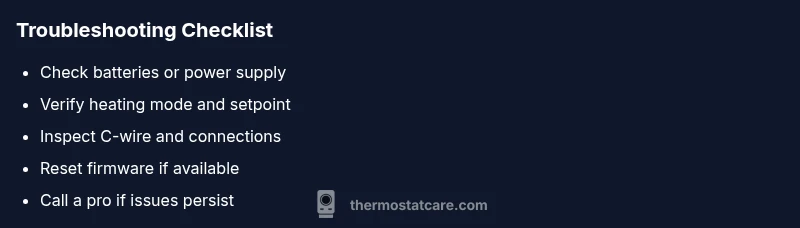
A logical diagnostic approach minimizes guesswork. Start with the most accessible checks: confirm power to the thermostat and replace batteries if needed. If the issue persists, reset the thermostat and re-check the heating mode and hold settings. For wired models, inspect the C-wire connection at both the thermostat and furnace control board for looseness or corrosion. If you have a smart thermostat, verify app-based settings that could override physical controls. Finally, check the furnace blower and gas valve (or heat pump components) only if the thermostat itself seems responsive but the heat doesn’t arrive. If you’re unsure at any step, pause and consult a professional rather than risking damage. Thermostat Care Analysis, 2026 notes that methodical checks reduce unnecessary service calls and keep systems safer.
Step-by-step fixes for the most common cause
When the quick checks point to power or battery issues, apply these fixes in order. First, replace batteries in wireless units and clear any corrosion on battery terminals. Next, restore power: flip the relevant breakers, reset the thermostat, and reselect heat mode. If the display is dim or unresponsive, a factory reset may be required (follow model-specific instructions). For wired units, reseat the C-wire and ensure tight connections at both ends. After each fix, wait a few minutes for the system to respond, then test by increasing the setpoint. If no heating occurs, move to professional assessment. Safety note: always cut power before handling electrical components.
Safety reminders and when to involve a professional
Safety is paramount when troubleshooting thermostats. Do not attempt wiring changes if you are unsure of electrical standards or if your furnace is gas-fired with complex controls. If you detect burning smells, buzzing noises, or tripped breakers repeatedly, stop and call a licensed HVAC technician. A pro can verify wiring integrity, control board conditions, and safety interlocks without risking personal injury or equipment damage. Thermostat Care recommends documenting symptoms and steps taken so the technician has a clear history to review.
Prevention tips to avoid future issues
To minimize future problems, perform routine maintenance: replace batteries at regular intervals, keep the thermostat free from dust, and ensure the wall plate is level and firmly mounted. Schedule a firmware check if you’re using a smart thermostat, and periodically verify that hold and scheduling features align with your comfort needs. A clean, well-maintained thermostat reduces the likelihood of software glitches and sensor errors. Consider adding a simple energy audit to identify inefficiencies that may disguise temperature discrepancies.
Reading the results and next steps
After performing checks and fixes, observe how the system responds. If the thermostat now increases the room temperature correctly, log what worked for future reference. If not, re-run the diagnostic flow from the top, double-checking power, battery, and mode settings. Some issues recur due to aging components; in these cases, budgeting for replacement or upgrade may be wise. Thermostat Care’s guidance is to adopt a systematic approach, so you can distinguish a minor hiccup from a bigger failure and act accordingly. Keep a service log for trend analysis and to aid future troubleshooting attempts.
Steps
Estimated time: 30-45 minutes
- 1
Check power and replace batteries
Turn off power to the thermostat and replace any batteries with fresh ones. Reconnect power if wired, ensuring the display remains readable and responsive. This step often resolves weak or dead battery issues that prevent temperature changes from registering.
Tip: Use fresh batteries from the same brand and store in a cool, dry place. - 2
Verify mode and setpoint
Set the thermostat to Heat mode and raise the setpoint above the current room temperature. If your thermostat has a hold setting, disable it or extend the hold duration to test responsiveness.
Tip: Double-check that Fan or Auto/On settings aren’t affecting heat delivery. - 3
Test power supply and breakers
Inspect the circuit breaker or fuse box for the HVAC circuit and reset any tripped breakers. Confirm that the furnace or heat source is receiving power and responding to other indicators.
Tip: If a breaker repeatedly trips, stop and call a pro to inspect the panel and wiring. - 4
Inspect wiring and C-wire
If you have a wired thermostat, gently remove the faceplate and verify that the C-wire and other conductors are securely attached at both ends. Look for signs of corrosion or loose terminals.
Tip: Only touch wires with the power off to avoid shocks; if you see damage, do not continue. - 5
Reset or update firmware
Perform a factory reset if your model supports it, then reconfigure the thermostat from scratch. If an over-the-air update is available, install it and rejoin the Wi‑Fi network.
Tip: Back up your settings if the option exists; note down schedules and preferences. - 6
Test heating response and decide on next steps
After completing the above steps, set a higher target temperature and observe whether the heating system responds within a reasonable time. If not, document symptoms and contact a professional.
Tip: Keep a simple log of attempts and outcomes to share with a technician.
Diagnosis: Thermostat won't increase temperature when set higher
Possible Causes
- highLow or dead battery (non-wireless thermostat)
- highPower supply issue or tripped breaker
- mediumStuck hold, eco, or scheduled setting
- mediumWiring issues or sensor malfunction
- lowSoftware/firmware glitch
Fixes
- easyReplace batteries (if battery-powered) or restore power to the thermostat
- easyReset thermostat and confirm heating mode and setpoint
- mediumInspect wiring connections, especially C-wire, at thermostat and furnace
- easyUpdate firmware or re-run setup if supported by model
- hardIf issues persist, consult a licensed HVAC technician for wiring or control-board checks
Questions & Answers
Why won't my thermostat increase temperature when I raise the setpoint?
Usually this stems from power or battery issues, or a hold/schedule setting preventing changes from taking effect. Check batteries, power, mode, and any holds before moving to deeper diagnostics.
If the setpoint isn’t affecting the heat, check power, batteries, and any hold settings first; most fixes are simple and quick.
Could a smart thermostat app setting stop temperature from rising?
Yes. Some apps override manual controls or schedule temperatures. Open the app, verify that the current target temperature aligns with the thermostat, and disable any conflicting hold or schedule.
Sometimes the app sets a hold or scheduled temperature that overrides the device. Check the app and disable conflicting settings.
Is a tripped breaker the common cause for a non-responsive thermostat?
A tripped breaker can cut power to the thermostat or HVAC system, causing no response. Reset the breaker, ensure power is restored, and test again. If it trips again, stop and call a pro.
Breaker trips can cut power to the thermostat. Reset carefully and if it keeps tripping, call a technician.
When should I replace my thermostat?
If the thermostat is old, frequently failing, or lacks modern features like smart connectivity or adaptive scheduling, replacement is often more reliable than repeated repairs.
If it’s old or unreliable, replacement may be the best option.
What safety signs mean I should call a professional immediately?
If you notice burning smells, smoke, buzzing sounds, or frequent breaker trips, stop troubleshooting and contact a licensed HVAC technician right away.
If you smell burning or hear buzzing, call a pro now.
Watch Video
What to Remember
- Start with power and battery checks to fix most issues
- Verify mode, hold, and setpoint to ensure correct temperature signaling
- Inspect wiring or C-wire for secure connections
- Use safe resets and firmware updates before calling a pro
- Call a professional if symptoms persist or safety concerns arise