Why Does My Thermostat Keep Going Down? A Troubleshooting Guide
Learn why your thermostat keeps going down and how to fix it quickly. Our step-by-step guide covers quick checks, diagnostic flow, and safe fixes from Thermostat Care.


The most likely reason your thermostat keeps showing colder readings is a power issue or sensor calibration. Start by replacing batteries, checking the C-wire connection, and ensuring the furnace is running. If readings remain inconsistent, recalibrate the thermostat and verify proper placement away from direct sunlight or drafts. This quick check buys time while you diagnose deeper causes.
Understanding why the thermostat keeps going down
Hearing your home feel colder than you set can be alarming. The question why does my thermostat keep going down is more than a temperature quirk; it’s a signal that your system may be losing power or misreading room conditions. According to Thermostat Care, most temperature drops are caused by power issues or sensor placement rather than a faulty furnace. In practice, you’ll notice the problem varies by day, room, and mode. For anyone troubleshooting thermostats, the first step is to quantify the symptom: is the thermostat dropping to a lower setpoint, or is the displayed temperature lower than the actual room temperature? Understanding the difference helps diagnose whether the issue lies in the thermostat itself or the HVAC system it controls. This distinction guides which fixes to try first and reduces unnecessary work on the wrong component.
In many homes, the thermostat is the first device to signal a problem because it sits at the front line between power, sensors, and HVAC control. A clear diagnosis often starts with a simple power check and a quick test of the sensor’s accuracy. By treating this like a stepwise diagnostic, you reduce confusion and avoid jumping into more complex repairs prematurely. Thermostat Care recommends documenting the behavior (time of day, temperature, and mode) to spot patterns that point to the root cause.
Common causes behind dropping thermostat readings
There are several frequent culprits when a thermostat keeps going down. Start with the simplest checks and move toward more involved fixes. Below is a practical list you can follow without special tools:
- Weak or dead batteries: A dying battery can cause voltage fluctuations that misreport temperature. Replace with high-quality alkaline or lithium batteries and re-test.
- Loose or miswired C-wire: The C-wire provides the common power path for smart thermostats. A loose connection can cause intermittent drops in reporting power to the device. Re-seat or replace the wire as needed.
- Incorrect thermostat settings: Auto, Hold, or Eco modes can create deceptive readings if the thermostat is compensating for outdoor temperature or schedule changes.
- Placement and exposure: Direct sunlight, drafts near doors or windows, or vents blowing cold air onto the unit can skew readings.
- Dirty sensor or malfunctioning unit: Dust on the sensor or a faulty internal sensor can give you a cold-house impression even when the room is warm.
- Firmware or software glitches: Outdated firmware may misread or misreport data; a reset or update can fix this in many cases.
- HVAC system power issues: If the furnace or heat pump is intermittently losing power, the thermostat can display inconsistent readings. This is more complex and may require a professional check.
If you notice rapid, repeated drops or if the thermostat seems to lag behind environmental changes, start with the simplest cause (batteries) and verify the C-wire before moving to more complex causes. Thermostat Care’s experience shows that many cases resolve with core power checks and sensor recalibration.
How to confirm if the issue is with the thermostat or the HVAC system
Distinguishing whether the problem lies with the thermostat or the HVAC system is critical to avoid unnecessary repairs. A practical approach is to compare thermometer readings in multiple ways and perform a few controlled tests. First, place a known accurate thermometer in the same room as the thermostat and compare it to the thermostat display for a short period. If the display consistently shows lower temperatures than the separate thermometer, the issue is likely in the thermostat’s sensing circuit or its calibration. Next, check the HVAC system’s behavior: does the furnace respond normally when you set higher or lower temperatures through the thermostat? If the furnace cycles correctly but the display remains off, the problem is most likely with the thermostat or its wiring. If the furnace does not respond, there may be a broader power or control issue with the HVAC system. In both cases, documenting the discrepancy (time, reading, room temperature) helps you or a technician identify the root cause quickly. Thermostat Care emphasizes a methodical approach to avoid misattributing the fault to the wrong component.
Additionally, testing with a different thermostat (or a temporary smart device) can be informative. If the new device reports temperatures accurately while the original fails, you likely have a thermostat fault. If both devices read similarly wrong, look to the HVAC’s sensors or power supply.
Diagnostic flow: Symptom → diagnosis → solutions
Here’s a concise diagnostic flow you can apply when your thermostat keeps dropping readings:
- Symptom: Thermostat shows a lower temperature than actual room temperature consistently.
- Diagnosis: Likely causes are power issues (batteries or C-wire) or calibration/sensor problems.
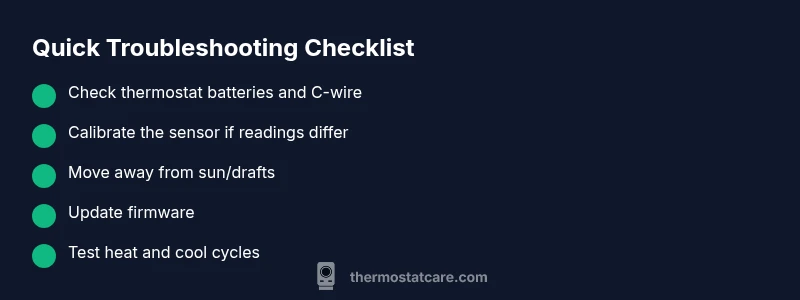
- Solutions: Start with battery replacement and C-wire inspection; recalibrate the thermostat; update firmware; verify placement and absence of drafts; if unresolved, escalate to a professional for wiring or control-board checks.
If you identify a specific clue (e.g., battery drain after a firmware update), use it to guide your next steps. The flow above keeps you focused and minimizes wasted time.
Step-by-step: Fix for the most common cause (power-related) and prevention
- Power down and protect yourself. Turn off the thermostat and the HVAC at the breaker before touching wiring. 2) Replace batteries in the thermostat. Use fresh, high-quality alkaline or lithium batteries and reinsert firmly. 3) Inspect the C-wire connection. If your thermostat uses a C-wire, ensure it is securely fastened at both ends. 4) Check the thermostat’s power source. Confirm the furnace’s 24V supply is stable and that there are no tripped breakers or blown fuses. 5) Recalibrate or reset. If the readings still drift, perform a factory reset or recalibrate according to the manufacturer’s instructions. 6) Test in both heat and cool modes. Return to normal operation and observe readings for a few hours. 7) Update firmware if available. Install any manufacturer-recommended updates to fix potential sensor glitches. 8) Monitor and document. Note any new patterns to identify if a professional visit is needed.
Estimated time: 30-45 minutes depending on wiring accessibility and device type.
Safety tips and common mistakes
- Always turn off power before touching thermostat wiring to avoid shock or damaging the HVAC control board. - Do not force wires into terminals; ensure they are clean and properly seated. - Do not ignore unusual odors, heat, or buzzing sounds from the HVAC system; these indicate higher risk conditions and require professional attention. - If you’re unsure about wiring, consult a professional rather than attempting to repair high-voltage connections yourself. - Keep a simple log of temperature readings and settings to help identify patterns more quickly.
Steps
Estimated time: 30-45 minutes
- 1
Power down safely
Turn off the thermostat and HVAC at the breaker. This prevents shorts while you work on connections.
Tip: Verify power with the multimeter or tester if you have one. - 2
Replace batteries
Open the thermostat cover, remove old batteries, and insert new ones in the correct orientation. Close the cover securely.
Tip: Use high-quality alkaline or lithium batteries for best results. - 3
Inspect the C-wire
Locate the C-wire, disconnect it, re-seat it, and ensure the terminal is clean and tight.
Tip: If the C-wire is damaged, replace it or use a C-wire adapter if recommended. - 4
Check 24V power
Restore power and measure for a steady 24V supply to the thermostat using a multimeter or diagnostic mode on the thermostat.
Tip: Fluctuating voltage indicates deeper HVAC power issues to address. - 5
Recalibrate and reset
Calibrate the temperature sensor or perform a factory reset if the device supports it, then re-enter settings.
Tip: Record your original schedules in case you need to restore them. - 6
Test operation
Switch to heat and cool modes to verify accurate responses and cycle behavior over at least a few hours.
Tip: If discrepancies persist, consider a professional diagnostic.
Diagnosis: Thermostat readings drop unexpectedly
Possible Causes
- highWeak batteries in thermostat
- highLoose or miswired C-wire connection
- mediumPlacement near sun/drafts or sensor interference
- lowHVAC system power/control issues
Fixes
- easyReplace thermostat batteries and re-test temperature readings
- easySecure or replace the C-wire connection at both ends
- mediumRelocate thermostat away from direct sunlight or drafts and recalibrate
- hardCheck furnace/air-handler power, breakers, and control board; call a pro if 24V is unstable
Questions & Answers
Why does my thermostat keep going down repeatedly?
Repeated drops are often due to power issues (batteries or C-wire) or sensor calibration problems. Start with batteries and wiring before exploring deeper causes.
Most drops come from power or sensor issues. Check batteries and wiring first, then calibrate the sensor.
How can I tell if the thermostat is at fault or the HVAC system?
Compare readings with an independent thermometer in the same room. If both show mismatches, the thermostat is likely at fault or miscalibrated; if only the thermostat is off, the device needs recalibration or replacement.
Compare with a room thermometer to distinguish between thermostat and HVAC problems.
Should I replace the batteries regularly?
Batteries should be replaced when readings drift or performance declines. Use quality batteries and avoid mixing chemistries.
Replace batteries when readings drift; use good quality batteries.
What if the C-wire is loose or damaged?
Re-seat a loose C-wire and inspect for damage. If the wire is damaged, replace it or install a C-wire adapter as recommended by the manufacturer.
Reseat the C-wire and check for wear; replace if damaged.
Can firmware updates fix this problem?
Firmware updates can resolve sensor glitches and calibration issues. Check for updates in the thermostat’s settings and install if available.
Firmware updates can fix sensor glitches; update if available.
When should I call a professional?
If you smell burning, hear buzzing, or cannot safely access the 24V power, or if voltage is unstable, contact a licensed HVAC technician.
Call a pro if you smell smoke, hear buzzing, or power is unstable.
Watch Video
What to Remember
- Check power first: batteries and C-wire fix most drops.
- Calibrate the sensor if readings diverge from actual room temperature.
- Rule out placement issues before moving to hardware repairs.
- Call a pro if HVAC power or control board issues are suspected.