Why is Thermostat Off? Urgent Troubleshooting Guide
Urgent troubleshooting guide to diagnose why your thermostat is off, including power checks, battery swaps, wiring tips, and when to call a pro.


If you're asking 'why is thermostat off', the most likely causes are power issues, dead batteries, or a tripped breaker. Start by checking the display for power, swapping in fresh batteries if needed, and ensuring the thermostat is in the correct mode (heat or cool) with a sensible setpoint. If it still won't power on, continue with the diagnostic flow.
Why is Thermostat Off? A Practical, Urgent Check
According to Thermostat Care, many off-conditions are caused by simple power or setting issues. When the display is dark or the screen is faint, the first steps are often the fastest path to restoration. Homeowners and DIYers should follow a clear sequence: confirm power, inspect batteries, and verify mode and setpoint before moving to wiring checks. This approach minimizes guesswork and reduces the risk of further faults.
Common Causes of a Thermostat That Won't Turn On
When you ask, "why is thermostat off?" several culprits rise to the top. Power issues are the most frequent, including tripped breakers and blown fuses. Dead or loose batteries in non–hardwired thermostats can render the device unresponsive. Misconfigured settings, including an incorrect mode (heat/cool) or an overly aggressive hold, can also make the thermostat seem dead. Finally, loose wiring at the thermostat or a faulty C-wire can interrupt power or data signals.
- Power supply problems: tripped breaker, blown fuse, or outlet with no power
- Battery issues: dead, swollen, or improperly installed batteries in battery-powered models
- Incorrect mode or setpoint: thermostat set to a non-operational state or unreachable target
- Wiring faults: loose terminals, damaged conductors, or a misconnected C-wire
- Hardware fault: faulty internal components or a failing transformer
Safety First: Electrical Risks and What Not to Touch
Before you poke around the wall or the thermostat, turn off power to the thermostat circuit at the breaker panel to avoid shocks or short circuits. Do not force open the thermostat housing if you’re unsure how it’s assembled. If you detect burnt smells, melted insulation, or buzzing sounds, power off immediately and call a professional. Safety should never be an afterthought when dealing with home electrical systems.
How to Verify Power and Battery Issues
- Check the display: a dark or blank screen usually means power is not reaching the unit. If there’s any glow, the unit has partial power and further diagnostics are needed.
- Swap batteries: replace non-rechargeable batteries with fresh high-quality ones, ensuring correct orientation. If the thermostat is hardwired, skip to the wiring checks.
- Inspect the outlet or transformer: for hardwired units, confirm the HVAC fuse or breaker feeding the thermostat is on. A blown fuse or tripped breaker is a common reason for a dead display.
Diagnostic Flow Overview (Head-First Approach)
A clear flow helps you avoid chasing phantom problems. Start with painless checks, then escalate to wiring and professional help if needed. If this doesn’t resolve the issue, move to the Step-by-Step fixes and consider whether a professional should handle wiring concerns or complex transformer issues.
Quick, Safe Diagnostics You Can Do Right Now
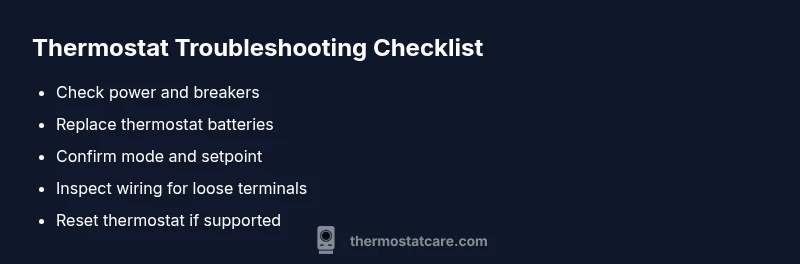
- Confirm power at the thermostat and adjacent outlet or breaker
- Replace batteries in battery-powered units
- Verify mode (Heat, Cool, Auto) and a reasonable setpoint
- Look for loose wires at the thermostat terminals
- If your thermostat supports a reset, perform a safe reset per the manual
- If you smell burning or notice buzzing, shut power off and contact a pro
When to Call a Professional
If you’ve exhausted the basic checks and the thermostat still won’t power on, or if you notice wiring damage, lethargic responses from the HVAC system, or irregular voltage, professional help is warranted. A licensed electrician or HVAC technician can test the transformer, confirm C-wire integrity, and ensure safe operation with your furnace or heat pump.
Prevent Future Issues: Simple Maintenance Practices
- Regularly inspect thermostat batteries and replace as needed
- Keep the thermostat area free of dust and moisture
- Schedule annual checks of the HVAC system and thermostat wiring connections
- Use a common-sense scheduling strategy to avoid hold settings that conflict with your daily routine
Steps
Estimated time: 25-45 minutes
- 1
Check power at the thermostat
Ensure the thermostat display has power. If it’s completely dark, check the corresponding breaker or fuse for the thermostat circuit and reset if tripped. If the display is faint or intermittent, proceed to the battery check (if applicable).
Tip: Document the breaker’s status before resetting and keep a note of any tripped events for your records. - 2
Replace batteries (if battery-powered)
Open the thermostat cover and replace the batteries with fresh, high-quality alkaline cells. Ensure correct polarity and avoid using damaged batteries. Power should return to the display after replacement in most cases.
Tip: Use the same or recommended battery type as specified in your thermostat manual. - 3
Verify mode and setpoint
Make sure the thermostat is set to the correct mode (Heat, Cool, Auto) and that the setpoint is within a realistic range. An incorrect hold or a setpoint equal to the current room temperature might prevent the unit from activating.
Tip: Avoid extreme setpoints that could trigger protection features. - 4
Inspect wiring and terminals
Carefully remove the front cover (if you’re comfortable) and inspect all wire connections. Look for loose, frayed, or corroded terminals, especially on the C-wire. Re-seat any loose wires and ensure they’re secured with proper terminals.
Tip: Only touch wires with the power off to avoid shocks. - 5
Reset or reconnect
If your thermostat supports a simple reset, perform it following the manual. For some models, removing power for a minute and reconnecting can reboot the unit and restore function.
Tip: Reset is a last-resort option after basic checks have failed. - 6
Test with a known-good thermostat
If possible, connect a backup or spare thermostat to confirm whether the issue lies with the thermostat itself or the HVAC system. If the replacement works, your original unit may be faulty.
Tip: Name the symptoms you observed to help a future technician diagnose the problem.
Diagnosis: Thermostat display is off or thermostat won’t power on
Possible Causes
- highPower issue or tripped breaker
- mediumDead or loose batteries (for non-hardwired units)
- lowWiring issues or faulty transformer
Fixes
- easyCheck the thermostat circuit breaker and outlet; reset if needed
- easyReplace batteries in battery-powered models
- mediumInspect thermostat wiring, terminals, and C-wire; reseat connections or call a pro if loose
Questions & Answers
What is the first thing I should check when my thermostat won't turn on?
Start with power: verify the breaker is on and the display powers on. If there’s no power, resolve electrical issues before exploring settings or wiring.
First, check power at the thermostat and breaker, then move to batteries or settings if power is present.
Can dead batteries cause a smart thermostat to turn off?
Yes, dead batteries can render the thermostat unresponsive. Replace with fresh batteries and recheck the display and mode after installation.
Dead batteries can indeed make a thermostat go dark; replace them and test.
My thermostat shows a low battery icon; what should I do?
Replace the batteries with fresh ones, ensuring correct orientation. If there’s no icon after replacement, move to power and wiring checks.
Replace the batteries and verify the display comes back before inspecting other components.
Is it safe to reset a thermostat myself?
Resetting is generally safe if you follow the manual and disconnect power briefly. Avoid aggressive resets on unfamiliar models.
Yes, you can reset, but follow the manual and shut off power first for safety.
When should I call a professional?
If power checks fail, wiring looks damaged, or you’re uncomfortable with electrical components, call a licensed electrician or HVAC technician.
Call a professional if basic checks don’t restore function or wiring looks damaged.
What does a blinking thermostat light mean?
A blinking light often indicates a fault condition or a need for a reset. Check the manual for the specific blink pattern and recommended action.
A blinking light usually means there’s a fault—check the manual for what the pattern means.
Watch Video
What to Remember
- Check power first, then batteries.
- Verify mode and setpoint before wiring checks.
- Call a pro for wiring or transformer concerns.
- Regular maintenance prevents future outages.