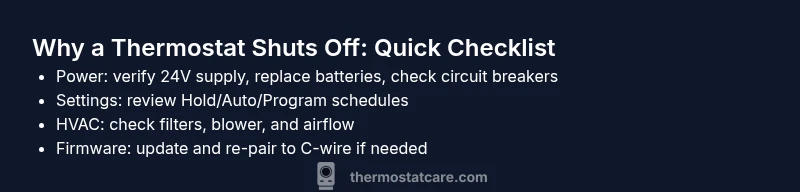
Why Does the Thermostat Turn Off? Quick Troubleshooting Guide
Urgent, practical guide to diagnosing why your thermostat turns off unexpectedly and how to fix it safely. Learn power checks, settings review, HVAC signals, and when to call a pro to prevent future shutdowns.


Most often the thermostat turns off due to safety protections or power issues. Common culprits include a dying battery, a tripped circuit, or the HVAC system cycling off to protect itself. Start with power and battery checks, then review settings and recent changes. If the issue persists, continue with our troubleshooting flow.
Why does the thermostat turn off? Understanding the core causes and quick wins
If you're wondering why does the thermostat turn off, you're not alone. In many homes, the thermostat shuts down unexpectedly due to simple power issues or safety protections. According to Thermostat Care, the most common culprits are a dying battery, a tripped circuit, or the system detecting unsafe operating conditions that trigger auto-shutdown. The Thermostat Care team found that these shutoffs are rarely a sign of a failed thermostat itself; instead, they reflect the behavior of the power supply, sensors, or airflow signals that feed the device. Understanding these root causes helps you act quickly and safely. Start with the simplest checks: confirm power, verify batteries, and review recent changes to schedules or external controls. As you diagnose, you will gain clarity on whether the shutdown is a one-off glitch or a recurring pattern that requires a more targeted fix. Remember: safety first, especially around electrical components and furnace access.
Collect the symptoms you observe (e.g., the thermostat turns off after reaching the set temperature, the display goes blank, or the temperature drifts). These details guide you toward the most likely cause and help you avoid chasing phantom issues. By validating power, display status, and recent changes, you can quickly differentiate thermostat-level problems from HVAC-system symptoms. This methodical approach reduces guesswork and speeds up a fix, especially when time is critical in extreme weather.
In many homes, the underlying issue is not the thermostat itself but how it is powered or controlled. For example, a weak C-wire connection can cause the unit to lose power intermittently, while a tripped breaker will reset the thermostat and the HVAC system together. Recognizing the signals early—such as a dim LED, a flickering screen, or a delayed response to temperature changes—lets you intervene before the problem compounds. The goal is to restore stable power and accurate sensing so the system remains comfortable without unnecessary shutdowns.
Steps
Estimated time: 30-45 minutes
- 1
Check power and battery health
Begin by confirming the thermostat is powered and receiving continuous power. If your model uses batteries, replace them with fresh alkalines or lithium cells. For wired units, verify the 24V supply at the furnace/air handler and check for loose connections or a tripped breaker. A quick power check often resolves many
Tip: If you find a loose wire, power down the system before tightening connections to avoid shocks. - 2
Inspect circuit protection and wiring
Look for signs of a tripped breaker or blown fuse in the service panel. Reset any tripped breakers and test the thermostat again. Inspect accessible wiring at the thermostat for signs of wear, corrosion, or loose terminals, especially the C-wire. Poor wiring is a frequent cause of intermittent shutdowns.
Tip: Take a photo of wiring before reseating terminals for later reference. - 3
Review thermostat settings and modes
Check if Hold, Vacation, or auto-changeover modes are active, which can cause the thermostat to seem like it’s “turning off.” Compare the current schedule with your desired comfort window. If the unit is set to turn off at night, ensure this matches your actual needs or switch to a more appropriate mode.
Tip: Test temporary hold to isolate whether scheduling is the culprit. - 4
Test the HVAC response
With power secured, observe the HVAC system when the thermostat calls for cooling or heating. Listen for the blower, heat exchanger, or condenser cycling. If the system runs but the thermostat displays a fault or shuts off early, the issue may be sensor-related or a control signal problem.
Tip: Take note of any unusual noises or odors during operation. - 5
Check connectivity and updates
If you have a smart thermostat, ensure it’s connected to Wi‑Fi and that firmware is up to date. Poor connectivity can cause misreads or improper shutdown behavior. Re-pair the device to the network if necessary and verify that the thermostat can communicate with the HVAC controller.
Tip: Restart the router if the thermostat loses connection intermittently. - 6
Document and plan next steps
Record what you did and the outcomes, focusing on what fixed the issue or what didn’t. If the problem persists, escalate to a professional and request a diagnostic that includes electrical checks and HVAC signal testing. Combine your notes with a maintenance plan to prevent recurrence.
Tip: Schedule preventive maintenance every 12–24 months to catch wear before it causes shutdowns.
Diagnosis: Thermostat turns off unexpectedly after reaching the set temperature
Possible Causes
- highPower issue (low battery, weak 24V supply, or tripped circuit)
- mediumSensor or thermostat firmware fault
- lowHVAC system safety shutoff due to overheating or unsafe conditions
Fixes
- easyReplace thermostat batteries or verify a constant 24V supply; reset the breaker if needed
- easyUpdate thermostat firmware and re-link to the C-wire, if applicable
- mediumInspect HVAC components (air filter, blower, flame sensor) and clear obstructions
Questions & Answers
What are the most common reasons a thermostat turns off unexpectedly?
Most often power issues (dead battery or weak 24V), a tripped circuit, or safety shutoffs trigger a thermostat to turn off. Environmental or HVAC system signals can also cause shutdowns. Start with power checks and move through the diagnostic flow.
Common reasons are power issues and safety shutoffs. Check power first, then follow the diagnostic steps.
How can I tell if the problem is with the thermostat or the HVAC system?
If the HVAC equipment runs when you adjust the thermostat but the display is erratic or it powers off, the issue may be with the thermostat or its wiring. If the furnace or AC won’t start at all, or there are unusual noises, the HVAC system is likely involved.
If the board powers the system but the thermostat misses commands, suspect the thermostat or wiring.
Should I replace the thermostat battery or the whole unit?
Start with battery replacement if your model uses batteries. If problems persist after replacing batteries and checking power, consider a professional assessment to rule out wiring or control-signal issues.
Try new batteries first; if it still turns off, a pro may be needed.
Can I update the thermostat firmware myself?
Many smart thermostats support firmware updates over Wi‑Fi. Ensure you’re connected, follow the manufacturer’s instructions, and restart after updating. If updates don’t resolve the issue, proceed with the diagnostic flow.
Yes, update via Wi‑Fi if your model supports it, then test again.
When is it unsafe to troubleshoot, and should I call a pro?
If you smell gas, hear gas leaks, or notice burning smells, stop and call a professional immediately. For persistent shutdowns that involve wiring or furnace safety, a licensed technician is recommended.
If you suspect a gas issue or dangerous wiring, contact a pro now.
How often should I schedule maintenance to prevent thermostat problems?
Schedule preventive maintenance every 12–24 months. Regular service helps catch wear, clean sensors, and ensure safe 24V operation, reducing the chance of unexpected shutdowns.
Annual or biannual maintenance helps prevent thermostat-related shutdowns.
Watch Video
What to Remember
- Verify power and battery status before diving deeper
- Check and adjust thermostat modes and schedules
- Inspect HVAC airflow and filters to prevent short cycling
- If the issue persists, schedule a professional diagnostic to ensure safety