Why Is My Thermostat Not Turning Off? A Troubleshooting Guide
Struggling with a thermostat that won’t turn off? This Thermostat Care guide walks you through quick checks, a diagnostic flow, expert tips, and when to call a pro.


Most often this happens when the thermostat is stuck in the wrong mode, a faulty relay, or a wiring issue that keeps calling for heat or cooling. Start by turning off power at the furnace or breaker, then check the thermostat’s mode, battery, and any stuck buttons. If it still won’t turn off, contact Thermostat Care for a safety-first evaluation.
Why a Thermostat Not Turning Off
According to Thermostat Care, a thermostat that won't turn off is usually caused by a misread sensor, a stuck hold mode, or a faulty relay. A quick check of the basics can save you a call to a pro. Start by noting the current mode (Heat, Cool, or Auto) and whether the display shows Hold, Wait, or Run frequently. If the thermostat is in Hold, cancel it and set it to Auto. If it still calls for heat or cooling, move to safety-first checks. This problem is urgent because it wastes energy and can strain your HVAC system if left unresolved.
Check Your Thermostat Settings and Signals
Many times the issue is as simple as the thermostat being in Hold or in the wrong operating mode. Verify that the thermostat is set to Auto and that the mode matches your system (Heat, Cool, or Auto). If a Hold function is active, disable it and confirm that the thermostat will respond to temperature changes. Also confirm that the display is not showing an error like a sensor fault or low battery indicator. Small settings and indicator lights can reveal a lot about what the system is actually doing.
Electrical and Wiring Basics (What to Inspect Safely)
Electrical components can fail in ways that keep a system running. Begin with non-destructive checks: ensure the thermostat and furnace share a common power source, and look for loose or disconnected wires at both the thermostat base and the furnace control board. Do not touch live wires; if you see damaged insulation, scorch marks, or a burning smell, shut power off at the panel and call a professional. Wiring issues can be dangerous and require a qualified technician to diagnose and repair.
Quick Checks You Can Do (No Special Tools Required)
- Confirm Auto mode and the correct heat/cool setting.
- Look for a Hold indicator and cancel it if present.
- Replace batteries if your model uses them, and ensure the battery type is correct for the device.
- Check for sun exposure or a draft that could skew readings.
- Verify the circuit breaker for the HVAC is not tripped and reset if needed.
- Make sure the thermostat wires aren’t loose or damaged where they connect to the furnace or wall plate.
If you complete these checks and the system still won’t turn off, proceed to the diagnostic flow for a deeper look.
Understanding Signals from Your HVAC System
Sometimes the thermostat is not the root cause; the HVAC system itself may be signaling for heat or cooling due to a problem like a faulty relay, thermostat wire short, or a zone damper sticking. In multi-zone systems, one zone can remain active even when another is off, due to dampers or improper zoning. Recognize that repeated calls for heat or cooling could indicate a separate issue in the furnace or air handler, not just the thermostat. In any case, isolating whether the thermostat is issuing the call or the system is misreading is crucial.
Prevention and Maintenance to Avoid Repeats
Regular maintenance reduces the odds of this happening again. Schedule annual professional checkups on your furnace and thermostat, update any firmware or software on smart thermostats, and replace old batteries as recommended by the manufacturer. Keep the thermostat away from direct sun, heat sources, or drafts, and clean the faceplate and sensors periodically. A simple three-step routine—check mode settings, inspect wiring connections, and confirm that the power supply is stable—goes a long way toward preventing warm or cool traps later on.
When to Call a Pro: Red Flags That Require Expertise
If you verify settings and basic wiring but the thermostat still won’t turn off, or you notice burning smells, buzzing, or scorching, stop troubleshooting and contact a licensed HVAC technician. Electrical faults around the furnace can be dangerous, and a professional should diagnose relay failures, control board issues, or damper malfunctions. A pro can perform safe isolation testing, verify proper sensor calibration, and ensure your system is not at risk of further damage.
Steps
Estimated time: 45-75 minutes
- 1
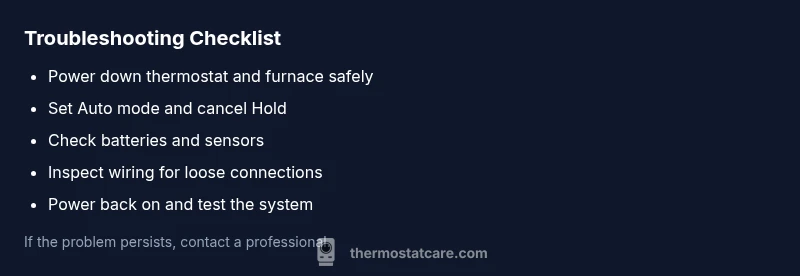
Power down safely
Shut off power to the thermostat and furnace at the main panel or dedicated breakers to prevent shocks. This step protects you while you inspect wires and controls.
Tip: Always double-check with a non-contact tester if available. - 2
Check the mode and Hold status
Return the thermostat to Auto mode and cancel any Hold setting. Confirm the display shows the current target temperature and the system isn't in a locked state.
Tip: If Hold keeps returning after reset, note the exact message on-screen. - 3
Inspect batteries and sensors
For digital models, replace batteries with the recommended type and ensure sensors are clean and unobstructed. A poor sensor reading can keep the system dialing for heat or cool.
Tip: Avoid mixing battery brands or using depleted cells. - 4
Check wiring connections
At the thermostat base and the furnace control board, look for loose, corroded, or damaged wires. Only handle wiring when power is off; look for frayed insulation.
Tip: Take a photo before disconnecting anything to aid reassembly. - 5
Test the system after re-powering
Restore power and observe whether the system turns off when the set temperature is reached. If it continues to run, the issue may be with the control board or a relay.
Tip: If the system runs continuously, do not leave it running unattended for long. - 6
Decide on next steps
If the problem persists after these steps, schedule a professional diagnostic to avoid safety risks and further damage.
Tip: Document all observations to share with the technician.
Diagnosis: Thermostat won't turn off and system stays active
Possible Causes
- highThermostat stuck in hold mode or incorrect mode setting
- highWiring issue or stuck relay in furnace control board
- mediumBattery dead or sensor misread in a digital model
- lowIncorrect system configuration or fan setting causing continued call
Fixes
- easyPower off at the furnace and thermostat to reset both devices
- easySet thermostat to Auto and correct mode; cancel Hold if active
- mediumInspect thermostat and furnace wiring for loose connections or frayed insulation
- hardReplace thermostat or call a pro to inspect the furnace control board if the issue persists
Questions & Answers
What does 'hold' mode mean on a thermostat and how does it affect turning off?
Hold mode keeps the current temperature setting until you cancel it. If Hold is active, the thermostat may ignore changes and continue calling for the system. Disable Hold and switch to Auto to see if the issue resolves.
Hold mode locks the temperature until you cancel it. Disable Hold and switch to Auto to test the response.
Why would the thermostat continue calling for heat even after cooling is selected?
This can happen due to a miswired thermostat, a stuck relay, or a faulty sensor reading the room incorrectly. Check mode and wiring, and test the signal path to the furnace control board.
If it keeps calling for heat after choosing cooling, check the wiring and the furnace relay.
Can a dead battery cause a thermostat not to turn off?
Yes. Some digital thermostats rely on battery power for certain sensors and logic. Replace the batteries with the recommended type and ensure the device shows no error indicators.
Dead batteries can cause incorrect readings; replace them to rule this out.
When should I call a professional for this issue?
If basic checks don’t resolve the problem or you notice burning smells, buzzing, or damaged wiring, stop and call a licensed HVAC technician. Electrical faults can be dangerous.
If basic checks fail or you smell burning, call a pro immediately.
Is it safe to keep troubleshooting after power is restored?
Yes, but stay within basic safety rules: avoid touching live components, use insulated tools, and keep children away. If any part feels unstable, disconnect power and seek professional help.
You can continue with care, but avoid live wiring and call a pro if unsure.
Watch Video
What to Remember
- Identify Hold mode and Auto setting first
- Check wiring and battery before calling a pro
- If symptoms persist, prioritize safety and professional help