Thermostat Is Not Turning On Heat: Troubleshooting Guide
A practical, step-by-step guide to diagnose and fix a thermostat that won't turn on heat. Power checks, battery tests, wiring, resets, and when to call a pro—all in one urgent guide.


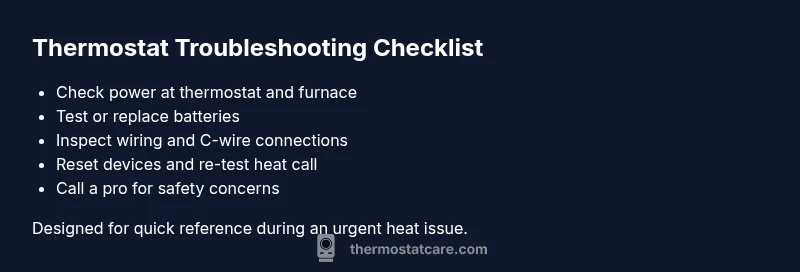
The most likely cause is a power issue or a dead battery. Start by confirming the thermostat and furnace have power, replace batteries if needed, and perform a basic reset. If the display is blank or the furnace won’t respond after these checks, proceed with the diagnostic flow to identify the culprit. This approach covers the most common causes and helps you decide whether professional help is needed.
Immediate Quick Checks
According to Thermostat Care, the most common cause for a thermostat not turning on heat is a power issue or a dead battery. Start with the simplest checks that require no tools.
-
Verify the thermostat displays anything at all. If the screen is blank or faint, it’s usually a power problem.
-
Check the furnace and air handler for power. Make sure the circuit breakers are on, nothing tripped, and that the outdoor unit is receiving power if your system uses a separate outdoor condenser.
-
If your thermostat uses batteries, replace them with fresh ones and observe whether the display brightens immediately.
-
Perform a basic reset: turn off the thermostat at the unit or breaker, wait 30 seconds, then turn it back on. If the heat still won’t engage after these steps, move to the deeper diagnostic flow.
This sequence covers the most common causes and helps you decide if professional help is needed.
Common Causes of a Thermostat Not Turning On Heat
Heat delivery failures can stem from both simple and complex issues. The most frequent culprits include loss of power, stale batteries, loose or damaged wiring, or a thermostat that’s not communicating with the HVAC control board. In many homes, a tripped breaker or blown fuse in the heating circuit interrupts heat instead of just the thermostat display.
Another frequent factor is an incorrect thermostat setting or a failed temperature sensor. If your thermostat is programmable, verify that it’s set to heat, not cool, and that the schedule hasn’t overridden manual settings. Some thermostats also require a C-wire connection for reliable power; without it, the device may intermittently misbehave. Finally, consider system compatibility—older furnaces may not fully support newer smart thermostats, leading to no heat response even when the screen looks fine.
Thermostat Care Analysis, 2026 indicates that power-related problems are the leading cause of heating failures, including tripped breakers, dead batteries, and faulty wiring. Address those first before delving into advanced diagnostics.
Safety and Power: Handling Electrical Components
Dealing with electrical components requires caution. Always power down the circuit at the main panel before touching thermostat wiring or furnace wiring. Wear gloves if exposed conductors are accessible, and never work on live circuits. If you smell burning plastic, see sparks, or trip breakers repeatedly, stop and call a licensed HVAC technician.
Discuss the limitations of DIY checks with your safety in mind. If your thermostat is not turning on heat and you notice melted insulation on wires, a burnt transformer, or a buzzing sound from the box, these are signs you should pause and seek professional help. The goal is to avoid electric shock and equipment damage while you test for power and continuity.
How to Inspect Power, Batteries, and Wiring
-
Power source: Check both the thermostat’s power source and the HVAC supply. For hard-wired thermostats, verify the 24-volt supply by testing with a multimeter or using the furnace control board indicators. For battery-powered units, replace with high-quality alkaline or lithium batteries and check for corrosion on terminals.
-
Wiring: Look at the wires at the thermostat and inside the furnace junction box. Ensure terminals are tight and undamaged. If you detect loose wires, reseat them, one at a time, and confirm the screws are secure.
-
C-wire status: If your thermostat requires a C-wire, confirm it is connected and providing stable 24V. A missing C-wire can cause the thermostat to fail to power on the heat function.
-
HVAC controls: Sometimes the problem lies in the furnace relay or control board rather than the thermostat. If you can access these safely, check for tripped relays or error codes. If unsure, skip to step 5.
Resetting and Rebooting: The Next Logical Step
Perform a full power reset on both the thermostat and the HVAC system. Turn off power at the thermostat, the furnace, and the circuit breaker for the thermostat, then wait 60 seconds before restoring power. Reboot the thermostat if it has a reset option, and re-test the heat setting. If the unit still refuses to turn on heat, record any error codes shown and continue with the diagnostic flow.
A clean reset often clears minor glitches and reconnects the thermostat to the HVAC control board, restoring proper heat calls.
When to Call a Pro and Safety Warnings
If you observe burned components, heated smell, frequent breaker trips, or if the thermostat still cannot power the heat after following the diagnostic flow, it's time to contact a licensed HVAC technician. DIY checks carry risk when wiring and breakers are involved. A professional can verify wiring integrity, test the 24-volt supply, and diagnose control-board faults without endangering you or your equipment.
Note: If your system is under warranty, attempting complex repairs without authorization can void coverage. Always check the documentation before proceeding with major electrical work.
Prevention: Simple Habits to Keep Your Thermostat Reliable
- Schedule routine maintenance for your HVAC system and thermostat every year.
- Replace batteries promptly and inspect terminals for corrosion.
- Keep the thermostat free from dust and ensure it has proper mounting to avoid temperature sensor drift.
- Use a consistent schedule or smart-thermostat with remote diagnostics to catch issues early.
The Thermostat Care team recommends proactive maintenance and using a compatible, well-rated thermostat to minimize heat-not-turning-on problems in the future.
Steps
Estimated time: 30-60 minutes
- 1
Power check at thermostat and furnace
Power down the thermostat and furnace, then restore power. Verify the display wakes and the furnace responds to a heat call. Listen for any abnormal noises or smells that would indicate a wiring fault.
Tip: If the display remains blank after power restoration, do not proceed with deeper wiring tests. - 2
Replace batteries (if applicable)
If your thermostat uses batteries, replace them with high-quality alkaline or lithium cells. Clean the battery contacts and reinsert. Check if the thermostat powers up and calls for heat when you change the mode to heat.
Tip: Use fresh batteries and avoid mixing old and new cells. - 3
Inspect thermostat wiring
Turn off power and inspect the wire connections at the thermostat. Ensure each terminal is tight, labeled correctly, and not showing signs of corrosion. Re-seat any loose wires one at a time.
Tip: Take a photo of the wiring before loosening anything to aid reassembly. - 4
Check C-wire and 24V supply
Verify the C-wire is connected if required, and test the 24V supply from the furnace control board. A missing or weak C-wire can prevent the thermostat from powering the heat function.
Tip: If you don’t have a voltmeter, you can often identify a weak 24V supply by a dim display or flickering lights on the thermostat. - 5
Reset devices
Power down all relevant equipment again and perform a full reset of the thermostat. If possible, reset the furnace control board per the manufacturer’s instructions and test a heat call.
Tip: Document error codes if shown for future reference when talking to support. - 6
Test and verify
Turn the system back on and set the thermostat to heat. Observe whether the furnace ignites and heats the space within a few minutes. If heat still won’t engage, proceed to contact a professional.
Tip: If you’re unsure about readings or safety, don’t push beyond your comfort level.
Diagnosis: Thermostat is not turning on heat
Possible Causes
- highPower issue (outlet, transformer, or dead circuit)
- highWeak or dead thermostat battery (if battery-powered)
- mediumLoose or damaged wiring at thermostat or furnace
- lowBlown fuse or tripped breaker in HVAC circuit
Fixes
- easyCheck power at thermostat and furnace; reset breakers/fuses as needed
- easyReplace thermostat batteries and clean terminals; use fresh batteries
- easyReseat or replace damaged wiring; ensure terminal screws are secure
- easyPerform a full power reset of thermostat and HVAC equipment
Questions & Answers
What is the first step I should take when my thermostat isn’t turning on heat?
Start with power checks: ensure the thermostat and furnace have power and, if applicable, replace batteries. If the display stays blank or the heat doesn't engage, continue with the diagnostic flow.
First, check power to the thermostat and furnace and replace batteries. If nothing changes, follow the full troubleshooting steps.
Can a low or dead thermostat battery cause no heat even if it turns on the display?
Yes. A weak battery can prevent heat call signals from reaching the HVAC system. Replace with fresh batteries and re-test heat function.
Yes. A dead battery can stop heat from turning on; replace it and test.
What should I do if the thermostat is set to heat but the furnace won’t start?
Verify the power supply to the furnace and check for tripped breakers, blown fuses, or an error code on the furnace control board. Then ensure the thermostat is sending a call for heat by testing with a simple OFF-ON change.
Make sure the furnace has power and isn’t tripped, and confirm the thermostat is calling for heat.
Is it safe to reset the thermostat myself?
Resetting is generally safe if you follow manufacturer instructions and shut off power before handling wiring. Avoid opening the HVAC cabinet or testing live circuits.
Resetting can be safe if you power down first and follow instructions.
When should I call a professional?
If you smell burning, hear buzzing, see melted insulation, or the problem persists after a full diagnostic flow, contact a licensed HVAC technician.
Call a professional if you smell burning or the problem persists after tests.
Why would a thermostat show a display but not turn on heat?
This can indicate a power or control board issue, a mis-set mode, or a flaky C-wire; rechecking power and wiring often resolves it. If unresolved, professional help is recommended.
A display without heat usually means power or wiring trouble; recheck and consider a pro.
Watch Video
What to Remember
- Power checks come first to fix heat issues.
- Battery health matters for non-hardwired units.
- Loose wiring and C-wire problems are common culprits.
- Call a pro if safety concerns arise or issues persist.