Why Is My Thermostat Not Lighting Up? A Troubleshooting Guide
Urgent guide to diagnose why your thermostat isn’t lighting up. Power checks, battery swaps, wiring inspections, and safety steps to fix common causes quickly.


The most likely reason your thermostat isn't lighting up is a power issue, such as a tripped breaker, dead battery (for non-wifi models), or blown fuse. Start by checking the thermostat’s power source: test the circuit, swap batteries if applicable, and inspect the display for any faint glow. If there’s still no light, proceed with safety steps and call a professional.
Understanding the symptom: why is thermostat not lighting up
When a thermostat fails to illuminate, homeowners often assume it’s a complex fault. In reality, the most common culprits are power-related: the unit may have lost power due to a tripped breaker, a blown fuse, or a drained battery (for models that rely on disposable or rechargeable cells). Thermostat Care notes that addressing power supply basics often resolves the issue without professional help. If the display flickers briefly when you touch the screen or there is a faint glow, you may be dealing with marginal power rather than a complete failure. In this guide you’ll learn a practical, safety-aware approach to diagnose and fix the root cause quickly.
According to Thermostat Care, power issues are the most common reason a thermostat won’t light up. Start here before moving to more involved steps.
Quick power checks you can safely perform
Before you touch any wiring, ensure your safety. Begin with the simplest checks:
- Confirm the HVAC system is powered on at the main breaker and the dedicated thermostat circuit isn’t tripped. A flipped trip is a frequent culprit.
- Inspect any nearby fuses or GFCI outlets that could cut power to the thermostat. A blown fuse in the furnace disconnects power to the stat.
- If your model uses batteries, replace them with fresh alkaline or lithium cells of the correct type. Some thermostats won’t light up or wake if the battery is corroded or worn.
If there’s no change after these checks, move to the more formal power verification steps. Thermostat Care emphasizes performing power checks only when the circuit is de-energized to avoid electric shock.
Battery-powered vs hardwired thermostats: what to know
Battery-powered thermostats depend on reliable battery health to illuminate the display. Replace batteries per the manufacturer’s guidelines and verify the battery contacts are clean and not corroded. Hardwired or 24-volt thermostats draw power from the HVAC system; if the control board at the furnace isn’t delivering 24V, the thermostat won’t light. In either case, confirm the power path from the electrical panel to the thermostat wall plate, and inspect the terminal screws for tightness. If you’re unsure, consult the wiring diagram for your model and follow the safety cautions.
Other common causes beyond power
If power checks don’t fix the issue, consider these non-power culprits:
- Loose or disconnected wires at the thermostat base can prevent activation. Re-seat the wires following the manufacturer’s color scheme.
- A tripped internal safety switch in the furnace or air handler could cut thermostat power even if the wall outlet seems fine.
- Corrosion at terminals or damaged insulation can interrupt the signal. Inspect visible wires for wear and ensure the thermostat is properly mounted.
- Environmental factors like moisture near the thermostat can short components. Keep the wall area dry and free of condensation.
These issues may require gentle disassembly and a careful reattachment of wires. If any step feels risky, pause and contact a professional. Thermostat Care recommends proceeding with caution to avoid accidental shocks or equipment damage.
When to call a professional
If none of the power or wiring checks restore illumination, or if you encounter exposed wiring, live voltage at the thermostat, or unfamiliar furnace-side issues, it’s time to involve a licensed technician. Electrical work and 24-volt control circuits pose safety risks that DIY steps cannot safely resolve. A pro can verify the control board, transformer, and wiring harness, and assess compatibility with your thermostat model. The Thermostat Care team also notes that attempting repair beyond basic checks may void warranties if mishandled.
Preventive maintenance to avoid future outages
To reduce the likelihood of a blank thermostat in the future:
- Schedule regular battery replacements for battery-powered models—even before the low-battery indicator appears.
- Periodically inspect wiring at both the thermostat and furnace end for loosening or corrosion and tighten as needed with power off.
- Keep the thermostat environment dry and free from heat sources that can degrade components.
- Use a surge protector or power conditioner on outlets feeding the thermostat if your home experiences frequent power fluctuations.
These habits help maintain reliable illumination and system performance over time.
Steps
Estimated time: 25-40 minutes
- 1
Power down safely
Turn off power to the thermostat at the main breaker or switch. This prevents shocks while you inspect wiring connections near the wall plate.
Tip: Use a non-contact voltage tester to confirm no power before touching wires. - 2
Check the power source
If your model is battery-powered, replace with fresh batteries of the recommended type. For hardwired units, verify the 24V supply at the furnace control board using a multimeter per the manufacturer’s guide.
Tip: Take photos of existing wiring before unplugging anything for reference. - 3
Inspect thermostat connections
Remove the thermostat cover and inspect the terminal screws. Tighten loose screws and ensure wires are fully inserted under the correct terminals.
Tip: Do not bypass terminals; use the correct color-coded wiring as per the diagram. - 4
Test the display path
With power restored, observe whether the thermostat backlight lights up and if any digits appear. If nothing shows, the fault may be in the control board or transformer feeding the stat.
Tip: If the display lights but is unstable, there may be a fluctuating power issue. - 5
Assess the HVAC system power
Ensure the furnace/air handler is receiving power and that the blower or air handler isn’t tripped or shut off by a safety switch.
Tip: Sometimes the issue is at the furnace panel rather than the thermostat. - 6
Document and decide
Record what you checked and the results. If power remains absent after these steps, contact a licensed technician for a full diagnostic of 24V circuits and safety.
Tip: Keep your warranty info handy when calling for service.
Diagnosis: Thermostat display is blank or not lighting up
Possible Causes
- highPower supply issue (tripped breaker, blown fuse, отсутствия 24V)
- mediumBattery failure (for battery-powered models)
- mediumLoose/damaged wiring at thermostat or furnace control board
- lowThermostat wiring incompatibility or sensor fault
Fixes
- easyReset the breaker and check for a stable power supply to the thermostat and furnace
- easyReplace thermostat batteries and clean contacts if applicable
- mediumInspect and reseat thermostat and furnace wiring at both ends
- hardConsult a professional to test 24V supply and control board wiring if power remains absent
Questions & Answers
What is the first thing I should do if my thermostat won’t light up?
Begin with power checks: reset breakers, replace batteries if needed, and ensure there’s no blown fuse. If power returns, the display should illuminate; if not, proceed to wiring checks or call a professional.
Start with power checks, then battery replacement. If it still won’t light, consider wiring inspection or professional help.
Can a loose wire cause a thermostat to stop lighting up?
Yes. A loose or corroded wire at the thermostat or furnace control board can prevent power from reaching the display. Re-seat connections carefully with power off.
A loose wire can cut power to the display; re-seat it safely with power off.
Should I replace my thermostat batteries even if the display flickers?
If the display shows any sign of life but is inconsistent, batteries could be weak or corroded. Replace with fresh batteries and clean contacts before proceeding to wiring checks.
Try fresh batteries and clean contacts if the display flickers, then reassess.
When is professional help necessary for a blank thermostat screen?
If you’ve verified power, replaced batteries, and inspected wiring without success, a pro should diagnose the 24V circuit, transformer, and control board to prevent electrical hazards.
Call a professional if power and wiring checks don’t restore the display.
Can a thermostat not lighting up indicate a bigger HVAC problem?
A blank thermostat can signal broader issues with the furnace or air handler, not just the thermostat itself. A technician can test the control circuits and safety switches.
A blank screen may indicate an HVAC control problem; a pro can verify the control circuits.
Watch Video
What to Remember
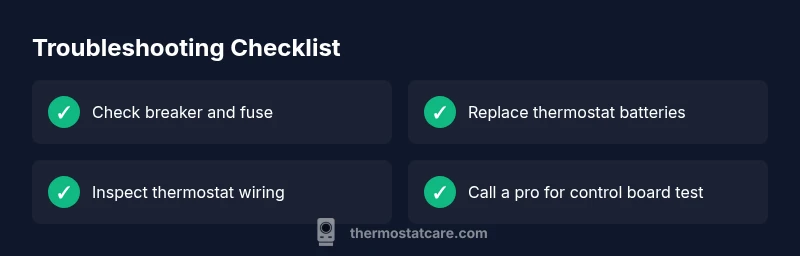
- Start with power: breaker, fuse, battery, then wiring.
- Battery-powered vs hardwired paths dictate approach.
- Loosened wiring or unsafe control boards require pro help.
- Preventive maintenance reduces future outages.