Why Is My Thermostat Not Getting Power? A DIY Troubleshooting Guide
Struggling with a thermostat that won’t power on? This Thermostat Care guide covers common power issues, a safe diagnostic flow, and practical fixes to restore operation quickly.


The most likely reason your thermostat isn’t getting power is a simple power issue in the control circuit. Start by checking the circuit breaker or fuse for the HVAC system, then inspect the thermostat’s C-wire connection and battery (if battery-powered). If these basics don’t restore power, a professional may need to diagnose wiring or a faulty transformer.
Overview: Power loss and the thermostat
When you ask, "why is my thermostat not getting power?" the answer often lies in the basics of electrical power and wiring. A malfunctioning thermostat usually isn’t a mysterious device—it relies on a clean power supply and a solid connection to the HVAC system. The Thermostat Care team has seen numerous cases where a simple reset, a snug C-wire connection, or a labeled breaker fix resolves the issue quickly. In many homes, addressing power issues early prevents longer outages and more expensive repairs. Thermostat Care Analysis, 2026 shows that most power-related problems start with a tripped breaker or a loose C-wire. This guide focuses on safe, practical checks you can perform yourself before calling a pro.
Common power-related causes
Power issues come in a few familiar forms. Here are the most common culprits, listed from easiest to most involved:
- Tripped circuit breaker or blown fuse: This is the quickest fix. Reset the breaker and replace the fuse if needed. A reset often restores both thermostat power and overall system functionality.
- Loose or disconnected C-wire: The C-wire provides a return path for power. If it’s loose at the thermostat or furnace, the thermostat won’t power up reliably or show erratic behavior.
- Faulty transformer or wiring at the furnace: A dying transformer or damaged conductors can cut power downstream. This is less common but requires careful testing and may need a pro.
- Dead or missing batteries in battery-powered models: Some thermostats rely on batteries and not the C-wire alone. Replace with fresh cells if applicable.
- Power stealing limitations or compatibility gaps: Some older units pull power in unconventional ways. If the thermostat model isn’t compatible with the HVAC system, you may experience power issues.
Diagnostic approach you can perform safely
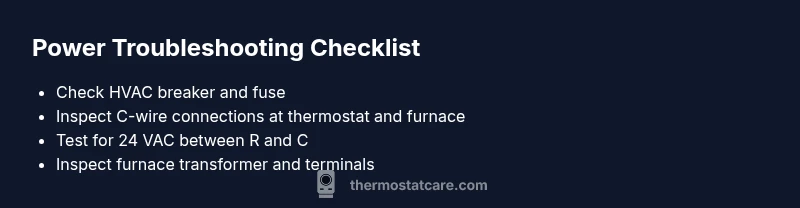
A structured check helps you isolate the issue without jumping to conclusions. Always prioritize safety and, when in doubt, stop and call a professional. Begin by verifying that the thermostat is receiving 24 VAC when the system is on and that the R and C terminals show a voltage relationship when connected. If you don’t see expected voltage, the issue is likely in the wiring, C-wire, or at the furnace. Document any abnormal readings to share with a pro if needed. Remember: even small wiring faults can prevent the thermostat from powering up properly.
Power testing and safety basics you should know
This section covers safe testing steps and what to measure. If you don’t have a multimeter, you can still perform a visual inspection and basic resets, but testing with a meter is the most definitive method. Always shut off power to the thermostat and HVAC before touching terminals. When you’re ready to test, check for continuity and verify that the transformer is supplying the expected low-voltage power. If the readings are outside normal ranges, the issue is electrical rather than a bad display. Thermostat Care recommends working with a licensed HVAC technician for transformer or furnace-terminal work.
What to check at the furnace/air handler
The furnace or air handler is the power source for the thermostat through the 24 VAC circuit. Inspect the control board, terminal strip, and the transformer leads. Look for loose wires, signs of scorching, or corrosion at the terminals. A miswired or loose terminal on the furnace can look like a thermostat issue but requires fixing at the source. After any adjustment, re-check the thermostat to see if the display returns and reacts to commands. Thermostat Care emphasizes careful labeling and documenting wire positions before making changes to avoid mixed connections.
Safety and when to call a professional
If basic checks don’t restore power, or you find damaged wires, scorch marks, melted insulation, or a buzzing transformer, stop and call a licensed HVAC technician. Working with low-voltage systems is safer than high voltage, but incorrect wiring can cause further damage or safety hazards. Quick prevention tips include using a surge protector for the HVAC control board, labeling wires, and not forcing wires into terminals. By following these steps, you can reduce risk and protect your equipment.
Steps
Estimated time: 30-60 minutes
- 1
Power down and prepare for inspection
Turn off the HVAC system at the main breaker and remove the thermostat cover to inspect the wiring safely. Take a photo of the current wiring before you touch anything. This step prevents accidental re-assembly errors and gives you a reference if you need to revert changes.
Tip: Always verify power is off with a non-contact voltage tester before touching wires. - 2
Check the circuit breaker and fuses
Locate the HVAC panel and reset any tripped breakers. Replace any blown fuses with ones of the same rating. After restoring power, wait a few seconds and see if the thermostat display returns.
Tip: If the breaker trips again, stop and call a pro—there may be an underlying short. - 3
Inspect the C-wire connections
Look at the C-wire at both ends (thermostat and furnace/air handler). Tighten any loose terminal screws and ensure the wire is fully inserted. If you see corrosion or damaged insulation, replace the wire or repair the terminal.
Tip: Make sure to label wires as you disconnect them to avoid confusion during reassembly. - 4
Test the voltage between R and C
If you have a multimeter, measure the voltage between the R and C terminals. A healthy system usually shows around 24 VAC. If the reading is significantly different or nonexistent, the issue is in the wiring or transformer and may require professional assessment.
Tip: Note the exact voltage reading to share with a technician. - 5
Check the furnace/air handler transformer and terminals
Inspect the transformer's primary and secondary leads for signs of wear, loose connections, or overheating. Tighten, reseat, or replace damaged wires as needed after power is OFF.
Tip: Don’t pull wires from the terminal blocks with power present. - 6
Reassemble and test
Carefully reattach the thermostat cover, restore power, and test thermostat responsiveness. Confirm it can power on, wake up, and accept basic commands. If issues persist, escalate to a professional.
Tip: Document what you checked and the results to speed up the next steps.
Diagnosis: Thermostat shows no power or screen is blank after power is applied.
Possible Causes
- highTripped circuit breaker or blown fuse
- highLoose or disconnected C-wire at thermostat or furnace
- mediumFaulty transformer or wiring at the furnace/air handler
- lowDead batteries in battery-powered models
Fixes
- easyReset the circuit breaker or replace the blown fuse
- easyReconnect or secure the C-wire at both the thermostat and furnace terminals
- mediumTest and, if needed, replace the furnace/air handler transformer or faulty wiring
- easyReplace thermostat batteries or upgrade to a model with a reliable power source
Questions & Answers
What are the first signs that my thermostat has no power?
Common signs include a blank or unresponsive display, no reaction to touch, or erratic behavior. If you see these symptoms, power-related checks are warranted.
Look for a blank screen and unresponsive buttons as a first sign.
Is a tripped breaker the most common cause of power loss to a thermostat?
Yes, a tripped breaker or blown fuse is a frequent culprit. Reset the breaker and replace fuses as needed to restore power.
Usually a breaker trip is the main issue.
Do I need a C-wire for every thermostat to work?
Most wired thermostats rely on the C-wire for consistent power. If your system is running on batteries or is a battery-powered model, the C-wire may not be essential.
The C-wire is often required for powered operation, unless your model runs on batteries.
What safety steps should I take before troubleshooting?
Turn off power to the thermostat and HVAC at the main breaker, use insulated tools, and avoid touching live terminals. If unsure, pause and call a professional.
Power off first, then proceed with care.
When should I call a professional?
If basic power checks don’t restore operation or you suspect transformer or wiring damage, contact a licensed HVAC technician. They can safely diagnose and repair complex faults.
If in doubt, it’s best to call a pro.
Can a thermostat reset fix power issues?
Sometimes a simple reset can wake a stubborn thermostat, especially if it’s a firmware glitch. If power is restored, monitor for repeat issues and consider a future upgrade.
A reset can help in some cases, but isn’t a guaranteed fix.
Watch Video
What to Remember
- Power basics first: breakers, C-wire, battery checks.
- Test with a multimeter for definitive diagnosis.
- Call a pro for transformer or wiring faults beyond basics.
- Safety always: power off before touching wires.