Why is Thermostat Flashing Cool On? A Step-by-Step Troubleshooting Guide
Learn why a thermostat might flash 'Cool On' and how to fix it fast. Simple checks, diagnostic flow, safe step-by-step fixes, and tips to prevent future issues.


Most likely, the flashing 'Cool On' indicator means your thermostat is actively commanding cooling due to a mode or wiring issue, not a fatal fault in the HVAC system. Start with the simplest checks: confirm the thermostat is set to cool, verify the setpoint, and replace any dead batteries. If it persists, power cycle the thermostat and inspect the C-wire connections before calling a pro.
Understanding what why is thermostat flashing cool on means
If you notice the thermostat display flashing 'Cool On', you might be seeing a state where the thermostat is actively commanding cooling or signaling a communication issue with the HVAC system. This isn't automatically dangerous, but it usually indicates a fault in settings, wiring, or power that needs attention. At Thermostat Care, we treat this as a troubleshooting scenario—not a final verdict. In this section we break down what that flashing signal could represent and how to approach fixes safely and effectively.
Common causes of a flashing 'Cool On' indicator
There are several frequent culprits behind a flashing Cool On cue. A misread mode or setpoint can cause the thermostat to repeatedly command cooling. A weak or dying battery in a wireless or battery-powered thermostat can cause unstable signals. Loose or damaged wiring—especially around the C-wire or R-wire—can create intermittent communication with the control board. A temporary power interruption or a software glitch inside the thermostat can also trigger the flashing state. Finally, a fault within the HVAC unit itself could manifest as the thermostat continuously engaging cooling despite neutral conditions at the thermostat.
Quick checks you can do safely
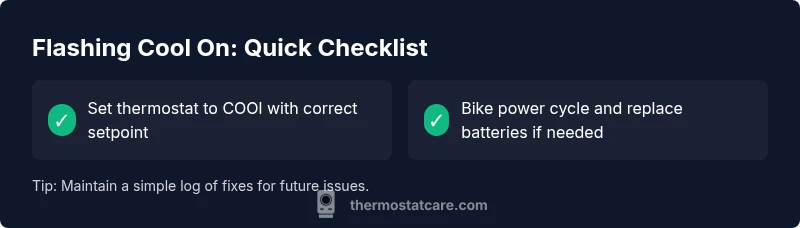
Before you pick up tools, start with the simplest verifications. Ensure the unit is in cooling mode and that the setpoint is lower than the current room temperature. Replace batteries if your thermostat uses them and you haven’t in a while. Power cycle the thermostat by turning it off, waiting 60 seconds, then turning it back on. Check visible wires at the thermostat and ensure C-wire connections are snug. If you have a smart thermostat, temporarily disconnect any external power or adapters to see if the display stabilizes. Remember: safety first—never touch live wires unless you know what you’re doing.
Diagnostic flow you can follow (simple to advanced)
- Symptom check: Display shows flashing 'Cool On' but room isn’t cooling
- Basic power: Replace batteries or confirm external power supply is stable
- Wiring check: R, C, and other wires seated firmly at thermostat and furnace board
- System mode and setpoint: Confirm cooling mode with a setpoint below room temp
- If none of the above helps: power-cycle HVAC and thermostat, then test again
- If problem persists: call a licensed HVAC technician for deeper inspection
Wiring, power, and sensor issues explained
The most common culprits involve power and wiring. A weak battery or unstable power supply can cause the thermostat to misreport its state, leading to a flashing display. The C-wire (common) is essential for a stable power bridge in many smart thermostats; a loose or damaged C-wire can cause intermittent communication and the 'Cool On' indication to flash. Sensor drift or a faulty internal sensor can also misread room temperature, triggering unnecessary cooling cycles.
Real-world scenarios: heat pump vs conventional systems
If you have a heat pump, a flashing 'Cool On' may reflect auxiliary or emergency heat engaging inappropriately due to sensor error or thermostat miscommunication. In conventional HVAC setups, the issue is more likely a wiring or power problem rather than a misread sensor. In both cases, isolate whether the issue is with the thermostat or the HVAC equipment by performing the basic checks outlined above and noting any pattern tied to time of day or thermostat occupancy.
Prevention and maintenance to avoid future flashing
Establish a simple preventive routine: replace batteries annually (or as recommended by your thermostat), keep the C-wire connections clean and secure, and perform a quarterly power cycle to refresh firmware if your model supports updates. Use a consistent temperature schedule to prevent rapid mode changes. Keep the thermostat firmware up to date, and periodically verify that the wiring is intact after any HVAC service or home renovation.
Next steps: when to seek professional help and how to decide
If the flashing continues after all safe, basic checks and resets, or you notice signs of electrical buzzing, burning smell, or actual HVAC malfunctions (strange noises, no airflow, or unusual odors), contact a licensed HVAC technician. A pro can run more advanced diagnostics, check furnace/AC control boards, and verify that the thermostat wiring complies with code. The Thermostat Care team recommends prioritizing safety and avoiding DIY electrode-level repairs on high-voltage components.
Steps
Estimated time: 40-60 minutes
- 1
Verify mode and setpoint
Ensure the thermostat is set to COOL and the setpoint is below the current room temperature. If the setpoint is already below, proceed to the next step. This ensures the thermostat isn’t misconfigured.
Tip: Double-check if a temporary hold or schedule could be triggering cooling unexpectedly. - 2
Check power and batteries
Replace batteries if your thermostat uses them. If it’s a wired model, confirm the power supply at the breaker and the 24V transformer for stability.
Tip: Use fresh batteries and avoid mixing old and new ones. - 3
Inspect wiring and C-wire
Carefully inspect the wires at both the thermostat and furnace control board. R and C should be secure; look for loose terminals or corrosion.
Tip: Only touch wires when power is off to avoid shock or damage. - 4
Power cycle the system
Turn off the thermostat, wait 60 seconds, then turn it back on. If possible, cycle power at the furnace/air handler as well.
Tip: A full reset can clear minor glitches and restore normal operation. - 5
Test cooling operation
Observe whether the cooling compressor engages and airflow returns to normal after the reset.
Tip: If no cooling or odd noises occur, stop and seek professional help. - 6
Check for firmware updates
If your thermostat supports updates, install any available firmware to fix known bugs.
Tip: Back up settings before firmware updates if possible. - 7
Document patterns
Note when the flashing occurs (time of day, weather, occupancy) to help a technician diagnose.
Tip: A pattern can indicate a schedule or sensor issue rather than random fault. - 8
Know when to hire a pro
If the problem persists after troubleshooting, contact a licensed HVAC technician for a detailed diagnostic.
Tip: Professional help can prevent improper wiring or device damage.
Diagnosis: Thermostat shows flashing 'Cool On' and cooling is either not happening or happens unexpectedly
Possible Causes
- highPower or battery issue causing unstable display
- mediumThermostat set to cooling with misread sensor or wiring issue
- lowLoose C-wire or failing common line between thermostat and furnace
Fixes
- easyPower cycle the thermostat and replace batteries if battery-powered
- easyCheck and reseat thermostat wires, especially C and R
- mediumConfirm thermostat is in cooling mode with correct setpoint; ensure wiring intact; if persists, call a pro
- hardConsult a licensed HVAC technician for wiring or control board issues
Questions & Answers
What does a flashing 'Cool On' mean on my thermostat?
A flashing 'Cool On' typically indicates the thermostat is commanding cooling or there's a communication issue with the HVAC system. It’s a troubleshooting signal rather than a definitive failure. Start with simple checks and gradually move to more involved diagnostics if needed.
A flashing Cool On usually means the thermostat is trying to cool or there's a wiring signal problem. Start with basic checks and then proceed to deeper diagnostics if it continues.
Is a flashing Cool On dangerous?
Generally not dangerous, but it can lead to uncomfortable temperatures or energy waste. If you notice burning smells, buzzing, or smoke, stop and call a pro immediately.
No, it's usually not dangerous, but it can waste energy. If you smell burning or hear buzzing, stop and get professional help.
What should I check first when I see this flashing?
Verify cooling mode and setpoint, replace batteries if applicable, and power cycle the thermostat. Check C-wire connections and ensure wires are secure at both ends.
Check mode and setpoint, swap batteries if needed, power cycle, then inspect wiring.
Can a low battery cause flashing even if it’s hardwired?
Yes, some thermostats rely on battery power for display and logic. A failing battery can cause instability and false signals even with a wired setup.
Yes—low batteries can cause instability even in wired models.
When should I replace my thermostat instead of repairing it?
If the thermostat is old, lacks essential features, or repeatedly fails despite fixes, replacement is more cost-effective and reliable.
If it keeps failing or is outdated, replace it for reliability.
Is professional help always necessary?
Not always, but for complex wiring, control board faults, or unsafe situations, a licensed technician is essential.
Often best to call a pro for wiring or control board issues.
Watch Video
What to Remember
- Act quickly but safely when you see flashing Cool On.
- Start with mode, setpoint, and power checks before wiring work.
- Secure the C-wire and reseat connections to prevent ghost signals.
- If issues persist, hire a licensed HVAC technician.
- Regular maintenance reduces future flashing and improves reliability.