Thermostat Flashing Heat On: Troubleshooting Guide
Facing a thermostat flashing heat on? This urgent guide walks homeowners through safe checks, common causes, and practical fixes for quick results. Learn when to DIY and when to contact Thermostat Care for expert help.


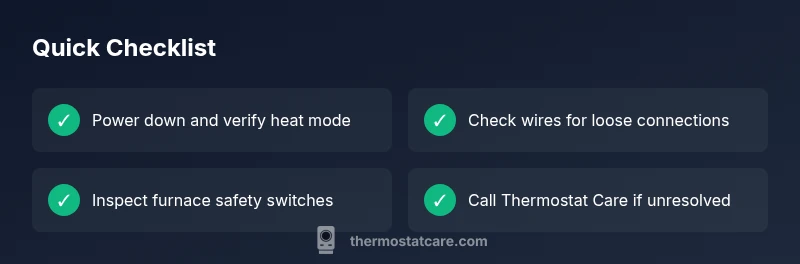
Most often, a flashing heat on indicates a safety condition or wiring fault, not a simple setting. Quick fix: power off at the thermostat and furnace, verify heat mode, check wires for loose connections, and reseat any suspect wires. If the light continues to flash, follow this guide for a full diagnostic and contact Thermostat Care for professional help.
What 'thermostat flashing heat on' signals
According to Thermostat Care, a flashing heat on usually signals a safety condition or wiring fault rather than a normal mode indicator. The flashing light is a clear warning that something in the control circuit could be overheating, miswired, or at risk of tripping a furnace safety switch. This block explains how the signal presents in real homes and why it matters for both the thermostat and the HVAC system. Recognizing the message early can prevent more expensive repairs and keep your home safe. Thermostat Care emphasizes that when you see the flashing indicator, you should treat it as an urgent cue to investigate, not a benign glitch. The first steps are safety-focused and designed to narrow down the cause without risking personal harm or equipment damage.
Quick safety checks you can perform safely
- Immediately set aside any speculation and power down the system before touching wiring or hardware to avoid electric shock or furnace restart hazards.
- If your thermostat runs on batteries, replace them with fresh, high-quality units and reseat the battery compartment firmly to rule out power issues.
- Check for visible signs of damage on the thermostat faceplate, wires, and furnace access panels. If you smell burning or see arcing, do not continue; shut everything off and call a pro.
Common causes behind a flashing heat on
There are a few frequent culprits behind a flashing heat on signal. A simple mis-set could trigger an emergency heat or hold condition. Wiring faults—loose, frayed, or crossed conductors between wall stat and furnace control board—are another common cause. A dirty or faulty furnace limit switch or safety switch can also flash or trip, signaling an overheating risk. Finally, a failing thermostat battery or a compatibility issue with the HVAC system can produce a false fault indicator. Thermostat Care analysis shows that these issues are most often resolved by methodical checks of mode, wiring, and safety switches.
Heat mode vs emergency heat: Why the mode matters
Not all flashes point to an actual fault; some models flash when switching between heat modes. If the thermostat is in emergency heat or heat pump mode, unintended flashes can occur during transition or if the system is waiting for a signal from the outdoor unit. Verifying the current mode in your thermostat settings helps determine whether the flashing is benign or truly indicative of a problem. Thermostat Care recommends confirming that the display shows HEAT (not EMERGENCY HEAT) and that the schedule aligns with your current needs. A mismatch here can masquerade as a fault.
Wiring and thermostat compatibility basics
Wiring issues are among the top causes of flashing heat on. Loose or inconsistent connections at the thermostat terminal strip can create intermittent signals that mimic a fault. Damaged insulation, pinched wires, or corrosion at the furnace control board can also lead to communication errors. Additionally, mismatches between thermostat compatibility and furnace hardware can trigger unusual indicators. If you recently installed or replaced components, re-check all wiring against the thermostat’s wiring diagram and confirm compatibility with your furnace.
Safe furnace-side checks you can do without tools
Before touching furnace components, ensure power is OFF at both the thermostat and the furnace disconnect. Check the air filter for dirt buildup, as restricted airflow can cause overheating and safety shutoffs. Listen for abnormal furnace cycling or unusual blower noise, which can signal a stuck relay or a failing limit switch. If you are comfortable, verify the furnace door switch is engaged and that the service panels are closed properly. If you notice signs of physical damage, rust, burning smells, or unusual heat near electrical boards, stop and call a professional immediately for safety.
Step-by-step troubleshooting for the most likely fault
In most homes, the flashing heat on is caused by a wiring or mode misconfiguration. A structured approach helps you identify and fix the issue without guesswork. Start by powering down, verifying heat mode, and inspecting the Y/W wires at both ends for solid connections. Next, reseat the wires and reset the thermostat. If the problem persists, test with a known-good thermostat or call Thermostat Care for a professional evaluation of the furnace safety circuits and control board.
When to call a professional and what to expect
If basic checks do not resolve the flashing heat on, or you notice burning smells, smoke, or scorch marks, stop immediately and contact a licensed HVAC technician. A pro can safely test the furnace’s safety switches, inspect the control board, and check for underlying thermostat compatibility issues. Thermostat Care can provide a diagnosis, verify wiring integrity, and recommend parts replacement if needed. Regular maintenance can prevent future faults and extend system life.
Prevention: keeping your thermostat and furnace healthy
Proactively maintaining both thermostat and furnace components reduces the chance of flashing lights and failures. Replace batteries regularly, keep the thermostat firmware up to date if applicable, and clean the thermostat face and sensors. Change air filters every 1–3 months, and schedule seasonal furnace checks to catch worn parts before they fail. Keeping wiring connections tight and avoiding DIY alterations on electrical boards helps prevent hazardous conditions.
Steps
Estimated time: 30-45 minutes
- 1
Power down and verify heat mode
Turn off power at the thermostat and the furnace disconnect. Confirm that the thermostat is set to HEAT and not EMERGENCY/HOLD. This prevents accidental current flow while you inspect connections.
Tip: Use the wall switch and the furnace disconnect for a full power cut. - 2
Check thermostat wiring at the base
Gently remove the thermostat cover and inspect the W and Y wires. Look for loose, frayed, or crossed conductors. Re-seat any suspect wires, ensuring a firm connection.
Tip: Take a quick photo before disconnecting wires to remember exact placement. - 3
Inspect furnace control connections
With power still off, open the furnace access panel and check the control board terminals related to W, Y, and G. Look for loose screws or discoloration. Do not touch live components.
Tip: If you see burn marks or a melted insulation, call a pro immediately. - 4
Replace thermostat batteries (if applicable)
If your thermostat uses batteries, replace them with fresh alkaline or lithium cells. A weak power source can cause faulty signals that mimic a fault.
Tip: Use high-quality batteries to avoid rapid voltage drop. - 5
Reset the thermostat
Perform a soft reset by turning the thermostat off, waiting 30 seconds, and turning it back on. If your model supports a factory reset, follow the manual to perform it.
Tip: Only factory reset if you have written down current settings. - 6
Test after reseating wires
Power the system back on and observe the thermostat. If the flashing heat on persists, proceed to the next step or try a known-good thermostat as a cross-check.
Tip: Avoid touching wiring during the initial startup. - 7
Check for airflow and safety switches
Ensure air filters are clean and the blower has unobstructed airflow. Check furnace limit and door switches for proper engagement; a tripped switch can trigger warnings.
Tip: Blocked airflow is a common, fixable cause. - 8
Call in the professionals if needed
If you still see the flashing light or smell burning, stop and call Thermostat Care or a licensed HVAC technician. They can safely test for control-board faults and wiring hazards.
Tip: Keep your service records for future maintenance.
Diagnosis: Thermostat shows flashing heat on
Possible Causes
- highPower or grounding issue (thermostat/furnace wiring)
- mediumThermostat configuration error (incorrect mode or hold)
- mediumOverheating limit switch or furnace safety fault
- lowLoose or damaged thermostat wiring at the wall or furnace control board
Fixes
- easyPower cycle thermostat and furnace; reseat suspect wires and recheck connections
- easyVerify heat mode is active and not in emergency/hold; correct wiring at the thermostat base
- mediumInspect furnace safety switches and replace dirty air filter; ensure proper airflow
- hardConsult a professional to inspect control board and wiring if faults persist
Questions & Answers
What does a thermostat flashing heat on mean?
It usually signals a safety or wiring fault rather than a normal setting. Check mode, wiring, and furnace safety switches before calling a professional.
It usually means a fault rather than a normal setting. Check the mode and wiring, then the furnace safety switches.
Is a flashing light dangerous to ignore?
Not always dangerous, but it indicates a fault that could cause overheating. Treat it as urgent and power down if you smell burning or see signs of damage.
It can be urgent; treat it as a fault and power down if you notice damage.
How do I reset a thermostat flashing heat on?
Reset methods vary by model. Typically power down, wait 30 seconds, then power up. If it persists, refer to the manual or contact Thermostat Care.
Power down, wait, and power back up. If it persists, check the manual or call a pro.
Can a dirty filter cause flashing heat on?
A clogged filter can cause overheating in the furnace, triggering safety flickers. Replace the filter and retest.
Yes, a dirty filter can trigger overheating and a flashing warning.
When should I call a professional?
If basic checks don’t resolve the flashing light, or you notice burning smells or strange noises, stop and call Thermostat Care for a safety assessment.
If it keeps flashing after checks, call a professional.
Will replacing the thermostat fix flashing heat on?
Sometimes yes. If the thermostat is old or faulty, replacement may fix the issue; otherwise the fault could lie with the furnace system.
Replacement can help if the thermostat is faulty.
Watch Video
What to Remember
- Power down safely before touching wires
- Verify heat mode and wiring connections
- Inspect furnace safety switches and airflow
- If unresolved, contact Thermostat Care promptly