Why Is Cool Flashing on My Honeywell Thermostat Display
Understand why the 'Cool' indicator flashes on Honeywell thermostats, with safe quick checks, diagnostic flow, and expert troubleshooting tips from Thermostat Care to resolve common issues.


Most often, the flashing Cool indicator on a Honeywell thermostat is a status signal rather than a dangerous fault. If you’re asking why is cool on flashing on my honeywell thermostat, start with simple checks: 1) ensure the thermostat has power and isn’t in a temporary hold, 2) confirm the cooling call and sensor readings, 3) inspect wiring or reset the device.
Why the flashing 'Cool' indicator happens
The flashing 'Cool' indicator on a Honeywell thermostat is usually a non-emergency status signal rather than an imminent system failure. In many cases it points to simple causes that homeowners can verify without specialized tools. The Thermostat Care team has found that most flashing indications are tied to user settings, power availability, or sensor readings rather than critical refrigerant issues. By understanding what the symbol communicates, you can quickly decide whether you can fix it yourself or if you should call a professional. In plain language: a flashing Cool icon is often a hint, not a verdict, and addressing it promptly saves you energy and potential comfort disruptions.
Quick checks you can perform safely
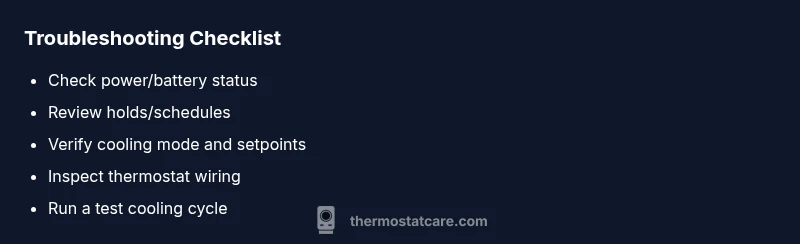
Before you dive into deeper diagnostics, perform these safe checks to rule out obvious causes:
- Power and power source: confirm the thermostat has a live power supply or fresh batteries if it’s battery-powered.
- Hold/schedule: check if a temporary hold or a schedule is forcing cooling; disable holds and review the schedule.
- Mode and setpoints: ensure the system mode is set to cool or auto, and that setpoints aren’t accidentally too low.
- Outdoor unit visibility: if you have a heat pump or central AC, listen for the outdoor unit kicking on when cooling is requested—if not, there may be a sensor or wiring issue.
- Wiring safety: never disturb furnace or air handler wiring when the HVAC is powered. If you see loose or corroded wires, pause and seek professional help.
If these checks don’t resolve the flashing, move to the diagnostic flow for a clearer path to a fix. According to Thermostat Care, these steps cover the majority of home scenarios and can prevent unnecessary service calls.
Diagnostic flow: symptom to diagnosis
Symptom: Cool flashing indicator on a Honeywell thermostat.
Causes:
- Power issue or dead battery (high)
- Temporary hold or schedule forcing cooling (medium)
- Faulty temperature sensor or wiring (medium)
- Outdoor unit or refrigerant issue (low)
Fixes:
- Check power or battery replacement (easy)
- Review and disable holds/schedules (easy)
- Inspect thermostat wiring at the base and furnace control board (medium)
- Reset the thermostat and monitor behavior after re-enable (easy)
This flow helps you distinguish between a simple user setting and a potential hardware problem. If a fault persists after these steps, it’s prudent to contact a professional to avoid damage or voided warranties. The goal is a reliable, safe thermostat that accurately reflects the cooling demand.
Step-by-step fix for the most common cause
- Verify power supply: Confirm the thermostat is receiving power from the HVAC transformer or replace batteries if applicable. 2) Remove temporary holds: Navigate to the thermostat’s scheduling or hold settings and cancel any active hold. 3) Confirm cooling call: Ensure the system is set to Cool/Auto and the setpoint is reasonable for comfort. 4) Inspect visible wiring: With power off, check for loose terminals at the thermostat and furnace control board; reseat connectors if needed. 5) Reset and test: Perform a soft reset (power cycle) then run a cooling call to observe if the indicator remains steady. 6) Monitor performance: After the reset, observe for at least one cooling cycle to verify the issue is resolved. Tip: Keep a notebook of observed behavior to share with a technician if needed.
Safety tips and common mistakes to avoid
- Never bypass safety features or power down the system while the furnace or outdoor condenser is running.
- Do not force or twist wires beyond their terminals; damaged wiring can cause more issues.
- Avoid frequent power cycling; repeated resets can mask deeper problems.
- If you smell burning or hear buzzing, shut off power at the breaker and contact a professional immediately.
- Document any error codes or flashing patterns; this helps technicians diagnose faster.
Prevention tips to avoid future flashing issues
- Schedule regular maintenance checks for your HVAC system and thermostat.
- Keep thermostat terminals clean and dust-free to prevent poor connections.
- Use a dedicated HVAC circuit, avoiding shared outlets that can cause power dips.
- Update the thermostat firmware when available to ensure proper indicator behavior.
- If you have a heat pump, understand the cooling call logic (auto vs. emergency heat) to avoid misinterpretation of signals.
When to call a professional
If the flashing persists after all safe checks and a soft reset, or if you notice unusual temperatures, airflow problems, or a compressor cycling irregularly, contact a licensed HVAC technician. A professional can verify sensor integrity, inspect the wiring between the thermostat and control board, and check refrigerant status without risking safety or warranty coverage. Remember, prompt evaluation protects comfort and efficiency.
Steps
Estimated time: 45-60 minutes
- 1
Check power and battery status
Ensure the thermostat is powered (or batteries are fresh). A low power state can cause indicators to flash. Replace batteries or restore line power before continuing.
Tip: If you use batteries, keep a spare set and plan to replace yearly. - 2
Cancel holds and review schedule
Open the thermostat menu, find Hold or Schedule, and disable any active holds that force cooling. This clarifies whether the flashing is due to a user setting.
Tip: Note the original hold time in case you want to re-enable it later. - 3
Verify cooling mode and setpoints
Confirm that the mode is Cool or Auto and that the setpoint is higher than the room temperature. An incorrect setpoint can produce confusing indicator behavior.
Tip: Try setting a comfortable target and observe how the system responds. - 4
Inspect wiring at the stat and control board
Power down the HVAC, then check terminals for looseness or corrosion. R, C, Y, and G should be secure. Do not force wires or bend terminals.
Tip: If you see burnt insulation or corrosion, call a pro. - 5
Run a test cooling cycle
With power restored, initiate a cooling cycle and watch the thermostat and outdoor unit. Look for synchronized fan and compressor operation.
Tip: Document any odd noises or delays for the technician. - 6
Reset if needed and monitor
If the issue recurs, perform a soft reset (or factory reset if instructed by the manual) and monitor over several cycles.
Tip: Note the exact sequence of events to share with support.
Diagnosis: Cool flashing indicator on Honeywell thermostat
Possible Causes
- highPower issue or dead battery
- mediumTemporary hold or schedule forcing cooling
- mediumFaulty temperature sensor or wiring
- lowHVAC outdoor unit or refrigerant issue (less common)
Fixes
- easyCheck power at the thermostat; replace batteries or reconnect the power source
- easyReview and disable any active holds, then verify cooling mode and setpoints
- mediumInspect thermostat and furnace wiring for loose connections; reseat as needed
- easyReset the thermostat if safe, then re-test cooling call
Questions & Answers
What does the flashing 'Cool' indicator mean on a Honeywell thermostat?
A flashing Cool indicator typically signals a status, hold, or sensor-related issue rather than an immediate safety risk. Start with power, hold, and mode checks, then inspect wiring if needed. If the flashing continues, seek professional evaluation.
A flashing cool icon usually means a non-emergency status. Check power, holds, and mode first, then wiring; call a pro if it persists.
How do I reset a Honeywell thermostat to stop flashing?
Refer to your model's manual for a soft reset (power cycle) or a factory reset. A soft reset often resolves transient indicator issues without losing all settings. Always note custom settings before a reset.
Try a soft reset first to clear minor glitches, then re-test cooling. If needed, a factory reset can be used following the manual.
Can a faulty sensor cause the Cool indicator to flash?
Yes, a faulty temperature sensor or a poor connection can cause misleading indicators, including a flashing Cool message. Inspect connections and consider sensor replacement if symptoms persist.
A bad sensor can trigger flashing indicators, so check connections and consider replacement if the issue remains.
When should I call a professional for Honeywell thermostat flashing issues?
If power, holds, and mode checks don’t resolve the flashing, or you notice abnormal heating/cooling cycles, refrigerant or compressor concerns, contact an HVAC technician to avoid warranty issues and ensure safe operation.
If basic checks don’t fix it or you hear odd cycling, call an HVAC pro.
Is it safe to manually adjust wiring at the thermostat?
No. Always power down the system before touching wiring. If you’re unsure, leave wiring adjustments to a qualified technician to prevent shock or component damage.
Don’t touch wiring with power on. If unsure, call a pro.
Could a flashing Cool indicator indicate a refrigerant issue?
Refrigerant problems are less common causes of a flashing indicator, but they can occur. If you suspect refrigerant loss, stop uses of the system and have a pro inspect the outdoor unit and lines.
Refrigerant problems are rare but possible; a pro should check the outdoor unit if you suspect it.
Watch Video
What to Remember
- Identify the flashing as a status signal, not a hazard
- Start with power, holds, and mode checks
- Progress to wiring inspection if basics fail
- Reset and test in one cooling cycle
- Call a pro if symptoms persist