Why Is My Thermostat Clicking? Troubleshooting Guide
Diagnose why your thermostat clicks and learn safe, practical steps to fix it. A thorough, urgent guide from Thermostat Care on common causes, quick checks, and when to call a pro.


The most likely cause is a relay or loose wiring that makes the HVAC engage. Quick fixes: flip the breaker off, remove the thermostat cover, reseat all wires firmly. Check the furnace/air handler connections for loose or damaged conductors. If the click persists, you smell burning, or the system trips, stop and call a licensed professional.
Why the Thermostat Clicks: The Basics
If you’re wondering why is my thermostat clicking, the short answer is that most clicks come from a relay switching the HVAC circuit on or off, or from a loose wire nudging against terminals. In a typical setup, the thermostat sends a low-voltage signal to the furnace or air handler; when the call is satisfied, the relay opens and closes, producing a short, audible click. That is normal during heating cycles. However, repeated, irregular, or unusually loud clicks can indicate loose wiring, a failing relay, a damaged terminal, or a power issue in the circuit. In some cases, the click accompanies a rapid cycling of the furnace—turning on and off more often than expected—which can stress equipment and waste energy. The key is to distinguish a normal click from an abnormal one. Before you start diagnosing, remember safety: never bypass safety features or work on live electrical components. If you smell burning, hear buzzing, or notice scorch marks, shut off power at the breaker and contact a pro. In this guide from Thermostat Care, you’ll find a practical approach to identify the cause and keep your system operating safely.
Common Causes of Clicking Sounds
Clicking noises can be perfectly normal or a sign of trouble. Common causes include:
- Normal relay cycling: The thermostat or control board clicking to start or stop the heat is expected during regular cycles.
- Loose or damaged wiring: Wires that aren’t fully seated at the thermostat or furnace can arc or vibrate, causing intermittent clicks.
- Dirty or corroded terminals: Buildup on terminal screws can create resistance and odd noises.
- Failing relay or control board: Worn contacts can produce erratic clicking and mis-timed calls for heat or cool.
- Power supply issues: Fluctuations from the transformer or circuit can lead to audible relays snapping more than usual.
If you notice heat not arriving when expected or the clicks grow louder, stop and test with caution or call a pro.
How to Inspect the System Safely
Safety first: turn off power at the breaker before touching any wiring. Remove the thermostat’s faceplate and gently inspect the wire ends. Confirm that all conductors are firmly under their respective terminals and that none are loose or frayed. At the furnace or air handler, check that the thermostat wires are connected securely to the control board, especially the R, W, and C terminals if present. Look for signs of scorching, loose connectors, or pinched insulation. If you see any damaged wire insulation or burnt smells, do not continue—power down completely and call a professional. These checks can help you determine whether the issue is a simple loose connection or a sign of a failing component that needs replacement.
What the Click Tells You About Your System
A single, soft click is often a normal part of activating the heat call, signaling the relay is engaging correctly. Repeated, frequent, or very loud clicks, however, suggest something is wrong with the wiring, the relay, or the control board. If the click occurs when the system should be idle or when you’re not calling for heat or cool, that can indicate a stuck relay or noise from a failing power supply. Understanding the pattern helps you decide whether to tighten connections, replace a relay, or contact a technician. Remember: a valve-like hiss or burning odor with clicking is a red flag and requires immediate action.
Safety, Warnings, and Prevention
- Always power down before inspecting or handling low-voltage wiring.
- Do not bypass safety features or tape exposed conductors.
- Keep pets and children away from the HVAC area during inspection.
- If you smell burning, hear buzzing, or notice melted insulation, shut off power at the breaker and call a licensed pro immediately.
- Regular maintenance, including annual checkups and keeping terminals clean, reduces the likelihood of unexpected clicks.
When to Seek Professional Help and What to Expect
If you’re unsure about any step or notice signs of damage, don’t gamble with electrical components. A licensed HVAC technician can safely diagnose wiring faults, test the relay and control board, and replace faulty parts. A pro will usually verify the circuit continuity, check the transformer output, and ensure the C-wire (if used) is providing stable power. Scheduling a professional evaluation is especially important if the thermostat and furnace are under warranty or if you have a second-stage heat or complicated zoning system. Remember, early professional input can prevent further damage and save energy.
Preventive Maintenance to Reduce Future Clicks
- Schedule annual thermostat and furnace inspections.
- Keep terminals clean and free of dust or corrosion.
- Replace aging thermostats or relays before they fail.
- Use a dedicated C-wire or a stable power source to prevent power fluctuations.
- Update thermostat firmware or consider a modern smart thermostat with robust diagnostics.
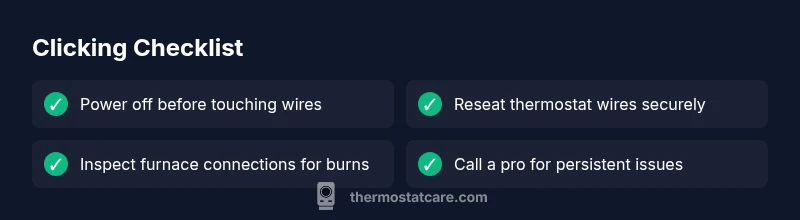
Troubleshooting Checklist Snapshot
- Verify power is off before touching any wiring.
- Reseat wires at both thermostat and furnace.
- Inspect for visible damage or corrosion on terminals.
- Test the system after reassembly and observe click patterns.
- Call a pro if smells, overheating, or burning signs appear.
Steps
Estimated time: 45-60 minutes
- 1
Power down and remove cover
Flip the breaker to off and remove the thermostat faceplate. This prevents shocks and protects sensitive electronics while you inspect wiring. Take a quick photo of terminal labels for reference before loosening screws.
Tip: Label each wire with its terminal to avoid mix-ups during reassembly. - 2
Check thermostat wiring
Gently tug each wire to ensure a firm connection at the thermostat base. Make sure wires are fully inserted under the correct terminals (R, W, C, etc.) and that insulation is intact near the terminals.
Tip: If a wire is loose, re-seat it and tighten the terminal screw without over-tightening. - 3
Inspect furnace control connections
Open the furnace panel only if you’ve confirmed power is off. Look for loose or burnt-looking wire ends on the control board, especially on the R and W terminals. Clear any dust and ensure all connectors are snug.
Tip: Use a flashlight and avoid touching live components. - 4
Reseat or replace damaged wire/terminals
If insulation is nicked or wires appear frayed, replace the damaged section or whole run. Re-seat wires securely and ensure proper strain relief to prevent movement.
Tip: If in doubt, cut back damaged wire and use appropriate connectors or seek a pro. - 5
Restore power and test
Turn the breaker back on and observe the thermostat. Listen for normal cycling and ensure heat or cooling activates when called. If unfamiliar sounds persist, stop and schedule a professional inspection.
Tip: Keep a brief log of clicking frequency and times to share with the tech.
Diagnosis: Thermostat clicks repeatedly or erratically without a heating/cooling demand
Possible Causes
- highLoose or damaged wiring between thermostat and furnace
- mediumFailing relay or control board in thermostat or furnace
- mediumDirt, corrosion, or loose terminals on thermostat or furnace
- lowNormal cycling misinterpreted as a problem
Fixes
- easyPower off, reseat all wires at both ends, and test
- mediumInspect and tighten terminal connections; replace damaged wires
- hardReplace faulty relay or control board if testing confirms failure
- easyConsult a pro for persistent issues or safety concerns
Questions & Answers
Why does my thermostat click even when the heat isn't calling?
A click without a heat call can come from a relay cycling or a loose connection. Inspect wiring and terminals, and if the issue persists, consider professional testing to avoid damage.
If your thermostat clicks without heat demand, it might be a relay or loose wiring. Check connections, and call a pro if it keeps happening.
Can a thermostat be damaged by clicking sounds?
Yes, persistent clicking can indicate a failing relay or damaged wiring that could harm the control circuit. If you detect burning smells or scorch marks, stop and seek professional help.
Persistent clicks can signal a failing relay or damaged wiring. If you smell burning, shut off power and call a pro.
Is it safe to open the furnace panel to inspect wires?
Only if power is fully off. Do not touch live components. If you’re unsure, wait for a technician to avoid shock or further damage.
Open only when power is off. If unsure, call a pro to avoid shocks.
What should I do if I smell burning near the thermostat?
Shut off power at the breaker immediately and contact a licensed HVAC technician. Do not use the system until it’s inspected.
If you smell burning, turn off power and call a pro now.
How often should I service my thermostat?
Aim for an annual inspection of the thermostat and furnace, plus battery checks and terminal cleaning to prevent future issues.
Have an annual thermostat and furnace check, plus battery and terminal maintenance.
What to Remember
- Identify culprit with safe checks.
- Loosened wiring and faulty relays are common.
- Power down before inspections.
- Call a pro for signs of damage or odor.