Why is My Thermostat Blank? Quick Troubleshooting Guide
Diagnose and fix a blank thermostat screen fast with practical, safe steps—from power checks to reset procedures. Thermostat Care guides homeowners through clear, actionable troubleshooting.


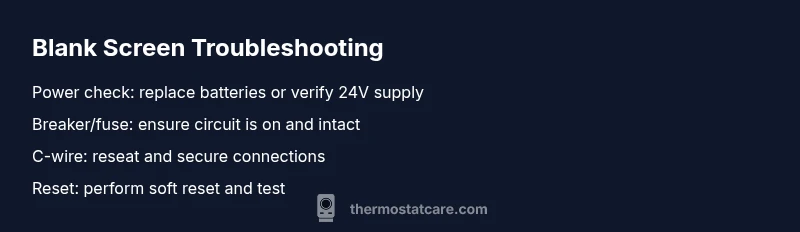
Most often, a blank thermostat display is caused by a power issue—dead batteries or a tripped breaker. Start by checking the power source: replace batteries if it’s battery-powered, verify the 24V supply at the furnace/air handler, and reset the circuit breaker. If the screen remains blank, proceed to a safe reset or call a pro.
Why is My Thermostat Blank?
A blank or unresponsive thermostat display is one of the most common HVAC hiccups homeowners face. It can interrupt comfort, cooling, and heating schedules, which makes it feel urgent. According to Thermostat Care, the majority of blank displays are caused by power-related issues rather than a failed thermostat circuit, especially in older or battery-powered models. Start with the simplest explanations before moving to the more involved checks. In most homes, a quick battery swap, a soft reset, or a circuit breaker check will restore the screen and reestablish control of your HVAC settings. Understanding the symptom and tackling it in a structured way helps you avoid unnecessary parts replacements and saving money in the process.
Safety First: Protect Yourself When Diagnosing a Blank Screen
Working with electrical components carries risks. Always power down the thermostat and, if you’re touching wiring near the furnace or air handler, ensure the main power is off and the area is dry. Do not attempt to measure 24V with improvised tools unless you are trained; if you’re unsure, skip to the next safe step and consult a professional. Keeping a clear workspace and using insulated tools can prevent shorts and shocks, especially around humid environments or older systems. If you smell burning or see scorch marks, stop immediately and call a tech.
Quick Home Checks You Can Do Today
Start with the basics before dismantling anything:
- Replace the thermostat batteries if it’s a battery-powered model.
- Check whether the circuit breaker for the furnace/air handler has tripped and reset if needed (turn off, then back on).
- Inspect the thermostat wiring at both ends. Reseat loose wires, especially the C-wire, and ensure terminals are clean and snug.
- If your system uses a 24V power supply, confirm the HVAC has power and there’s no blown fuse at the control board.
- Try a soft reset (power off for 60 seconds, then power back on) and see if the display returns. Keep a log of what you tried so you don’t repeat steps.
Diagnosing with Confidence: What to Watch For
If the screen returns after a reset but goes blank again, this points to intermittent power or wiring issues. A completely dark screen after checking batteries and breakers indicates a power path problem—likely the C-wire or a faulty control board. If you’re seeing intermittent flicker or dim backlight, the issue may be hardware-related within the display assembly. In both cases, plan for a deeper inspection or a professional replacement if the basic steps keep failing.
When to Call a Professional and What to Expect
If basic checks don’t restore the display, or you’re uncomfortable working with electrical components, it’s time to contact an HVAC technician or electrician. A professional can test for 24V supply continuity, verify the C-wire integrity, and check the furnace/air handler control board without risking damage to your equipment. Expect a diagnostic visit to include voltage checks, component testing, and a discussion about replacement options if the thermostat itself has failed.
Prevention: Keeping Your Thermostat from Going Blank Again
Regular maintenance can reduce blank screens. Use fresh batteries on battery-powered units, keep the thermostat away from moisture and direct sunlight, and ensure the wall mounting is secure. Schedule an annual HVAC system check to confirm wiring connections and 24V power stability. Document any fixes and alarms so you have a quick reference should the problem recur.
Steps
Estimated time: 25-40 minutes
- 1
Power down and prepare
Turn off power to the thermostat at the wall or main breaker where safe, then remove the thermostat cover to access batteries and wiring. This reduces risk while you inspect components.
Tip: Always start with unplugging power when possible to avoid shocks. - 2
Check batteries (if applicable)
If your model uses batteries, remove and replace with fresh alkaline or lithium batteries. Reinsert and re-seat the cover firmly.
Tip: Even new batteries can be defective; try a known-good pair. - 3
Inspect wiring and C-wire
Visually inspect the terminals. Re-seat any loose wires, especially the C-wire. Wipe corrosion from terminals if present.
Tip: Take a photo before disconnecting wires to ensure correct reassembly. - 4
Check the power path at the furnace
Return power to the unit and test if 24V is present at the thermostat wires by safely inspecting the furnace/air handler wiring harness.
Tip: If you’re unsure how to test voltage, skip to the next safe step and call a pro. - 5
Perform a soft reset
With power restored, perform a soft reset by turning the thermostat off, waiting 60 seconds, then turning it back on and testing the display.
Tip: Some models require a specific reset sequence; refer to the user manual if available. - 6
Test HVAC response
Set a target temperature and listen for system responses (blower start, heat/cool actuation). If the screen still blank, document steps taken and escalate to replacement or professional service.
Tip: Keep a simple log of symptoms and fixes tried.
Diagnosis: Thermostat display is blank and non-responsive
Possible Causes
- highPower issue at thermostat (dead batteries or power supply problem)
- highTripped circuit breaker or blown fuse on the furnace/air handler power circuit
- mediumLoose or disconnected C-wire or thermostat wiring problem
- lowDisplay or control board failure (thermostat hardware)
- lowHVAC system communication issue with smart thermostats
Fixes
- easyReplace batteries if battery-powered; reset the thermostat (soft reset) and power cycle the system
- easyCheck and reset the circuit breaker to restore 24V power to the furnace/air handler
- easyRe-seat or replace the C-wire at both thermostat and furnace, ensuring solid connections
- mediumInspect fuses and 24V power path if accessible; if power isn’t reaching the thermostat, stop and contact a professional
- hardIf the unit is faulty, consider thermostat replacement and testing with a known-good unit
Questions & Answers
Why is my thermostat screen blank even though it’s plugged in?
A blank screen in a plugged-in unit typically points to a power issue—batteries (if applicable), a tripped breaker, or a faulty power supply. Start with basics like replacing batteries and resetting power before testing the 24V supply.
A blank screen usually means power problems—try batteries and a quick power reset before calling for service.
Can a blank display indicate a damaged thermostat?
Yes, if power and wiring checks fail, the thermostat’s internal display or control board may be faulty. A professional can test the board and advise replacement if needed.
If power checks fail, a damaged display or control board is possible; a pro can confirm and replace if needed.
Should I replace the thermostat or just fix it?
It depends on age, cost, and the failure type. If the unit is old or repeatedly failing after basic fixes, replacement often provides better reliability and efficiency.
If it’s old or keeps failing after fixes, replacing the thermostat might be the smarter option.
When is professional help necessary?
If you have no power at the thermostat after basic checks, smell burning, or cannot safely access the furnace wiring, contact a licensed HVAC tech or electrician.
Call a professional if there’s no power after checks or you smell burning; safety first.
Can a smart thermostat blank screen affect Wi‑Fi features?
A blank display can prevent interaction with smart features, but often the device can be powered and tasks performed via the app or a hardware reset. If power issues persist, the connectivity may also be impacted.
A blank screen can stop smart features from functioning; power and reset fixes are still the first steps.
What safety precautions should I follow?
Always turn off power before inspecting wiring. If you’re unsure about wiring, don’t guess—seek a professional to avoid shocks or damage.
Power off before inspecting, and call a pro if you’re unsure about wiring.
What to Remember
- Start with power-related checks—batteries and breakers.
- Re-seat C-wire connections before replacing hardware.
- If blank persists, call a professional rather than forcing repairs.
- Document fixes and test results for future troubleshooting.