Fixing a Thermostat Blank: Quick Troubleshooting Guide
This Thermostat Care guide helps homeowners diagnose and fix a thermostat blank screen quickly, using power checks, battery replacement, and a safe, step-by-step process.


Most likely, a thermostat blank results from a power issue or dead battery. Start with the simplest fixes: replace the thermostat battery (if applicable), confirm the unit is receiving power, and reset the circuit breaker or fuse. If the screen stays blank, follow the diagnostic flow to rule out wiring, sensor, or control-board problems. This quick check often restores the display.
Understanding the Thermostat Blank: Why It Happens
A thermostat blank can be alarming, but in most homes it isn’t a hidden HVAC catastrophe. If your display suddenly goes dark or remains unresponsive, the issue is usually power-related or battery-driven. According to Thermostat Care, a blank screen is more often a power symptom than a faulty panel. The term thermostat blank describes a range of symptoms from a dim glow to complete darkness, and recognizing this helps you triage quickly.
Start by identifying your thermostat type. Battery-powered models depend on coin or standard batteries, while wired units pull power from the HVAC system via a C-wire. A dead battery is a frequent trigger for a blank screen, and a loose or damaged wire can interrupt power on wired models. Firmware glitches or sensor faults can also cause a blank display, though these are less common. Remember that even a minor installation tweak or renovation can loosen connections and trigger a temporary blank screen. By understanding the root cause, you can apply the simplest fix first and avoid unnecessary replacement costs.
Environmental factors matter too. Extreme temperatures or sudden shifts can temporarily affect screen performance, especially on older displays. If your thermostat features a backup battery or an auxiliary display, ensure those components are functioning as intended. Finally, always refer to your model’s manual for any model-specific quirks related to a thermostat blank screen. This awareness helps you approach the problem calmly and methodically.
Common Causes of a Blank Screen
The most frequent culprits behind a thermostat blank are straightforward, making them easy to test in sequence. First, power delivery: a tripped breaker, blown fuse, or an unplugged power source can cut power to the thermostat and leave it blank. Second, battery health: many thermostats still rely on batteries for backup power or operation. A dead or weak battery will cause a blank display or intermittent performance. Third, wiring and connections: loose terminals, damaged wires, or improper C-wire installation can interrupt power or data signals.
Other potential causes include firmware errors or sensor faults that misreport status, leading to a blank screen even when power is present. Occasionally, a recent installation, relocation, or wiring change creates a loose connection that temporarily causes a blank display until the connection settles. Finally, some models show a blank screen when the HVAC system is in a protective fault state (for example, a fault in the control board or furnace). While these issues exist, most blank-screen problems are solvable with simple checks.
Thermostat blanks aren’t a sign that your entire HVAC system is failing. Instead, treat them as an indicator to verify power, battery status, and wiring first. If you rule out these basics and the screen remains blank, you’ll want to proceed with a more thorough diagnostic flow or call a professional for deeper PCB or control-board concerns. In many cases, a blank screen simply means you’re due for a battery swap or a quick reset, not a full replacement.
Quick Diagnostic Checks You Can Do Right Now
Use this rapid checklist to triage the thermostat blank issue before diving into deeper steps. Each item is designed to be easy and safe for a homeowner:
- Check the power source: Confirm the thermostat is receiving power from the HVAC circuit; if you have a plug-in or battery backup, verify that it’s supplying current.
- Inspect batteries: If your model uses batteries, replace them with fresh ones of the correct type and observe the display.
- Reset the thermostat: Perform a soft reset or reboot according to the user guide. This can clear minor firmware hiccups that cause a blank screen.
- Inspect wiring and terminals: With the power off, check that wires are firmly connected at the thermostat and any visible terminal blocks. Look for loose or corroded connections.
- Check the C-wire: If your thermostat relies on a C-wire, ensure it’s properly connected and supplying continuous power.
- Look for power issues in the home: A tripped breaker or blown fuse can affect multiple devices; confirm the circuit status and reset if needed.
If you see any signs of scorching, melted insulation, buzzing sounds, or a burnt odor, stop and call a professional immediately. Those are safety red flags that require service. If none of these checks resolve the blank screen, move into the diagnostic flow for deeper causes.
In-Depth Step-By-Step Fixes for the Most Likely Issue
When the quick checks point to batteries or basic power delivery as the culprit, you can apply a methodical, safe sequence of fixes. Start with the least invasive, then escalate only as needed. This section builds on the earlier checks and prepares you to perform the detailed steps in the dedicated STEP-BY-STEP section. If at any point you feel unsure, remember that safety comes first and professional help is appropriate.
-
Battery-first approach: For battery-powered models, replace the battery with a fresh, recommended type. Re-seat the battery to ensure solid contact. If a new battery does not restore the display, verify the backplate is clean and free of corrosion.
-
Simple power cycle: Turn off power at the circuit breaker for 30 seconds, then restore power. This reboots the HVAC and thermostat’s power path, which can clear transient faults causing a thermostat blank.
-
Wiring sanity check: With the power off, re-seat all visible wires, ensuring airtight connections at the thermostat terminals. If you find a loose wire, secure it according to the manufacturer’s wiring diagram and avoid forcing connections.
-
Reset and re-pair: If your thermostat connects via Wi‑Fi or a mobile app, perform a reset and re-pair the device to your network. This helps if the blank screen is tied to a data communication fault.
-
Firmware refresh: Some thermostats require a firmware update to resolve display glitches. Follow the manual to check for updates and apply them only when the device is powered off to avoid corruption.
-
When to stop: If remedies do not restore the display and you notice resistance, smoke, or heat near the thermostat, stop and contact a professional. The power path or control board may require specialized equipment to diagnose safely.
Safety and When to Call a Pro
Safety is non-negotiable when troubleshooting electrical devices.
- Always switch off power at the main breaker before inspecting wiring or touching terminals.
- Do not pry into the thermostat housing or poke at circuitry with metal tools.
- If you smell burning, observe any unusual warmth, or see damaged insulation, stop and call a licensed electrician or HVAC technician immediately.
- If you have a high-voltage system or unclear wiring configurations (especially with C-wires or shared circuits), professional help is the safest route.
- For firmware or app-related issues that persist after basic resets, a technician can diagnose whether the problem lies in the device or in the home network.
In short, a thermostat blank often resolves with careful power checks and battery replacement, but some cases require expert evaluation. Don’t hesitate to seek help when in doubt, especially if the issue involves live wiring or potential control-board faults. The investment in a professional diagnosis can prevent bigger problems later.
How to Prevent Future Blank Screens
Preventive steps reduce the odds of encountering a thermostat blank in the future. Consistency matters as much as curation of the setup. Here are practical habits:
- Schedule regular battery checks: If your thermostat uses batteries, replace them on a predictable cycle and keep spare batteries on hand.
- Maintain clean connections: Periodically inspect accessible terminals for dust or corrosion and reseat connections if needed.
- Keep firmware up to date: Enable automatic updates when possible to reduce the risk of software-related blanks.
- Protect against power issues: Use a surge protector and ensure backup power solutions are compatible with your thermostat.
- Document changes: Note any wiring changes or color-coding you perform so future servicing is easier and safer.
Thermostat blanks often arise after changes to the thermostat’s wiring or after a power event like a storm. With a simple maintenance routine, you can minimize risk and maintain reliable performance. Remember, if temperatures drop or your HVAC behaves erratically after a blank screen, revisit the diagnostic flow or contact a pro promptly to avoid comfort disruption.
Steps
Estimated time: 45-90 minutes
- 1
Check battery and power source
Turn off power to the thermostat circuit at the breaker. Open the thermostat case and replace batteries if required. Reconnect power and observe whether the display returns.
Tip: Have spare batteries and the correct type handy before you start. - 2
Inspect wiring and terminals
With power off, gently remove and re-seat wires at the thermostat terminals. Look for loose screws, damaged insulation, or corrosion. Ensure the C-wire is firmly connected if your model uses it.
Tip: Take a photo of the wiring before making changes for reference. - 3
Reset and re-pair
Perform a soft reset or factory reset per the manual. If your thermostat connects with Wi‑Fi, re-pair it to your home network after the reset.
Tip: Avoid rebooting devices mid-update to prevent firmware corruption. - 4
Check for firmware updates
Navigate to the thermostat’s settings and check for firmware updates. Install any available updates to fix display-related bugs.
Tip: Do not interrupt updates; ensure a stable power source during the process. - 5
Test system after fix
Turn the HVAC system back on and confirm the thermostat display shows status information. Verify temperature settings and fan operation.
Tip: If the screen remains blank, proceed to professional assessment rather than forcing a hardware replacement. - 6
Know when to call a pro
If none of the above solves the issue, or you suspect a control-board fault, contact a licensed HVAC technician.
Tip: Document the steps you’ve taken to help the technician troubleshoot faster.
Diagnosis: Thermostat screen is blank or unresponsive
Possible Causes
- highPower issue or dead battery
- mediumLoose or damaged wiring
- lowControl board/firmware fault
Fixes
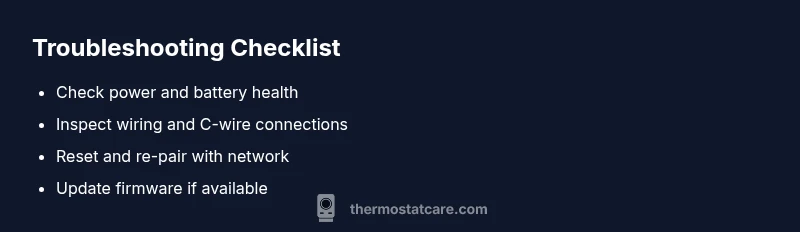
- easyCheck power and battery; replace batteries if applicable
- easyInspect and reseat wiring connections; verify C-wire
- easyReset thermostat and re-pair with network
- mediumIf persists, test HVAC power path or control board with professional help
Questions & Answers
What does a blank thermostat screen usually indicate?
A blank screen most often points to a power issue or a dead battery. It can also result from a loose wire or a firmware fault, but power-related causes are the fastest fixes. Start with batteries and power delivery before exploring deeper problems.
A blank thermostat screen usually means power or battery issues. Start with batteries and power before deeper checks.
Should I always replace batteries to fix a blank screen?
If your thermostat is battery-powered, replacing the batteries is a good first step. If the model uses a C-wire, batteries may not help. If the display remains blank after battery replacement, you’ll need to check power supply and wiring.
If your thermostat uses batteries, start with replacing them. If it doesn’t, focus on the power supply and wiring next.
Can a flickering or intermittent blank screen be caused by firmware?
Yes, firmware issues can cause the display to go blank or behave erratically. Check for available updates and install them following the manufacturer’s instructions. If updates don’t help, a reset or professional diagnosis may be required.
Firmware issues can cause blank screens; update or reset the thermostat, and seek a professional if problems persist.
Is it safe to reset a thermostat myself?
Resetting a thermostat is generally safe when you follow the manual and power off before handling wires. If you’re unsure, contact a pro to avoid accidental configuration loss or wiring mistakes.
Reset is usually safe if you power off and follow the manual; if unsure, ask a pro.
When should I call a professional for a blank thermostat?
Call a professional if you suspect a control-board fault, persistent blank screen after batteries and power checks, or if you’re uncomfortable with wiring. A pro can diagnose electrical issues and ensure safe operation.
Call a professional if the blank persists after basic checks or you suspect a control-board fault.
Can a blank screen affect HVAC performance beyond the thermostat?
In most cases, a blank screen doesn’t mean the HVAC system is failing; it usually indicates a control or power issue at the thermostat. If the system still runs manually or via app, the internal controls may require professional evaluation.
Usually the HVAC still runs if the thermostat is blank, but you should have it checked to prevent bigger problems.
Watch Video
What to Remember
- Check power first to rule out a blank display
- Replace batteries if applicable
- Inspect wiring and breakers
- Reset or re-pair to restore connectivity
- Call a pro if the issue persists or involves the control board