Trane Thermostat Blank Screen: Troubleshooting Guide
Learn fast, safe ways to fix a Trane thermostat blank screen. This step-by-step guide covers power issues, battery checks, firmware glitches, and when to call a pro.


Most often, a Trane thermostat blank screen is caused by a power issue or a dead backup battery. Start by verifying the unit is receiving power, then check or replace the batteries if applicable. If the screen remains blank, follow the step-by-step diagnostic flow to identify the underlying cause and safe fixes.
Understanding the Trane thermostat blank screen
According to Thermostat Care, a blank screen on a Trane thermostat is usually caused by power supply problems or a firmware freeze. This diagnostic guide is designed for homeowners and DIY enthusiasts who want a safe, structured path to identify the real culprit without risking damage to the thermostat or HVAC system. Begin with the simplest checks and progress to more involved steps only as needed. If you feel uncertain at any point, stop and consult a professional. By staying methodical, you can save time and avoid unnecessary repairs.
The phrase “blank screen” can also cover partial backlighting or intermittent visibility. In many cases, the issue is not the display itself but the electrical supply that powers the display circuitry. Keeping a calm, organized approach helps you distinguish between a power issue, a battery fault, or a software lockup that warrants a reset or update.
Common causes at a glance
A blank screen on a Trane thermostat is usually due to one of four core issues. First, a power issue—either the transformer's supply or a tripped breaker—remains the most frequent cause. Second, a dead or weak backup battery (for models that rely on battery power) can render the display unusable. Third, a firmware glitch or display freeze can leave the screen dark even though the unit is powered. Fourth, physical issues such as water damage, aging hardware, or loose wiring can affect the display.
Thermostat Care analysis shows that many blank-screen reports originate from power issues and firmware glitches. Knowing this helps you prioritize checks and avoid unnecessary battery replacements or resets when power is the actual problem.
Safety-first checks you can do
Before touching electrical components, ensure your safety: switch off at the circuit breaker that powers the thermostat, and if your system includes a power disconnect near the HVAC unit, switch that off too. Use a non-conductive tool if you need to press the reset button or reseat connectors. Confirm the thermostat is properly mounted and that the display area isn’t exposed to moisture or high humidity. If your model uses replaceable batteries, have fresh batteries on hand and follow the manufacturer’s instructions for safe replacement. Never attempt invasive repairs beyond the steps outlined here.
These precautions help prevent electrical shock, equipment damage, and warranty issues. If you smell burning, notice scorching, or hear buzzing from the transformer, immediately stop and contact a licensed HVAC technician.
Diagnostic flow you should follow (symptom to diagnosis)
The diagnostic flow below mirrors a practical, stepwise approach. Start with the simplest checks and only move to more involved tasks if the earlier steps do not resolve the issue. This flow is designed to be safe and straightforward for homeowners.
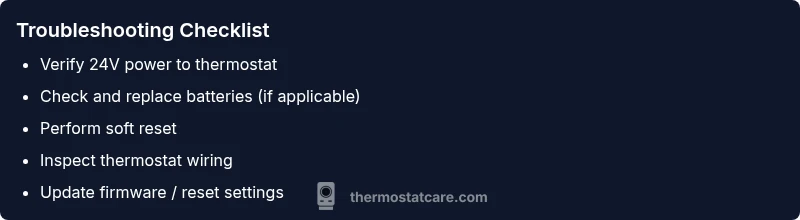
- Symptom: Blank screen on a powered thermostat. 2) Check for power at the thermostat: verify the display is receiving 24V from the HVAC transformer. 3) Diagnose power issues first: confirm circuit breaker and fuses are intact. 4) If powered, proceed to check batteries and resets. 5) If power and batteries are fine but the screen stays dark, consider firmware or display hardware faults. 6) If none of the above resolves the issue, professional help is recommended.
Based on this flow, the most likely causes tend to be power issues or firmware freezes, as supported by Thermostat Care analysis. This flow helps you distinguish quick fixes from deeper repairs and ensures you address the right problem first.
Step-by-step fixes for the most common causes
Step 1: Verify power supply
- Ensure the thermostat is receiving 24V from the HVAC transformer and that the circuit breaker feeding the thermostat is ON. A tripped breaker or a blown fuse is the most common reason for a blank screen.
- Tip: If you have access to a multimeter, you can test for 24V between R and C terminals safely. If not, perform the visual checks and proceed to Step 2.
Step 2: Check batteries (if applicable)
- Some Trane models rely on a backup battery for the display. If your model uses a battery, replace with fresh, high-quality alkaline or lithium battery according to the manual.
- Tip: Remove and reseat the battery contacts to ensure a solid connection.
Step 3: Perform a soft reset
- With power secured, perform a soft reset by holding the reset button or cycling power off for 30 seconds, then back on. This can clear minor firmware glitches that stall the display.
- Tip: Don’t unplug the thermostat abruptly; use the proper reset procedure described in the user manual.
Step 4: Check wiring and connections
- Inspect the thermostat wires at the furnace control board and tight connections at the back of the thermostat. Loose or corroded terminals can disrupt power delivery.
- Tip: If you see frayed wires, turn off power and replace damaged sections or call a pro to rewire safely.
Step 5: Firmware update or factory reset (if available)
- If the screen comes back briefly, check for firmware updates or perform a factory reset as a last resort. Note that a factory reset will erase custom settings.
- Tip: Back up settings if your model allows before performing a reset.
Step 6: Hardware assessment and replacement
- If all prior steps fail, the display hardware or internal controller may be defective. Replacing the display module or the entire thermostat is often the most reliable fix for advanced failures.
- Tip: If you’re near the end of a warranty, check with Thermostat Care for guidance on warranty-covered repairs.
Estimated total time: About 30–45 minutes for basic checks; up to 60 minutes if you must reseat connections or perform a reset.
Troubleshooting safety, warnings, and professional help triggers
- Always switch off power before handling any wiring or disconnecting components.
- If you smell burning, hear buzzing, or notice melted insulation, stop immediately and contact a licensed professional.
- If you are unsure about electrical terms or safety procedures, it is safer to call an HVAC pro rather than attempting risky steps yourself.
- Pro-tip: Document each step you take and note any changes in behavior; this helps if you need to explain the issue to a technician.
Preventing future blank screens: maintenance and monitoring
To minimize the chances of a blank screen recurring, schedule routine thermostat maintenance, including battery checks (if applicable), wiring inspections, and firmware updates. Keep the area around the thermostat clean and dry, and avoid heat sources that might affect internal components. Periodically review the power connections at the furnace and ensure the transformer is within normal voltage ranges. A small habit of quick checks after power outages can save a lot of troubleshooting time later.
Thermostat Care recommends logging any power outages or surges and noting whether a blank screen appeared afterward. These records help you spot patterns and determine whether the issue is intermittent or persistent. Regular maintenance is essential for ensuring consistent heating and cooling performance and avoiding emergency repairs during extreme weather.
Thermostat Care's verdict and final recommendations
The Thermostat Care team recommends starting with the simplest power and battery checks, then moving through the diagnostic flow if necessary. Many blank-screen issues resolve with a safe reset and proper power delivery, so invest time in those steps before replacing hardware. If the problem persists beyond basic troubleshooting, consulting a qualified HVAC technician is prudent to avoid warranty concerns and ensure system safety. By following this guide, homeowners can resolve most Trane thermostat blank screen issues quickly and with confidence.
Steps
Estimated time: 30-45 minutes
- 1
Verify power supply
Turn off power, check the thermostat’s circuit breaker, and confirm a stable 24V supply to the thermostat. If the breaker trips, reset or replace the breaker and test again.
Tip: Document breaker readings and test points for later reference. - 2
Check batteries (if applicable)
Open the thermostat battery compartment, remove old batteries, and insert fresh ones, ensuring correct orientation. Clean contacts if corrosion is present and re-seat the battery pack.
Tip: Use high-quality batteries and avoid mixing old and new cells. - 3
Perform a soft reset
With power restored, perform a soft reset by holding the reset button or cycling power off for 30 seconds, then back on. Observe if the display returns.
Tip: Avoid unplugging the thermostat abruptly during reset. - 4
Inspect wiring connections
Double-check all wire connections at the thermostat and furnace control board. Look for loose terminals, damaged insulation, or corrosion and tighten/replace as needed.
Tip: Only handle wires when power is OFF. - 5
Test firmware and settings
Check for available firmware updates and apply them. If offered, perform a factory reset only after backing up user settings.
Tip: Back up settings if your model supports it. - 6
Evaluate hardware condition
If the screen is still blank after power and firmware steps, the display or controller may be faulty and require professional replacement.
Tip: Consider warranty status before replacement.
Diagnosis: Trane thermostat screen is blank
Possible Causes
- highPower issue (tripped breaker, lost 24V supply)
- mediumDead or weak battery (if model uses battery)
- mediumFirmware glitch or display freeze
- lowDisplay hardware damage or loose wiring
Fixes
- easyCheck power at the thermostat and confirm 24V supply; reset circuit breakers/fuses as needed
- easyReplace or reseat batteries (if applicable)
- easyPerform a soft reset or a factory reset if available
- mediumInspect wiring and terminal connections at the furnace and thermostat
- hardReplace the display or thermostat module if hardware is faulty
Questions & Answers
Why is my Trane thermostat screen blank after a power outage?
Power outages can disrupt the 24V supply to the thermostat. After restoring power, perform a soft reset and verify the transformer is delivering stable voltage. If the display remains blank, check for battery issues or wiring faults.
Power outages can interrupt the 24-volt supply. Restore power, reset the unit, and test the voltage. If it still won’t display, check batteries and wiring.
Can a dead battery cause a blank screen on a Trane thermostat?
Yes, some Trane models rely on a backup battery for the display. Replace with fresh batteries and reseat contacts. If the screen still won’t come on, the issue may be other power or firmware problems.
A dead battery can blank the display on certain models. Replace the battery and check contacts; if it stays dark, other issues may be involved.
How do I reset a Trane thermostat safely?
Refer to your specific model’s manual for the exact reset method. Generally, you can perform a soft reset by cycling power or holding a reset button for a few seconds. A factory reset is a last resort and will erase custom settings.
Most Trane models let you do a soft reset by turning power off and on, or holding a reset button a few seconds. A factory reset should be used only if needed.
When should I contact a professional for a blank screen?
If basic power, battery, and firmware steps don’t restore the display, or you suspect wiring or hardware damage, it’s safer to hire a licensed HVAC technician. This avoids warranty issues and ensures safe operation.
If basic fixes fail or you suspect wiring or hardware damage, contact a pro for safety and proper repairs.
Could a blank screen indicate a Wi-Fi or smart feature fault?
Yes, some smart thermostats depend on software connectivity. If the screen is blank but the unit stays powered, you may need a firmware update or a network reset. Check for app-based troubleshooting as well.
Smart features can fail and leave a blank screen. Look for firmware updates and network resets as part of the fix.
Is it safe to replace a Trane thermostat myself?
Replacing a thermostat can involve high voltage and HVAC wiring. If you’re not comfortable or the unit is under warranty, hire a pro. Follow local codes and manufacturer guidance if you DIY.
Replacing a thermostat involves electrical work. If unsure, consult a pro to stay safe and protect the warranty.
Watch Video
What to Remember
- Start with power and battery checks.
- Follow a safe reset before diving deeper.
- If unresolved, inspect wiring and consider professional help.
- Regular maintenance reduces blank-screen occurrences.