Why Does Your Thermostat Get Stuck? Quick Troubleshooting Guide
Discover why a thermostat gets stuck and how to fix it quickly. Learn safe, practical steps from Thermostat Care to diagnose, repair, and prevent future sticking.


Why does thermostat get stuck? The most likely causes are power issues, mechanical obstruction, or a faulty switch. Quick fix: power cycle the thermostat, check for debris blocking the knob or lever, and reseat all wires. If stiffness persists, consider battery replacement or professional service—Thermostat Care recommends a full diagnostic to prevent future jams.
Why thermostats get stuck
Why does thermostat get stuck is a question homeowners ask when a wall unit won’t respond or seems frozen between settings. According to Thermostat Care, most sticking happens when a component binds due to dust, moisture, corrosion, or wear, or when a power fault interrupts proper cycling. Understanding the root helps you choose the right fix rather than guessing. In this guide we unpack the common failure modes, explain how to verify each one safely, and provide a clear path to restoration. This section sets the stage for practical, urgent action you can take today, while also highlighting when to call in a pro.
Common culprits
There are several recurring reasons a thermostat might get stuck. First, power issues—tripped breakers, blown fuses, or dead batteries in non-wired units—prevent reliable operation. Second, mechanical obstruction—dust accumulation, sticky levers, or jammed dials. Third, wiring problems—loose terminals, misconnected C or R wires, or corrosion on the terminal strip. Fourth, moisture or condensation inside the housing can corrode contacts. Fifth, sensor or calibration faults can cause the control to ignore user input. Thermostat Care analysis shows that addressing these categories in order often resolves the problem without replacement.
Quick checks you can safely perform
Before you dive deeper, perform a quick safety-and-access check:
- Turn off power at the breaker or disconnect switch to the thermostat and furnace. This prevents shocks and accidental cycling.
- Remove the thermostat cover and inspect for obvious debris, condensation, or loose screws.
- If the unit uses batteries, replace them with fresh alkaline cells and reseat.
How to test the power supply and battery
Power issues are a leading cause of sticking. For battery-powered models: replace the batteries with fresh ones, ensuring correct orientation. For wired units: confirm a live feed at the thermostat and that the furnace or air handler is receiving power. If you have a multimeter, you can check for around 24V AC at the R and C terminals when the system is powered. If power is fluctuating or absent, fix the outlet or circuit, not the thermostat alone. If your thermostat is part of a smart-home setup, verify that the hub or gateway has not lost connectivity.
Diagnosing mechanical obstruction and internal gears
Mechanical binding is common in older units or those exposed to dust. With the power off, gently operate the dial or touch screen to feel for resistance. If you hear grinding or see the mechanism sticking, do not force it. Clean the interior using compressed air or a soft brush, being careful not to dislodge small components. Lubrication is generally not recommended for most thermostats, but some models have serviceable gears—check the manufacturer’s guidance. If the lever remains stiff after cleaning, replacement is likely needed.
Wiring and control board connections
Loose or corroded wiring can create intermittent contact, causing the display and functions to freeze. Inspect the terminals: R, C, W, Y, G, and any other labeled wires. Reseat each wire firmly, then power up the system to test. If you notice discoloration, melted insulation, or a burned smell, discontinue use and consult a pro immediately. For heat-only systems, ensure the W terminal is intact and that spare jumpers aren’t shorting circuits. In some cases, the problem isn’t in the thermostat but in the furnace control board — a professional diagnostic can verify this safely.
When to replace vs repair
If your thermostat is more than 8-12 years old, or if you’ve replaced batteries multiple times without relief, replacement is often the most cost-effective option. Modern thermostats offer more reliable sensing, better wireless connectivity, and smarter control algorithms. If the current model supports remote diagnostics or Wi-Fi access and you’re comfortable with tech, upgrading can provide long-term benefits. Thermostat Care cautions that some aging mechanical components are not field-repairable and may require a full unit replacement to restore accurate control.
Safety and prevention tips
Safety first: always power down before touching wiring. Avoid DIY fixes that involve bypassing controls or rewiring heavy circuits. Keep the thermostat area clean and dry; seal drafts around the unit to prevent moisture intrusion. Regular maintenance—like annual calibration checks, battery replacements (for non-smart units), and dusting the faceplate—can prevent sticking. If you’re unsure at any point, stop and contact a licensed HVAC technician. Prevention is cheaper than repeated repairs, and it protects your home’s comfort and safety.
Next steps and professional help
If the issue persists after completing these checks, it’s time to involve a professional. A certified HVAC technician can test the control board, verify voltage levels, and inspect the furnace sequence for faults that a homeowner cannot safely diagnose. In many cases, they can identify a failing sensor or actuator that would cause continued sticking under load. The Thermostat Care team recommends documenting what you’ve tried and sharing the model and symptoms to speed up service.
Steps
Estimated time: 45-90 minutes
- 1
Power down and access
Turn off power at the breaker and remove the thermostat cover to inspect for obvious hazards or debris. This initial step prevents shocks and ensures safe inspection.
Tip: Use a non-conductive tool to open the cover and avoid touching metal terminals. - 2
Reset and battery check
If your unit uses batteries, replace them with fresh ones. For wired models, perform a restart by powering the system off for 30 seconds and then back on to clear temporary faults.
Tip: Label or photograph wiring before disconnecting to ensure correct reconnection. - 3
Inspect for debris and obstruction
Gently remove any dust, lint, or moisture from the interior, especially around the dial, lever, and contacts. Do not force a stuck mechanism.
Tip: Compressed air can help; avoid liquid cleaners inside the housing. - 4
Check wiring connections
Re-seat all wires at terminals (R, C, W, Y, G). Look for discoloration or signs of heat damage and replace damaged wires if needed.
Tip: Ensure the power is off and check for a secure, clean connection. - 5
Test function and observe
After reassembly, restore power and run through a few test cycles (heat, cool, fan) to confirm responsiveness and accuracy.
Tip: If the thermostat still sticks in test, document the model and symptoms for service. - 6
Calibration or replacement decision
If issues recur after cleaning and wiring checks, calibrate if supported or consider replacing with a newer model for reliability.
Tip: Newer devices offer smarter diagnostics and longer-lasting components. - 7
Call in a professional if needed
Persistent sticking, odd odors, or display faults indicate a deeper fault. A licensed HVAC tech can safely diagnose control boards and sensors.
Tip: Provide service history and list of steps you've attempted to expedite help.
Diagnosis: Thermostat won't respond or sticks between settings
Possible Causes
- highPower issue (tripped breaker, blown fuse, dead battery)
- mediumMechanical obstruction or worn gears
- mediumLoose or corroded wiring / bad terminal connections
- lowMoisture intrusion or condensation inside housing
Fixes
- easyPower cycle the unit and replace batteries if applicable
- easyClean or clear obstruction; reseat wires and check terminals
- mediumCheck circuit connectivity and fix loose/corroded connections
- easyInspect for moisture and protect the unit; replace if corrosion is evident
- hardReplace thermostat if internal components are worn or calibration is unstable
Questions & Answers
Why does my thermostat get stuck at a specific setting?
Common causes include mechanical binding, worn switches, or power and sensor faults. Start with a reset, then inspect for debris and loose connections before considering replacement.
Common causes are binding, worn switches, or power faults. Begin with a reset, then check for debris and loose connections.
Can a loose C-wire cause a thermostat to stick?
Yes. A loose or corroded C-wire can cause intermittent contact that makes the thermostat appear stuck or unresponsive. Reseat and secure the wire, and test again.
Yes, a loose C-wire can cause unresponsiveness. Reseat and test again.
Is it safe to fix thermostat issues myself?
Only if you’re comfortable with electrical work and follow safety guidelines. If you’re unsure, contact a licensed technician to avoid shock or fire hazards.
DIY can be risky; if unsure, call a professional.
When should I replace my thermostat?
Consider replacement when the unit is old (beyond 8-12 years), frequently fails, or exhibits rapid, unreliably changing temperatures. Modern thermostats offer improved reliability and energy savings.
Replace if it’s old or unreliable; newer models save energy and deliver better control.
What should I do if the screen is blank or unresponsive?
Check power and batteries first. If the screen remains blank, it could be a failure of the display or control board—seek professional service.
If the screen is blank after power checks, get a professional diagnostic.
Can moisture cause a thermostat to stick?
Yes, condensation can corrode contacts and cause sticking. Dry the housing and inspect for water intrusion; replace if corrosion is evident.
Moisture can cause sticking; dry and inspect for corrosion, replace as needed.
Watch Video
What to Remember
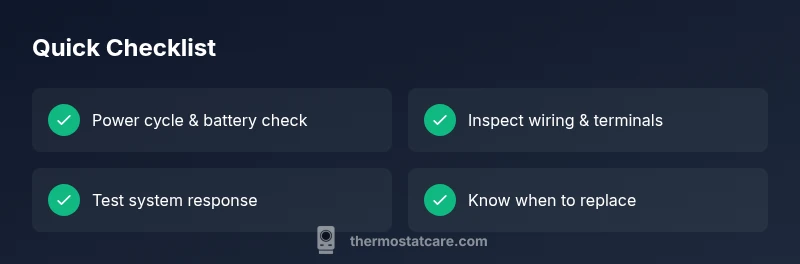
- Identify power issues first; they're the easiest fix.
- Don’t force a stuck mechanism—clean or replace as needed.
- Secure all wiring connections to prevent future jams.
- Replace aging thermostats to improve reliability and safety.