How Does a Thermostat Get Stuck Open? A Practical Troubleshooting Guide
Discover why a thermostat gets stuck open and how to fix it quickly. This guide covers common causes, safe DIY checks, and when to call a professional for reliable comfort.


Most often, a thermostat gets stuck open because the internal relay or mechanical contacts won’t close, so the HVAC isn’t triggered when it should be. Aging hardware, dirty contacts, or faulty wiring are common culprits. Quick action: power down, reseat wires, reset the device, and consider replacing the thermostat if the relay remains stuck.
Why does a thermostat get stuck open?
When the thermostat fails to close its internal circuit, it can fail to call for heat or cooling as intended. This condition—sometimes described as a 'stuck open' relay or contact—prevents your HVAC system from engaging at the set temperature. In many homes, especially older installations, dust, corrosion, or wear on a mechanical switch can cause contacts to stick open. The question often appears in the form of: how does a thermostat get stuck open? In practice, most cases trace back to hardware wear or calibration drift. Thermostat Care finds that understanding the exact symptom helps you choose the right fix, whether it’s a quick reset or a full replacement.
How this happens: common electrical and mechanical causes
The leading culprits fall into a few clear categories:
- Dirty or corroded contacts inside older thermostats can fail to close, leaving the circuit open. This is common in devices that haven’t been cleaned or serviced in years.
- A failing relay within the thermostat can physically stick or fail to switch states, producing a persistent open condition.
- Loose, damaged, or reversed wiring can create intermittent or permanent open circuits, especially at the wall plate or control board connections.
- Sensor misreading or faulty calibration can make the thermostat think the environment already matches the setpoint, so it won’t close the circuit to heat or cool.
- Battery-powered backplates or power supply issues can cause the electronics to fail to drive the switch properly. Regular maintenance helps catch these before they escalate.
If you’re wondering how does a thermostat get stuck open in real life, the most reliable answer is: hardware degradation or wiring problems. Diagnosis starts with a visual inspection and gentle testing, then proceeds to electrical checks if needed.
Quick checks you can perform safely
Before you dive into deeper diagnostics, run through these safe, practical steps:
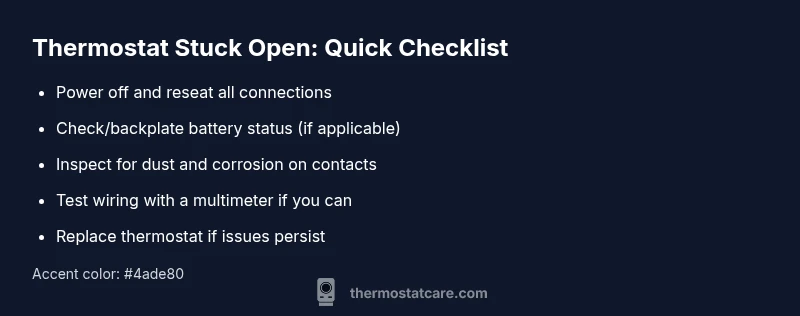
- Power off the system at the breaker panel and the thermostat, then reseat all wires to ensure solid connections.
- If your thermostat uses batteries, replace them with fresh ones of the correct type.
- Check for obvious signs of damage or loose wires at the thermostat backplate and HVAC control board.
- Gently clean any dust or corrosion from contacts using a dry brush or compressed air—do not spray liquids.
- Reset the thermostat to its default settings and reprogram your schedule to confirm the issue is not a software glitch.
Remember: if this doesn’t resolve the issue, the root cause may be a worn relay or a failing sensor that needs replacement.
When to replace vs repair and safety considerations
If the symptom persists after basic troubleshooting, you’re likely facing a failing relay or aging hardware that’s beyond simple repair. In many cases, replacing the thermostat is the most reliable solution, especially for older models or units with suspected sensor or relay faults. Safety matters: never bypass electrical protections or attempt to repair high-voltage components yourself. If you detect burning smells, buzzing sounds, or the system shows irregular behavior, shut off power at the breaker and call a qualified technician. Thermostat repairs can involve wiring to the furnace or air handler, which should be handled by an HVAC professional. As a rule of thumb from Thermostat Care, a stubborn stuck-open condition warrants professional assessment if DIY steps don’t restore proper operation.
Preventive maintenance to minimize sticking
Proactive steps reduce the odds of a thermostat getting stuck open in the future:
- Schedule regular inspections of wiring and backplates, especially in homes with older HVAC systems.
- Clean the thermostat enclosure and sensor area every 6–12 months to prevent dust buildup.
- Keep the thermostat away from direct sunlight, heat sources, and drafts that can skew readings.
- Use a compatible, up-to-date thermostat that matches your HVAC system’s capabilities.
- Replace batteries and confirm firmware updates after installation to maintain reliable switching behavior.
By following these practices, you’ll reduce the likelihood that a thermostat gets stuck open and improve overall system reliability.
Steps
Estimated time: 45-60 minutes
- 1
Power down and safety check
Turn off power at the breaker and at the thermostat. Verify you’re not dealing with live circuits before touching internal components. Remove the thermostat cover carefully to access the wiring.
Tip: Use a non-contact voltage tester to confirm power is off before touching wires. - 2
Inspect power and batteries
Check if the thermostat is powered by a C-wire and if the backplate is receiving 24V. If battery-powered, replace with fresh, correct-type batteries. Confirm the backplate is securely mounted.
Tip: Replace with manufacturer-approved batteries and avoid using unfamiliar brands. - 3
Check wiring connections
Look for loose, frayed, or corroded wires at the terminal block. Re-seat any loose wires and take a photo before disconnecting for reference later.
Tip: Label wires if you remove multiple connections to prevent miswiring. - 4
Test the relay and contacts
If you have a multimeter and know how to use it, test continuity across the relay contacts when the thermostat calls for heat or cool. Look for an open circuit when it should close.
Tip: If you’re unsure how to test, skip this step and move to replacement. - 5
Clean or replace internal components
Gently clean any dust on the internal switch or sensor. If the relay shows signs of wear or sticking, plan for replacement.
Tip: Do not spray liquids into the device; use dry cleaning methods or manufacturer-approved cleaners. - 6
Decide on replacement
If tests indicate a stuck relay or persistent misreadings, replacing the thermostat is often the most reliable fix. Confirm model compatibility with your HVAC system.
Tip: Keep a record of model numbers and compatibility notes for future replacements.
Diagnosis: Thermostat seems to call for cooling or heating, but the HVAC system does not engage, or runs incorrectly.
Possible Causes
- highStuck or failing relay inside the thermostat
- mediumDirty or worn mechanical contacts
- mediumLoose, damaged, or incorrect wiring
- lowFaulty temperature sensor or calibration drift
Fixes
- easyPower down, reseat wires, and reset the thermostat
- mediumClean contacts or replace the thermostat if the relay is stuck
- mediumRepair or rewire connections, ensuring compatibility with the HVAC system
- hardReplace thermostat if diagnostic tests indicate sensor/relay failure
Questions & Answers
What are the first signs that my thermostat is stuck open?
Common signs include the HVAC running continuously or readings that don’t match the set temperature. A persistent open circuit can prevent the system from engaging properly.
Common signs are the HVAC running all the time or readings that don’t match the set temperature.
Can a stuck-open thermostat be dangerous?
Yes, especially if it leads to unexpected HVAC operation or electrical issues. If you smell gas, hear buzzing, or notice burning, shut off power and contact a professional immediately.
Yes, there can be safety risks. Shut off power and call a pro if you notice gas smells or unusual noises.
Is it safe to troubleshoot a thermostat myself?
Basic checks like power, batteries, and wiring are generally safe if you follow safety steps. Avoid handling live circuits and never bypass safety protections.
Some steps are safe if you power off first; avoid live circuits.
When should I replace vs repair the thermostat?
If the relay or sensor is failing and the unit is older, replacement is often the best option. Repairs can be temporary; ensure compatibility with your HVAC system.
If the relay or sensor is failing and the unit is old, replacement is often best.
How do I reset a thermostat safely?
Power off the system, wait briefly, then reapply power and follow the on-screen prompts to reset. Verify the HVAC responds correctly afterward.
Power off, wait, then restore power and follow prompts to reset.
Are there maintenance habits to prevent sticking?
Regular cleaning, avoiding moisture, and periodic professional checkups on wiring and backplates reduce the risk of sticking.
Keep it clean, dry, and have periodic checks to prevent sticking.
Watch Video
What to Remember
- Isolate the issue with a safe power reset.
- Check wiring, battery status, and sensor calibration.
- If issues persist, replace the thermostat.
- Schedule regular maintenance to prevent sticking.