Why Does My Thermostat Say Overcooling? Troubleshooting Guide
Learn why your thermostat shows overcooling and how to fix it quickly with sensor, placement, and calibration checks. A practical Thermostat Care troubleshooting guide for homeowners.


The most likely cause is sensor drift or placement errors, causing the thermostat to read cooler than actual room temperature. Quick fix: verify the thermostat is away from drafts and heat sources, check batteries, and re-calibrate if your model supports it. Set the correct target temperature, and test with a room thermometer. If it still overcooling, continue with the diagnostic flow or call a pro.
why does my thermostat say overcooling
Overcooling occurs when your thermostat reports a lower room temperature than what you feel, causing the HVAC system to run longer or more aggressively than needed. This mismatch is typically due to sensor drift, placement near heat sources or vents, or calibration drift. According to Thermostat Care, these issues are the most common culprits, especially on aging or poorly located units. In this guide we’ll walk through practical checks you can perform today, with a focus on restoring accurate readings and comfortable indoor temperatures.
Common Culprits to Check First
- Sensor location: A sensor near a vent, window, lamp, or sunny wall can read temperature differently than the room average, leading to perceived overcooling.
- Battery and power: Low batteries can cause intermittent or delayed readings, especially on older thermostats.
- Calibration and settings: Some models require manual calibration or a simple reset to align with the HVAC system.
- Remote sensors: If your system uses multiple sensors, a faulty sensor can pull readings off and trigger overcooling.
- Drafts and stratification: Open doors, drafty rooms, or high ceilings can create cold pockets that fool the sensor.
Quick Self-Check Steps You Can Do Today
- Check batteries and replace if needed. A fresh power source helps ensure accurate readings.
- Move the thermostat away from direct sun, vents, or appliances that emit heat.
- Compare the thermostat reading with a room thermometer placed at mannequin height or in the main living area.
- Reset to factory defaults if your model supports it, then re-enter your schedule and preferences.
- Observe HVAC response after changing the setpoint for 15–20 minutes to see if the temperature tracks correctly.
- If your system uses a remote sensor, test readings with and without the remote sensor connected to identify inaccuracies.
Diagnostic Approach: Sensor, Placement, and Calibration
We’ll classify the diagnosis into three pillars: sensor accuracy, physical placement, and calibration. A misread sensor can result from aging components or exposure to heat or humidity. Placement matters: a thermostat too close to supply vents, return ducts, or kitchen appliances can misrepresent the average room temperature. Calibration drift happens gradually with age, especially in drafty or humid environments. Thermostat Care emphasizes starting with simple checks and documenting readings while testing.
Step-By-Step Fixes for the Most Common Cause
If the root cause is a misread indoor sensor, follow this sequence: 1) power down and remove the thermostat from the wall plate; 2) clean the sensor housing gently with a dry cloth; 3) re-seat the unit and reassemble; 4) replace batteries; 5) relocate away from vents or heat sources; 6) recalibrate or reset to factory settings if supported; 7) verify readings with a room thermometer; 8) re-test the setpoint for 20 minutes. If your thermostat allows disabling unused remote sensors, do so during testing to isolate readings.
Safety, Warnings, and Prevention
Do not tamper with furnace wiring or critical safety circuits. If you hear buzzing, smell burning insulation, or suspect wiring issues, shut off power at the breaker and call a licensed HVAC technician. Use only manufacturer-approved calibration methods and avoid disabling safety features. Regular maintenance, including sensor checks and placement reviews, helps prevent future overcooling.
Steps
Estimated time: 30-60 minutes
- 1
Check model capabilities and power
Consult the manual to confirm whether calibration or factory reset is supported. If so, perform a safe reset and replace batteries if needed.
Tip: Use manufacturer instructions to avoid misconfiguration. - 2
Assess sensor placement
Move the thermostat away from vents, direct sunlight, and heat-producing appliances. Allow the room to equilibrate before retesting readings.
Tip: Aim for a central wall location at about 5 feet height. - 3
Test sensor accuracy
Compare the thermostat readout to a reliable room thermometer placed near the thermostat. Note any consistent discrepancies.
Tip: Record two readings at different times of day. - 4
Replace batteries and reset
Install fresh batteries or supply power, then perform a reset or calibration as recommended by the model.
Tip: Keep the thermostat on a plain wall plate during the process. - 5
Calibrate or re-sync with HVAC
If your model permits, calibrate the sensor or re-sync with the HVAC controller to align readings.
Tip: Document the baseline after calibration. - 6
Re-test and monitor
Set a comfortable target and observe for 20–30 minutes. Compare room temperature with the thermostat reading to confirm accuracy.
Tip: If readings still diverge, consider remote-sensor misbehavior or wiring issues.
Diagnosis: Thermostat shows a cooler room than actual temperature or HVAC runs longer than expected.
Possible Causes
- highSensor drift or failure
- mediumThermostat located near heat sources or vents
- lowCalibration drift or incorrect settings
Fixes
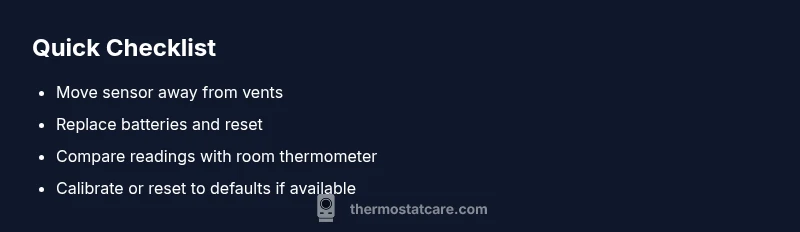
- easyMove thermostat away from vents, heaters, and direct sunlight
- easyReplace batteries and perform a basic reset/calibration
- easyCompare readings with a room thermometer and recalibrate or reset to factory defaults if available
Questions & Answers
What does overcooling mean on my thermostat?
Overcooling means the thermostat reads the room as cooler than it actually is, causing the HVAC to run longer to reach the target. This mismatch can waste energy and reduce comfort until readings align. The fix usually involves sensor checks, replacement of batteries, and recalibration.
Overcooling means the reading is off and the system cools too much. Fix it by checking sensors, batteries, and recalibration.
Can a low battery cause overcooling?
Yes, a dying battery can cause delayed or inaccurate readings, leading to incorrect cooling behavior. Replace the batteries and re-test readings.
Yes. Replace the batteries and re-check readings.
How do I recalibrate my thermostat?
Refer to your model’s manual for calibration steps. Many thermostats offer a calibration option or factory reset. After recalibration, re-test readings against a room thermometer.
Check the manual for calibration steps; many models have a reset option.
Should I move the thermostat sensor?
If the sensor is near vents or heat sources, relocate it to a central, draft-free spot. This helps the device read true room temperature and reduces overcooling.
Yes, relocate to a central, draft-free spot.
Is overcooling dangerous to my HVAC?
Overcooling isn’t dangerous, but it wastes energy, can shorten equipment life by cycling more, and reduces comfort. Fixes are typically straightforward.
Not dangerous, but it wastes energy and reduces comfort.
When should I call a professional?
If the steps above don’t fix the issue, if you hear unusual noises, smoke, or buzzing, or if you’re unsure about wiring, contact a licensed HVAC technician for a diagnostic.
Call a pro if it remains unresolved or you’re unsure about wiring.
Watch Video
What to Remember
- Check simple basics first: batteries and placement.
- Always compare readings with a reliable thermometer.
- Calibration drift is common with aging sensors.
- Relocate away from heat sources to reduce reading bias.
- Call Thermostat Care if issues persist after basic steps.