Room Temperature Below Thermostat Setting: Troubleshooting Guide
Discover practical steps to fix room temperature below thermostat setting. Sensor placement, calibration, airflow, and when to call Thermostat Care for help.


Most likely the issue is sensor placement, calibration drift, or airflow restrictions. Start by checking the thermostat’s power, battery, and placement, then verify readings with a separate thermometer. If readings diverge, run auto-diagnosis if available and recalibrate or replace the sensor. According to Thermostat Care, addressing these basics fixes the common gap between room temperature and setting.
Understanding the problem: room temperature lower than thermostat setting
When you notice that room temperature stays cooler than the thermostat setting, it can feel urgent. The discrepancy can waste energy and force your system to run longer than necessary. According to Thermostat Care, several common culprits can create this gap, including sensor placement, calibration drift, and airflow restrictions. In many homes, addressing these issues at the source will restore comfort without a costly service call. Start by confirming the thermostat is powered, reviewing the current setpoint, and ensuring the display reflects your intended temperature. If the room remains cooler despite a higher setpoint, move to the next steps to pinpoint the exact cause and prevent future mismatches. Keep in mind that even a correctly calibrated thermostat can be fooled by heat sources near the sensor or by drafts in the room. Since sensors read the air around them, placement matters for accurate readings.
Common culprits: sensor placement, calibration, and airflow
The most frequent reasons a room feels cooler than the thermostat setting involve the sensor itself or the environment around it. A thermostat placed in direct sunlight, near a vent, or close to a heat-producing appliance will misread room temperature. Calibration drift can occur as electronics age or after power interruptions. Airflow problems—blocked filters, closed dampers, or leaky ducts—also skew actual room temperatures. If you’ve recently swapped thermostats or changed HVAC components, the odds of misreads rise. Identifying which factor dominates requires a systematic check of sensor position, calibration, and airflow before adjusting the setpoint excessively.
Thermostat Care analysis shows that most gaps are resolved by correcting sensor location and ensuring clean air paths. Regular maintenance reduces the likelihood of recurring mismatches and improves energy efficiency. By following a structured approach, you can restore accurate readings without unnecessary energy waste or comfort complaints.
Quick checks you can perform safely
Safety first: turn off power to the thermostat if you plan any wiring-related checks. Then perform these quick actions:
- Replace thermostat batteries if your model uses them and ensure the unit powers on with fresh power.
- Confirm the thermostat is not mounted where direct sun, lamps, or electronics can warm it; relocate if needed.
- Check for drafts around the thermostat—windows, doors, or vents can cool the area and skew readings.
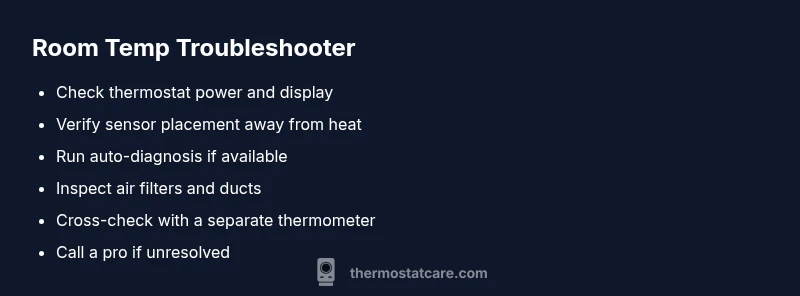
- Cross-check the room’s temperature with a separate, calibrated thermometer placed near the thermostat for 15 minutes to compare readings.
- Inspect the HVAC filter and ensure intake and return ducts aren’t blocked by furniture or debris. If you notice obvious airflow problems, address them before changing the setting.
How to read thermostat readings and verify accuracy
A healthy thermostat should display a current room temperature close to the actual air temperature in the space. If there is a persistent delta of more than a few degrees, you likely have a sensor or calibration issue. Use the thermostat’s built-in diagnostic tools if available; many modern models offer self-tests that can pinpoint sensor drift or wiring faults. When readings mismatch, perform a careful cross-check with a known-good thermometer in the same location to determine whether the problem lies with the thermostat or the HVAC system. If discrepancies persist after basic checks, you may need to recalibrate, replace the sensor, or consult a professional.
Diagnostic-Flow preview: what to expect during diagnosis
Expect a stepwise investigation: confirm the symptom (room cooler than setpoint), review possible causes (sensor, calibration, airflow), and apply targeted fixes (relocate, recalibrate, clear ducts). If the issue remains after these steps, you should consider professional inspection to rule out more complex problems like faulty wiring or a failing furnace control board. Always document the steps you’ve taken so a technician can quickly pick up where you left off.
Preventive maintenance to keep temperatures aligned
Prevention saves energy and improves comfort. Schedule periodic checks of sensor placement, ensure the thermostat is away from heat sources, replace batteries on schedule, and maintain clean HVAC filters. A simple annual calibration check and a quick duct inspection can prevent future discrepancies. Thermostat Care recommends keeping a log of setpoints and actual room readings to spot trends early.
When to seek professional help and next steps
If basic troubleshooting fails to resolve the issue after following the steps above, it’s time to contact a professional. A licensed technician can verify sensor integrity, examine wiring connections, and assess the HVAC system for performance issues that a consumer cannot safely diagnose. The Thermostat Care team recommends scheduling a diagnostic visit if you notice unusual furnace cycling, frequent temperature swings, or any burning smells from the equipment.
Steps
Estimated time: 60-90 minutes
- 1
Check thermostat power and setpoint
Confirm the thermostat is powered on and the current setpoint matches what you expect. If the display looks dim or unresponsive, replace batteries or power supply as needed. This step rules out a simple display or power issue.
Tip: Record the setpoint before making changes so you can revert if needed. - 2
Inspect sensor placement
Look for direct sunlight, lamps, or appliances near the thermostat that could heat the sensor. If the unit is in a drafty hallway, consider relocating to a room with stable airflow.
Tip: Use a spacer if you must move the thermostat temporarily for testing. - 3
Cross-check with a separate thermometer
Place a reliable thermometer near the thermostat for 15-20 minutes and compare readings to the thermostat's current temperature display.
Tip: If readings differ by more than a few degrees, sensor calibration or replacement may be needed. - 4
Run auto-diagnosis and calibration
If your model supports auto-diagnosis, run it and follow on-screen prompts to recalibrate any drift or identify wiring issues.
Tip: Document any error codes to share with a technician if necessary. - 5
Check HVAC airflow and filters
Replace the air filter if clogged and inspect ducts for obstructions. Restricted airflow can make rooms feel cooler despite a higher setpoint.
Tip: Consider a simple duct-cleaning schedule as part of maintenance. - 6
Re-test and monitor
After completing the above steps, observe the system for 24-48 hours to confirm that room temperatures tracks the setpoints more closely.
Tip: If the problem recurs, a professional evaluation is recommended.
Diagnosis: Room feels cooler than the set thermostat temperature
Possible Causes
- highSensor misplacement (near heat source or draft)
- mediumCalibration drift or sensor failure
- lowAirflow restrictions (blocked filter, closed damper, leaky ducts)
Fixes
- easyRelocate thermostat away from heat sources and drafts; ensure it’s mounted at a representative height
- mediumRun auto-diagnosis or calibrate/replace the sensor if the model supports it
- easyInspect and replace HVAC air filters; check for blocked ducts or closed dampers
Questions & Answers
Why is my room cooler than the thermostat setting?
Common causes include sensor placement, calibration drift, and airflow restrictions. Start with basic checks of sensor position, calibration, and air filters, then test with a separate thermometer.
If your room is cooler than the setting, start by checking sensor location and calibration, then inspect airflow and filters.
How do I recalibrate a digital thermostat?
Many digital thermostats offer a calibration option in the settings. Follow the model’s manual or on-screen prompts. If in doubt, use auto-diagnosis or contact support.
Use the thermostat's calibration setting or auto-diagnose to recalibrate readings.
Can a bad sensor cause a temperature gap?
Yes. A faulty sensor can misread room temperature and cause the HVAC to run longer or shorter than needed. Replacing the sensor or entire thermostat is often necessary.
A bad sensor can cause reading gaps; replacement is often required.
What safety steps should I take before troubleshooting?
Turn off power to the HVAC system when handling wires. Use a non-contact tester for live checks and avoid touching exposed conductors.
Turn off power and test safely before touching wires.
When should I call a professional?
If basic checks fail to resolve the issue after trying the steps above, contact Thermostat Care or a licensed technician for a thorough inspection.
If it remains unresolved after checks, call a professional.
Watch Video
What to Remember
- Check sensor placement and calibration first
- Cross-check readings with a separate thermometer
- Address airflow issues before tweaking settings
- Use diagnostics on compatible thermostats for quick fixes
- Call a professional if issues persist after basic steps