Thermostat is Reading Wrong Temp: Comprehensive Troubleshooting
A practical, step-by-step guide to diagnose and fix a thermostat that is reading wrong temp, with safe fixes and maintenance tips for reliable comfort.


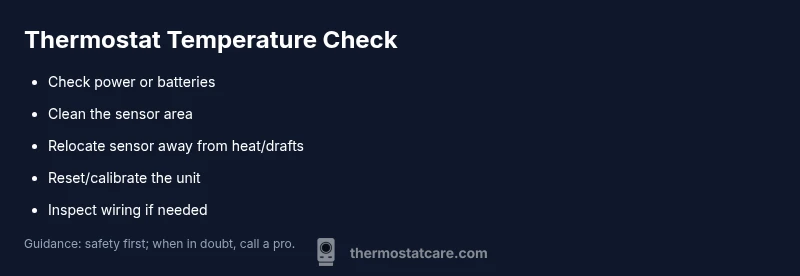
Most likely, the thermostat is reading wrong temp due to a dirty sensor, a weak battery, or poor placement. Start by replacing batteries, relocating the sensor away from heat sources or drafts, and recalibrating or resetting the unit. If the issue persists, inspect wiring or call a professional to check the HVAC connections.
Why thermostat is reading wrong temp happens in homes
If you notice the display and the room temperature don’t align, you may be facing an issue where thermostat is reading wrong temp. This misread is rarely caused by a single problem; more often it’s a combination of sensor health, calibration, placement, or power supply. According to Thermostat Care, sensor calibration and placement are frequent culprits that lead to noticeable temperature discrepancies. The Thermostat Care team found that even small shifts in sensor location can cause several degrees of difference on the display versus the actual room temperature. In many cases, a quick check of the basics—batteries, power, and airflow around the thermostat—returns accurate readings without expensive service. Understanding these root causes helps homeowners act fast and safely. As you read, keep the goal in mind: restore reliable temperature readings for comfortable, energy-efficient climate control.
In addition to sensor health, it’s worth noting that firmware or software glitches can cause a readout drift. If your thermostat has recent updates or if it’s a budget model, performance irregularities are more common. While this block focuses on practical home fixes, Thermostat Care analysis shows that consistent misreads often point to sensor or power issues rather than a fundamental HVAC fault. This is especially true for models that rely on a common C-wire or those with battery backup. By addressing sensors, power, and placement, most households can regain accurate readings without professional intervention.
Quick checks you can do before you touch wiring
Before you touch any wires, perform these quick checks that resolve a surprising number of wrong-temp readings. Start with the simplest actions and move to more involved steps only if needed. A calm, methodical approach saves time and reduces risk.
- Verify power supply: Ensure the thermostat has a live power source or fresh batteries. Many modern thermostats run on either batteries or a C-wire; a weak power supply can cause sensor drift or incorrect readings. If your unit uses batteries, replace them with high-quality alkaline or lithium batteries and re-test.
- Confirm sensor location: The thermostat should be away from heat sources (direct sun, lamps, ovens) and vents that blast conditioned air. Drafts or radiant heat can fool the sensor into an inaccurate reading.
- Check for visible dust or condensation: A dirty sensor can read wrong temp. Use a dry microfiber cloth to gently wipe the sensor area. Do not use liquids or cleaners that could seep into the device.
- Review the hold and schedule settings: Ensure you aren’t confusing a hold temperature with a scheduled change. A mismatch between Hold mode and programmed schedules can mimic a wrong temperature by responding differently than expected.
- Look for physical damage or corrosion: Loose terminals, a blinking display, or scorch marks indicate wiring or power issues that require more attention.
If these quick checks do not restore accuracy, proceed to the diagnostic flow. Remember: safety first—if you’re unsure about wiring or live power, stop and call a licensed technician. The Thermostat Care team emphasizes that most fixes at this stage are straightforward and safe for DIY homeowners.
Diagnostic flow: from symptom to solution
The symptom of a misread temperature typically leads down one of a few diagnostic paths. Start with the simplest explanation and work toward more involved fixes. This flow helps you avoid unnecessary disassembly while keeping you focused on the most probable causes.
- Symptom: Room feels significantly warmer or cooler than the thermostat reads.
- Quick checks to validate: Compare readings with a separate thermometer placed in the same room; watch for consistent discrepancy across time. If the room temp matches the other thermometer but not the display, the issue is likely the thermostat sensor or sensor calibration. If both readings drift together, a power or HVAC system fault could be involved.
- Likely causes and what to test: Dirty or faulty sensor, old or weak batteries, sensor placement near heat sources, and wiring/connectivity issues. Firmware or calibration drift is also possible, especially on older or cheaper models.
- Prioritized fixes: Start with battery replacement and sensor cleaning, then relocate the sensor if needed, followed by reset/calibration. If readings remain inconsistent after these steps, inspect wiring or contact a pro for a thorough check of the HVAC control circuits.
This approach aligns with Thermostat Care guidance, which cautions against rushing to hardware replacements without validating sensor health and placement. A structured diagnostic flow reduces the chance of chasing phantom faults and helps you reach a reliable, comfortable climate quickly.
Step-by-step fixes for the most common cause
In most homes, the most common culprit is a dirty sensor or a weak power supply. The following steps walk you through a safe, practical path to fix the root cause and restore accurate readings. Each step builds on the previous one, so complete each stage before moving to the next.
- Replace batteries or verify power: If your thermostat uses batteries, replace them with fresh alkaline or lithium packs. If it’s powered by the C-wire, ensure the wire is connected and delivering constant power. Tip: power down the system at the breaker before starting to minimize risk.
- Calibrate or reset: Use the thermostat’s calibration feature or factory reset if available. After resetting, reprogram your target temperatures and ensure the device stores new settings correctly. Pro tip: document your preferred schedule to restore it quickly after a reset.
- Reposition the sensor: Move the sensor away from heat sources, direct sunlight, and warm HVAC vents. Give it several feet of space from any potential heat source and keep it away from drafts. This change alone can dramatically improve readings.
- Clean the sensor area: Gently wipe the sensor with a dry microfiber cloth to remove dust or condensation that can skew readings. Avoid liquids and compressed air—both can damage delicate components.
- Inspect wiring connections: With the power off, check if terminals are snug and clean. Loose wires or corrosion can cause intermittent readings. If you’re unsure, contact a professional to re-terminal or replace the control wiring.
- Update firmware and test: If updates exist, install them. After updates, run a heat/cool cycle to verify that readings align with the room temperature.
If these steps do not resolve the discrepancy, a professional should inspect the HVAC control board and sensor connections at the furnace or air handler. The Thermostat Care team notes that persistent misreads may indicate a deeper issue requiring specialist tools and expertise.
Safety tips and common mistakes
- Always turn off power before touching wiring or terminals to avoid shocks or short circuits. If the thermostat is hard-wired, cut power at the circuit breaker.
- Do not force calibration or resets if you’re unsure of the steps; follow manufacturer instructions and keep a reference note handy.
- Avoid placing the thermostat behind furniture or inside a cabinet; proper airflow is critical for accurate readings.
- Don’t mix battery types or use damaged batteries; this can worsen readings or trigger false alerts.
When to call a professional: If you notice burning smells, scorched components, buzzing noises, or the system repeatedly trips breakers, discontinue DIY work and contact a licensed HVAC technician. Thermostat Care’s guidance emphasizes safety and accuracy over quick, risky fixes.
Prevention and maintenance to avoid future misreads
Preventing wrong temperature readings starts with routine maintenance and a simple monitoring routine. Regular checks help you catch drift before it impacts comfort or energy costs. Here are practical habits:
- Schedule annual sensor and device checks to ensure the thermostat remains calibrated and responsive.
- Keep the sensor area clean and free from dust. A dusty sensor is a common cause of gradual drift.
- Use a single source of truth for room temperature by comparing against a reliable thermometer placed near the thermostat. This helps you notice drift quickly.
- If you have multiple thermostats, ensure each unit is calibrated and not competing with another sensor’s readings. Synchronize settings to avoid conflicting commands.
- Maintain proper airflow around the thermostat—blocked vents or clutter can affect readings and system performance.
With consistent maintenance, you’ll reduce the likelihood of recurring misreading events and preserve comfort and efficiency.
How to test after fixes and when to recheck
After performing fixes, recheck readings over a 24-hour cycle to capture any diurnal changes in temperature. Compare the thermostat display with a trusted room thermometer at multiple times: morning, afternoon, and night. If discrepancies persist, repeat the diagnostic flow, focusing on battery power, sensor health, and placement. Document readings for future reference and consider setting up alerts if your thermostat supports them. The goal is consistent, accurate readings that align with actual room temperature across the day.
Steps
Estimated time: 45-60 minutes
- 1
Check power and replace batteries
Power down the thermostat, replace batteries with fresh ones if battery-powered, or verify that the C-wire has constant power. After replacement, power the unit back up and observe if readings stabilize.
Tip: Keep spare batteries on hand and label the thermostat wires for easy reassembly. - 2
Calibrate or reset the thermostat
Enter the calibration or reset menu and follow the manufacturer’s instructions to recalibrate. Re-enter your target setpoints and schedule after the reset.
Tip: Take a photo of your settings before resetting so you can restore them quickly. - 3
Relocate the sensor
Move the sensor away from direct sun, lamps, or warm vents. Ensure there is adequate airflow around the unit for accurate sensing.
Tip: Allow the room to settle for 15-30 minutes after relocating before testing readings. - 4
Clean sensor area
Gently wipe the sensor area with a dry microfiber cloth to remove dust and moisture. Avoid liquids that could seep into the device.
Tip: Do this during a powered-down state to prevent accidental shorting. - 5
Inspect wiring and terminals
With power off, check that all terminals are snug and free of corrosion. If a terminal is loose, reseat it firmly or consult a professional.
Tip: Do not bend wires or apply excessive force; damaged wiring typically requires a pro. - 6
Test and update firmware
If the thermostat supports firmware updates, install the latest version and perform a system test. Observe whether readings align with room temperature over several cycles.
Tip: Keep a log of readings to determine if drift recurs after updates.
Diagnosis: Thermostat is reading wrong temp
Possible Causes
- highDirty or faulty temperature sensor
- highWeak or old batteries
- mediumIncorrect sensor placement or airflow
- lowElectrical wiring or loose connections
- lowSoftware calibration or outdated firmware
Fixes
- easyCheck and replace batteries or ensure constant power (C-wire)
- easyRelocate sensor away from heat sources and drafts
- easyClean sensor area and dry the sensor surface
- easyReset or recalibrate the thermostat to factory settings and reconfigure
- mediumInspect wiring connections and reseat terminals if needed
- easyUpdate firmware if available and re-test readings
Questions & Answers
Why does my thermostat read a different temperature than the room?
Differences often come from sensor placement, dirty sensors, or power issues. Calibrating or replacing batteries and relocating the sensor resolves most mismatches.
Differences usually come from sensor placement, dirt, or power problems. Calibrate, replace batteries, or move the sensor to fix it.
Can a wrong reading affect my HVAC system?
Yes. Incorrect readings can cause the system to overheat or under-heat, increasing energy use and reducing comfort. Fixing the readout improves performance.
Yes, wrong readings can cause the system to run too much or too little, hurting comfort and efficiency.
Should I recalibrate smart thermostats regularly?
Some smart thermostats benefit from occasional recalibration, especially after firmware updates or sensor changes. Follow the manufacturer’s guidance for the correct procedure.
Recalibration can help after updates or sensor changes; follow the manual.
When is it time to replace batteries in a thermostat?
If your thermostat shows low battery warnings or the display becomes intermittent, replace with fresh batteries or check the power supply. Do not ignore warning indicators.
If you see battery warnings or the display acts erratic, replace batteries or verify power.
Can placement cause persistent misreads?
Definitely. Direct sun, drafts, or being next to heat-producing devices can cause persistent misreads. Move the sensor or adjust airflow to restore accuracy.
Yes—placement near heat or drafts can cause ongoing misreads; relocate the sensor.
When should I call a professional?
If you smell burning, hear buzzing, or the system trips breakers, stop DIY work and call a licensed HVAC technician. Persistent misreads after basic fixes may indicate wiring or control-board issues.
Call a professional if you sense electrical issues or misreads continue after fixes.
Watch Video
What to Remember
- Identify power and sensor health first
- Relocate sensor away from heat sources
- Reset, calibrate, and test after fixes
- Inspect wiring only if you’re comfortable
- Call a pro if issues persist