Thermostat Showing Wrong Room Temperature: A Complete Troubleshooting Guide
Learn how to diagnose and fix a thermostat that shows wrong room temperature. Practical, step-by-step checks, safe fixes, and when to call a pro to restore accurate readings.


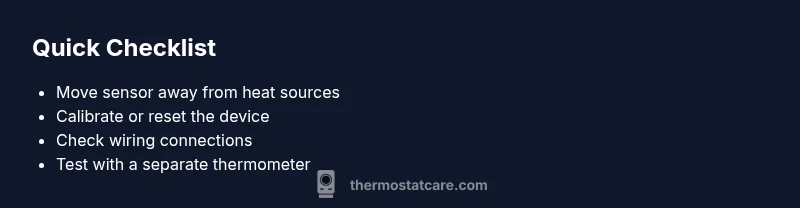
Most likely the thermostat is showing wrong room temperature because the sensor reads heat from a nearby source. To fix quickly, move the thermostat away from heat vents, sunlight, and appliances; check for loose wiring and perform a reset. If readings stay off, recalibrate or call a pro. This covers most cases without tools.
Thermostat showing wrong room temperature: Why it happens
When a thermostat reads the ambient air, any nearby heat source or draft can distort the reading. Common culprits include sunshine streaming onto the wall, a vent blowing warm or cold air directly at the thermostat, or a sunny window that skews the sensor. Over time, the sensor can drift or become less accurate due to aging components or dust accumulation. The Thermostat Care team notes that misreadings are more often caused by placement and calibration issues than faulty HVAC systems. By understanding these factors, homeowners can target the right fix first and avoid unnecessary replacements. The keyword thermostat showing wrong room temperature appears frequently in real-world troubleshooting scenarios, underscoring why initial checks should focus on sensor placement and environment.
Sensor placement and environmental factors
A thermostat's location is its most critical input. If the sensor sits near a heat register, an appliance, or even a lamp, it will measure temperature that's not representative of the entire room. Similarly, rooms with poor airflow or multiple doors between the thermostat and living spaces can produce skewed readings. Check the wall area around the device for direct sun exposure, drafts from open windows, or a thermostat mounted behind curtains. These factors can cause the thermostat showing wrong room temperature to become a persistent issue if not addressed promptly.
Calibration, learning, and drift
Many modern thermostats learn from user adjustments and environment changes. This learning can cause gradual drift in readings, especially if the device holds power through unstable circuits or uses low-quality sensors. If you notice persistent discrepancies after moving the device away from heat sources, a recalibration or factory reset might be needed. Some models offer an offset or calibration feature that lets you adjust the displayed temperature to better reflect the actual room temperature. Always use a reliable thermometer to compare readings during calibration.
Electrical and wiring considerations
A loose wire, a failing power supply, or a worn-out C-wire can cause erratic temperature readings. If wires are damaged, or the thermostat loses power during operation, sensors can report inaccurate values. Start by turning off power to the HVAC system at the breaker, then carefully inspect the thermostat wire connections and the backplate for corrosion or loose terminals. If you see frayed wires or damaged insulation, do not attempt a DIY repair beyond basic reconnection—this is a case where professional inspection is prudent to prevent electrical hazards.
Step-by-step checks to perform safely
Begin with the simplest checks: ensure the thermostat is level on the wall and that its faceplate is clean. Remove dust with a soft brush or microfiber cloth, then reseat the thermostat on its mount. Next, reset the thermostat and observe if the readings align with a handheld thermometer placed in the same room. If misreads persist, re-check sensor placement, confirm the device's time and date settings (some models influence scheduling based on temperature trends), and consider calibrating the sensor by offsetting the display. If you still see a mismatch, advance to wiring checks or seek professional advice.
When to replace vs recalibrate
If the unit is old or exhibits frequent calibration drift despite correct installation and wiring, replacement may be more cost-effective than repeated sensor fixes. Recalibration can restore accuracy for a season or two, but age-related wear often requires replacement. Thermostat models differ in their calibration options; consult the user manual for the recommended procedures. In cases where the thermostat continues to show wrong room temperature after all checks, replacing the sensor or the entire device is a prudent next step.
Safety and best practices
Always turn off power before inspecting wiring to avoid electrical shock. Do not remove the device from the wall while power is connected, and never work with damaged wires. Use a non-contact voltage tester if you suspect live circuits. If you feel unsure at any point, contact a licensed HVAC technician. Regular maintenance, including dust removal and battery checks (for battery-powered models), helps prevent future misreadings.
Steps
Estimated time: 45-90 minutes
- 1
Power off and prepare
Turn off power to the thermostat and HVAC system at the breaker before inspecting any wires. Remove the faceplate carefully and wipe away dust from the sensor area. This avoids accidental contact with live circuits and protects the sensor from dust that can affect readings.
Tip: Keep a small container for tiny screws to avoid losing parts. - 2
Check placement and clean the sensor
Verify the sensor is not directly facing a vent or sunlit area. Clean the sensor cover with a soft microfiber cloth to remove dust that can insulate the sensor. Reattach the faceplate firmly to ensure proper sensing in the room.
Tip: A clean sensor reduces stray readings by up to several degrees in some cases. - 3
Test with a secondary thermometer
Place a reliable thermometer in the same zone as the thermostat. Compare its reading to the thermostat display after power restoration. If there is a significant gap, you may need calibration or replacement sensor parts.
Tip: Use a high-quality digital thermometer for quick, accurate checks. - 4
Calibrate or reset the device
Use the thermostat’s calibration feature if available, or perform a factory reset following the user manual. After reset, re-enter your preferred settings and run a brief heat cycle to observe readings.
Tip: Some models allow an offset; apply a small, incremental adjustment and test. - 5
Inspect wiring and power
With power off, inspect the wiring at the thermostat and the HVAC control board for loose terminals or corrosion. Re-seat any loose connections and ensure the C-wire is secure if your model requires it. Restore power and retest readings.
Tip: If you notice damaged insulation or scorching, do not continue—call a pro. - 6
Observe over a full cycle
Run several cycles (cooling and heating) across a 24-hour period to see if readings stabilize. If the thermostat continues to show wrong room temperature, document the observed deltas and consult a professional.
Tip: Keep notes on the time of day and environmental conditions for your technician.
Diagnosis: Thermostat reading does not match actual room temperature (thermostat showing wrong room temperature)
Possible Causes
- highSensor placed near heat source or draft
- mediumThermostat calibration drift or learning-based offset
- lowDirty sensor or obstructed airflow to the sensor
- lowLoose wiring or power supply issues
Fixes
- easyMove thermostat away from heat sources, vents, and direct sunlight; re-test
- easyRun calibration or offset adjustment in settings; perform a reset if needed
- easyClean sensor area and improve room airflow; ensure the device is mounted correctly
- mediumCheck and secure wiring connections; replace damaged wires if present
- hardIf readings remain incorrect after checks, call a licensed professional
Questions & Answers
My thermostat reads higher than the actual room temperature. What should I do?
Start by moving the thermostat away from heat sources and calibrating it. Use a second thermometer to compare readings and ensure wiring is secure. If the gap persists, consider a professional inspection.
If your thermostat reads higher than the room, first relocate it away from heat sources and calibrate. Compare with a separate thermometer, and check wiring; seek a professional if it remains off.
Can calibration fix a wrong temperature reading?
Yes, calibration or offset adjustments can correct minor drift. Perform a reset if calibration options are unavailable, and recheck readings with a separate thermometer.
Calibration can fix minor drift. If unavailable, reset and recheck with a separate thermometer.
When should I replacing the thermostat instead of calibrating?
If calibration does not improve accuracy or if the unit is old and frequently drifting, replacement is more cost-effective than ongoing fixes.
If calibration fails and the unit is aging, replacement is often the best option.
Does wiring affect temperature readings?
Yes. Loose or damaged wiring can cause intermittent or incorrect readings. Inspect connections with power off and secure them before testing again.
Wiring can cause wrong readings. Check connections with power off and secure them.
Is a smart thermostat more accurate than a basic model?
Smart thermostats can improve sensing through advanced sensors and adaptive algorithms, but they still rely on correct placement and calibration. Misreadings can occur on any model if placed poorly.
Smart thermostats offer better features, but accuracy still hinges on placement and calibration.
How often should I recalibrate my thermostat?
Calibrate when you notice a consistent mismatch between thermostat readings and room temperature, or after a major change in room layout or ventilation.
Calibrate if readings drift consistently after changes in the room.
Watch Video
What to Remember
- Check sensor placement first to fix readings fast
- Calibrate or reset before replacing hardware
- Inspect wiring for safety and reliability
- Use a secondary thermometer to verify accuracy
- Call a pro if issues persist after checks