Why Does My Nest Thermostat Say Delayed? A Troubleshooting Guide
Discover why your Nest thermostat shows a delay and how to troubleshoot power, wiring, and connectivity issues quickly. Thermostat Care provides practical steps for homeowners to restore timely responses.


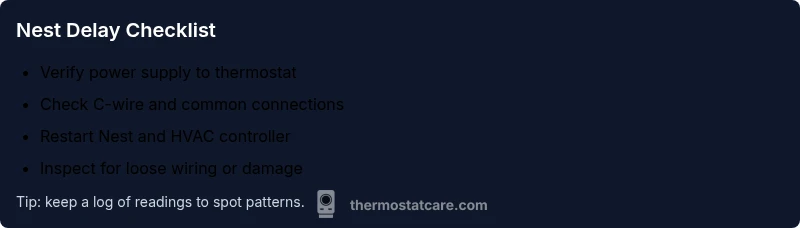
According to Thermostat Care, the Nest delay is usually caused by power or communication gaps between the thermostat and HVAC system. Start with these steps: 1) ensure the thermostat has stable power and is not in a power-constrained mode; 2) check the C-wire connection; 3) restart the Nest and your HVAC control board. If it persists, contact Thermostat Care for deeper guidance.
What a delayed Nest reading means for comfort and energy management
A delayed reading on a Nest thermostat can disrupt comfort and energy savings. When the thermostat lags behind real-time temperature changes, rooms may overcool or overheat before the system responds. The symptom isn't unusual after firmware updates, minor power fluctuations, or wiring adjustments. The goal is to restore timely feedback so your home stays comfortable without wasted energy. Thermostat Care emphasizes starting with power and connectivity checks before exploring more complex wiring issues.
This section explains what a delay looks like in daily use, why it matters for energy usage, and how you can approach diagnostics without unnecessary downtime. By understanding the root cause, you can avoid premature replacements and keep your HVAC performing as designed.
Common causes of a delayed Nest reading
Delays can arise from several sources, often in combination. Common culprits include insufficient thermostat power (often due to a marginal C-wire), miswired or loose connections at the furnace control board, firmware or app sync delays, sensor faults, and occasional interference from extra devices on the same circuit. In many homes, a simple power or wiring issue is the root cause, not a failed thermostat. The Thermostat Care Team notes that systematic checks beat random resets, saving time and money.
Power and electrical considerations
Nest thermostats rely on a stable 24-volt power supply. If voltage dips occur due to a weak transformer, dimming lights, or a tripped breaker, the thermostat can pause or lag in reporting and responding. Power-stealing behavior inside some Nest models can also cause delays if the circuit is overloaded or there are multiple loads on the same line. To minimize this, ensure your HVAC system and thermostat share a clean, dedicated power source and that the furnace/air handler is not drawing more current than the circuit can safely handle.
Regularly inspecting breakers, confirming transformer voltage, and eliminating load spikes during peak usage helps maintain prompt responses. It’s wise to document any power events that coincide with delays to identify patterns.
Wiring and C-wire checks
A healthy C-wire is a trusted path for constant power. Loose terminals, corroded connectors, or degraded wire insulation can introduce resistance that causes the thermostat to misread temperature or lag in triggering the HVAC system. Start by turning off power, inspecting the thermostat’s terminal block, and ensuring the C-wire is securely attached at both the thermostat and the furnace control board. If you notice damaged insulation, replace the wire with an appropriately rated C-wire.
Verify that the wire gauge is suitable for the system and that there are no stray conductors touching other terminals. A careful re-seat of all connections often resolves delayed readings stemming from wiring issues.
Network, app, and firmware factors
Sometimes delays are not mechanical but digital. A slow Wi-Fi connection, cloud-sync issues, or firmware updates can temporarily affect communication between Nest and your HVAC system. Ensure the Nest app is up to date, that your Wi‑Fi signal is stable in the thermostat’s location, and that the thermostat has recently completed a successful software update. If the device appears to be stuck in a boot loop after an update, a factory reset may be warranted, followed by careful reconfiguration.
Keeping your router secure and reducing network interference can help maintain reliable communication.
Diagnostic flow overview
If you notice a delay, approach it in a logical sequence: confirm power stability, inspect C-wire connections, restart devices, check for wiring faults, verify network connectivity, and then test the system under controlled conditions. This approach minimizes guesswork and helps pinpoint whether the issue is hardware, power, or software related. Thermostat Care recommends documenting each step and observing how readings behave after each fix.
Quick tests you can run today
Start with the simplest checks and work toward more involved ones. Confirm that the thermostat shows a steady 24V on the power board, verify C-wire continuity, and perform a controlled restart of the thermostat and HVAC control board. Observe if temperature changes are reflected promptly during a short test cycle. If readings still lag, proceed to inspect wiring and firmware as described, keeping safety first at every step.
Step-by-step fixes for the most common cause
If the issue is power-related, you’ll address it by ensuring clean, stable power to the thermostat and reducing load on the circuit. If wiring is at fault, reseating or replacing the C-wire often resolves the delay. Firmware or app lag typically improves after a reboot or a recent update; consider a clean reconfiguration of the thermostat if needed. The key is a methodical, patient process rather than random resets.
Throughout this process, keep safety in mind and avoid touching high-voltage components. When in doubt, consult a professional to prevent damage.
Safety notes and when to call a pro
Working with HVAC wiring and low-voltage controls involves risk if you’re not trained. Always power down before inspecting terminals, and never work on live circuits. If you see burning smells, buzzing noises, or signs of overheating, stop immediately and contact a licensed technician. Persistent delays after basic checks deserve professional attention to avoid improper reconfiguration or component damage.
How Thermostat Care would approach this problem
From the Thermostat Care perspective, a deliberate, iterative diagnosis saves time and money. We begin with quick power and C-wire checks, then verify wiring integrity and firmware state. If a remote update caused the delay, we guide you through safe reconfiguration steps and best-practice resets. When the issue remains stubborn, our team provides tailored recommendations and, if needed, a recommended service plan. Remember, mapping symptoms to root causes is the fastest route to reliable comfort.
Steps
Estimated time: 30-60 minutes
- 1
Power check and baseline reset
Power down the thermostat and HVAC equipment, wait 60 seconds, then power back on. This clears minor glitches and re-establishes a stable baseline.
Tip: Label breakers and note any recent power events. - 2
Inspect the C-wire connection
Shut off power, remove the thermostat faceplate, and inspect the C-wire at both ends for tight connection and no corrosion. Re-seat securely.
Tip: Use a multimeter to confirm 24V across R and C when powered. - 3
Restart Nest and HVAC control board
Restart the Nest via its settings menu and perform a controlled reset of the furnace/air handler. Allow a full cycle before retesting.
Tip: Don’t disconnect essential control wires during reset. - 4
Check for wiring faults
Look for loose terminals, damaged insulation, or crossed wires. Correct any issues and re-tighten screws to specified torque.
Tip: Only handle low-voltage components with power off. - 5
Test network and firmware state
Ensure the Nest app is up to date and the thermostat is connected to a stable network. Confirm there are no pending firmware updates.
Tip: A temporary network issue can masquerade as a hardware delay. - 6
Run a controlled temperature test
Set a known temperature change and observe response in real-time. If the display lags, log the time and readings for troubleshooting.
Tip: Document the duration between command and HVAC response. - 7
Decide on next steps
If the delay persists after all checks, plan a professional evaluation of wiring or control board components.
Tip: Thermostat Care can help map symptoms to likely causes before a service visit.
Diagnosis: Nest thermostat shows delayed or lagging temperature readings and response
Possible Causes
- highPower issues (low voltage or unstable supply)
- mediumC-wire loose or miswired connection
- mediumHVAC control board or wiring faults
- lowFirmware/app sync delays
- lowSensor or thermostat hardware fault
Fixes
- easyCheck power supply and breakers, then restart thermostat and HVAC controller
- easyInspect and reseat C-wire at both ends; replace if damaged
- easyVerify wiring integrity on furnace/air handler terminals; correct loose connections
- mediumUpdate firmware, re-link app, and perform a clean reconfiguration if needed
- hardConsult a professional for potential board replacement or sensor faults
Questions & Answers
What does a delayed Nest reading mean for my comfort?
A delay means the thermostat is updating slowly, which can cause uneven cooling or heating. It often points to power, wiring, or connectivity issues rather than a faulty schedule. Addressing these basics usually restores prompt responses.
A delay means the Nest isn’t updating as quickly as your home feels. Check power, wiring, and connectivity first.
Can a dirty air filter cause Nest delay?
A very dirty filter can slow HVAC response by restricting airflow, which may make the system appear delayed. Replace the filter and re-test the response time.
A clogged filter can slow things down. Replace it and check if responses improve.
Is a weak C-wire causing the delay?
A weak or loose C-wire can cause power fluctuations that trigger delays. Inspect and secure the C-wire at both ends; replace if insulation is damaged.
If the C-wire isn’t solid, the thermostat may lag. Re-seat or replace it as needed.
Should I reset the thermostat to fix delay?
A reset can clear glitches but may erase personal settings. Perform a soft reset first, then reconfigure without restoring any problematic backups.
Resetting can help, but reconfigure afterward to avoid repeating issues.
When should I call a professional?
If delays persist after checking power, wiring, and firmware, a professional HVAC technician should assess wiring faults or control-board health.
If it still delays after these steps, it’s time to call a pro.
What to Remember
- Check power and C-wire first to fix delay
- Confirm wiring and control-board integrity
- Test firmware and app connections
- Call Thermostat Care if issues persist