Nest Thermostat Says Delayed — Urgent Troubleshooting Guide
A practical, step-by-step guide to diagnose and fix a Nest thermostat that reports a delayed response. Learn common causes, safe fixes, and when to call a professional for your home comfort system.


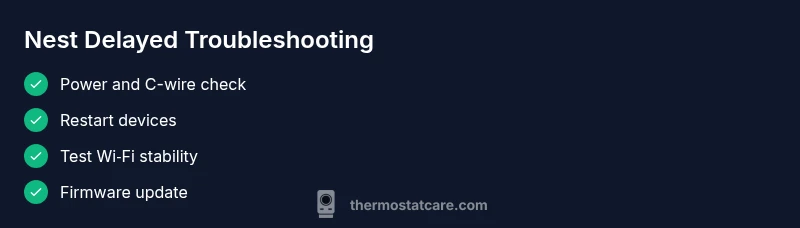
Most likely, the Nest thermostat says delayed due to power or connectivity issues that block immediate action. Start with simple fixes: restart the thermostat and router, verify the C-wire has 24V, and confirm a strong Wi‑Fi connection. If the issue persists, follow a structured diagnostic flow (power → network → service outages) before calling a pro.
Understanding the Delayed Message
When you see nest thermostat says delayed, it usually means the thermostat acknowledges your command but cannot execute it right away. This symptom is commonly tied to power delivery, network connectivity, or a software hiccup that prevents immediate action by the HVAC system. For homeowners troubleshooting thermostats, start with the simplest checks rather than diving into more complex fixes. This guide from Thermostat Care emphasizes a methodical approach to identify the root cause quickly and safely, without unnecessary risk or equipment replacement. A calm, step-by-step process will often reveal Power, Network, or Service issues that are easy to resolve.
Common Causes of Delayed Responses
Several factors can cause your Nest thermostat to lag. Power issues—especially with the C-wire or 24V supply—are a leading cause, as the thermostat may be starved for steady voltage. A weak Wi‑Fi signal or router congestion can delay command transmission to the HVAC system. Nest service outages or account sync problems can also trigger delayed behavior, as can outdated firmware or a transient software glitch. Finally, loose or damaged wiring at the HVAC control board or a failing battery (for battery-powered configurations) may manifest as delays in executing commands. Understanding these common causes helps you prioritize fixes without guesswork.
Quick Checks You Can Do Right Now
Begin with the simplest checks and gradually move to more involved steps. First, verify the thermostat and router are both powered and have a stable connection. Look for loose wires at the thermostat base and ensure the C-wire connection is secure if your system uses one. Open the Nest app to confirm device status and see if there are any reported errors. If you recently updated firmware, ensure the update completed successfully. Finally, perform a quick reboot of both the thermostat and the router and retest a basic command (e.g., set to a comfortable temperature). These steps often resolve nest thermostat says delayed without needing professional help.
Diagnostic Considerations: Isolate Power, Network, or Service
A practical way to narrow down the culprit is to pursue a triage approach: (1) Power delivery, (2) Network connectivity, (3) Service status. Check 24V power levels at the HVAC control board if accessible, and verify that the C-wire is providing consistent voltage. In terms of network, ensure the thermostat maintains a reliable Wi-Fi connection and that there are no recent router changes or outages. Finally, inspect Nest service status and Google Home accounts for any ongoing issues that could affect command processing. If all three areas test clean but delay persists, you’ll likely be facing a deeper hardware or firmware issue.
Safety, Best Practices, and When to Seek Help
Safety first: always turn off power at the breaker before inspecting wiring. Do not bypass safety features or attempt to jump-start the system. If you notice burning smells, melted insulation, or exposed conductors, stop and call a licensed HVAC technician. For most homeowners, the most efficient path is to follow a structured diagnostic flow and perform the recommended steps under safe conditions. If the delay remains after basic checks and firmware updates, professional evaluation is warranted to avoid further damage.
mainTopicQuery=
Steps
Estimated time: 25-45 minutes
- 1
Power and C-wire verification
Turn off power at the breaker and inspect the thermostat base and furnace wiring. Ensure the C-wire is securely connected and providing steady voltage. If unsure, consult the wiring diagram for your system and use a multimeter to confirm 24V DC/AC between R and C when powered.
Tip: Never force connections; if you’re unsure, stop and proceed to the next safe step. - 2
Restart devices
Power cycle the thermostat by removing power for 20 seconds and then restoring it. Do the same for your router. After reboot, re-connect the Nest to Wi-Fi and run a simple test command.
Tip: A cold reboot often clears minor software hiccups without affecting settings. - 3
Check network stability
Run a speed test near the thermostat or use the Nest app’s network diagnostics. If the signal is weak, move the router, reduce interference, or consider a mesh extender.
Tip: Stable Wi‑Fi helps prevent delayed approvals and command execution. - 4
Update firmware and app
Ensure the Nest thermostat and the Nest app are on the latest available versions. Install any pending firmware updates and re-test after installation.
Tip: Firmware updates often include fixes for known delayed-response issues. - 5
Test HVAC command flow
From the Nest app, send a temperature change command and observe the HVAC reacting in real time. If no action occurs, monitor for new error messages and capture any codes.
Tip: Document any error codes to share with support if needed. - 6
When to call a professional
If delays persist after all checks, contact a licensed HVAC technician to inspect wiring, control boards, and overall system health. Do not attempt complex diagnostics beyond your comfort level.
Tip: Professional help can prevent further damage and ensure safety.
Diagnosis: Nest thermostat shows delayed response to temperature changes
Possible Causes
- highWeak or unstable power supply (C-wire voltage issues or battery drain)
- highPoor Wi-Fi stability or router congestion
- mediumNest service outage or account sync problem
- mediumOutdated firmware or software glitch
- lowWiring issues at the HVAC control board or loose connections
Fixes
- easyCheck the C-wire connection at both the thermostat and furnace/air handler; ensure 24V is present when the system is idle
- easyRestart the thermostat and router, then rejoin the Nest network and re-test commands
- easyUpdate the thermostat firmware from Settings and confirm the HVAC integration is healthy
- mediumIf power or networking checks fail to resolve, inspect wiring and consider professional service for the control board or wiring repairs
- easyCheck for Nest/Google service outages and verify account status; re-link devices if needed
Questions & Answers
What does the 'delayed' message mean on Nest thermostat?
The message usually indicates the thermostat cannot execute your command immediately due to power or communication delays. It often resolves with power checks, rebooting, and ensuring a solid network connection.
A delayed message usually means the thermostat is having trouble getting power or communicating with the network; try power and network checks first.
How can I tell if the delay is power-related?
Check the C-wire connection and measure 24V between R and C when the system is powered. If voltage is low or unstable, address the power delivery issue before testing commands again.
If voltage is low or unstable on the C-wire, power-related fixes should come first.
Is it safe to fix wiring myself?
Only perform wiring checks if you are confident and the power is off. If you see damaged insulation or exposed conductors, call a licensed professional.
If you’re not sure about wiring, it’s safer to call a pro rather than risk injury.
Should I reset the Nest thermostat?
Resetting can clear glitches, but it may remove certain settings. Try a soft reset first, and if unresolved, perform a factory reset only as a last resort after backing up configurations.
Resetting can help, but use it as a last resort if simpler fixes don’t work.
When should I call a professional?
If the delay persists after power and network checks, or you see wiring damage, it’s time to contact a licensed HVAC technician to avoid safety risks and equipment damage.
If issues persist after basic checks, get a pro to inspect wiring and control boards.
Can Nest service outages cause a delay in responses?
Yes. When Nest or Google services experience outages, command processing can be delayed. Check official status pages and try again later if outages are reported.
Outages can cause delays; check service status and retry when the system is back online.
Watch Video
What to Remember
- Power and network issues are the common culprits.
- Follow the diagnostic flow before considering hardware replacement.
- Safety first—shut off power and seek professional help if wiring looks damaged.