Who to Call If Your Thermostat Isn't Working: A Step-by-Step Guide
Urgent guide for homeowners: discover who to call when your thermostat stops working, plus safe DIY checks, a diagnostic flow, and when to hire a pro.


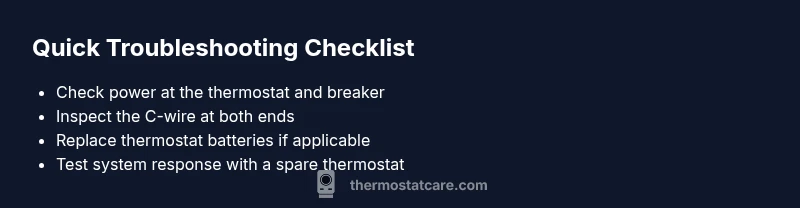
If your thermostat isn’t responding, the most likely causes are power issues or a loose wiring connection. Start with the basics: verify the thermostat has power, check the circuit breaker or fuse, and inspect the C-wire. If the display is faint or the unit won’t hold a setting, try a power reset and, if needed, replace the batteries. If it still won’t respond, contact a professional.
The urgent question: who to call if thermostat not working and why it matters
If you’re asking who to call if thermostat not working, you’re not alone. When a thermostat fails, comfort and energy bills hang in the balance. The best approach starts with trusted, safety-first steps and a clear escalation path. According to Thermostat Care, the most reliable first move is to confirm power and simple wiring connections before calling a pro. This minimizes needless service visits and gets you back to a stable home environment faster. The goal isn’t just to fix the current moment but to understand what failed and how to prevent a repeat issue. Homeowners who document the thermostat model, wiring configuration, and recent changes will typically resolve more quickly and with less cost. Thermostat Care’s analysis shows that many service calls are triggered by basic power or connection issues rather than complex hardware faults, so begin with the simplest checks.
A quick reality check: if the thermostat is not showing a display, or the HVAC system is not turning on, your first move is to verify power. If the screen is dim or flickering, battery replacement (for battery-powered units) or a power reset can restore function. If you still struggle after these steps, you’ll have a clear basis for a professional visit. The goal is to identify whether the fault lies in the thermostat itself, the wiring, or the furnace/air handler—each path has different remedies and safety considerations. This framework helps you avoid costly misdiagnoses and ensures you get the right help fast.
-WriteOnce: true
Steps
Estimated time: 30-45 minutes
- 1
Power check at thermostat and breaker
Turn off power to the thermostat at the service panel if you can access it safely, then check the breaker for the circuit feeding the thermostat. If a breaker is tripped, switch it fully off, then back on. Restore power and observe whether the display returns and responds.
Tip: Always start with the simplest power check—safety comes first. - 2
Battery and reset test (for battery-powered units)
If your thermostat runs on batteries, replace them with fresh ones. Perform a soft reset by cycling power at the breaker, then reapply power to the thermostat. Check if the screen comes back and if there’s a response to temperature changes.
Tip: Use high-quality alkaline or lithium batteries recommended by the manufacturer. - 3
C-wire and wiring inspection
Inspect the C-wire at both ends (thermostat and furnace control board). Ensure it’s firmly connected and not damaged. Look for corrosion or frayed insulation. If the wiring looks suspect, consult a professional before making changes to avoid shocking hazards.
Tip: A loose C-wire is a common culprit for non-responsive thermostats. - 4
Thermostat compatibility and fuse checks
Verify the thermostat is compatible with your HVAC system and that any inline fuses or accessories aren’t blown. If there’s a fuse associated with the thermostat or the control board, inspect or replace it as per the manufacturer’s guidance.
Tip: Refer to the user manual for compatibility notes. - 5
Isolate the thermostat from the system
Disconnect the thermostat from the HVAC system and test the equipment directly (if safe and feasible). If the HVAC responds when bypassing the thermostat, the issue likely lies with the device or its control wiring.
Tip: Only perform bypass tests if you are confident in safe electrical practices. - 6
Document findings and prepare for service
Note model numbers, wiring colors, and observed issues. This helps the technician diagnose faster and reduces the chance of unnecessary replacements.
Tip: Having photos of the wiring can speed up the repair process.
Diagnosis: Thermostat won’t respond to settings or display is blank
Possible Causes
- highPower issue (tripped breaker, blown fuse, dead transformer)
- mediumLoose or damaged wiring between thermostat and furnace control board
- lowThermostat hardware failure or incompatible wiring (C-wire issues)
Fixes
- easyCheck the main electrical panel for a tripped breaker or blown fuse and reset/replace as needed
- easyInspect thermostat wiring at both the wall plate and the furnace/air handler terminal block for loose, disconnected, or damaged wires; reseat or replace as needed
- mediumTest the thermostat with a known-good power source or multimeter, or temporarily replace with a spare thermostat to isolate the issue
Questions & Answers
What should I check first when my thermostat isn’t working?
Start with power and wiring: check the breaker, confirm display power, and inspect the C-wire. If the display is blank, a battery replacement may be needed. If issues persist, proceed with the diagnostic flow.
First check power and wiring—look at breakers, display power, and the C-wire. If it’s still not working, keep going with the steps.
Can a dead battery cause no display on a thermostat?
Yes. Many thermostats rely on batteries for display and basic operation. Replace batteries if applicable and reset power to see if the display returns.
A dead battery can make the screen go blank. Replace the batteries and test again.
Is it safe to reset the thermostat myself?
In most cases, a safe reset involves power cycling the unit and possibly a software reset. Always follow the manufacturer’s instructions and avoid opening the device if you’re unsure.
You can usually reset by power cycling, but follow the manual and don’t open it if you’re unsure.
When should I replace my thermostat?
Consider replacement if the thermostat can’t be reset, is older than 10-15 years, or lacks smart features that improve efficiency and comfort. A professional can confirm compatibility.
If it’s unreliable or very old, it’s time to replace for reliability and energy savings.
Do I need a professional if the system won’t respond after checks?
If power and wiring checks don’t restore function, or you’re uncomfortable handling electrical work, contact a licensed HVAC technician or electrician. They can safely diagnose the control wiring and equipment.
If it still won’t respond after checks, call a pro to ensure safe and correct diagnosis.
Watch Video
What to Remember
- Identify power issues first
- Check C-wire connections
- Document findings for the tech
- Safety always comes first
- Know when to call a professional