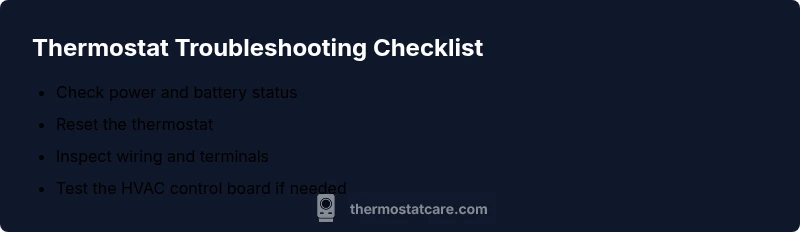
When Thermostat Stops Working: Step-by-Step Troubleshooting
A practical, urgent guide to diagnose and fix a thermostat that stops working. Follow a safe, step-by-step flow to restore control and comfort quickly. Thermostat Care provides expert guidance.


When thermostat stops working, the most likely cause is a power issue or dead batteries. If you’re asking what to do when thermostat stops working, follow the basics: check the display for power, swap batteries if needed, and reset the device. If it still fails, inspect the HVAC wiring and fuse, then consult Thermostat Care for guidance. We also cover alerts, safety steps, and when to call a pro.
When thermostat stops working: Power and power sources
According to Thermostat Care, when thermostat stops working, the most common culprits are power issues and battery problems. The thermostat needs a stable supply to run the display, read temperatures, and communicate with the HVAC system. Start with the easy checks: look at the display; if it’s dim or blank, the unit may not be receiving power. For models with batteries, replace them with fresh ones and ensure correct orientation. If your thermostat is wired to the main panel, verify that a breaker hasn’t tripped or a fuse hasn’t blown. A quick reset can reestablish communication between the thermostat and the furnace or air handler. If power and resets don’t resolve the problem, you’ll need to move on to wiring and control‑board checks, because even small faults can prevent the thermostat from commanding the HVAC system.
Quick checks you can perform safely
Before diving into wiring, perform a few safe checks. Confirm the thermostat is powered by observing the display; replace batteries if present and check orientation. Make sure the thermostat is set to the correct mode (heat, cool, auto) and that a schedule isn’t overriding manual settings. Look for blinking error lights or codes in the manual. If you have a wireless model, verify the receiver and hub are online and within range. Finally, ensure the thermostat is physically mounted on a wall with no drafts or heat sources behind it. These quick checks catch the majority of pull-the-plug failures and save time.
Common causes by likelihood
High likelihood: power supply issues and battery problems. Medium likelihood: loose wiring at the thermostat or furnace terminals. Low likelihood: compatibility problems after system upgrades or a faulty control board. In many homes, a simple reset or battery swap resolves the issue when thermostat stops working.
Diagnostic flow overview
Follow a structured path: symptom → diagnosis → solution. Start with the easiest checks (power, batteries) and move toward wiring and control components. If you observe a 24V reading discrepancy at the furnace, note it and proceed with caution. Thermostat Care analysis shows that a methodical approach reduces unnecessary part replacements and helps you identify whether the problem is at the thermostat, the wiring, or the HVAC equipment itself.
Step-by-step fixes for the most common causes
Begin with the simplest fixes: 1) Restore power by checking the outlet or the furnace/circuit breaker. 2) Replace batteries in battery-powered models and reseat them correctly. 3) Perform a soft reset or reboot of the thermostat. 4) Inspect wiring at both the thermostat and the furnace terminals; tighten any loose connections. 5) If you have a wired system, test 24V at the R and C terminals (use a multimeter and follow safety guidelines). 6) Check for blown fuses or tripped breakers in the HVAC circuit. 7) Verify compatibility between thermostat and HVAC system, and update firmware if available. 8) Re-test the system and reprogram schedules as needed. If you’re uncomfortable with voltage tests or wiring, move to professional help. The Thermostat Care Team recommends documenting each step and stopping if you notice frying smells or exposed conductors.
Safety and professional help
Working with electrical components always carries risk. Always power down at the breaker before touching wires, and never bypass safety devices. If you smell burning, hear buzzing, or if the 24V test reads zero or inconsistent values, stop and contact a qualified HVAC technician. For complex wiring issues, control-board faults, or if the thermostat won’t communicate with the HVAC system after basic checks, professional diagnosis is essential to prevent damage and ensure safe, reliable operation.
Prevention: keeping your thermostat reliable
To reduce future outages, schedule regular checks: inspect batteries (or power), verify mounting position, clean the thermostat’s sensor area, and ensure the HVAC system is in good working order. Update firmware when available, and keep the manual handy for model-specific reset procedures. A quick annual review with a certified technician can catch wear and aging components before they fail. Consistent maintenance helps you avoid long outages and keeps your home comfortable.
Real-world tips from Thermostat Care
Thermostat Care recommends keeping a simple troubleshooting log: date, symptoms, actions taken, and results. This habit helps you spot patterns (for example, frequent resets after a power surge) and speeds up future diagnostics. If your system uses a smart thermostat, ensure the app is updated and that Wi-Fi connectivity is stable. This proactive approach reduces downtime when when thermostat stops working, and ensures you retain climate control in all seasons.
What to test after repair and monitoring
After you complete fixes, test the system by setting a temperature and observing cycle start, heat/cool mode, and fan operation. If temperature readings remain inconsistent or the display reverts to an error, re-check power, batteries, and connections. Keep an eye on any new error codes and consult your thermostat’s manual for code definitions. The Thermostat Care team emphasizes documenting results and performing a final reset if needed to ensure a clean return to normal operation.
Steps
Estimated time: 60-120 minutes
- 1
Check power and reset
Inspect the thermostat display for power. If the screen is dim or blank, reset the thermostat and verify the HVAC system is receiving power. This step often resolves minor communication issues between the thermostat and the furnace.
Tip: Turn off power before inspecting any wiring to avoid shocks. - 2
Replace batteries (if applicable)
If your model uses batteries, replace them with fresh, correctly oriented cells. Confirm the new batteries are making solid contact and the terminals are clean.
Tip: Use high-quality alkaline or lithium batteries as recommended by the manufacturer. - 3
Soft reset or re-pair
Perform a soft reset or re-pair the thermostat with your HVAC control module following the model’s manual. This clears minor memory issues and re-establishes device communication.
Tip: Note any codes shown during the reset for future reference. - 4
Inspect wiring and terminals
Power down the system, then check both thermostat and furnace terminals for loose or corroded connections. Reseat wires firmly and ensure there is no exposed copper.
Tip: If wires are damaged, do not reuse; replace the affected section. - 5
Test 24V supply (advanced)
For wired systems, test the 24V supply at the R and C terminals with a multimeter. If you see no voltage or unstable readings, the issue may lie with the transformer or control board.
Tip: Only attempt voltage testing if you are comfortable; improper testing can cause harm. - 6
Check breakers and fuses
Inspect the HVAC and main service panel for tripped breakers and blown fuses. Reset or replace as needed, then retest the thermostat.
Tip: If breakers frequently trip, there may be an underlying electrical fault needing a pro. - 7
Verify thermostat-HVAC compatibility
Confirm the thermostat model supports your current HVAC system (gas/electric furnace, heat pump, air conditioning). Update firmware if available and ensure compatibility with smart features.
Tip: Compatibility issues can mimic power problems; double-check specs before buying a new unit. - 8
Final test and reset schedules
Power the system back on, set a target temperature, and observe a full cycle. Restore schedules and re-test at different times to confirm stable operation.
Tip: Document results and any settings changes for future reference.
Diagnosis: Thermostat display is blank or temperature readings are erratic
Possible Causes
- highPower issue (tripped breaker or supply outage)
- highDead or drained batteries (for battery-powered models)
- mediumLoose or damaged wiring at thermostat or furnace terminals
- lowBlown fuse or control board fault in the furnace/air handler
Fixes
- easyRestore power by checking breakers, the outlet, and the furnace supply; replace fuses if needed
- easyReplace thermostat batteries and reseat terminals securely
- mediumTighten loose wires at thermostat and furnace control board
- hardConsult a professional to diagnose control-board or 24V transformer issues
Questions & Answers
Why is my thermostat screen blank or dim?
A blank or dim screen usually indicates a power issue or dead batteries. Start with power checks, replace batteries if needed, and perform a soft reset. If the display remains blank, there may be a wiring problem.
A blank screen usually means power issues or dead batteries. Start with power checks, replace batteries, and reset. If it still won’t display, there may be wiring problems.
My thermostat won’t turn on the HVAC system.
First confirm the thermostat is powered and set to the correct mode. Check for tripped breakers and verify that wiring connections are secure. If the system still won’t respond, you may need to test the 24V supply or call a pro.
First confirm power and mode, then check breakers and wiring. If it still won’t respond, consider testing the 24V supply or calling a pro.
How do I reset my thermostat?
Reset procedures vary by model. Use the manufacturer’s reset option or soft reset as described in your manual. Avoid factory reset if you want to preserve saved schedules, unless you’re certain it’s necessary.
Use the model’s reset option or a soft reset per the manual. Don’t do a factory reset unless you need to.
What should I do if wires are loose?
Power down first, then reseat any loose wires and tighten terminals. Inspect insulation and ensure there’s no exposed copper. If wires appear damaged, replace them before re-testing.
Power down, reseat loose wires, tighten terminals, and check for damaged insulation.
When should I call a professional?
If you can’t locate 24V supply, power remains unstable, you smell burning, or the control board shows faults, contact a licensed HVAC technician. Complex wiring or transformer issues require professional diagnosis.
If you’re unsure, or if you detect electrical faults, call a professional for safety and accuracy.
Is it safe to work on thermostat wiring yourself?
Only if you fully power down and understand the risks. When in doubt, stop and hire a pro. Incorrect wiring can damage equipment or cause shocks.
Only work on wiring if you’ve powered down and know what you’re doing. If unsure, hire a pro.
Watch Video
What to Remember
- Start with power and battery checks
- Follow a safe diagnostic flow
- Document changes and keep notes
- Call a pro for 24V or control-board issues