Thermostat Quit Working? Your Urgent Troubleshooting Guide
Urgent, practical troubleshooting for when a thermostat quits working. Learn power checks, wiring, safety steps, and a clear diagnostic flow to restore comfort quickly.


If your thermostat quit working, start by checking power, breaker, and batteries, then verify the faceplate wiring and thermostat settings. Most issues stem from a tripped breaker or dead batteries. If that doesn't fix it, proceed through a diagnostic flow: power, connectivity, control board, and sensor checks, then escalate if needed.
Why thermostat quit working
If you notice the thermostat quit working, you’re not alone. You rely on precise climate control to stay comfortable and manage energy costs, and a sudden failure can disrupt your day. This Thermostat Care guide helps you diagnose the issue quickly and safely so you can restore heat, cooling, and seasonal comfort without guesswork. In most homes, the reason a thermostat stops responding comes down to power, simple wiring, or a software setting that needs adjustment. Knowing the root cause makes the fix faster and reduces the chance of a repeat outage. Start with the easiest checks first; many problems are resolved with a single battery swap, a blown fuse, or a tightened connection. If the device is smart, connectivity and app settings can also block operation. By following a structured approach, you’ll minimize risk and keep your HVAC system running efficiently this season.
Common Causes of a thermostat quitting
There are several frequent culprits when a thermostat quits working. Power issues, such as a tripped circuit breaker or blown fuse, top the list. Battery failure is another common reason, especially on older or battery-powered models. Loose or damaged wiring at the thermostat base or furnace control board can cut the signal between device and equipment. Incorrect settings, schedule conflicts, or hold modes can freeze or delay responses. Sensor faults or a failing control board are less common but plausible culprits, particularly in older systems. For smart thermostats, connectivity problems—Wi‑Fi or app integration—can prevent commands from reaching the HVAC system or can cause delays in execution. System-wide issues, like a malfunctioning heat pump or emergency heat, may also manifest as a nonresponsive thermostat. Understanding these causes helps you target fixes more efficiently.
Safety first: when to power down and call a pro
Safety is non‑negotiable when dealing with electrical components or gas-fired HVAC equipment. If you notice any burning smell, buzzing sounds, exposed wires, or physical damage, shut off power at the main breaker and avoid touching the thermostat or furnace wiring. Do not attempt high‑voltage work unless you are trained. For smart thermostats, never attempt to service the power/transformer inside the wall; these components can be dangerous and require professional testing with proper tools. If you have a gas furnace and the thermostat won’t respond, there is an elevated risk angle—call a licensed HVAC technician promptly. In cases of persistent outages despite safe checks, a pro visit will prevent further damage and ensure system integrity.
Quick checks you can perform before calling support
These checks are designed to be quick, safe, and effective. Start with the simplest: verify the display shows something, and check for any error codes. Confirm power at the thermostat (batteries for low-drain models or 24‑V supply for hardwired units) and ensure the HVAC system’s power switch is on and the furnace door is securely closed. Inspect the C‑wire connection if present; a loose or broken C‑wire can trigger a no‑power condition. If you rely on a smart thermostat, check Wi‑Fi connectivity and ensure the device is enrolled in the correct home network. Finally, try a soft reset or reboot of the thermostat and router to clear minor software glitches. If any step reveals a damaged wire or a burned connector, stop and call a professional.
Understanding your diagnostic flow
A structured diagnostic flow helps you move from symptom to solution with confidence. Start with Power: confirm that the thermostat and furnace have adequate power and that 24‑V control voltage is present. Next, Connectivity: for smart thermostats, verify the Wi‑Fi link and app status. Then, Control Board and Sensor: check for loose wires, damaged sensors, or a failing control board. Finally, implement Solutions: replace batteries, reconnect wires, reset the device, or update firmware. If a simple fix doesn’t restore function, you’ve narrowed it to a specific subsystem, making professional service easier and faster. Throughout, document any codes or blinking patterns to share with support.
Step-by-Step Fix for the Most Common Cause
While the exact steps depend on your model, the most common cause is a power issue or dead battery. Following are practical steps you can take to fix this root cause. First, power down the system and ensure the circuit breaker isn’t tripped. Next, replace the thermostat batteries if applicable and confirm correct orientation. Then, reseat all wires at the thermostat base and the furnace control board. If you’re comfortable, test for a 24‑V supply between R and C terminals. Finally, return power, reconfigure the thermostat settings, and run a quick heat/cool cycle to confirm operation. If the display is still blank or the system won’t respond, move to the next fix or contact a pro.
Troubleshooting for smart thermostats vs traditional models
Smart thermostats add a layer of complexity due to Wi‑Fi and cloud connectivity. For smart models, ensure the device is online, the app version is current, and the router is functioning. Reboot the router and thermostat if needed. If the thermostat still won’t wake up, check for firmware updates and verify the device is linked to the correct account and home network. Traditional (non‑smart) thermostats rely more on mechanical wiring and the 24‑V control circuit; focus on power, wiring integrity, and compatibility with the furnace. In both cases, if the issue involves the furnace or gas line safety, don’t delay in calling a licensed technician.
Prevention tips to avoid future outages
Preventive habits go a long way in keeping a thermostat reliable. Regularly replace old batteries and test battery‑operated units at least twice a year. Inspect the thermostat wiring for signs of wear, corrosion, or loose terminals, and tighten or replace as needed. Schedule a mid‑season HVAC check with a licensed technician to verify the 24‑V supply, transformer health, and control board integrity. Keep firmware for smart thermostats updated and back up settings in case a reset is needed. Finally, use a simple routine: keep the thermostat away from direct sunlight or heat sources that can affect sensor readings, and avoid frequent power cycling which can wear out internal components over time.
Steps
Estimated time: 30-45 minutes
- 1
Check power at thermostat and HVAC
Turn off power at the breaker, then verify the thermostat and furnace have power. If the display was on but then died, this confirms a supply issue. Restore power and re-test.
Tip: If you see a tripped breaker, reset and monitor for a repeat trip; a persistent trip indicates a separate fault. - 2
Inspect and replace batteries
If your thermostat uses batteries, replace them with fresh, high-quality alkaline cells. Re-insert with correct orientation and ensure the battery compartment seals well to prevent corrosion.
Tip: Avoid cheap batteries; use brand-name cells to reduce leakage risk. - 3
Check wiring connections
Power down again and remove the thermostat faceplate. Inspect all wire terminals; tighten loose screws and reseat conductors. Do the same at the furnace control board if you can access it safely.
Tip: Take a photo before unplugging anything to guide reassembly. - 4
Verify 24V control voltage
Using a multimeter, test for 24 VAC between the R and C terminals. If voltage is present, move to settings; if not, there is a supply issue that requires a pro.
Tip: Only perform this if you’re comfortable; incorrect testing can be hazardous. - 5
Reset and reconfigure
Perform a soft reset or factory reset per your model’s instructions. Reconfigure time, date, mode, and any connected apps or Wi‑Fi networks after the reset.
Tip: Record settings in advance to simplify reconfiguration. - 6
Test system operation
Set to heat and then cool, observe the thermostat’s response, and verify the HVAC responds within a minute or two. Check for any error codes displayed.
Tip: If there is still no response, do not force further resets; escalate to a professional. - 7
Call for professional help if needed
If the issue persists after all checks, it may be a failing control board, wiring damage, or a faulty thermostat. An HVAC technician can diagnose safely and restore full function.
Tip: Provide the symptom, codes, and steps you’ve taken to speed up service.
Diagnosis: Thermostat won't respond or power is off
Possible Causes
- highPower issue
- mediumBattery failure
- mediumLoose wiring
- lowWrong settings
- lowConnectivity issue
Fixes
- easyCheck circuit breaker and furnace power; reset if tripped
- easyReplace thermostat batteries and reseat wires
- easySecure all thermostat and furnace wiring connections
- mediumTest for 24V supply (R to C); if absent, call pro
Questions & Answers
Why won't my thermostat turn on?
Power or battery issues are the most common culprits. Check the 24‑V supply and replace batteries if needed, then verify wiring connections before attempting a reset.
Power or battery issues are most common; check the supply and replace batteries, then verify wiring before resetting.
Why is the thermostat screen blank?
A blank screen usually means power is off or a dead battery. Start with replacing batteries, checking the circuit breaker, and ensuring the HVAC power switch is on.
A blank screen usually means power or battery issues; check batteries and the breaker, then ensure the HVAC power is on.
Can I fix a thermostat not working myself?
Many minor issues can be resolved by power cycling, battery replacement, and wiring checks. If you encounter electrical components or gas furnaces, contact a licensed technician.
You can handle simple fixes like batteries and wiring, but call a pro for electrical or gas-related concerns.
Should I call a pro for furnace power issues?
Yes. If there’s a persistent power issue, burned wires, or a non‑responsive control board, a professional has the tools to diagnose safely and accurately.
If the power problem persists or you see damaged wiring, call a professional.
How do I reset a smart thermostat?
Reset via the device’s settings menu or app, then reconfigure network and account details. A firmware update may be needed after reset.
Reset through the settings or app, then reconnect Wi-Fi and update firmware if prompted.
When should I replace my thermostat?
If the thermostat is frequently failing, has outdated compatibility, or requires frequent repairs, replacement is often more cost-effective than continued fixes.
If failures are frequent or the system is old, replacement is usually best.
Watch Video
What to Remember
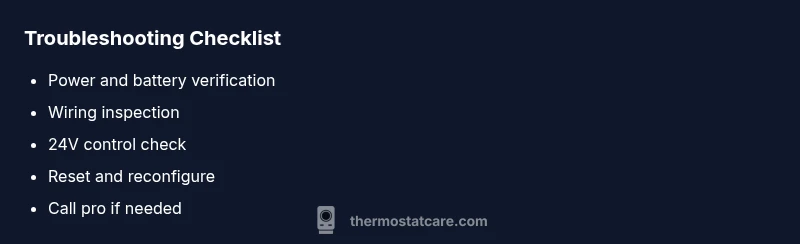
- Power and battery checks first
- Follow the diagnostic flow to isolate causes
- Secure and label wiring for safe fixes
- Call a pro if the issue involves safety or complex components
- Prevent future outages with regular maintenance