Where to Set Thermostat in Winter When Away: A Practical Guide
Learn where to set your thermostat in winter when away to protect pipes, save energy, and maintain comfort. Step-by-step strategies, smart-thermostat tips, and troubleshooting for homeowners.


Looking for where to set thermostat in winter when away? Start with a safe, energy-efficient baseline that protects pipes and minimizes energy waste. If you have a smart thermostat, enable Away or Eco mode and schedule accommodations for your absence. For non-smart units, program a simple setback that keeps the home above freezing while avoiding unnecessary heating.
Why your choice of where to set thermostat in winter when away matters
When you step away for days or weeks, the temperature inside your home behaves like a small energy system. The thermostat is the control center; its setting determines how often your heating system turns on and how far the living spaces drift from comfortable temperatures. For homeowners asking where to set thermostat in winter when away, the goal is twofold: protect pipes and minimize energy consumption. A consistent baseline also reduces temperature swings, which can stress equipment and lead to inefficient energy use when you return. If your home has multiple zones, you may optimize by focusing the higher baseline on heat-prone areas (basement, crawlspace, pipes exposed to drafts) and maintain cooler zones like unoccupied bedrooms. In all cases, make sure doors are closed to preserve the configured temperature and reduce heat loss, and ensure your thermostat or smart hub is connected to Wi‑Fi so you can adjust settings remotely if plans change.
Core principles for winter away settings
The key principle is balance: you want to keep temperatures above freezing in the most vulnerable areas while not paying to heat unused rooms. A steady baseline is preferable to drastic on/off cycling, which wastes energy and can shorten equipment life. Consider the heating system type (central furnace, boiler, or heat pump) and how well insulation and drafts are managed in your home. If you have a zoned system, you can tailor heat delivery to the zones that tend to lose warmth first, while allowing other rooms to drift lower without impacting overall safety. For renters or multi-family homes, coordinate with neighbors or building management to ensure shared vents or common areas aren’t inadvertently heated more than necessary. Finally, confirm that your Wi‑Fi connection is stable so you can adjust the thermostat remotely if travel plans change or if the forecast worsens.
Placement strategies by home zone
Think about how heat moves through your house. In winter, exterior walls, ceilings, and basements often lose more heat, so focus on stabilizing those zones first. In well-insulated homes, a single steady temperature may suffice, while older homes with drafts require slightly higher baselines near exposed pipes or crawl spaces. Close doors to unoccupied spaces to minimize heat loss, and use door sweeps or weather stripping on obvious drafts. If pets or plants are present, be mindful of their tolerance: they may need a slightly higher baseline, particularly in extreme cold. Avoid blocking radiators or vents with furniture, curtains, or storage, as obstructions force your system to work harder. Finally, ensure windows are sealed and that your thermostat can accurately read room temperatures without being influenced by drafts from adjacent areas.
Leveraging smart thermostats and away mode
Smart thermostats greatly simplify managing winter away settings. Use Away or Eco modes to create a dedicated, energy-saving baseline for your absence. If available, set geofencing so the system doesn’t overheat when you’re nearby but reduces heat when you’re far. Create a schedule that aligns with your planned absence, and enable notifications to alert you if the temperature drops unexpectedly or if Wi‑Fi disconnects. For units without smart features, use a consistent setback schedule and label it clearly so you or a house sitter can adjust back quickly upon return.
Common mistakes to avoid
Don’t lock in an aggressively low setting before leaving, even if you’re away for a short trip. Temperatures that get too low can cause pipe damage or frozen-dryer lines in some homes. Avoid relying on a single sensor in a large space; sensors can be fooled by sun exposure or drafts, leading to false readings. Don’t forget to check that doors close properly and that you haven’t blocked heat sources like vents. If you have a heat pump, ensure the “auxiliary heat” option isn’t left on continuously in mild weather, which can waste energy. Finally, test your remote access before you depart to confirm you can adjust the thermostat if plans change.
Quick-start checklist
- Verify system type and current settings
- Choose a safe baseline that protects pipes and saves energy
- Enable Away/Eco mode and set a reasonable schedule
- Ensure remote access and notifications are active
- Check for drafts and seal obvious leaks
- Prepare for return by noting the baseline you used
Tools & Materials
- Thermostat manual(Model-specific settings and capabilities)
- Smartphone or tablet(For remote control and updates)
- Stable Wi‑Fi connection(Needed for smart thermostats and remote access)
- Notepad or digital log(Record baseline values and schedules)
- Weather stripping/door sweeps(Reduce drafts near exterior doors and windows)
- Draft-detection device (optional)(Helps identify cold spots)
Steps
Estimated time: 15-25 minutes
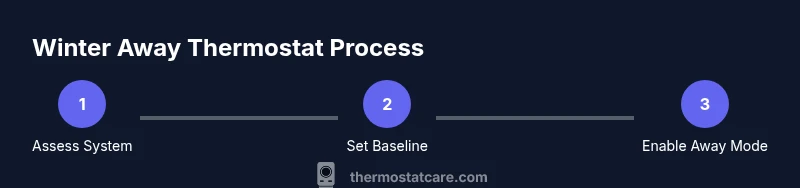
- 1
Assess your heating system
Identify whether your home uses a central furnace, boiler, or heat pump and note any zone controls. Confirm the system is functioning normally before you depart so you can set a reliable baseline.
Tip: Take a photo of the current thermostat screen and any zone settings for reference. - 2
Set a safe baseline
Choose a conservative temperature that prevents pipes from freezing and minimizes energy use. If you have a smart thermostat, this becomes your anchor for scheduling.
Tip: Avoid settings too close to freezing; allow some margin for safety. - 3
Enable away/eco mode
Activate the Away or Eco setting and configure a simple schedule that matches your absence. This helps maintain a stable temperature without overworking the system.
Tip: If plans change, ensure you can adjust remotely without entering a manual override. - 4
Enable remote monitoring
Ensure you can access the thermostat remotely and that notifications are enabled for temperature fluctuations or connectivity issues.
Tip: Do a quick test control a day before departure. - 5
Check for drafts and insulation
Seal obvious drafts and ensure that vents aren’t blocked. Drafty areas undermine the thermostat’s ability to stabilize indoor temperatures.
Tip: Address known cold spots before leaving to maximize efficiency. - 6
Plan your return and resync
Prepare to restore your normal comfort schedule on return. Reconnect any devices and re-establish standard temperatures and routines.
Tip: Note any temporary deviations so you can revert smoothly.
Questions & Answers
What is the best baseline temperature when away in winter?
Aim to keep the home warm enough to prevent freezing while avoiding unnecessary energy waste. If you have a programmable thermostat, use a setback schedule that maintains a minimal, steady temperature.
Aim for a safe, energy-efficient baseline that prevents freezing while minimizing energy use. Use a simple setback schedule if you have a programmable thermostat.
Can I use Vacation or Away mode?
Yes. Vacation or Away modes are designed to keep a steady, energy-efficient temperature while you’re gone. They often lock in a baseline and reduce heating cycles.
Yes. Use vacation or away mode to keep a steady, energy-efficient baseline while away.
What should I check if I have a traditional thermostat?
Ensure the unit is programmed, the schedule aligns with absence, and that the heating system is functioning. If unsure, consult a professional before departure.
Program the thermostat and check that the heating system operates as expected before you leave.
What if power goes out while I’m away?
Power outages can reset some thermostats. If possible, enable auto-recovery in your settings so the device returns to your preferred baseline when power returns.
Power outages can reset some thermostats; ensure settings recover automatically when power returns.
Will this affect my energy bill when I return?
Maintaining a modest, consistent baseline reduces energy waste. Upon return, resume normal schedules to restore comfort efficiently.
Keeping a steady, efficient baseline can help manage energy use; resume regular schedules on return.
Watch Video
What to Remember
- Set a safe, energy-efficient baseline before leaving
- Use Away/Eco mode to automate stability
- Leverage smart thermostat features for remote control
- Seal drafts and manage insulation to prevent heat loss
- Return and re-sync schedules promptly