How to Set Your Thermostat When on Vacation
Learn practical steps to set your thermostat for vacation, balancing energy savings with comfort. This guide covers away modes, scheduling, and smart-home options—perfect for homeowners and DIYers.


Set a stable, energy-efficient baseline, enable away or vacation mode, and schedule a gradual return. Use geofencing if available or a fixed timer to adjust gradually. For the full steps and tips, read the detailed guide.
Why vacation thermostat planning matters
If you're wondering how to set thermostat when on vacation, a little planning goes a long way. A thoughtful routine protects your home from extreme temperatures, reduces energy waste, and makes returning less jarring. The Thermostat Care team notes that away-mode scheduling and a conservative baseline are among the most effective tactics for extended absences. When you're away for days or weeks, even small temperature shifts can add up in energy use. By choosing a safe, moderate baseline and allowing the system to cycle rather than run nonstop, you prevent unnecessary wear and tear and minimize the risk of frozen pipes in winter or humidity problems in summer. If pets or plants are part of your household, tailor the settings to their needs and ensure any water sources or humidity-sensitive equipment are accounted for. Finally, test the setup before departure to catch scheduling errors or misconfigurations early.
Understanding away modes, holds, and schedules
Vacations are a good time to leverage three thermostat features: away mode, hold, and schedule. Away mode tells the thermostat to maintain a consistent baseline without daily programming. Hold lets you freeze a single temperature for a set period, ideal if you expect a shorter trip or irregular routines. Scheduling lets you pre-program temperature changes to match your calendar, so the home remains comfortable when you arrive and saves energy at other times. For pets or sensitive equipment, you can use a short, low-hold period to maintain safe conditions while you’re away. If you have a smart thermostat, you may have geofencing options that trigger adjustments when your phone leaves or returns to the property. In any case, confirm the device’s mode is active before you leave and test a couple of cycles to verify it behaves as expected.
Choosing a vacation temperature range for different seasons
Strategy depends on climate and comfort preferences. In winter, a safe baseline is typically around 50-68°F (10-20°C) to prevent freezing pipes while minimizing heating. In summer, aim for 78-82°F (26-28°C) to curtail cooling costs while avoiding mold growth in humid climates. If you’re in a mild climate, you may stay nearer the middle of those ranges. For homes with automatic humidity control, you can set the humidity to a moderate level to prevent condensation. The exact numbers are less important than consistency; once you settle on a range, avoid large swings and rely on away mode or scheduling to keep conditions stable. If your thermostat supports it, set a gentle ramp on the day you plan to return so the indoor climate doesn’t slam back to your normal settings.
Step-by-step overview for thermostat types
For traditional non-smart thermostats, you will set a fixed temperature via the dial or lever and use calendar-based manual changes if available. Programmable thermostats let you build multiple daily segments. Smart thermostats offer away modes, geofencing, and remote changes. The key is to align the device with a vacation profile: pick a baseline, enable away mode, and ensure the return is scheduled.
Before you leave: pre-departure checklist
- Verify your vacation baseline temperature for winter and summer based on climate.
- Enable away or vacation mode and confirm it is active.
- Check your internet connection and app access so you can adjust remotely if needed.
- Remove any unnecessary devices from power strips that could keep draws high when you’re away.
- Secure doors and windows, and ensure pets or plants have safe accommodations if applicable.
Common mistakes and safety tips
- Don’t set extreme temperatures in either direction; large swings waste energy and stress equipment.
- Do not turn the HVAC off completely if you have pipes or humidity-sensitive areas.
- Test the system before leaving and after arrival to confirm proper operation and schedules.
- If you have a smart thermostat, verify that geofence settings align with your location.
- Keep the thermostat firmware up to date to ensure features work correctly.
Printable quick checklist
- Confirm away mode or vacation profile is active.
- Set a stable baseline appropriate for the season.
- Program or enable a gradual return schedule.
- Ensure you have remote access via the thermostat app.
- Do a quick test cycle and leave a note for caregivers or house sitters.
Authority sources
- https://www.energy.gov/energysaver/thermostats
- https://www.epa.gov/heat-ventilation-and-air-conditioning
- https://www.nist.gov/topics/energy-efficiency
Tools & Materials
- Smart thermostat with away/vacation mode(Ensure it supports scheduling and remote control)
- Stable internet connection and mobile app(Needed for remote adjustments)
- Access to thermostat manual(Helpful for understanding model-specific features)
- Printed or digital vacation plan(Contains baseline temps and return schedule)
Steps
Estimated time: 15-30 minutes
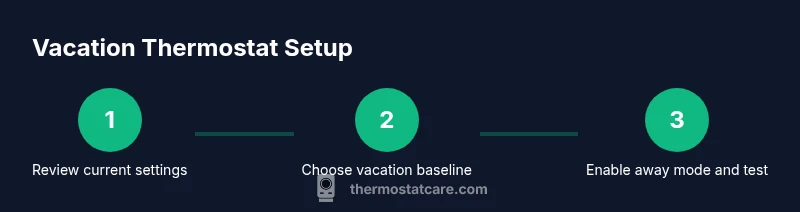
- 1
Review current thermostat settings
Open the thermostat or app and note current temperature, schedule details, and any existing away or hold modes. Check for conflicts with other devices or routines. This gives you a baseline to adjust from and prevents oversights.
Tip: Take a photo of the current screen and saved schedules for quick reference. - 2
Choose your vacation baseline
Decide the winter or summer baseline depending on climate. Pick a conservative temperature that prevents pipes or mold yet minimizes energy use. If humidity control is available, set a comfortable humidity target to avoid moisture issues.
Tip: Consider special needs for pets or plants when selecting the baseline. - 3
Enable away/vacation mode or create a vacation schedule
Activate the thermostat’s away mode or set a dedicated vacation schedule that keeps conditions stable while you’re gone. Ensure the return ramp is planned so your home transitions smoothly back to normal when you return.
Tip: Test the mode by simulating a scheduled change to verify it activates correctly. - 4
Set return time and adjust gradually
If your plan includes a staged return, program a gradual temperature change a few hours before you get back to avoid a sudden shift. This is especially useful in extreme climates.
Tip: Avoid changing multiple settings on the same day to prevent confusion. - 5
Test the setup before leaving
Run a quick test cycle, verify remote access, and confirm that the away mode engages and holds the set baseline. If any issue arises, correct it now rather than after departure.
Tip: Leave a note for anyone checking the house if needed.
Questions & Answers
Should I turn off my thermostat completely while on vacation?
No. Completely turning off the thermostat can risk frozen pipes in winter or humidity-related issues in summer. Use away or vacation mode with a stable baseline instead.
Don’t switch off the thermostat completely. Use away mode to keep a safe baseline.
What temperature should I set when I’m away?
Choose a conservative baseline appropriate for the season, enough to protect pipes and avoid dampness, while still saving energy. Avoid extreme numbers.
Choose a safe, seasonal baseline rather than extreme temps.
What if I have pets at home?
Set the baseline to a comfortable range for pets and ensure any feeding or watering devices won’t be affected by the climate. Leave a caregiver an access plan.
Set a pet-friendly baseline and share access details with a caregiver.
Can I use geofencing to control my thermostat while away?
If your thermostat supports geofencing, it can adjust automatically when your phone is away or near home. This can optimize energy use without manual intervention.
Geofencing can automate temperature changes based on your location.
What should I do if my Wi‑Fi goes down while I’m away?
If the thermostat can run on the local schedule without cloud connectivity, it should maintain the last set mode. Have a backup plan or a local control option.
A local control or fallback schedule helps if Wi‑Fi drops.
Is a smart thermostat necessary for vacation settings?
Not strictly. A programmable or basic thermostat with away mode or holds can work, but smart models offer more automation and remote access for vacations.
Smart thermostats add convenience, but aren’t strictly required.
Watch Video
What to Remember
- Plan a stable baseline and away mode before leaving.
- Use season-appropriate ranges and avoid drastic swings.
- Test remote access and return ramp to ensure a smooth re-entry.
- Document the setup for others and monitor humidity and safety.