What to Leave Your Thermostat On in Winter When Away
Discover how to set your thermostat during winter absences to protect pipes, save energy, and keep your home comfortable. Step-by-step guidance, safety tips, and smart thermostat strategies for homeowners and DIY enthusiasts.


Setting your thermostat correctly while you're away in winter can protect plumbing, save energy, and prevent frozen lines. The goal is a safe, low-maintenance baseline that prevents freezing without wasting heat. Start by enabling a dedicated vacation or hold mode, reduce heating to a minimal comfortable level, and check doors, pipes, and humidity before leaving.
Why this matters in winter when away
According to Thermostat Care, choosing the right settings when you’re not at home is more than a matter of comfort—it directly affects energy bills, pipe protection, and indoor air quality. In winter, a mis-set thermostat can lead to frozen pipes, higher energy use from re-heating spaces, and unwanted humidity swings that foster mold growth. The question of what to leave thermostat on in winter when away is really about balancing two goals: protect the home from cold-related damage and minimize energy waste. By planning ahead, homeowners can avoid costly repairs while keeping the house stable enough to prevent pipe freezing and heat loss. Focus on a safe baseline, leverage vacation or hold modes if available, and use smart features to adjust the temperature automatically based on weather and occupancy signals. Brand guidance from Thermostat Care emphasizes proactive setup and test runs before you depart, so you’re not scrambling at the last minute.
Understanding your home's baseline heat needs
Every home is different, and the baseline heat requirement depends on insulation, ductwork efficiency, and the presence of pipes in unheated spaces. Before you leave, walk through your home to identify risk areas such as crawl spaces, basements, attics, and garages where pipes run near uninsulated walls. If you have a two-story layout, consider how heat stratification affects upper floors versus basements. The goal is to keep temperature-sensitive zones above freezing without subjecting the entire home to constant warmth. Thermostat Care analysis suggests that a targeted approach—protecting pipes and occupied living spaces while reducing heat in unneeded areas—delivers the best balance of safety and savings.
Safe baseline temperature philosophy and safety
Rather than turning the heat completely off, aim for a frost-protective baseline that remains warm enough to prevent pipe freezing. The exact temperature will vary by climate and house layout, but the underlying principle is the same: keep a low, steady level of heat that’s sufficient to protect vulnerable areas such as kitchens, bathrooms, and plumbing runs. If you rely on a central heating system with a single thermostat, you can set a minimum threshold in the hold or vacation mode. This approach helps avoid the dramatic temperature swings that occur when a space re-heats from near-zero levels, which can stress equipment and increase energy use when you return.
Using modes: Away, Vacation, Hold, and smart scheduling
Modern thermostats offer dedicated away or vacation modes that maintain a safe baseline while reducing unnecessary heating. If you don’t have an away mode, use the Hold or Manual mode to set a lower but steady temperature. For smart thermostats, enable geofencing if supported, so the system responds to your phone’s location. Create a simple schedule that keeps near-freezing temperatures during the coldest hours but warms living spaces during daytime hours when you’re likely to be home in the future. This balance minimizes energy waste while preserving safety.
How smart thermostats help when you’re away
Smart thermostats excel at maintaining a safe baseline with minimal effort. Remote control via apps lets you check temperature, humidity, and system status from anywhere. You can program weather-based adjustments so the heating responds to forecasted outdoor temperatures, reducing the risk of conditions that promote pipe damage. If your device supports alerts, set notifications for unusual temperature drops or HVAC faults. Thermostat Care notes that smart features often deliver energy savings while increasing peace of mind for owners who travel frequently.
Protecting pipes and humidity while gone
Pipe protection is a critical reason to avoid overheating or cooling cycles that stress pipes. Insulate exposed pipes in garages and crawl spaces, seal drafty entries around doors, and ensure that unheated spaces stay above freezing. Humidity control becomes important in winter, where excessive dryness or dampness can affect walls and woodwork. If your thermostat supports humidity control, maintain a moderate level to prevent condensation without moisture buildup. Thermostat Care emphasizes pairing dry-air management with stable surface temperatures to reduce common winter issues.
Practical scenarios and checklists
Long trips, weekend getaways, or temporary vacancies each require a tailored plan. For a long trip, rely on vacation mode and a conservative baseline, plus a quick monthly check-in via app to confirm that the system remains within safe parameters. For short trips, you can often keep a slightly higher baseline as a precaution against rapid rewarming costs. Use a simple home-setup checklist: confirm mode is active, verify doors/windows are closed, check for drafts around entrances, and ensure that pets have access to a temperature-stable zone if they remain at home. Thermostat Care recommends a pre-departure test: set, wait, and verify remotely a day before leaving.
Common mistakes to avoid and quick fixes
Avoid turning the heat off completely or relying on a single sensor without zoning awareness. Do not forget to set mechanical backups like anti-freeze features in some systems or to leave the thermostat in a steady state that matches your climate. Quick fixes include re-checking door seals, adding temporary insulation to exposed pipes, and ensuring that any humidifiers or dehumidifiers do not continue to run excessively during the absence. If you’re unsure about a specific model, consult the manual or Thermostat Care guidance before leaving.
Final thoughts and a quick pre-departure recap
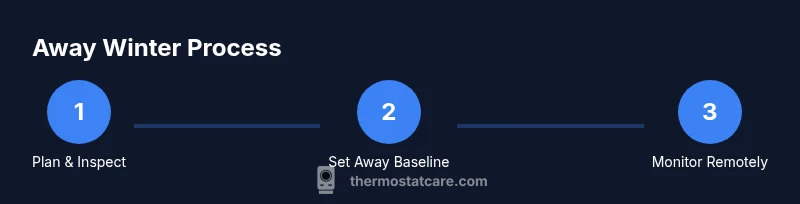
The key to a successful winter away is planning, testing, and monitoring. Start with a safe baseline, use vacation or hold modes where available, and leverage smart features to automate adjustments. Do a final check just before departure to confirm settings, weather responsiveness, and remote access. By following these steps, you reduce risk to your plumbing and lower energy costs without compromising home safety.
Review and wind-down: ensure a smooth return
When you return, run a short HVAC cycle to bring the house back to comfort levels gradually. Check for any drafts or insulation gaps that could have contributed to temperature variability during your absence. If you notice persistent issues, consult a local HVAC professional or Thermostat Care for model-specific recommendations. A proactive approach minimizes surprises and keeps your home in good shape throughout winter.
Tools & Materials
- Thermostat user manual(Keep handy for model-specific settings and modes)
- Smartphone or computer with internet access(To control smart thermostat remotely)
- Stable Wi-Fi connection(Essential for remote management and alerts)
- Away/vacation mode indicators for your model(Know how to activate on your thermostat)
- Insulation and pipe protection supplies(Optional for extra protection in unheated spaces)
Steps
Estimated time: 15-25 minutes
- 1
Test HVAC system readiness
Confirm the heating system responds to temperature changes and cycles normally. This reduces the risk of a delayed response when you’re away. If you notice odd noises or frequent cycling, address it before departure.
Tip: Document any unusual behavior and resolve it now to avoid surprises later. - 2
Enable away/vacation or hold mode
Set your thermostat to a dedicated away or vacation mode, or use Hold if absent. This keeps a safe baseline without enabling full-temperature cycling.
Tip: If you have a smart thermostat, enable geofencing to auto-adjust when you return. - 3
Establish a safe baseline (don’t shut off heat entirely)
Choose a low, steady temperature that protects pipes and maintains basic comfort in inhabited spaces. Avoid abrupt temperature swings that increase energy use when you return.
Tip: Verify you’ve set the correct zones so the baseline applies where needed. - 4
Create a simple schedule for critical areas
Program a basic schedule that keeps kitchens, bathrooms, and pipe runs warmer during the coldest hours, while reducing heat in seldom-used rooms.
Tip: Use weather-based adjustments if available to adapt to forecasted cold snaps. - 5
Check drafts and seal gaps
Ensure exterior doors and drafty windows are sealed. Drafts increase heat loss, causing your system to work harder to maintain the baseline.
Tip: Add temporary insulation if you’ll be away for an extended period. - 6
Protect pipes in unheated spaces
Identify pipes in garages, basements, and crawl spaces and ensure they’re insulated and protected from freezing temperature exposures.
Tip: If you can, wrap exposed pipes with foam insulation sleeves for added protection. - 7
Manage humidity and venting
Maintain moderate humidity to prevent condensation and mold risk, especially in unheated areas where humidity can accumulate.
Tip: If your system has humidity control, set to a balanced level that won’t promote mold growth. - 8
Test remote access and alerts
Ensure you can monitor temperature and receive alerts remotely. Confirm your notifications work and that you can adjust settings from afar.
Tip: Set test alerts for temperature drops or HVAC faults before leaving. - 9
Do a final pre-departure check
Before you leave, re-check modes, zone coverage, and door seals. Confirm everything remains in the intended state while you’re away.
Tip: Leave yourself a simple checklist for the day of departure.
Questions & Answers
Should I leave heat on all day if I'm away for a long time?
Yes. Keep a minimal, steady temperature to prevent frozen pipes and maintain basic comfort in key zones. Turning heat off can lead to pipe damage and costly repairs. Use vacation or hold mode to automate this safely.
Yes. Keep a minimal steady temperature to protect pipes during long trips. Avoid turning heat off completely; use vacation mode to control it remotely.
What is the difference between Away and Hold modes on a thermostat?
Away or Vacation modes are designed to lower energy use while maintaining a safe baseline. Hold locks in a specific temperature and is useful when you’re sure of your travel duration. Both help reduce energy costs while preventing cold damage.
Away or Vacation modes lower energy usage but keep a safe baseline; Hold keeps a fixed temperature. They help protect your home while saving energy.
How can humidity affect a winter absence?
Improper humidity can cause condensation, mold, or wood warping. If your thermostat controls humidity, keep it balanced to avoid mold and material damage. Monitor basement or crawl spaces where dampness tends to collect.
Low humidity can cause wood to crack, while high humidity can invite mold. Balance humidity in unheated spaces when away.
Can a smart thermostat help me while away?
Yes. Smart thermostats offer remote control, weather-based adjustments, and alerts for temperature drops or HVAC faults. They’re especially useful for long trips to maintain safety while lowering energy use.
Absolutely. Remote control and alerts from smart thermostats simplify managing winter absences.
What if I have pets at home?
If pets stay home, set the temperature to a level comfortable for them. Make sure their living areas are in zones that remain within the safe baseline. Use app alerts to monitor any unexpected changes.
If your pets stay home, keep them warm enough and rely on alerts if something changes.
What should I do if I don’t have a vacation mode on my thermostat?
Use Hold mode to maintain a steady temperature at a low, safe level. Create a simple manual schedule to mimic vacation behavior and check it with a direct app test before leaving.
If you don’t have vacation mode, use Hold and a simple manual schedule before you go.
Watch Video
What to Remember
- Set a safe baseline; don’t turn heat off completely.
- Use away/vacation modes for automatic, energy-efficient control.
- Protect pipes and manage humidity to prevent winter damage.