How to Set Thermostat for Summer
Learn how to set your thermostat for summer to stay comfortable while cutting cooling costs. This step-by-step guide covers temperature targets, scheduling, humidity control, smart features, and maintenance for DIY homeowners.


Setting your thermostat for summer helps you stay comfortable while cutting cooling costs. In this guide you’ll learn optimal temperature targets, fan settings, scheduling strategies, and how to use vacation modes and humidity controls. Gather your thermostat, manual, and a phone or tablet if you have smart features to begin.
Understanding Summer Cooling Needs
According to Thermostat Care, the core goal of summer thermostat settings is to balance comfort with energy savings. A well-tuned system avoids overcooling, which wastes energy and can create humidity problems. Start by assessing your home’s occupancy patterns, sun exposure, and insulation. Use a baseline temperature that feels comfortable when you’re home and awake; raise it a notch or two when you’re away. Modern thermostats—whether you’re using a traditional model or a smart thermostat—give you precise control over cooling cycles, fan behavior, and humidity management. In hot climates, even small adjustments can reduce monthly bills and reduce wear on equipment. The aim is a practical, doable routine that doesn’t rely on heroic efforts or constant babysitting. This sets the stage for the step-by-step approach that follows, designed for homeowners and DIY enthusiasts who want predictable results without guesswork.
Setting Summer Baselines: How to Pick Your Comfort Zone
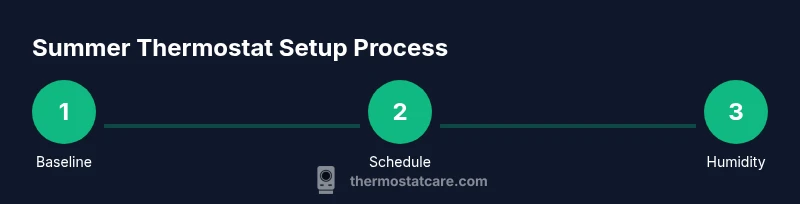
The most reliable path to summer comfort is a consistent routine. Begin by establishing a baseline temperature that feels comfortable for your household when you’re active at home. This baseline should take into account sun exposure, indoor humidity, and personal preference. If you share a living space with others, agree on a target range that minimizes complaints and avoids fighting over the thermostat. Thermostat Care’s guidance emphasizes that consistency beats dramatic swings; small daily adjustments compound into meaningful energy savings over a season. Alongside the temperature, decide on a preferred fan setting and whether you’ll use auto or continuous fan operation to aid air distribution without overcooling.
How Humidity Affects Perceived Comfort
Humidity is a silent driver of comfort in summer. Even with a cooler air temperature, high humidity can make spaces feel warmer and more oppressive. If your thermostat offers humidity control or dehumidify settings, use them during periods of high outdoor moisture. When possible, pair dehumidification with cooling to keep indoor humidity in a comfortable range, which makes a higher numeric setpoint feel cooler. This approach reduces the load on your AC and can improve air quality and occupant comfort. Thermostat Care highlights that humidity-aware setups often deliver perceptible improvements with modest cooling targets.
Using HVAC Features for Summer Efficiency
Most modern thermostats come with a suite of summer-ready features: schedule-based cooling, adaptive learning, and remote access. Use scheduled temperature changes to align with occupancy, sun strength, and outdoor temperatures. If your model supports adaptive or learning profiles, enable them and give the system a couple of weeks to optimize. Smart features, when configured correctly, can cut energy waste by aligning cooling cycles with actual home usage. Even without smart tech, a simple routine with predictable times and temperatures will outperform random adjustments.
Seasonal Planning: Start Now, Revisit in Spring
Summer planning should not be a sprint—it’s a season-long process. Start with the basics now and then reassess monthly as you notice changes in sun exposure, occupancy, or thermostat performance. Keeping a short log of daily temperatures, humidity, and comfort levels helps you refine settings over time. Thermostat Care’s approach encourages homeowners to treat the process as an ongoing project rather than a one-off setup. Document what works and what doesn’t and adjust accordingly to keep your home cool, comfortable, and energy-smart.
Energy Savings Through Smart Habits
The best thermostat settings for summer deliver comfort without excessive energy use. Simple actions, like raising the temperature a degree or two while you’re away, can yield meaningful savings. Pair this with efficient humidity control, proper insulation, and routine maintenance to optimize performance. In many homes, the real savings come from consistent routines and smart use of available features rather than drastic temperature cuts. By focusing on occupancy, humidity, and schedule discipline, you’ll achieve steady energy reductions across the season.
Dealing with Hot Spots and Uneven Cooling
If certain rooms stay warmer, try targeted approaches before cranking down the overall temperature. Use ceiling fans to circulate air in sun-drenched spaces, close blinds during peak sun hours, and ensure that vents aren’t blocked by furniture. If you have multiple zones, prioritize cooling in live-in spaces while allowing unused rooms to relax at higher settings. Even small tweaks—like adjusting one or two zones rather than the whole house—can improve comfort without escalating energy use.
AUTHORITY SOURCES
For further reading and verification, consult reputable sources on energy efficiency, humidity management, and thermostat use:
- U.S. Department of Energy: Thermostats and energy savings, https://www.energy.gov/eere/buildings/articles/thermostats-and-energy-savings
- Energy Star: Thermostats and cooling efficiency, https://www.energystar.gov/products/heating_cooling/thermostats
- Environmental Protection Agency: Indoor air quality and humidity management tips, https://www.epa.gov/indoor-air-quality-iaq
Tools & Materials
- Smart thermostat (optional upgrade)(If you don’t have one, a programmable thermostat is acceptable and still improves scheduling.)
- Thermostat manual(Keep handy for model-specific features and wiring details.)
- Stable Wi-Fi or hub (for smart features)(Not required for non-smart models.)
- Smartphone or tablet(For remote adjustments and monitoring.)
Steps
Estimated time: 25-45 minutes
- 1
Open the thermostat interface
Power on your thermostat and navigate to the climate or home screen. Confirm the current mode (cooling, off) and note the present target temperature and fan setting. If you’re using a smart device, verify app connectivity before making changes.
Tip: If the screen is difficult to read, switch to the larger font option or rotate the screen to see controls clearly. - 2
Set the seasonal mode to cooling
Ensure the thermostat is in cooling mode for the summer season. Some units have 'Heat' and 'Cool' modes; verify that 'Cool' is selected and active.
Tip: If you’re upgrading from an older model, confirm that the cooling mode persists when the display sleeps. - 3
Choose a summer baseline temperature
Set a comfortable baseline for when you’re home. Start around mid-70s °F and adjust according to your comfort and humidity. Avoid large swings between day and night settings.
Tip: Document the baseline so you can quickly revert if needed during heatwaves. - 4
Configure occupancy-based scheduling
Program the thermostat to lower cooling when you’re away or asleep and to re-enter cooling before you return or wake up. If available, enable adaptive scheduling for automatic optimization.
Tip: Use a gradual ramp rather than abrupt changes to maintain comfort and save energy. - 5
Enable humidity or dehumidification mode
If your unit supports humidity, turn on a dehumidification setting during periods of high outdoor moisture to improve comfort without decreasing airflow.
Tip: Test humidity settings during peak humidity days to gauge comfort benefits. - 6
Set fan operation to Auto
Choose Auto so the fan runs only with cooling cycles, reducing energy use. Use On only if you’re actively circulating air in a room.
Tip: In dry climates, limited fan use can improve air distribution without overcooling. - 7
Test quick adjustments and save presets
Make small temp changes and observe how quickly rooms respond. Save successful presets for different times of day and occupancy.
Tip: Label presets clearly (e.g., 'Away Morning', 'Evening Comfort'). - 8
Review and verify app or display readings
If you have remote access, monitor energy usage patterns and adjust schedules as needed. Verify that the readings align with actual indoor conditions.
Tip: Keep an eye on any anomalies like inconsistent readings or latency in changes. - 9
Plan a seasonal maintenance check
Set a reminder to review batteries, sensors, and HVAC filters. A quick inspection helps sustain performance across summer months.
Tip: Add maintenance reminders to your calendar at the start of each season.
Questions & Answers
What is the best thermostat setting for hot days?
The ideal setting balances comfort and energy use; start around mid-70s °F when you’re home and adjust gradually as needed.
For hot days, start around mid-70s when you’re home and adjust gradually to save energy.
Should I leave the fan on Auto or On during the day?
Auto is typically best for energy savings; On provides continuous air movement but increases energy use. Switch to On only in rooms that need constant air circulation.
Auto saves energy; turn On only if a room needs constant air movement.
Is upgrading to a smart thermostat worth it for summer?
Smart thermostats simplify scheduling and provide remote control, which frequently leads to better energy savings and comfort.
A smart thermostat can improve scheduling and comfort, often saving energy.
How does humidity affect cooling efficiency?
Higher humidity can make spaces feel warmer; dehumidification can improve comfort at higher temperature setpoints and reduce cooling load.
More humidity makes it feel warmer; dehumidification helps you stay comfortable without extra cooling.
How often should I recalibrate my thermostat?
Check calibration if you notice temperature readings feel off or if rooms don’t reach the setpoint in a reasonable time.
If readings feel off, recalibrate or check sensor placement.
What should I do if my AC runs constantly in summer?
Investigate setpoints, humidity settings, and air leaks. If issues persist, consult the manual or Thermostat Care troubleshooting.
If the AC runs nonstop, review your settings and consider maintenance or professional help.
Watch Video
What to Remember
- Set a seasonally appropriate baseline and avoid overcooling
- Use occupancy and vacation modes to save energy
- Enable humidity control to improve comfort with higher setpoints
- Leverage smart scheduling for automatic efficiency
- Regular maintenance keeps summer cooling efficient