Where to Set Thermostat in Summer: A Practical DIY Guide
Learn where to set your thermostat in summer for comfort and energy savings. This guide covers scheduling, zoning, smart features, maintenance, and common mistakes to help homeowners optimize cooling without overspending.


In summer, set a comfortable baseline and align changes with your daily schedule to save energy. Start by enabling a simple home/away program and avoid extreme swings. This guide shows how to position setpoints efficiently for comfort and savings. Follow our steps to tailor the schedule to your lifestyle and climate.
Why summer thermostat placement matters
During hot months, the way you position temperature targets and manage schedules has a direct effect on comfort, energy use, and equipment wear. Where to set thermostat in summer isn't just about keeping rooms cool; it's about aligning cooling cycles with your lifestyle and the home's heat load. According to Thermostat Care, small changes in setpoints and timer settings can reduce wasted run time and prevent overcooling that leads to humidity and dry air issues. In practice, the goal is to maintain consistent indoor temperatures while minimizing large swings that force the system to repeatedly start and stop. Start by evaluating which zones in your home require active cooling, which rooms are rarely used, and whether sun exposure or insulation quality creates a heavier heat load on certain spaces. With this context, you can craft a summer baseline that balances comfort with energy efficiency and extends equipment life.
Understanding how summer heat shapes cooling decisions
Heat loads are not uniform across a house. Sunlit rooms, kitchens, and spaces without proper insulation tend to demand more cooling. A one-size-fits-all thermostat setting often leads to overcooling in some areas and undercooling in others. Modern homes with zoning or smart thermostats can address these differences, but even a single-zone setup benefits from targeted adjustments: aligning the daily schedule with occupancy, using adaptive recovery features, and preventing large temperature gaps between rooms. The practical takeaway is simple: start with a baseline that honors comfort in the most-used spaces, then fine-tune based on how the home actually feels through the day.
How cooling cycles work in most homes
Most air-conditioners operate in cycles, turning on when indoor temperatures rise above the setpoint and turning off when the space cools. In summer, humidity complicates this cycle because air that is cooler but still humid can feel uncomfortable even if the thermometer reads within a narrow band. A common pitfall is setting the thermostat too low to chase humidity, which simply increases energy use without delivering proportional comfort. By using gradual setpoint adjustments and smart fan behavior (Auto rather than On), you can encourage longer, steadier cooling cycles that remove humidity more efficiently and reduce equipment wear. Remember: small, steady adjustments beat large swings.
Step-by-step strategies for configuring summer setpoints (zones vs whole-house)
If you have zoned cooling, allocate the strongest cooling to high-traffic or sun-exposed zones while allowing peripheral areas to drift a bit warmer. For whole-house setups, create a central baseline that prioritizes comfort in living areas during peak occupancy and allows guests and bedrooms to follow a slightly different schedule. Dual fuel or heat pump systems may offer adaptive modes that balance outside temperature with humidity. The goal is to minimize the delta between indoor temperatures across rooms during the day, using zoning, schedules, and fan settings to achieve a uniform feel without overworking the compressor.
Create or adjust summer schedules: home vs away
Occupancy-based scheduling is a powerful tool for summer efficiency. When you’re home, you’ll want consistent comfort in living spaces; when you’re away, increase the temperature modestly to reduce energy draw while preserving equipment life. If your thermostat supports it, enable geofencing or occupancy detection to automatically adjust as you leave and return. Start with a simple home/away rule and then refine it by monitoring how quickly rooms heat up during the day. Small tweaks—like delaying cooling in unoccupied rooms or extending overnight cooling in bedrooms—can yield noticeable energy savings without sacrificing comfort.
Smart thermostat features for summer efficiency
Smart thermostats bring learning, geofencing, and adaptive recovery to the table. Learning algorithms can anticipate occupancy, while geofencing uses your phone’s location to adjust settings as you approach or leave home. Adaptive recovery minimizes overshoot by gradually bringing the space to the target temperature closer to your arrival time. If you use a smart thermostat, enable humidity sensors if available, as humidity control can dramatically affect perceived comfort. Thermostat Care analysis shows that homes leveraging smart scheduling and zone-aware settings tend to experience more consistent comfort and lower energy use during heat waves.
Practical examples and scenarios
Example A: A sunlit living room that heats quickly. Place a tighter schedule on this zone during peak sun hours, and allow other areas to follow the main baseline. Example B: A two-story home with a common living space upstairs. Use zoning to cool the upstairs more aggressively during evenings when people are active there, while keeping the downstairs at a slightly higher setting. Example C: A home with a smart thermostat and occupancy sensors. Rely on automated schedules that adapt to daily rhythms and seasonal changes, reducing manual adjustments and energy waste.
Maintenance and calibration for summer comfort
Summer maintenance keeps cooling efficient and accurate. Check air filters monthly, ensuring unobstructed airflow. If you notice erratic temperature readings or “ghost” cooling cycles, recalibrate the thermostat or verify sensor placement. Humidity readings should align with comfort expectations; if humidity feels sticky, consider enabling dehumidification modes if supported. Regular HVAC tune-ups, especially before peak cooling season, help the system respond predictably to summer heat. Document changes to schedules and setpoints so you can compare energy use over time.
Common mistakes and quick fixes
Avoid large, sudden setpoint changes; gradual adjustments stabilize cooling and maintain humidity control. Do not rely solely on the thermostat’s cooling mode—if humidity remains high, use the fan Auto setting and consider airflow improvements. Ensure the thermostat is placed away from direct sun or heat sources, and verify that zoning or smart features are correctly configured. If you notice frequent compressor cycling, consult a professional to check refrigerant levels, ductwork, or zone balance. Small, targeted fixes outperform broad strokes.
Getting the most from your thermostat this summer: a quick recap
By focusing on zone-aware strategies, occupancy-based scheduling, and smart features, you can maintain comfort while reducing energy waste. Keep the baseline comfortable in primary living spaces, adapt schedules for away times, and leverage smart recovery to avoid overshoot. If you run into persistent issues, refer back to your manual, use the thermostat’s diagnostic data, and seek professional help when necessary. The Thermostat Care Team recommends following a deliberate, data-informed approach to summer cooling.
Tools & Materials
- Thermostat user manual(Essential for understanding model-specific settings and zoning options)
- Smartphone or computer with thermostat app(Needed to adjust schedules remotely and monitor energy use)
- Access to Wi-Fi(Needed for smart features if using a Wi-Fi-connected thermostat)
- Screwdriver (Phillips #2)(Only if you need to access the thermostat wiring or sensor mirrors)
- Notepad and pen(Useful for recording initial baselines and adjustments)
Steps
Estimated time: 60-90 minutes
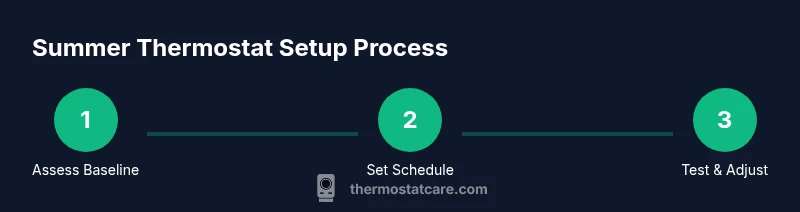
- 1
Check current schedule and setpoint baseline
Review the existing summer schedule and record the baseline comfort level in the main living areas. Note the typical times when rooms feel too warm or too cool. This establishes a data-driven starting point for adjustments.
Tip: Take a quick read of energy usage before making changes to gauge impact. - 2
Set a summer baseline for the home
Create a baseline setpoint that prioritizes comfort in living spaces during peak occupancy. Avoid large swings; aim for small, steady adjustments that balance cooling with humidity control.
Tip: Use Auto fan mode to optimize humidity removal without overcooling. - 3
Configure occupancy-based or away schedules
Enable home/away scheduling or occupancy-based modes if your thermostat supports them. Tailor away periods to the minimum required to protect furnishings and energy efficiency.
Tip: If you are away for an extended period, set a modest setback rather than turning cooling off completely. - 4
Fine-tune zone or room-specific settings
For homes with zoning, assign stronger cooling to high-use or sun-exposed zones and allow other zones to drift warmer. For single-zone systems, refine scheduling rather than large setpoint shifts.
Tip: Check sensor placement; avoid placing sensors near heat sources or in direct sunlight. - 5
Test run and observe performance
Run a full cycle through the day and monitor how quickly spaces reach the target comfort level and how humid areas feel. Watch for unnecessary cycling that wastes energy.
Tip: Record observations and compare with the baseline after a few days. - 6
Review and finalize adjustments
Based on observations, finalize the schedule and setpoints. If using a smart thermostat, enable learning or adaptive recovery features to automate future adjustments.
Tip: Document the final settings for future reference and seasonal changes.
Questions & Answers
What is the best summer thermostat setting?
There isn’t a universal best setting. Aim for a comfortable baseline in high-use areas and use gradual adjustments when occupancy changes. Balance comfort with energy efficiency rather than chasing a perfect number.
There isn't a universal best setting. Start with a comfortable baseline and adjust gradually as occupancy changes to balance comfort and energy use.
Should I disable eco-mode in extreme heat?
Eco-mode can help save energy, but in extreme heat you may need to slightly raise the setpoint to maintain comfort without overworking the system. Use eco-settings as a guide and monitor comfort closely.
Eco-mode helps save energy, but in extreme heat you may need to adjust for comfort and monitor how it feels.
Is a programmable thermostat worth it for summer?
Yes. A programmable or smart thermostat allows you to automate schedules that match your summer routines, reducing energy waste and keeping rooms comfortable.
Yes. Programmable or smart thermostats let you automate summer schedules for comfort and energy savings.
Can humidity impact thermostat performance?
Humidity affects perceived comfort and cooling efficiency. Use humidity-aware settings if available and ensure proper dehumidification when needed to maintain comfort without excessive cooling.
Humidity matters for comfort; if possible, use settings that control humidity to reduce overcooling.
How often should I recalibrate my thermostat in summer?
Check sensor accuracy and recalibrate if readings deviate from actual room temperature. Do a quick check after any major climate shift or seasonal change.
Check sensor accuracy and recalibrate if readings drift after climate or season changes.
What are common summer cooling mistakes?
Large setpoint swings, ignoring humidity, and neglecting maintenance. Small, steady adjustments tied to occupancy and humidity yield better comfort and efficiency.
Common mistakes include big swings, ignoring humidity, and skipping maintenance. Small, steady changes work best.
Watch Video
What to Remember
- Set a stable summer baseline and avoid big swings.
- Use home/away or occupancy schedules to save energy.
- Leverage zone controls or smart features for balanced comfort.
- Maintain your HVAC and thermostat sensors for accuracy.
- Document changes and monitor energy impact over time.