What Should My Thermostat Be Set At: A Practical Guide
Learn practical thermostat setpoints for comfort and energy savings. This guide covers seasonal ranges, sleep temps, scheduling, and zone control to help homeowners optimize heating and cooling.


According to Thermostat Care, aim for about 68°F (20°C) in winter when you’re home, and around 78°F (26°C) in summer. If you’re away, use setback to 55-60°F (13-16°C) to save energy. For bedrooms, a slightly cooler target at night can improve comfort, while smart thermostats can maintain different schedules by room.
Why thermostat setpoints matter
Small adjustments to your thermostat can have a big impact on both comfort and energy bills. When you set temperatures that align with occupancy and activity, you reduce unnecessary heating or cooling while maintaining a pleasant home environment. According to Thermostat Care, consistent setpoints backed by simple scheduling are one of the most effective ways homeowners trim energy waste without sacrificing daily comfort. The right targets also help humidity control and HVAC run times, which can extend equipment life and lower maintenance needs over time. In practical terms, a few degree changes here and there, applied consistently, add up to meaningful savings over a heating season or cooling season. This section lays the groundwork for developing a seasonal plan that works for your unique home, climate, and routine.
Establishing a practical baseline for each season
Seasonal baselines are the backbone of any energy-smart thermostat strategy. In winter, many homes are comfortable around 68°F (20°C) when occupied and awake, with the aim of reducing heat loss during unoccupied hours. In summer, a target near 78°F (26°C) keeps living areas comfortable without overtaxing the AC system. If you have a smart thermostat, you can create separate schedules for workdays, weekends, and nights, ensuring the system loses energy when it’s least needed. Thermostat Care analysis shows that small, consistent adjustments—rather than drastic, occasional changes—tend to yield better long-term efficiency and steadier indoor climate. Record your baseline ranges, then test them for 1–2 weeks before refining.
Zone control and occupancy considerations
If your home has multiple zones or rooms with different usage patterns, room-by-room adjustments can unlock substantial savings. Zoning allows you to set higher temperatures in unoccupied spaces and lower temps where people actually spend time. If you don’t have dedicated zoning equipment, prioritize common areas first and use door barriers, smart vents, or portable heaters/coolers to balance comfort. The key is to align temperatures with actual occupancy, sun exposure, and insulation quality. For homes with limited zoning, maintaining a consistent main-floor setpoint while offering modest allowances in bedrooms can still deliver noticeable energy reductions.
Nighttime and sleep optimization
Many people sleep more soundly when a cooler bedroom is maintained, which also reduces energy use during the overnight hours. A typical sleep target ranges from 60–67°F (15–19°C) depending on personal preference and bedding. If you have a programmable thermostat or a smart thermostat, create a sleep schedule that lowers temperature gradually a couple of hours before bed and returns to daytime settings shortly after waking. Remember that humidity can affect perceived comfort more than temperature alone, so consider a humidistat or a dehumidifier if your climate tends toward damp nights.
Energy-saving strategies and eco modes
Modern thermostats offer eco or energy-saving modes that balance comfort with lower energy consumption. Start with a baseline; then experiment with eco presets during periods of low occupancy or mild weather. Scheduling is more powerful than manual adjustments: a well-tuned schedule reduces HVAC runtime while preserving comfort. Seasonal changes should trigger a review of your schedules and setpoints. Thermostat Care recommends rechecking efficiency after major weather shifts and after any home improvements that affect insulation or leaks.
Common mistakes and quick fixes
Overstating changes—such as repeatedly flipping between extreme temperatures—causes HVAC strain and wasted energy. Avoid setting back too aggressively during winter, which can risk frozen pipes or moisture issues; similarly, excessive cooling during summer can overwork the air conditioner. Don’t ignore humidity: cool air stored in a dry house can feel more comfortable than colder, damper air. If you have a smart thermostat, use occupancy sensing to reduce energy use automatically when rooms are unused for long periods. Finally, keep a simple log of changes and outcomes to guide future tweaks.
Quick-start: your first 15-minute setup
To get rolling quickly, start by noting your current comfort levels and bills, then pick a winter and summer baseline (e.g., 68°F and 78°F). Create a basic schedule: a daytime setting when people are home, a lower temp at night, and a more conservative setback when away. If your thermostat supports it, enable an “away” mode and a sleep mode. Test for 1–2 weeks, then refine by ±1–2 degrees if needed. This approach is practical, repeatable, and scales well with more advanced features later.
Tools & Materials
- Smart thermostat or programmable thermostat(Must support scheduling/eco modes and occupancy sensors if available)
- Current thermostat user manual or online guide(Helpful for model-specific settings and advanced features)
- Notebook or app to log setpoints(Record dates, times, and comfort notes for tracking progress)
- Ambient room thermometer or remote sensors(Optional for cross-room accuracy and comfort assessment)
- Access to weather data(Optional but useful for adjusting seasonal baselines)
Steps
Estimated time: 30-60 minutes
- 1
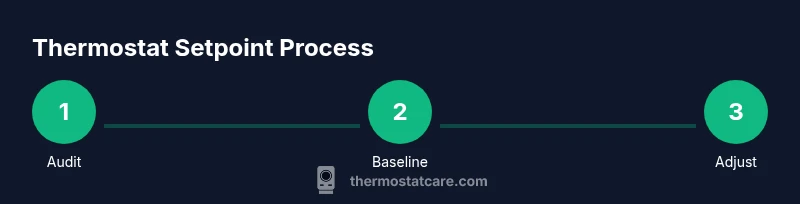
Audit current settings
Review current temperature targets, schedules, and run times. Note which rooms are most comfortable and where peaks in energy use occur. This establishes a starting point for improvement.
Tip: Take screenshots or write down current values before changing anything. - 2
Set seasonal baselines
Choose a winter baseline around 68°F (20°C) when home and a summer baseline around 78°F (26°C) when occupied. Consider a small buffer for abrupt weather changes.
Tip: Avoid drastic swings; test a 1–2 degree adjustment for a week. - 3
Configure away-time setbacks
Program a setback for when you’re away or at work. This reduces energy use without compromising return comfort. If possible, set it to a staged ramp rather than an abrupt drop.
Tip: Use an “away” or “vacation” mode if your thermostat supports it. - 4
Implement sleep/night mode
Create a nightly schedule that cools the home gradually before bedtime and returns to daytime settings after wake-up. Align with bedding and personal comfort.
Tip: A consistent bedtime window helps your body adjust and improves sleep quality. - 5
Test, monitor, and adjust
Over 1–2 weeks, monitor comfort and energy use. If one room feels too warm or cold, adjust modestly. Repeat until you’re satisfied with balance.
Tip: Record observed comfort and energy changes to inform next season’s tweaks. - 6
Document targets and review seasonally
Keep a simple log of baseline ranges and scenes to revisit when weather shifts. Re-evaluate as insulation, occupancy, or equipment changes occur.
Tip: Set a recurring calendar reminder to review settings each season.
Questions & Answers
What is the ideal thermostat setting for energy efficiency?
For most homes, energy efficiency balances comfort and savings: winter about 68°F (20°C) when you're home, summer around 78°F (26°C). Use setback and occupancy scheduling to minimize waste.
Aim for comfort with savings: 68 in winter and 78 in summer, using schedules to cut waste.
Should I set different temperatures for different rooms?
Yes, if you have zones or sensors. Different spaces heat or cool at different rates due to sun exposure, occupancy, and insulation.
If you have zones, tailor temps per area to save energy.
What temperature should I set at night for sleeping?
A cooler bedroom often improves sleep. Try roughly 60–67°F (15–19°C) depending on comfort and bedding.
Keep bedrooms cool for better sleep, around 60 to 67 degrees.
Is it safe to use a cold setback when away for long periods?
Moderate setbacks are generally safe, but avoid extreme drops if you have pipes near freezing or humidity-sensitive equipment.
Don’t push temperatures too low if pipes or humidity are concerns.
How often should I update my thermostat schedule?
Review and adjust at the start of each season; small tweaks can improve comfort and energy savings.
Review your schedule with each season change and tweak as needed.
What should I do if my home has humidity issues?
Humidity affects comfort; consider a dehumidifier or humidity control in addition to temperature setpoints.
If humidity is high, adjust temperature modestly and add humidity control.
Watch Video
What to Remember
- Set seasonal baselines first, then adjust by comfort.
- Use away and sleep modes to maximize savings.
- Zone control or targeted room adjustments improve efficiency.
- Review and refine your targets each season.