What to Set Thermostat to in Winter: A Homeowner's Guide
Learn how to set your thermostat in winter for comfort and energy savings. This educational guide from Thermostat Care covers target temperatures, scheduling, smart features, and practical tips to keep your home warm without waste.


Set a winter baseline that balances comfort and energy savings, then refine with a schedule and smart features. Start around 68°F (20°C) when you’re home, and reduce by about 7–10°F (4–6°C) during absences or at night. Keep a consistent setpoint and use modes or smart controls to maintain warmth efficiently.
Why winter thermostat settings matter
Winter is when a home's heating system runs its hardest, and small changes in thermostat settings can have a big impact on comfort and energy costs. A well-chosen winter baseline helps maintain a steady indoor climate, reduces temperature swings, and makes rooms feel warmer even when the outdoor temperature is plummeting. According to Thermostat Care, thoughtful winter settings serve a dual purpose: keeping everyone cozy and avoiding needless energy waste. Insulation, air leaks, and humidity levels all influence how warm your rooms feel at a given setpoint, so a tailored approach matters more than chasing a single “best” number. This section explains why a consistent baseline matters and how to tailor it to your home’s layout and climate. You’ll learn to balance personal comfort with efficiency, so you don’t overheat rooms that don’t need constant heating. The goal is to create a practical framework you can reuse every year.
content_type_is_markdown_for_bodyBlocks_implied_since_using_markdown_in_field_only_1
note_extra_context_openai_aid_tag_or_meta_not_required_for_schema_compatibility
id_3_placeholder_for_alignment_in_data_pipeline_avoid_duplication_if_needed
Tools & Materials
- Programmable or smart thermostat(Prefer models with a seven-day schedule, hold/temporary overrides, and remote control via an app.)
- Current indoor thermometer or room sensor(Helps verify room temperature and identify cold spots.)
- Notepad or digital note app(Use to log daily temps and comfort feedback for calibration.)
- Access to thermostat app or interface(Necessary for scheduling, remote adjustments, and firmware checks.)
Steps
Estimated time: 30-45 minutes
- 1
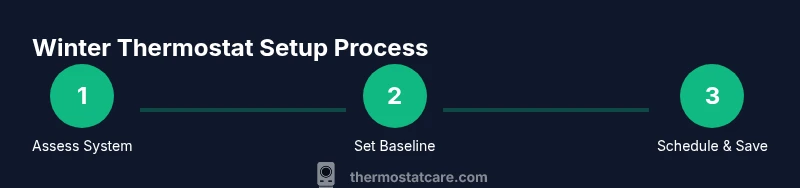
Identify your thermostat type and climate priorities
Start by confirming whether your thermostat is basic, programmable, or smart. Note how many heating zones you have and any damp rooms or drafts. Understanding your system helps you set realistic targets and avoid conflicts with zoning or radiant heat. Tip: Check the system compatibility list in the manual or app to ensure your planned changes won’t override safety limits.
Tip: If you have multiple zones, plan the baseline per zone or use a house-wide setting only if the zones share similar heating needs. - 2
Set a winter baseline temperature
Choose a baseline temperature to keep most living areas comfortable when you’re home. A common starting point is around 68°F (20°C). This baseline should feel comfortable in normal daylight hours, with allowances for bedrooms and common areas. Tip: Write down your baseline in a notebook or the thermostat’s notes field for future reference.
Tip: If you notice rooms feel damp or stuffy, you may need humidity management or insulation improvements rather than a higher setpoint. - 3
Create a daily schedule that matches routines
Develop a simple 24-hour schedule or a split schedule for weekdays and weekends. Program wake, leave, return, and sleep blocks to keep heat consistent without running the system all day. Tip: Use the “hold” feature temporarily if you have days with unusual schedules to prevent unnecessary changes.
Tip: Consistency is key—frequent changes waste energy by triggering more system cycles. - 4
Enable energy-saving features and smart recovery
Turn on features like Eco/Smart Recovery, which gradually warms spaces to reach the target setpoint without long preheating. These settings can reduce overshoot when you come home or wake up. Tip: Enable adaptive recovery only if your home has reliable insulation; otherwise, you might still experience drafts before you settle in.
Tip: Smart recovery works best with well-sealed homes. - 5
Fine-tune based on feedback from rooms
Walk through the house at different times of day to identify cooler spots, drafts, or rooms that heat up quickly. Adjust the schedule or add room-specific adjustments if your thermostat supports it. Tip: Consider a simple temperature log for two weeks to track changes and learn what works best for your family.
Tip: Seemingly small adjustments can produce noticeable comfort gains. - 6
Verify readings and calibrate sensors if needed
Check that thermostat readings align with actual room temperatures. If readings differ by more than a couple of degrees, you may need to recalibrate or replace a faulty sensor. Tip: If the thermostat is far from living spaces, consider relocating the sensor within a reasonable distance of occupied areas.
Tip: Incorrect sensor placement can skew results and undermine comfort. - 7
Review and adjust for travel or holidays
Before extended absences, lower the baseline or set a reduced schedule to avoid paying to heat unused space. On return, gradually bring temperatures back to normal rather than jumping up all at once. Tip: Use a temporary vacation hold rather than changing the baseline for the entire week.
Tip: Plan ahead to prevent cold starts when you return.
Questions & Answers
What is a good winter thermostat temperature?
A practical starting point is 68°F (20°C) when you’re home. You can lower the temperature during absences or overnight by about 7–10°F (4–6°C) to save energy, then raise it again when you’re active at home. Personal comfort may vary, so use this as a baseline and adjust as needed.
A good starting point is around 68°F when you’re home, with a small nightly drop when you’re away or asleep.
Should I lower my thermostat when I’m away?
Yes. Lowering the setpoint during extended absences reduces heating load and energy use. If you’re away for a few hours or a day, a moderate drop is often enough. Reheat times after returning are shorter in well-insulated homes, so don’t over-warm before you’re back.
Yes—lowering the temperature when you’re away saves energy and still keeps the house comfortable when you return.
Is a programmable thermostat necessary for winter?
A programmable thermostat helps maintain a consistent baseline and makes scheduling easier. It’s not strictly necessary, but it reduces manual adjustments and helps sustain comfort and savings over time. For most homeowners, a programmable or smart thermostat is worth the upgrade.
A programmable thermostat is highly recommended for winter to automate schedules and save energy.
How often should I recalibrate my thermostat sensors?
Calibrate or check sensors if you notice unusual temperature readings or inconsistent comfort between rooms. Once or twice a year is usually sufficient, or any time you replace sensors or move the thermostat.
Check sensor accuracy if some rooms feel cooler or warmer than the thermostat shows, and recalibrate as needed.
What else can help winter heating besides thermostat settings?
Improving insulation, sealing leaks, and using programmable curtains or blinds can complement thermostat settings. A well-sealed home reduces heat loss, making your setpoint feel more comfortable with less energy use.
Upgrade insulation and seal leaks; your thermostat settings will go further when the house itself retains heat better.
What should I do if some rooms are consistently colder?
Identify drafts or poor insulation in colder rooms; consider adjusting the local heating or adding a small space heater as a last resort. Ensure vents aren’t blocked and that radiators aren’t clogged with dust.
If a room stays cold, check for drafts and blocked vents, then adjust accordingly or use a targeted heater.
Watch Video
What to Remember
- Set a winter baseline around 68°F (20°C) when home
- Use a schedule or smart features to avoid constant heating
- Adjust per room/zone for uneven insulation or drafts
- Calibrate sensors and review routine adjustments regularly
- Plan ahead for travel to minimize energy waste