When the Thermostat Is Not Working: A Step-by-Step Troubleshooting Guide
Urgent, practical steps to diagnose and fix a thermostat that won’t respond. Learn quick checks, safe diagnostics, and when to call a pro for lasting comfort.


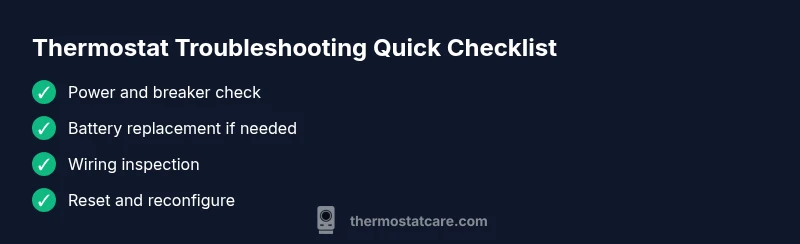
If your thermostat is not working, start with simple checks like power, battery, and wiring. According to Thermostat Care, the quickest fix is to confirm the device is powered, replace batteries if needed, and reset after rechecking wiring. If the issue persists, follow the diagnostic flow and safety reminders from Thermostat Care for a safe, effective repair.
Why the Thermostat Fails: Common Causes
When the thermostat is not working, the root causes often fall into a few categories. In practice, most issues come down to power supply, batteries, faulty wiring, or compatibility with the HVAC system. In Thermostat Care analysis, the majority of non-working thermostats occur due to simple, preventable problems rather than complex hardware failures. If your thermostat is not responding, start by confirming power at the unit and at the circuit breaker, then check the display for error codes that can guide the next steps. Avoid assuming problems are with the HVAC system itself; many issues are resolved by addressing small, easily overlooked details. By understanding the common culprits, you can triage quickly and avoid unnecessary service calls.
Quick Checks You Can Do Now
Before you call for help, perform these quick checks. They are low-risk and often resolve the problem in minutes. First, verify the power: confirm the circuit breaker feeding the thermostat is ON and that the thermostat display is illuminated. If the display is blank on a battery-powered model, replace the batteries and reseat them correctly. Next, confirm the thermostat is set to the right mode (heat or cool) and that the fan is configured as desired. If you have a smart thermostat, ensure it remains connected to Wi-Fi and that there are no recent firmware updates interfering with operation. If you still don’t see a response after these checks, proceed with the diagnostic flow outlined below.
Power, Battery, and Wiring: The Basics
Power issues are by far the most common reason a thermostat stops responding. Some models rely on a steady 24V supply, while others run on replaceable batteries. Thermostat Care notes that many issues trace back to battery condition and loose contacts. For wired thermostats, ensure the C-wire is securely connected and that the R-wire isn’t loose. For battery-powered units, use fresh, correctly oriented batteries. If a battery is bulging or leaking, replace immediately and clean the compartment. If the thermostat still fails after these checks, you may have a broader power issue at the furnace or a tripped breaker.
Wiring and System Compatibility
Wiring mismatches and compatibility gaps are frequent culprits when the thermostat is not working. Check that the thermostat wires match the terminals on the control board and the thermostat base (R, Rc, Rh, C, W, Y, G are common). If a jumper exists between Rc and Rh, verify it’s installed correctly. Some older HVAC systems aren’t compatible with newer smart thermostats; always review model compatibility before swapping hardware. Mismatches can cause no response, erratic heating/cooling, or incorrect sensor readings. When in doubt, consult the manufacturer’s compatibility chart or Thermostat Care guidance before altering wiring.
Reset, Recalibrate, and Reconnect
Software glitches and misconfigured settings are frequent reasons for a non-working thermostat. Start with a soft reset by powering the unit off, waiting a minute, and turning it back on. For smart thermostats, a factory reset should be a last resort after other steps, and you may need to re-enter schedules and Wi-Fi credentials afterward. Recalibrate the temperature sensor if readings seem off and verify that your location, time, and schedule are correct. After any reset, give the system a few minutes to stabilize before testing heating or cooling.
Diagnostics You Can Run Safely (Non-Invasive)
Run non-invasive diagnostics to pinpoint the issue without opening the device. Read any error codes on the display and consult the manual for their meanings. If you’re comfortable with basic tools, a quick visual check for loose wires or corrosion at the terminal screws can help. Listen for unusual sounds from the HVAC system when the thermostat calls for heat or cooling, which can indicate a relay or fan issue. If you have a battery-powered model, test the battery health and watch for signs of corrosion in the battery compartment. If a firmware update caused new issues, check for known issues and possible rollback guidance from Thermostat Care.
When to Call a Pro: Safety and Next Steps
Some issues require professional attention to ensure safety and proper operation. If you smell burning, hear buzzing, see scorch marks, or notice no 24V power at the thermostat, stop immediately and call a licensed technician. Electrical safety is paramount; never work on live circuits beyond your comfort level. A pro can verify wiring integrity, test the control board, and confirm compatibility with your HVAC system. The Thermostat Care Team recommends scheduling a diagnostic visit whenever you’re unsure or if basic steps do not resolve the problem.
Maintenance: Keeping Your Thermostat Working Year-Round
Proactive maintenance reduces the likelihood of future failures. Schedule a quarterly quick check of the thermostat’s power supply, batteries, and wiring. Keep firmware up to date for smart thermostats and review energy reports for anomalies. Clean the faceplate and ensure sensor vents aren’t blocked by dust or furniture. For wireless models, verify the network connection remains stable and that the thermostat has a reliable signal. Consistent maintenance helps sustain accurate readings, efficient operation, and comfortable temperatures.
Steps
Estimated time: 1 hour
- 1
Power and breaker check
Turn off the thermostat, then verify the circuit breaker feeding the unit is ON. Check for any tripped breakers or blown fuses and reset or replace as needed. Powering the unit after a reset often restores basic function if no other issues exist.
Tip: If you find a tripped breaker, wait a few minutes after resetting before retesting the thermostat. - 2
Battery health and contacts
If your thermostat uses batteries, replace them with fresh, high-quality cells. Remove and reinsert with correct orientation, clean the contacts if they appear corroded, and re-test the display.
Tip: Use batteries recommended by the thermostat’s manufacturer for best compatibility. - 3
Inspect wiring at the thermostat
Carefully loosen terminal screws, reseat each wire (R, C, W, Y, G) firmly, and ensure insulation is intact. Look for any loose or frayed wires that could cause intermittent contact.
Tip: Only handle wiring with the power off to avoid shock. - 4
Reset and reconfigure
Perform a soft reset, and if needed a factory reset on a smart model after other steps fail. Re-enter schedules, temperature units, and Wi‑Fi details after reset.
Tip: Note any saved schedules before a reset to avoid losing them. - 5
Test operation across modes
Turn on heat and then cool, observing the thermostat’s response and the HVAC system’s behavior. Ensure fan control behaves as expected and that there are no error codes after changes.
Tip: Give the system a few minutes to respond after each change.
Diagnosis: Thermostat display blank or unit unresponsive; HVAC does not heat or cool as programmed
Possible Causes
- highPower issue (tripped breaker, blown fuse, lost 24V supply)
- highDead or weak batteries (for battery-powered thermostats)
- mediumLoose or damaged wiring at the thermostat or control board
- lowIncompatible or faulty thermostat with the HVAC system
Fixes
- easyCheck the circuit breaker and fuses; restore power to the thermostat
- easyReplace batteries in battery-powered units and reseat contacts
- easyReseat or secure thermostat wires; confirm C and R are solid; inspect for damaged insulation
- mediumConsult compatibility charts or replace with a model compatible with your HVAC system
Questions & Answers
What should I do first when my thermostat won’t turn on?
Begin with power and battery checks, then confirm mode and fan settings. If there’s no response, consult the diagnostic flow for structured troubleshooting.
Start with power and battery checks, then verify mode and fan settings before moving to diagnostics.
Why is my thermostat display blank but the HVAC is working?
A blank display often means power or battery issues, or a loose connection at the thermostat. Replace batteries or check the 24V power supply and wiring.
A blank display usually means power or battery issues, or loose wiring.
Can a smart thermostat lose power due to Wi-Fi issues?
Smart thermostats can reset or misbehave if the network drops or firmware misbehaves. Check Wi‑Fi, restart the router, and consider a firmware update or reset if problems persist.
A Wi‑Fi drop can cause smart thermostats to misbehave; reboot and recheck connections.
Is a professional replacement necessary for a faulty thermostat?
If you cannot restore function after basic checks, or if there are electrical hazards, call a licensed technician. They can verify wiring, control boards, and system compatibility.
If basic steps fail or you sense electrical risk, get a licensed technician.
Should I replace my thermostat after a power outage?
Power outages can reset settings. After power returns, re-enter schedules and confirm compatibility. If problems persist, consult the diagnostic flow or Thermostat Care.
Power outages may reset settings; re-enter schedules and test the system.
When is it time to replace a thermostat?
If the unit is old, shows frequent faults, or isn’t compatible with your HVAC system, replacement may be more cost-effective than repeated repairs.
If faults persist or compatibility is poor, replacement could be the best option.
Watch Video
What to Remember
- Test basic power first and secure all connections.
- Check battery condition and replace as needed.
- Verify wiring and compatibility before replacing hardware.
- Reset and reconfigure carefully, then re-test all modes.
- The Thermostat Care team recommends regular maintenance to prevent issues.