When AC Thermostat Not Working: Quick Fix & Troubleshooting
Urgent, practical guide to diagnose and fix a non-working AC thermostat. Learn power checks, wiring tips, and step-by-step fixes to restore temperature control safely. Thermostat Care insights help homeowners troubleshoot common thermostat issues fast.


Most often, the problem is power or configuration rather than a failed HVAC. Quick fix: replace batteries if applicable, verify the display lights up, confirm the thermostat is wired correctly, and ensure it’s set to the correct mode (cool or heat) with a valid schedule. If power or wiring seems uncertain, shut off power and contact a professional.
Understanding when ac thermostat not working
When the thermostat isn’t responding, homeowners often blame the HVAC system. In reality, the most common culprits are power, battery life (for non-hardwired models), and simple misconfigurations. According to Thermostat Care, diagnosing begins with the control device itself, then moves outward to the furnace or heat pump. This approach helps you avoid unnecessary service calls and keeps you comfortable quickly. The keywords to focus on are power, batteries, wiring, and mode settings. When you follow a systematic path, you’ll often find the fix is something you can handle safely at home. Thermostat Care analysis notes that many everyday thermostat problems are power, battery, or wiring related, not a failed HVAC unit. Look for warning signs such as a blank screen, quirky temperature readings, or the system not turning on at all. If you see error codes, jot them down before testing further. By starting with the control device, you’ll save time and reduce the risk of damaging electrical components. The ultimate goal is simple: restore reliable temperature control without unnecessary downtime.
Quick Validation of the Display and Basic Power
First, make sure the display is powered. If your model uses batteries, replace them with fresh alkaline cells. If it’s hardwired, verify the thermostat is receiving power from the breaker and that there’s no tripped switch. A quick press of the display or a gentle tap near the screen can help you gauge responsiveness. If the screen is dim or unresponsive, this is often an early clue that power or battery health is the culprit. From there, confirm the system is in the correct mode (cooling vs heating) and that the setpoint is reachable. A common mistake is leaving the thermostat in supplemental or fan-only mode, which won’t trigger the HVAC without a proper call for cooling or heating.
Power, Battery, and Wiring: What to Inspect Now
In many homes, the easiest fix is power and wiring checks. For battery-powered units, dying batteries will cause blank screens or delayed responses. For wired thermostats, a loose or disconnected wire can prevent the thermostat from communicating with the furnace. At this stage, turn off power at the breaker before touching any wiring. Carefully remove the thermostat faceplate to inspect the terminal screws; ensure they’re tight and that the wires are fully seated under the correct terminals. Don’t overtighten. If you see corroded or damaged wires, stop and call a professional. If you have a heat pump or multi-stage system, ensure the O/B valve and stage wiring are consistent with the installer’s wiring diagram.
Configuration and Compatibility Checks
Sometimes the issue isn’t power at all but a configuration problem. Check for a stuck hold setting, a schedule override, or a recent firmware update that didn’t complete successfully. For smart thermostats, confirm the Wi‑Fi connection and cloud service status; a network hiccup can make the thermostat appear unresponsive. If you recently swapped a thermostat model, verify compatibility with your HVAC system and ensure all wires match the new terminal labels. According to Thermostat Care, misconfigurations are a frequent root cause, especially after a software update or a home remodeling project. If you rely on a voice assistant or home hub, test commands directly on the thermostat to isolate controller vs device issues.
Sensor Health and Calibration Considerations
Thermostats rely on internal sensors to gauge ambient temperature. If the sensor drifts, the device may refuse to call for cooling or heating because it believes the room is already at the target. Check for drafts or strong heat sources near the sensor that could skew readings. Some thermostats let you run a sensor calibration; if available, perform a formal calibration as described in the manual. If multiple thermostats exist in a home, ensure each thermostat is correctly paired to avoid cross-communication issues. Persisting inaccuracies can point to a faulty sensor that may require replacement.
Step-by-step Reset and Reconnection Procedures
If the basics check out but you still can’t control the HVAC from the thermostat, a reset often resolves lingering glitches. For most thermostats, you can perform a soft reset by cycling power and reinitializing the device software. For smart models, you may need to re-pair with the home Wi‑Fi or mobile app and re-enter the scheduling rules. After a reset, reconfigure the system’s balance of heat and cool and run a brief test cycle. If the device still won’t respond, it’s time to escalate to a service call. The Thermostat Care team recommends documenting all steps you’ve taken, including battery changes, wiring reseats, and reset attempts, to speed up professional diagnosis.
Safety-first: When to Stop and Call a Pro
If you detect burning smells, buzzing sounds, melted insulation around wires, or any sign of overheating, power down the system immediately and call a licensed technician. Never attempt to replace a transformer, furnace control board, or high-voltage wiring yourself. Electrical work can pose serious hazards, including shock or fire. Always prioritize safety: disconnect power at the breaker before touching wires, wear insulated gloves if you must handle components, and consult an HVAC professional for anything beyond basic battery or wiring reseating. The goal is safe restoration of comfort without compromising home electrical safety.
Ongoing Prevention and Best Practices
To minimize future thumbs-down moments, practice regular thermostat maintenance. Clean the display, inspect visible wiring for wear, and verify the firmware is up to date for smart devices. Keep a log of service codes and alarm messages, and perform a quick winter/summer readiness check each season. If you exchange devices, label wires and store old components for reference. Thermostat Care’s approach emphasizes proactive checks and a clear escalation path so you’re never stuck waiting for comfort to return.
The Thermostat Care Conclusion: Small Fixes, Strong Outcomes
The Thermostat Care team recommends starting with the simplest checks first and progressing to more advanced steps only as needed. By following power, battery, wiring, and configuration checks in a logical sequence, most users can restore function without diagnosing the entire HVAC system. If issues persist after these steps, a professional evaluation is the safest route to avoid further damage and ensure your home stays comfortable year-round.
Steps
Estimated time: 45-90 minutes
- 1
Power down and safety check
Turn off power at the main breaker to the thermostat and furnace. Use a non-contact tester to ensure no live voltage on exposed wires before handling components. This prevents shock and protects sensitive electronics.
Tip: Label wires before removing the plate so you can reattach correctly. - 2
Check and replace batteries
If your thermostat uses batteries, replace them with fresh alkaline cells. Reinstall the cover and power on the display to see if the screen lights up and responds to commands.
Tip: Use the correct battery type and avoid mixing old and new cells. - 3
Inspect power and display response
Restore power and observe the display. If it remains blank or flickers, the issue is likely power or wiring rather than the HVAC itself. Try a soft reset if your model supports it.
Tip: Document any error codes shown on the screen for reference. - 4
Verify mode, setpoint, and hold settings
Ensure the thermostat is in cooling or heating mode as intended and that the setpoint is within a realistic range. Disable hold or temporary overrides to test automatic control.
Tip: Avoid abrupt setpoint changes; test increments of 1–2 degrees. - 5
Check thermostat wiring
Carefully remove the faceplate and inspect terminal screws. Reseat any loose wires at both the thermostat and furnace control board, ensuring copper is visible and tight.
Tip: If you see damaged insulation, stop and call a pro. - 6
Test the HVAC response
Command cooling or heating from the thermostat and listen for the furnace/AC relays or the outdoor unit. If nothing happens, there may be a control board issue or a deeper wiring fault.
Tip: Run a short test cycle and observe for any clicking or humming sounds. - 7
Re-link smart features and firmware
For smart thermostats, reconnect to Wi‑Fi and re-run any required app setup. Check for firmware updates and apply them if needed.
Tip: Ensure your mobile app has permission to operate in your region and network. - 8
Decision point: call a professional
If you’ve completed these steps and the thermostat still won’t respond or you detect damaged wiring, contact a licensed HVAC technician for a precise diagnosis and safe repair.
Tip: Keep a log of all steps taken to speed up service.
Diagnosis: Thermostat not turning on or responding; display may be blank or show inaccurate readings
Possible Causes
- highPower supply interrupted to thermostat (breaker, outlet, or transformer)
- highDead or weak batteries in battery-powered thermostats
- mediumLoose, damaged, or disconnected wiring between thermostat and HVAC control board
- mediumMisconfigured mode, hold, or schedule settings
- lowTripped safety switch or blown fuse on furnace/air handler
Fixes
- easyCheck the thermostat power supply and circuit breaker; restore power if tripped
- easyReplace batteries and reseat the battery contacts; test display response
- easyInspect and reseat all thermostat wires at both ends; tighten screws, avoid bending wires
- easyReset the thermostat to default settings and re-enter correct mode and schedules
- mediumIf power is present but issues persist or wiring looks damaged, call a licensed HVAC technician
Questions & Answers
Why is my thermostat not turning on even when the power is on?
Power issues, dead batteries, or a blown fuse can prevent the thermostat from powering up. Check the breaker, replace batteries if needed, and confirm the 24V supply to the thermostat. If power is present but the device remains unresponsive, a professional should inspect wiring and internal components.
Power or battery problems are the usual culprits. Check the breaker, replace batteries, and verify 24V supply. If it still won’t respond, call a pro.
What should I do first if the display is blank?
Start with a battery check if applicable and then verify that the thermostat is receiving power from the circuit. Inspect the wiring at the wall plate for loose connections. If the screen stays blank after battery and power checks, consider a reset or seek professional help.
Check batteries and power first, then inspect wiring. If the screen remains blank, reset or call a professional.
Can a misconfigured schedule cause not working?
Yes. An incorrect schedule or a stuck hold can prevent the thermostat from calling for cooling or heating. Review and reset schedules, disable hold modes, and re-enter the correct setpoints. After reconfiguration, test with a quick thermostat command.
A bad schedule can block operation. Fix the schedule and test the thermostat.
Is it safe to reset the thermostat myself?
For most models, a factory or soft reset is safe and common for resolving glitches. Follow the manufacturer’s reset procedure and reconfigure settings afterward. If the device is smart, you may need to re-pair it to Wi‑Fi or the app.
Reset is usually safe; follow the manual and reconfigure afterward.
When should I call a professional?
If there’s no power at the thermostat, or you notice damaged wiring, buzzing sounds, or burning smells, stop and call a licensed HVAC technician. A professional can diagnose control board, transformer, or high-voltage issues safely.
Call a pro if there’s no power, damaged wiring, or unusual smells.
Will replacing the thermostat fix my HVAC system?
Not always. A thermostat problem is usually the control device, but persistent HVAC issues may require separate evaluation of the furnace or AC. Use the troubleshooting steps first, and then decide if a replacement, upgrade, or professional assessment is needed.
Thermostats fail, but HVAC issues may lie elsewhere. Troubleshoot first.
Watch Video
What to Remember
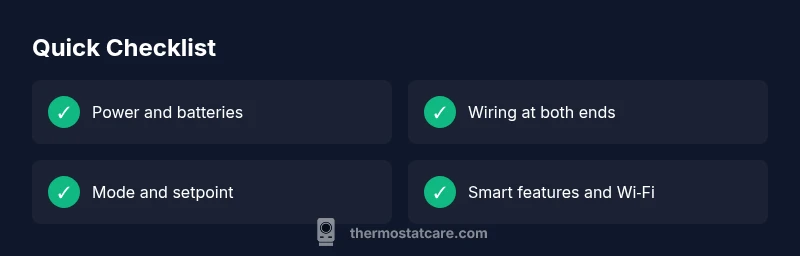
- Start with power and battery checks
- Verify correct mode and hold settings
- Inspect and reseat all wires safely
- Use a soft reset before deeper fixes
- Escalate to a pro if needed