Thermostat Not Working for AC? A Practical Troubleshooting Guide
Find fast, practical steps to diagnose and fix a thermostat not triggering your AC. Learn common causes, safe checks, and when to call a pro for reliable cooling.


The most likely cause of thermostat for ac not working is a power issue or a settings glitch. Start with simple checks: confirm the thermostat has power, replace batteries if needed, and verify the mode and schedule are correct. If power is present but the AC still won’t respond, reset the thermostat and re-pair it with the HVAC system.
Why thermostat for ac not working
When the thermostat for ac not working, the problem often sits at the interface rather than in the outdoor unit. According to Thermostat Care, the most common failures start with power or configuration. A thermostat that isn't getting power, has dead batteries, or runs an old firmware can fail to send signals to the AC. In many homes, a quick power cycle or a battery swap fixes the issue without touching the HVAC system. This section explains why the symptom occurs and how to approach it methodically.
Common culprits behind thermostat failures
- Power supply issues: a tripped breaker, blown fuse, or a dead outlet can cut power to the thermostat, preventing the AC from receiving a cooling command.
- Battery or wireless issues: non-smart thermostats rely on fresh batteries; smart thermostats may lose connection if Wi‑Fi or Zigbee/Z-Wave pairing is weak or disrupted.
- Misconfigured settings: mode (cool/auto), target temperature, fan setting, or schedules can cause the system to ignore cooling commands.
- Wiring problems: loose, corroded, or damaged wires at the thermostat terminals or furnace/air handler can break the control signal.
- HVAC control faults: a faulty relay, blown fuse in the air handler, or a bad control board can block the thermostat's signal from reaching the AC unit.
Quick safety and basic checks you can perform
- Power check: ensure the thermostat’s circuit is on and the breaker hasn’t tripped. If the thermostat is powered by a dedicated circuit, check that switch as well.
- Battery swap: if your model uses batteries, replace them with high-quality fresh cells.
- Confirm cooling command: set the thermostat to cool, lower the target temperature, and verify the display responds. If the screen is blank, this may indicate a power issue.
- Inspect wiring gently: with power disconnected, look at the terminal connections for looseness or discoloration. Do not touch live wires; if you see damage, stop and seek help.
Diagnostic flow overview: symptom → diagnosis → solutions
A systematic approach helps avoid guessing. First confirm power and basic settings, then test the signal path from thermostat to furnace/air handler. If power and settings are correct, test the thermostat’s communication with the HVAC system. The goal is to isolate whether the problem is at the thermostat, the wiring, or the HVAC control circuit, before moving to more advanced fixes.
In-depth fixes for the most common cause (power or battery)
If the symptom remains after basic checks, focus on power delivery and communication. Replace old batteries, perform a full power cycle by turning off the circuit for 30–60 seconds, then restore power. For wired thermostats, reseat terminal screws (one by one) to ensure solid contact. If a smart thermostat loses Wi‑Fi pairing, re-connect to the network and re-pair with the HVAC system following the manufacturer’s prompts.
Prevention and maintenance to avoid future issues
Regularly check the thermostat’s power supply, battery, and connections. Update firmware when available, and confirm that schedules match changing seasons. Keep the thermostat area clean and free of dust, which can affect sensors and displays. A quick annual check with your Thermostat Care guide can prevent many common failures.
Steps
Estimated time: 45-60 minutes
- 1
Power check at the thermostat
Turn off the circuit breaker for the thermostat at the main panel, wait 60 seconds, and turn it back on. Observe whether the thermostat powers up and the display becomes active. If not, replace the batteries (if applicable) and retest.
Tip: Note the exact breaker label to avoid future outages in other circuits. - 2
Battery replacement (if applicable)
Remove the thermostat cover, replace with fresh, high-quality batteries, and reassemble. Power on and verify basic responsiveness of the screen and controls.
Tip: Use name-brand batteries and avoid mixing old with new batteries. - 3
Check mode and target temperature
Ensure the thermostat is set to Cool or Auto and that the target temperature is below the current room temperature. Confirm the fan setting is appropriate (Auto vs On).
Tip: Misconfiguration is a common cause; a quick reset can fix it. - 4
Inspect wiring at thermostat terminals
With power off, gently check that wires are fully inserted and secured under terminals labeled R, C, Y, G, W. Look for loose or discolored wires that may indicate a poor connection.
Tip: Only touch insulated portions of wires; avoid bare conductors. - 5
Test the HVAC signal path
Return power and command the thermostat to cool. If the outdoor unit doesn't engage or you hear no relay click, the issue may be in the control wiring or furnace/air handler.
Tip: If you hear humming or buzzing near the furnace, stop and call a pro. - 6
Re-pair or reset (smart thermostats)
For smart models, re-connect to Wi‑Fi and re-pair with the HVAC system following the manufacturer’s app prompts. Verify the thermostat now communicates with the AC.
Tip: Record the network credentials before resetting.
Diagnosis: Thermostat for AC not working
Possible Causes
- highPower issue (tripped breaker, blown fuse, dead outlet)
- highDead or weak battery / connection issue (for non-smart devices)
- mediumMisconfigured thermostat settings (mode, schedule, fan)
- mediumLoose or damaged wiring at thermostat or furnace/air handler
- lowHVAC control relay or board fault
Fixes
- easyCheck the breaker and outlet, restore power, and replace batteries if needed
- easyReset the thermostat and re-pair with Wi‑Fi or the HVAC system
- easyVerify and correct thermostat settings (mode, target temp, fan, schedule)
- mediumInspect thermostat and furnace wiring for loose connections and corrosion
- hardIf issues persist, have a licensed HVAC tech test relays and control boards
Questions & Answers
Why is my thermostat not turning on my AC even with a set temperature?
Power or battery issues and misconfigured settings are the most common causes. Start with power, battery replacement, and a quick settings check before moving to wiring or control circuits.
Power and settings are usually the culprits. Check power, replace batteries, and verify cooling settings before exploring wiring.
Can a faulty thermostat cause the AC to run nonstop?
Yes, if the thermostat misreads temperature or fails to send the correct signal, the AC may run longer than needed. Resetting or re-pairing a smart thermostat often resolves this, otherwise professional testing may be required.
A bad thermostat can cause continuous cooling if it misreads temperature or signals wrong commands.
Is it safe to replace thermostat wiring myself?
Wiring changes can be hazardous. If you’re unsure, avoid touching live wires and contact a licensed HVAC tech. For simple battery and power checks, you can proceed with caution after turning off power.
Only if you’re confident with electrical work; otherwise, call a pro.
How do I reset my thermostat safely?
Most thermostats have a reset option in the settings or a pinhole reset. Follow the manufacturer’s instructions to avoid losing programmed schedules. After reset, re-setup has to be done.
Use the reset option in settings, then reconfigure the thermostat.
When should I call a professional?
If power checks fail, the display is blank, wiring looks damaged, or the HVAC relay/board seems defective, contact a licensed HVAC technician for a safe, thorough diagnosis.
Call a pro if basic checks don’t restore function or you hear unusual noises.
Watch Video
What to Remember
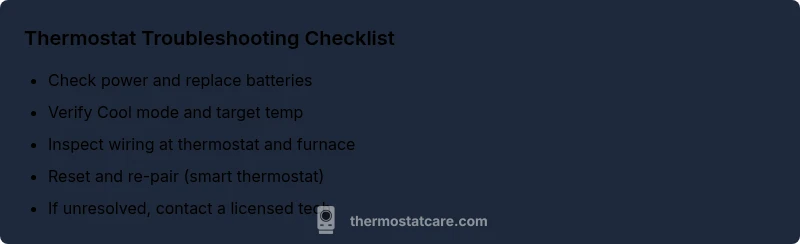
- Check power first and replace batteries if needed
- Verify mode, temperature, and schedule settings
- Inspect wiring at thermostat and furnace for secure connections
- If unresolved, call a licensed HVAC tech promptly