What to do if thermostat is blank: urgent troubleshooting guide
Facing a blank thermostat screen? This step-by-step guide helps homeowners quickly diagnose power, battery, and wiring issues, with practical fixes and safety reminders. Learn the diagnostic flow, see a detailed step-by-step plan, and know when to call a professional. Thermostat Care supports safe, effective resolution.


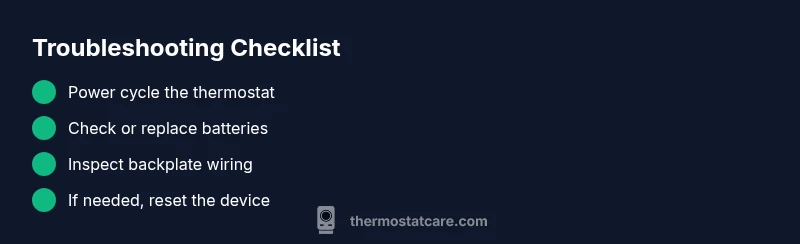
Power or battery issues are the most common cause of a blank thermostat. First, cycle power to the thermostat: switch off then on, check and replace batteries if needed, and verify the HVAC circuit breaker hasn’t tripped. If the screen remains blank, follow the diagnostic flow for further steps.
What to do if thermostat is blank: quick start
A blank thermostat display can throw off your whole day. If you're asking what to do if thermostat is blank, start with the simplest checks and move methodically. According to Thermostat Care, the two most frequent culprits are power delivery problems and dead or disconnected batteries. The Thermostat Care team found that many blank screens respond to a quick power reset and battery replacement. This section provides an urgent, step-by-step approach to regain control while keeping safety front and center.
First, ensure your hands are dry and you have a clear working area. Then follow these initial checks in order: 1) Look at the thermostat screen for a power indicator or battery icon; 2) If your model uses batteries, replace them with fresh alkaline or lithium cells; 3) Check the wall plate and backplate screws to ensure the thermostat is securely wired; 4) If you have a separate power switch or a dedicated circuit for the HVAC system, verify it is ON. If none of these fix the issue, proceed to the next sections to diagnose deeper power and wiring problems.
Note: Keep your documentation handy for any subsequent service calls. If you observe blinking indicators or error codes, write them down; they help technicians diagnose quickly. Thermostat Care emphasizes safety first: never attempt high-voltage work unless you are trained, and never bypass safety features to power the device back on.
Quick checks you can perform before you call a pro
Before dialing a technician, perform these fast checks that cover the easy fixes. A blank screen is rarely caused by a complex motherboard fault right away; more often it’s a power or connection issue you can correct in minutes. Start with obvious steps: verify the thermostat's power source (batteries or hard-wired power), replace batteries with fresh ones if applicable, and perform a simple reset or reboot of the device. Then verify the HVAC circuit breaker hasn’t tripped and that the thermostat’s wiring at the backplate is seated securely. If your unit has a separate fuse or inline switch, confirm it is ON. Document any blinking lights or error codes you see; those details can help a technician, if needed. Thermostat Care emphasizes safety first: never disconnect high-voltage wires unless you are trained, and never bypass safety components to power the device back on. After these checks, you should have a better sense of whether the issue is power-related or something more complex.
Why blank screens happen: common causes explained
Blank displays happen for several predictable reasons: power supply problems, battery failure, a tripped circuit breaker, loose or corroded wiring, or a failed display module. Based on Thermostat Care analysis, the most frequent cause is a simple power issue or dead battery, especially in older models or units installed in demanding environments. Environmental factors such as extreme heat or cold can also affect LCD performance and cause temporary blanking. In most cases, resolving these issues requires careful checking of power sources, re-seating connections, or replacing worn components. By understanding the root cause, you can apply targeted fixes rather than guesswork.
If the thermostat is hard-wired, ensure the dedicated circuit stays on and that the power conductor to the thermostat is intact. For battery-powered models, use fresh batteries of the correct type and verify any battery compartment contacts aren’t corroded. If you notice scorch marks, a burning odor, or a buzzing sound from the wall plate, stop immediately and call a professional. These are safety signals that require care beyond DIY fixes.
Diagnostic flow overview
A sensible troubleshooting path keeps you moving in the right direction. Start with the symptom: a blank display. Move to a preliminary diagnosis by checking power sources and connections. If the power is solid, consider wiring integrity or a faulty display module. Solutions progress from simple to complex: power reset, battery replacement, re-seating cables, and finally professional inspection if nothing resolves the issue. This flow helps prevent wasted time on unlikely culprits and prioritizes safety.
Step-by-step fixes for the most common cause
The most common cause is a power issue or dead battery. A structured fix plan avoids guesswork and minimizes risk. Begin with a power cycle, then swap batteries if applicable. Confirm the HVAC circuit breaker is on, and re-seat all backplate connections. If the problem persists, perform a factory reset if your model supports it, then reconfigure settings. Should the display remain blank after these steps, contact a licensed HVAC technician for advanced testing of the control board or display module. Remember to document any codes or symptoms to share with the technician.
Safety tips and common mistakes
Safety first: never work on live electrical components or wiring inside a thermostat backplate unless you’ve received proper training. Always turn off power at the breaker before touching the thermostat. Avoid using makeshift tools, and never bypass protective fuses or safety switches. Common mistakes include rushing through steps without power confirmation, ignoring loose connections, and attempting to solve a potential wiring fault without verifying the power source first.
Prevention tips to avoid future blank screens
To minimize future blank screens, schedule regular battery checks (if your model uses batteries), and keep the thermostat away from heat sources and drafts. Use a surge protector if your HVAC system is on shared circuits, and label the thermostat wires if you ever need to disconnect them for maintenance. Software updates, when available, should be installed promptly to prevent compatibility issues. Thermostat Care recommends keeping an accessible log of maintenance actions and any codes observed, so future troubleshooting visits are efficient.
Steps
Estimated time: 60-90 minutes
- 1
Power cycle and verify power
Turn off the thermostat, wait 15-30 seconds, then turn it back on. If your system has a wall switch, switch it off and on as well. Confirm the display reboots and shows basic indicators.
Tip: Always cut power at the breaker before handling wiring. - 2
Test batteries or power supply
If your model uses batteries, replace them with fresh ones of the correct type. For hard-wired units, check that the 24V supply is steady and that the C-wire is properly connected.
Tip: Use fresh, high-quality batteries; avoid cheap alkalines that may fail quickly. - 3
Inspect backplate wiring
Carefully remove the front plate and inspect connections at the backplate. Re-seat any loose wires and look for damaged insulation. If you see corrosion, replace the affected cables.
Tip: Take a photo of the original wiring before disconnecting anything. - 4
Reset and reconfigure
If supported, perform a factory reset and re-enter your temperature schedules and Wi‑Fi setup. This clears software quirks that can cause a blank screen after updates or power disturbances.
Tip: Have your thermostat model, Wi‑Fi credentials, and presets handy. - 5
Assess need for professional help
If the display remains blank after the above steps, there may be a control board or display module fault. A licensed technician can diagnose deeper electronics issues and propose replacement options.
Tip: Document any error codes, blinking patterns, or unusual sounds to share with the pro. - 6
Estimate time and plan next steps
This sequence typically takes 60-90 minutes depending on accessibility and model. Prepare for a potential replacement if the display hardware is failing.
Tip: Schedule a window for the service and avoid DIY fixes beyond your comfort level.
Diagnosis: Display is blank or shows nothing after power on
Possible Causes
- highPower issue (dead battery, tripped breaker, or loss of hard-wired power)
- mediumLoose or damaged wiring at backplate or control board
- lowDisplay module fault or motherboard failure
Fixes
- easyPower cycle the thermostat and verify power supply; replace batteries if applicable
- mediumCheck and reseat backplate wiring; replace damaged wires as needed
- hardPerform a factory reset (if supported) or consult a pro for display/module replacement
Questions & Answers
Why is my thermostat blank after a power outage?
Power outages can reset or disable the thermostat. Check power and battery, then reset the device. If the screen remains blank, continue with the diagnostic flow or seek professional help.
Power outages can reset the thermostat; start with power and battery checks and resume the diagnostic flow if needed.
Can a blank screen indicate HVAC problems beyond the thermostat?
A blank screen often signals thermostat power or wiring issues rather than HVAC system faults. However, if the system won’t respond after fixes, have a technician inspect the control board and wiring.
Usually it points to the thermostat itself, but if in doubt, have a tech check the control board.
Is it safe to open the thermostat and check internal wiring?
Only if you have power-safe access and appropriate training. Always turn off power at the breaker before touching wiring, and do not work with high-voltage components unless qualified.
Only if you’re trained—power off first and avoid high-voltage parts.
How long should a reset take to fix a blank display?
A standard reset can restore display within a few minutes if the issue is software-related. If nothing changes after a reset, continue with further checks or contact a pro.
Most resets show results within minutes; if not, proceed with deeper checks.
When should I replace my thermostat due to a blank screen?
If the display remains blank after all checks, or if the control board shows signs of failure, replacement is often the best long-term solution.
If it won’t recover after all fixes, replacement is often the best option.
What basic maintenance helps prevent blank screens?
Regular battery checks, keeping wiring tidy, and applying software updates when available can prevent blank screens. Also avoid exposing the thermostat to heat sources or moisture.
Keep batteries fresh, update software, and avoid heat or moisture near the thermostat.
Watch Video
What to Remember
- Check power and batteries first
- Follow the diagnostic flow methodically
- Only perform safe, simple fixes yourself
- Call a pro for wiring or motherboard issues
- Prevent blank screens with regular maintenance