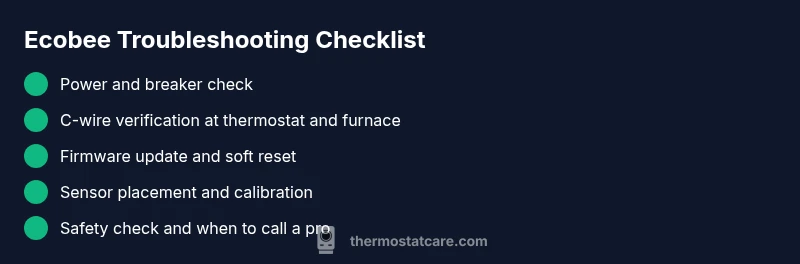
What is wrong with my ecobee thermostat? Troubleshooting Guide
Urgent troubleshooting guide for ecobee thermostats. Diagnose power, wiring, and sensor issues with safe steps, quick fixes, and prevention tips to restore reliability.


Answer: what is wrong with my ecobee thermostat usually boils down to power loss, wiring faults, or sensor issues. Quick fix: verify the device is powered (check the circuit breaker and replace the push button fuse if applicable), confirm the C-wire is connected, and perform a soft reset. If the screen stays blank, move to the diagnostic flow below.
Why your ecobee thermostat is not functioning properly
If you're asking what is wrong with my ecobee thermostat, you're not alone. In many homes, issues stem from power loss, wiring faults, or sensor misreads rather than a faulty device. According to Thermostat Care, the most frequent culprits are supply voltage problems, a disconnected C-wire, or outdated software. The Thermostat Care team found that addressing these areas resolves the majority of faults quickly and safely. This guide helps homeowners identify the root cause and apply practical fixes without professional help unless required. By following these steps, you’ll gain clarity about the problem and build confidence to take the right action.
Quick checks you should perform before opening the wall
Before you dive into wiring or settings, run through a quick, safe checklist:
- Ensure the thermostat is powered and the screen is active. If the screen is dim or blank, stop and proceed to the diagnostic flow.
- Inspect the breaker or fuse box for any tripped circuits related to the HVAC system and reset if appropriate.
- Check that the C-wire is connected at both the furnace/air handler control board and the thermostat base. A loose or missing C-wire commonly causes power issues.
- Verify the thermostat’s temperature readings align with actual room temperature; drastic discrepancies can indicate sensor miscalibration.
- Confirm you’re on a compatible HVAC setup (furnace, heat pump, or dual fuel) and that the ecobee settings match your system type.
Diagnosing power and connectivity issues
Power and connectivity are the most frequent culprits. Start by checking whether the thermostat receives 24V from the HVAC system. If not, there may be a transformer issue, a blown fuse, or a tripped disconnect. Next, verify Wi‑Fi stability if you rely on remote schedules or firmware updates. A weak connection can mimic deeper faults by causing communication drops between the thermostat and HVAC equipment. If the thermostat responds intermittently, test other devices on the same circuit to rule out broader electrical problems and consider a temporary power isolation test to confirm power delivery stability.
Wiring, C-wire, and installation considerations
Wiring mistakes are a common root cause of ecobee problems. Ensure that each wire is properly landed on the correct terminal at both ends. The C-wire should be firmly connected to the C-terminal on the furnace control board and the thermostat base. If your system lacks a C-wire, ecobee offers a Power Extender Kit (PEK) that enables power without adding a new conductor, but installation requires careful adherence to the manual. Keep wire lengths tidy and labeled to prevent misplacement. If you must remove wall plates, power down the HVAC circuit first to prevent arcing or shorts.
Sensor accuracy and placement tips for reliable readings
Accurate temperature sensing is essential for comfort and efficiency. Place the thermostat away from direct sunlight, vents, stairwells, and heat-producing appliances that skew readings. If you notice consistent temperature drift, consider calibrating the thermostat or using room-numbering tactics (e.g., center of the living space). Regular sensor checks help ensure the thermostat makes decisions based on true room conditions. Thermostat Care analysis highlights that sensor misplacement often masquerades as a bigger system fault, so address this early.
Software, updates, and resets: when to reboot
Software glitches can cause unresponsiveness, incorrect scheduling, or erratic display behavior. First, check for firmware updates and apply them if available. If issues persist, perform a soft reset or restart the thermostat. Factory resets should be a last resort, as they erase saved schedules and settings. Always back up your configuration and notes before resetting. If your Ecobee is integrated with smart home routines, review those automations to rule out conflicts.
HVAC compatibility and load considerations
Ensure your ecobee model is compatible with your HVAC system type (gas, electric, oil, heat pump, or dual fuel). In some configurations, incorrect system type or feature mismatches (like fossil fuel backup or auxiliary heat) can result in unexpected behavior. Review the install guide and confirm the settings match your equipment. If symptoms persist after confirming compatibility, the fault may lie with the control wiring or the HVAC equipment rather than the thermostat itself.
Safety, warnings, and when to call a pro
Safety comes first. If you smell burning plastic, hear crackling noises, or observe scorch marks near the furnace or thermostat wiring, power down immediately and contact a licensed HVAC technician. Do not attempt to diagnose or fix hazardous wiring beyond your comfort level. For most homeowners, when basic power, wiring, or sensor fixes do not resolve the issue, scheduling a professional inspection protects you from electrical hazards and ensures your system is wired and configured correctly.
Preventive maintenance to reduce future problems
Regular checks reduce the chance of recurring problems. Schedule periodic firmware updates, inspect the C-wire connections, and clean the thermostat faceplate to prevent dust-induced sensor drift. Keep your thermostat in a stable location away from heat sources and drafts. Finally, document any changes to your HVAC system and thermostat settings so future troubleshooting starts from a strong baseline.
Steps
Estimated time: 60-90 minutes
- 1
Power down safely and inspect basics
Turn off power to the thermostat and HVAC system at the main disconnect or breaker. Remove the thermostat faceplate and inspect for signs of damaged wiring or loose connectors. Re-seat all wires firmly, then restore power and observe the thermostat response.
Tip: Take a photo of your wiring before disconnecting anything to aid reassembly. - 2
Check 24V supply and breakers
Use a multimeter if available to verify 24V between R and C at the thermostat base. If you don’t see 24V, identify whether the issue is a tripped breaker, blown fuse, or transformer fault and address it before proceeding.
Tip: If you find a blown fuse, replace it only with the same rating and type. - 3
Inspect the C-wire connection
Confirm the C-wire is properly landed on the C-terminal at the furnace control board and the thermostat base. If the C-wire is missing, install/adjust a dedicated conductor or use the ecobee PEK as recommended by the manual.
Tip: Label the wires as you go to prevent misplacement later. - 4
Test and update firmware
Power up the thermostat and check for firmware updates. Install any available updates and perform a soft reboot to apply changes. Re-test thermostat responsiveness and scheduling.
Tip: Ensure your Wi-Fi is stable during the update process. - 5
Calibrate sensors and check placement
Verify the thermostat location isn’t exposed to direct sun, drafts, or heat sources. Calibrate if available and compare readings to a separate room thermometer to ensure accuracy.
Tip: Avoid placing the thermostat near vents or sump pumps. - 6
Confirm HVAC compatibility and configuration
Double-check that the ecobee is set to match your system type (gas furnace, electric heat, or heat pump). Adjust the setup if the configuration doesn’t align with your equipment.
Tip: If you’re unsure of your system type, consult your HVAC manual or a professional. - 7
Final test and safety check
Power the system back on and run a full temperature test cycle. Listen for strange noises and watch for abnormal behavior. If issues persist, schedule a professional inspection.
Tip: Document what you tested and the results to expedite professional help.
Diagnosis: Thermostat display is blank or unresponsive; system won't hold a temperature as expected
Possible Causes
- highPower issue (tripped breaker, blown fuse, transformer problem)
- mediumC-wire is disconnected or missing
- lowSoftware glitch or outdated firmware
- mediumHVAC system type not configured correctly in the thermostat
Fixes
- easyCheck the HVAC circuit breaker and any inline fuses; restore power and re-test the thermostat
- mediumReconnect or secure the C-wire at both the thermostat and furnace control board; replace if damaged
- easyPerform a soft reset or update firmware; re-test after reboot
- mediumVerify system type and configuration in the ecobee menu to match your HVAC setup
Questions & Answers
Why is my ecobee thermostat not turning on?
Power or wiring problems are the most common causes. Check the breaker, ensure 24V supply, and verify the C-wire is connected. If the issue persists, follow the diagnostic flow to isolate the fault.
Power or wiring problems are usually to blame. Check the breakers, verify the 24V supply, and confirm the C-wire is connected; follow the diagnostic steps if needed.
What does a blinking light on the ecobee indicate?
A blinking indicator often signals a firmware or connectivity issue. Try updating the firmware and performing a soft reset, then re-test the system.
A blinking light often means a firmware or connectivity issue. Update first, then reset and test again.
How do I reset my ecobee thermostat?
Navigate to Settings > Reset > Reset All Settings. Be aware this clears saved schedules and preferences; back them up if possible before proceeding.
Go to Settings, then Reset, and choose Reset All Settings. This will erase saved schedules, so be prepared to reconfigure afterward.
Is a C-wire required for ecobee?
While ecobee benefits from a C-wire for reliable power, the ecobee PEK can provide power for systems without a dedicated C-wire. Follow installation guidelines closely.
A C-wire is ideal for reliability, but if you don’t have one, the ecobee PEK is an option after following the installation steps.
Why is my ecobee screen dim or blank?
This usually points to power supply issues or a software glitch. Check power delivery first, then update firmware or perform a soft reset.
A dim or blank screen typically means power or software issues. Start with power checks and then update or reset the device.
Watch Video
What to Remember
- Identify power and C-wire issues first
- Follow the diagnostic flow for systematic fixes
- Back up settings before resets and updates
- Call a pro if you feel unsure or encounter hazardous wiring