Install Ecobee Thermostat: A Complete Step-by-Step Guide
Learn how to install an Ecobee thermostat with a clear, step-by-step approach. This guide covers compatibility, wiring, power, Wi-Fi setup, and post-install testing for reliable performance.


By the end of this guide, you will successfully install an Ecobee thermostat and connect it to your home Wi‑Fi. You’ll verify compatibility, prepare the wires, mount the base, and complete the setup in the Ecobee app. The instructions cover common HVAC configurations and safe power practices to avoid overheating or short circuits.
Why install ecobee thermostat matters
According to Thermostat Care, installing an Ecobee thermostat can transform home comfort and energy management. A smart thermostat doesn't just set a schedule; it adapts to your routines, reduces energy waste, and provides remote access so you can adjust settings from your phone. The Ecobee platform supports multiple zones, occupancy sensing, and compatibility with common HVAC configurations, making it a strong DIY option for many homes. This guide explains the core benefits and what you should expect from a typical installation.
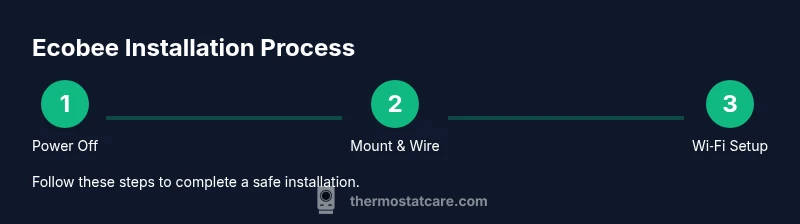
With the right preparation and a methodical approach, most homeowners can install Ecobee without professional help. The process involves verifying compatibility, safely powering down the system, wiring to the HVAC control board (or using the PEK if no C-wire is present), mounting the base, and completing the app-based setup. Expect a learning curve if your system uses heat pumps, two-stage cooling, or unconventional wiring, but the Ecobee design guides you through each step with built-in checks and prompts. Safety comes first; if you encounter live wires, consult a pro rather than guessing. This guide breaks down the steps clearly and aims to minimize common pitfalls.
After installation, you’ll configure schedules, home/away routines, and energy-saving features to maximize returns from your new thermostat.
Compatibility and prerequisites
Ecobee thermostats use standard 24-volt HVAC controls. Before you start, confirm your system supports a power wire (C-wire) and has access to the control board or furnace/air handler. If your current setup uses a simple 2-wire heat-only or a multi-stage system, Ecobee can still work in many cases, but you may need additional components such as a Power Extender Kit (PEK). The goal is to ensure the thermostat can draw consistent power without triggering unreliable readings or nuisance reboots. Also check your HVAC type (gas, electric, heat pump) and confirm that your wiring harness aligns with Ecobee’s terminal layout. Finally, ensure you have a reliable Wi‑Fi connection for app-based setup and remote control.
What you need before starting
Before you install ecobee thermostat, gather the essential tools and materials, and review your HVAC wiring. IRecommend reviewing your current thermostat wiring diagram and labeling each wire for easy mapping. A quiet workspace, good lighting, and a charged smartphone with the Ecobee app will simplify the process. If you’re unsure about a wire color or terminal function, stop and consult the manual rather than guessing. Planning ahead reduces the chance of redoing steps.
Wiring basics and power considerations
Most Ecobee installations rely on a 24‑volt power supply supplied by the HVAC control board. The C-wire provides a constant power source for the thermostat, which is important for consistent operation of features like occupancy sensing and Wi‑Fi connectivity. If your system lacks a C-wire, Ecobee can often be powered via a PEK (Power Extender Kit) installed at the furnace control board. Always power down at the breaker before touching wires, and avoid pinching or damaging cables. When in doubt, refer to Ecobee’s wiring diagrams and your HVAC manufacturer’s guide.
Mounting the base and wiring to Ecobee
With the power off, remove the old thermostat and mount the Ecobee base in the same location. Label each wire and connect it to the corresponding Ecobee terminal or PEK according to the wiring map. Use the included screws and wall anchors to secure the base firmly. If you encounter a wire that doesn’t fit a standard terminal, double-check the compatibility and refer to the Ecobee wiring guide. After wiring, attach the faceplate and prepare for power testing.
Wi‑Fi setup and app configuration
Power the system back on and follow the on‑screen prompts to connect Ecobee to your home Wi‑Fi. Open the Ecobee app on your phone and complete the guided setup, including room naming, system type, and schedule preferences. The app can test thermostat wiring functions and help you configure learning schedules. Ensure you’re on a stable network and consider temporarily disabling guest networks to maintain a solid connection during setup.
Post-install testing and calibration
Verify that each zone and function responds as expected: cooling and heating stages, fan operation, and occupancy sensing. Run a quick test by setting a few temperatures and observing the responses via the Ecobee app. If the system isn’t behaving as expected, revisit the wiring to confirm correct terminal mapping and re-run the app tests. Finally, review energy-savings features like Smart Away, occupancy-based scheduling, and weather-based adjustments to maximize comfort and efficiency.
Troubleshooting common issues
If you encounter power loss, Wi‑Fi dropouts, or non-responsive sensors, recheck wiring connections at the thermostat and furnace. Ensure the PEK is correctly installed if you don’t have a C-wire. A common pitfall is leaving a jumper installed in a way that creates a short; remove unnecessary jumpers unless the wiring guide calls for them. For persistent issues, consult Ecobee’s support resources and your HVAC manufacturer guide.
This section helps you resolve typical installation challenges without professional help, while emphasizing safety and caution when handling live components.
Authority sources and further reading
For installation guidance, you can consult official resources from Energy.gov and NIST for general smart-thermostat best practices, as well as Ecobee’s wiring documentation. These references complement the step-by-step process and give you additional safety and efficiency context. Always follow the device’s manual and local codes when wiring a thermostat.
Tools & Materials
- Ecobee thermostat (current model)(Confirm compatibility with your HVAC system; PEK may be required if no C-wire exists)
- Power Extender Kit (PEK)(Needed if C-wire is unavailable or wiring is nonstandard)
- Screwdriver set (Phillips #2 and flat-head)(For mounting base and terminal screws)
- Labeling stickers or tape(Label wires to map to Ecobee terminals)
- Multimeter or voltage tester (optional)(Use to verify power at the furnace end if needed)
- Stable Wi-Fi network(Needed for app setup and remote control)
- Smartphone with Ecobee app(Essential for configuration and testing)
Steps
Estimated time: 60-90 minutes
- 1
Power down and prep
Switch off the HVAC circuit at the main breaker and at the furnace if applicable. Double-check no power is flowing to the thermostat wires before touching them. This prevents shock and protects the control board during the swap.
Tip: Use a non-contact voltage tester to confirm inactivity before touching wires. - 2
Remove old thermostat and inspect wires
Carefully remove the cover and base of the old thermostat. Take a photo of the wiring layout and label each wire according to its function (R, C, Y, G, W, etc.). This map will guide wiring on the Ecobee base.
Tip: If a wire is frayed, trim the end cleanly and re-strip so it seats well in the Ecobee terminal. - 3
Decide on C-wire or PEK usage
Check whether your system has a C-wire. If not, plan to install the PEK at the furnace control board following Ecobee’s instructions. This ensures reliable power to the thermostat.
Tip: PEK installation at the furnace is usually quick but requires some access to the air handler or furnace panel. - 4
Mount Ecobee base and prepare wiring
Attach the Ecobee mounting plate to the wall using the existing screws. Thread labeled wires through the plate’s opening and prepare them for connection. Align the base with level guidance to ensure a clean fit.
Tip: Mark the wall centerline to help level the base precisely. - 5
Connect wires to Ecobee terminals or PEK
Insert each wire into the matching Ecobee terminal (R, C, Y, G, W) or attach wires to the PEK at the furnace if you’re not using a C-wire. Double-check that each connection is secure and that no copper is exposed beyond the terminal.
Tip: Avoid crossing wires or inserting them into wrong terminals; a simple cross-map mistake is a common installation error. - 6
Attach thermostat and power up
Place the Ecobee screen on the base and secure it with the mounting screws. Restore power at the breaker and watch the Ecobee initialize. The device will start its on-screen setup sequence.
Tip: If the device doesn’t power on, recheck the PEK connections and ensure the C-wire is properly seated. - 7
Configure Wi‑Fi and app setup
Follow the on-device prompts to connect to your home Wi-Fi. Complete the Ecobee app setup, name zones, set up system type, and run the wiring test provided by the app.
Tip: Use a strong, 2.4 GHz network for best compatibility with smart thermostats. - 8
Test system functions and finalize
Test heating, cooling, and fan operations via the Ecobee app. Set a few schedules and test the Home/Away feature. Calibrate the temperature readings if your model provides this option.
Tip: Document any unexpected readings and revisit wiring maps if behavior seems off.
Questions & Answers
What is the first step to install ecobee thermostat?
Power off the HVAC circuit at the breaker and remove the old thermostat to access the wires. This prevents shocks and lets you map wires accurately.
First, turn off power at the breaker and remove the old thermostat so you can map the wires safely.
Do I need a C-wire for ecobee?
A C-wire provides a steady power source for the thermostat. If your system lacks a C-wire, a Power Extender Kit (PEK) can often be used as an alternative.
Usually you need a C-wire, but the PEK can help if you don’t have one.
Can I install ecobee myself?
Yes, many homeowners install Ecobee themselves by following the manufacturer’s wiring diagram and safety instructions. If you’re unsure, consult a professional.
Many homeowners do it themselves, but follow the manual and stay safe.
What if my HVAC isn’t compatible with Ecobee?
Check Ecobee’s compatibility list to confirm whether your system uses standard 24V controls. Some older or specialty systems may require alternative thermostats.
If it’s not compatible, you may need a different thermostat.
How long does installation take?
Most installations take about an hour, but complex systems with unusual wiring may take longer.
Typically around an hour, depending on the system.
How do I connect Ecobee to Wi‑Fi?
Use the on-device prompts or the Ecobee app to select your network and enter the password. The app will guide you through the rest of the setup.
During setup, choose your Wi‑Fi network and enter the password.
Watch Video
What to Remember
- Verify compatibility before starting.
- Label wires to prevent miswiring.
- Use PEK if no C-wire is available.
- Test Wi-Fi and app setup thoroughly.