What Are the Symptoms of a Bad Thermostat? A Troubleshooting Guide
Identify the signs of a failing thermostat and follow our practical troubleshooting guide to restore comfort. Safe steps, a diagnostic flow, and when to call an HVAC pro for a lasting fix.


Most signs point to a faulty thermostat when your home won’t reach the set temperature, or the HVAC cycles oddly. The quickest fix is to power cycle the unit, replace batteries if needed, and verify the C‑wire or power supply is secure. If readings remain erratic, recalibrate sensors and inspect placement away from direct sunlight or drafts. If trouble persists, contact a licensed pro.
What are the symptoms of a bad thermostat?
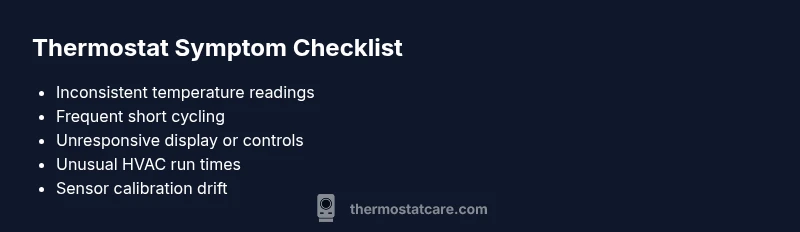
If you’re wondering what are the symptoms of a bad thermostat, you’re likely noticing that your home won’t reach the set temperature, rooms feel chilly or overly warm, and the HVAC system cycles more often than normal. According to Thermostat Care, these issues typically point to power, sensor, or control problems rather than a faulty furnace or air conditioner. Start with the simplest checks: confirm battery status, inspect the C-wire at the thermostat, and ensure the thermostat is accurately displaying room temperature. A faulty thermostat often behaves inconsistently rather than failing all at once, so you may see gradual changes in comfort rather than a single hard failure. This team‑driven guidance helps homeowners stay ahead of costly repairs and wasted energy. Power, sensor, and placement are the first clues, not the last.
Inconsistent temperatures and short cycling
Inconsistent temperatures are one of the most telling symptoms of a bad thermostat. If your thermostat repeatedly reads 72°F but rooms feel cooler or warmer, calibration drift or a faulty sensor may be the cause. Short cycling — the unit turning on and off rapidly — is another red flag. This not only wastes energy but also puts strain on the furnace and compressor. Start by confirming the thermostat’s readings match the actual room temperature with a separate thermometer. If the mismatch persists, investigate sensor calibration, and consider relocating the thermostat away from heat sources, drafts, or direct sunlight to restore accuracy.
Non-responsive displays and control loss
A non-responsive or flickering display often signals an issue with power or internal firmware. If the screen goes blank, buttons feel loose, or the interface doesn’t respond to input, check the power supply: replace batteries if present, inspect outlet power, and ensure the thermostat has a secure, clean connection to the backplate. Firmware issues can also cause unresponsive controls; check for updates in the app or on the manufacturer’s site and perform a safe reset if recommended by the manual. If responsiveness doesn’t return, a wiring or control board fault may be present.
Delayed or uneven heating/cooling responses
If your HVAC system seems slow to respond or delivers uneven temperatures between rooms, the thermostat could be misreading or misreporting conditions. Delays in heating or cooling often originate from outdated software, miscalibrated sensors, or incorrect temperature hold settings. Start by resetting to factory defaults and reprogramming your schedule. Verify that hold temperatures align with your comfort targets. If the system still lags behind, it may be time to test the control wiring for continuity and ensure the thermostat is properly communicating with the furnace or air handler.
How sensor calibration and placement affect readings
Thermostat sensors are sensitive to nearby heat sources and air currents. If the sensor is too close to a vent, above a heat lamp, or near electronics, readings will drift high or low. Placement matters: mount the thermostat away from direct sunlight, drafts, kitchen stoves, and exterior doors. Calibration drift can occur over time; many manufacturers offer a simple calibration procedure in the settings. Regularly verifying the sensor’s accuracy helps maintain dependable performance and comfort.
The root causes behind the symptoms
Root causes often fall into a few buckets: power issues (batteries, C-wire, or supply), sensor calibration or aging, and communication problems between the thermostat and HVAC system. Loose wiring or a degraded control board can mimic sensor problems, leading to erratic temperatures and cycling. By tracing symptoms to these core areas, you can prioritize fixes that restore reliability. In some cases, a replacement thermostat may be the most cost‑effective solution after confirming power and sensor integrity.
Safe, simple checks you can perform at home
Begin with the basics: replace batteries, ensure the C-wire is secure, and verify the thermostat reads the actual room temperature. Keep the unit in a stable environment away from heat sources and drafts. Run simple HVAC tests, like turning on heat and cool modes separately, and observe if the system responds appropriately. Document any abnormalities so you can share specifics with a technician if needed.
When to involve a professional
If symptoms persist after safe at‑home checks, or if you notice wiring issues, burnt smells, or flickering breakers, contact a licensed HVAC technician. Faults on the furnace control board, power supply, or wiring require specialized tools and safety precautions. A professional can perform electrical tests, verify 24V signals, and confirm proper control communication without risking your equipment.
Prevention and maintenance to avoid future issues
Preventive steps include periodic sensor calibration checks, keeping the thermostat clean, updating firmware if available, and ensuring clear air flow around the unit. Consider routine battery or power‑supply tests every season, and keep a basic troubleshooting log to spot patterns early. Proactive maintenance reduces the odds of sudden temperature surprises and energy waste.
Steps
Estimated time: 60-90 minutes
- 1
Power cycle and battery check
Power off the thermostat and HVAC system at the breaker, wait 30 seconds, then restore power. If there are batteries, replace them with fresh ones and re-test. This reset often clears minor firmware glitches.
Tip: Always turn off power at the breaker before handling wiring. - 2
Inspect wiring and power supply
Listen for buzzing or burning smells. Check that all thermostat wires are firmly connected to the terminal block and that there are no loose or frayed wires.
Tip: Use a multimeter to verify 24V between R and C when powered. - 3
Verify and secure C-wire
If the C-wire is loose or absent, add or improve the connection. A stable C-wire helps maintain consistent temperature readings and power for modern smart thermostats.
Tip: If your system lacks a C-wire, consult a pro about alternatives like a power extender kit. - 4
Calibrate the sensor
Follow the manufacturer’s calibration steps in the user manual. Compare room temperature with the thermostat reading and adjust until they match closely.
Tip: Calibration should be done with the HVAC idle and doors closed for accuracy. - 5
Check for software updates and reset
Update the thermostat firmware if available. If issues persist, perform a safe reset to restore default settings without erasing essential schedules.
Tip: Backup your schedule before a factory reset. - 6
Environment and placement check
Ensure the thermostat is not placed near heat sources, vents, or direct sunlight. Recalculate comfort zones and adjust the location if necessary.
Tip: Better symmetry in room temperatures reduces sensor bias. - 7
Document changes and test response
Record the changes you made and how the system responds to heat and cool cycles. This helps determine if the issue is resolved or if you need professional help.
Tip: Keep a simple log for reference during HVAC visits. - 8
Call a professional if needed
If the problem remains after all checks, a licensed technician can diagnose wiring, control board, or refrigerant issues that require specialized tools.
Tip: Ask for a written diagnosis and a clear cost estimate.
Diagnosis: Inconsistent readings or abrupt temperature swings
Possible Causes
- highPower issue (dead batteries or loose 24V supply)
- highSensor calibration drift or aging sensor
- mediumC-wire problems or insufficient power to thermostat
- lowPlacement near heat sources or drafts
Fixes
- easyReplace batteries or secure 24V supply; ensure common wire is intact
- easyRecalibrate the temperature sensor per manufacturer instructions
- mediumCheck and secure the C-wire; consider installing a C-wire if missing
- easyRelocate the thermostat or reroute airflow away from vents, sunlight, or drafts
- hardIf issues persist, have a technician inspect wiring and the control board
Questions & Answers
What are the most common symptoms of a bad thermostat?
The most common signs are inconsistent temperatures, short cycling, and a non-responsive display. Battery issues, miscalibrated sensors, or wiring faults often underlie these symptoms. Start with power, sensor calibration, and C-wire checks before assuming the thermostat itself is failing.
Common signs include inconsistent temperatures, short cycling, and a non-responsive display. Start with power and sensor checks before assuming the thermostat is faulty.
Can a bad thermostat cause the HVAC to run constantly?
Yes. When readings are inaccurate or the thermostat fails to signal the system correctly, the furnace or AC may stay on longer than needed. This wastes energy and can wear equipment faster. Confirm sensor accuracy and wiring first.
Yes, it can cause constant running if readings are off or signals are unclear.
How do I tell if the thermostat battery is the issue?
If your thermostat uses batteries, a dying pack often leads to intermittent power and unresponsive controls. Replace with fresh batteries and test. For hardwired units, check the 24V supply and C-wire connection.
If there are batteries, replace them and test the unit; for wired units, check the 24V power and C-wire.
Is a faulty sensor the same as a bad thermostat?
A faulty sensor is a common cause of a bad thermostat symptom but not the only one. The thermostat can be fine while the sensor drifts. Diagnosing requires checking calibration and the physical location.
No. Sensor issues are a common cause, but the thermostat itself can be fine while the sensor drifts.
When should I replace the thermostat rather than repair it?
If multiple components fail or the unit is old and inefficient, replacement may be more cost-effective than repairs. Compare the cost of parts and labor with a new unit’s efficiency and warranty.
If several parts fail or it’s old, replacing the thermostat could be cheaper and more reliable.
What safety steps should I take before troubleshooting?
Always turn off power at the breaker before touching wiring. Use insulated tools, avoid touching exposed conductors, and if you smell burning or see damage, stop and call a pro.
Turn off power, use insulated tools, and call a pro if you smell burning.
What are the risks of DIY thermostat repairs?
Miswiring or improper calibration can damage the thermostat, HVAC components, or void warranties. When in doubt, consult a professional technician for safer, lasting results.
DIY repairs can risk damage or warranty voids; it’s safer to call a pro when unsure.
How often should I service my thermostat?
Regular checks every season help catch calibration drift or wiring issues early. Review battery status, condensation exposure, and firmware updates as part of routine maintenance.
Check it seasonally and keep firmware updated.
Watch Video
What to Remember
- Identify power, sensor, or placement issues first
- Follow a safe, progressive diagnostic flow
- Calibrate sensors and verify C-wire for reliability
- Call a pro if wiring or control-board problems are suspected
- Prevent with routine maintenance and documentation