Signs of a Bad Thermostat: Quick Troubleshooting Guide
Identify and fix signs of a bad thermostat with a practical, step-by-step approach. Learn safe checks, diagnostic flow, and when to call a pro to protect your HVAC and comfort. Thermostat Care provides trusted guidance for homeowners.


According to Thermostat Care, the most common signs of a bad thermostat are erratic temperatures, an unresponsive or flickering display, and frequent short cycling. Start with the basics: check power, replace batteries if needed, and ensure the thermostat is receiving power. Then verify wiring and that the HVAC responds to setpoints before deeper diagnostics.
Signs your thermostat might be failing
Your thermostat is supposed to translate your comfort preferences into precise HVAC actions. When it starts to behave badly, you’ll notice signs like erratic temperatures, an unresponsive or flickering display, or frequent short cycling. If you see the setpoint jumping by several degrees, or the home never reaches the desired temperature, those are classic indicators of a failing thermostat. Other clues include rapid cycling (short bursts of heater or AC), a thermostat that won’t turn on heating or cooling at all, or communications errors on a smart thermostat app. The keyword signs of a bad thermostat helps you scope the problem quickly. In many homes, batteries that are old or a power supply that’s unstable can mimic thermostat faults, so start with simple checks before diving deeper. According to Thermostat Care, these signs often appear before a failure becomes total, so early action saves energy and comfort.
Immediate checks you can perform
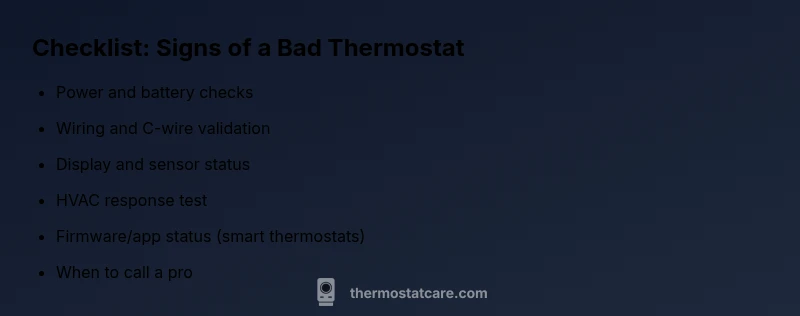
Before you panic, perform a few non-invasive checks. First, power: ensure the thermostat is getting power (for hard-wired units, check the furnace blower fuse and the circuit). For battery-powered units, replace the batteries with fresh ones. Then inspect the display: is it dim, flickering, or completely blank? Next, review the wiring at the thermostat and the furnace or air handler for loose or corroded connections. If you have a smart thermostat, check the Wi-Fi connection and the app for error codes. Finally, ensure the HVAC is responding to a change in temperature when you adjust the setpoint by a few degrees. If the system still misbehaves after these checks, it’s time to test deeper diagnostics. Thermostat Care emphasizes starting with power and basic wiring before moving to more involved tests.
Common failure modes explained
Thermostats can fail in several ways, each with different causes. A miscalibrated thermostat can display the wrong temperature, a blown fuse or tripped breaker can cut power, and faulty wiring can cause intermittent operation. Temperature sensors inside the device may drift, especially with long-term use, leading to slow heating or cooling. A failing display or unresponsive touchscreen is another symptom, often tied to a power issue or a faulty control board. For smart thermostats, software glitches can create erratic behavior; a factory reset or app re-linking is sometimes enough, but not always. Understanding these failure modes helps you pick the right fix and avoid unnecessary replacements. Thermostat Care analyses show that many problems originate from simple power or wiring issues rather than internal sensor failure.
How miscalibrations and wiring faults manifest
Calibration drift can cause the thermostat to think the home is warmer or cooler than it actually is, which results in uncomfortable swings. Wiring faults—loose terminals, damaged wires, or mismatched C-wires—can prevent the thermostat from delivering accurate signals. If your thermostat is not communicating with the control board, you may see error codes on the screen. In these scenarios, you should re-seat connectors, trim frayed wires, and confirm the C-wire is securely connected if you have a powered device. For heat pumps or systems with multiple stages, incorrect wire mapping is a common culprit. A professional diagnosis is often needed when your testing reveals multiple interdependent faults or if you’re uncomfortable working near electrical components.
Safety and when to call a pro
Working with electrical components carries risk. If you smell burning, notice scorch marks on the thermostat or wiring, or hear buzzing near electrical boxes, stop and shut off the power at the breaker. Do not attempt to bypass safety features or push a stubborn fix. If you’ve exhausted the basic checks and still see erratic performance, contact a licensed HVAC technician or a thermostat specialist. They can verify line voltage, confirm compatibility with the HVAC system, and inspect the control wiring with proper testing equipment. The Thermostat Care Team recommends scheduling a professional evaluation if you’re unsure about wiring, if the thermostat is under a service contract, or if the system’s behavior could impact safety or energy efficiency.
Maintenance tips to prevent future issues
Regular maintenance reduces the incidence of thermostat problems. Replace batteries before they fail, keep the thermostat free of dust, and ensure the wall plate is securely mounted. Periodically review app codes for smart thermostats and install firmware updates when available. Keep track of any symptoms in a small log—note the temperature, time of day, and system response. If you upgrade to a smarter model, verify compatibility with your HVAC and home network. The Thermostat Care approach emphasizes proactive checks: a short quarterly review can catch creeping calibration drift, loose wiring, or firmware incompatibilities early. By following these practices, you’ll minimize the chances of encountering signs of a bad thermostat and maximize comfort and energy savings.
Steps
Estimated time: 60-75 minutes
- 1
Power down and inspect power source
Turn off power at the breaker or disconnect power to the thermostat. If battery-powered, replace with fresh batteries. Wait 30-60 seconds, then restore power and test the thermostat.
Tip: Label wires before disconnecting if you remove them. - 2
Check for visible wiring issues
Remove the faceplate and inspect connectors for loose or corroded terminals. Reseat any loose wires firmly and ensure no wires are damaged.
Tip: Take a photo of wire labeling before repositioning. - 3
Test thermostat response
Set a clear temperature change and listen for HVAC response. If no sound or action occurs, proceed to a deeper check or testing mode if available.
Tip: Avoid rapid, large setpoint changes. - 4
For smart thermostats, check connectivity
Verify Wi-Fi connection and app codes. Re-link the device if you see error messages; consider a firmware update.
Tip: Only update firmware from official app sources. - 5
Calibration and sensor check
If temperatures remain off, recalibrate or test the sensor by comparing with a room thermometer placed near the thermostat.
Tip: Document readings to track drift. - 6
Decide on replacement or professional help
If issues persist after basics, decide whether to replace with a newer model or hire a pro to avoid further damage.
Tip: When in doubt, a pro evaluation saves time and money.
Diagnosis: Thermostat won't follow setpoints or shows erratic temperatures
Possible Causes
- highPower issue
- mediumWiring fault
- lowSensor drift/calibration
- mediumSoftware glitch (smart thermostat)
Fixes
- easyCheck and restore power; replace batteries or reset breaker
- easyInspect wiring at both thermostat and furnace; reseat terminals
- mediumCalibrate thermostat or replace sensor
- easyFactory reset or update firmware for smart thermostats
Questions & Answers
What are the most common signs that indicate a thermostat is bad?
Common signs include erratic temperatures, a blank or flickering display, or the HVAC not responding to setpoints. These symptoms warrant a systematic check of power, wiring, and sensor calibration.
Common signs include erratic temperatures, a blank display, or lack of response from the HVAC.
Should I replace the thermostat or fix the wiring?
If basic checks don’t restore proper operation, replacement is often more cost-effective than extensive wiring work, especially for older units or incompatible systems.
If basic checks fail, replacement is often the best option.
Can a bad thermostat cause higher energy bills?
Yes. A thermostat that misreads temperature can cause the HVAC to run longer, wasting energy and raising costs.
Yes, misreads can make the system run longer and raise energy costs.
Is it safe to work on a thermostat myself?
Basic checks are generally safe, but avoid handling high-voltage wiring. If you’re unsure or uncomfortable, call a professional.
It's usually safe for basic checks, but don’t work on high-voltage wiring if unsure.
How often should I replace a thermostat?
Most thermostats last 10-15 years. Replace when failing or no longer compatible with your HVAC system.
Most thermostats last about 10-15 years.
What should I do first if my thermostat is not responding?
Check power, batteries, and wiring connections before calling for help or replacing components.
First, check power and connections before seeking help.
Watch Video
What to Remember
- Check power and batteries first.
- Wiring faults are a common cause.
- Smart thermostats may require firmware updates.
- Call a pro if unsure about wiring or safety.
- Regular maintenance prevents future signs of a bad thermostat.