Troubleshoot Honeywell Thermostat: Quick Fixes and Step-by-Step Guide
Urgent, practical guide to diagnose and fix common Honeywell thermostat issues with a clear diagnostic flow, step-by-step fixes, safety tips, and prevention strategies from Thermostat Care.


To troubleshoot honeywell thermostat quickly, start with power, check batteries, inspect the wiring, and confirm the thermostat is programmed correctly. The most common causes are a dead battery or a loose C-wire, which you can fix in minutes. If this doesn’t solve the issue, follow the diagnostic flow below for a reliable, step-by-step approach.
Symptoms to Watch For
When your Honeywell thermostat acts up, the first clues are often visible: a blank or dim display, unresponsive buttons, odd temperature readings, or the system not heating or cooling as scheduled. Some models show error codes on the screen or blink a specific number of times, which can point to wiring, battery, or sensor issues. Understanding these symptoms helps you triage quickly and avoid unnecessary troubleshooting steps. In many homes, the root cause is mechanical rather than digital: a loose wire or a failing battery can make an entire system misbehave. Throughout this guide, we’ll reference common Honeywell models and the generic error patterns you’re most likely to see, so you can interpret symptoms with confidence without guessing.
Common Causes by Symptom
- Blank or dim display typically signals low power or battery issues.
- Unresponsive buttons often point to a stuck contact or a drained sensor.
- Temperature drift (reading higher or lower than actual) can be a sensor fault or a wiring issue.
- System not turning on/off at set times usually means a scheduling or connection problem.
Why Honeywell Thermostats Fail: The Core Faults
Among the frequent culprits are aging batteries, loose C-wires, weak power supply from the furnace control board, and outdated firmware that misreads inputs. Poor placement or a dusty environment can also affect sensor accuracy. Techs also note that improper wiring during previous HVAC work or DIY modifications can create intermittent faults. By recognizing these patterns, you’ll be able to narrow down quickly whether you’re dealing with a simple battery swap or a more involved wiring check.
Quick Physical Checks You Can Do Before Digging Deeper
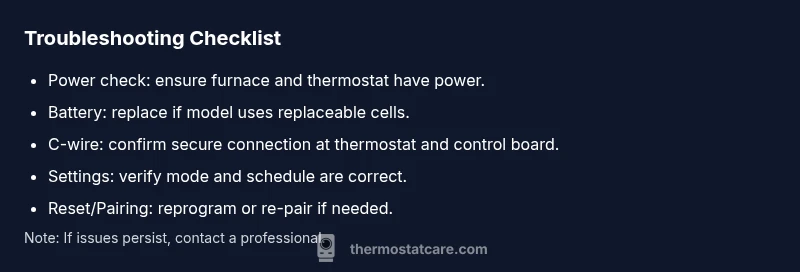
- Confirm the thermostat is receiving power from the HVAC system. If you have a hard-wired model, check the furnace circuit breaker and any inline fuses.
- If your Honeywell model uses replaceable batteries, open the unit and swap in fresh alkaline batteries of the correct size.
- Inspect the C-wire connection at both ends (thermostat and control board). A loose or corroded C-wire is a common source of intermittent power loss.
- Ensure the thermostat is correctly set to the appropriate mode (heat, cool, auto) and that it isn’t paused or in hold.
- Look for physical signs of damage or loose terminals on the backplate. A gently wiggled wire should seat firmly without movement when touched.
Diagnostic Flow Overview: Symptom → Diagnosis → Solution
This section maps typical symptoms to likely causes and practical fixes. Start with the simplest checks (power, battery, wiring), then move to configuration and resets. Each step includes a “if this doesn’t work, try” option so you don’t skip over potential fixes. Keep in mind safety and the importance of turning off power when handling wiring on wired thermostats.
Step-by-Step: Most Common Fixes for Honeywell Thermostats
- Power and Battery Check: Replace the batteries (or reconnect the power supply) and verify the thermostat registers power on the display. 2) Battery Replacement and Terminal Check: Install new batteries, reseat all wiring, and clean any corrosion. 3) C-Wire Verification: Confirm the C-wire is securely connected at both ends; if you lack a C-wire, consider a power extender kit or upgrading to a model that supports Wi‑Fi control without it. 4) Schedule and Settings Review: Reset or re-program the schedule; make sure the thermostat is not in a temporary hold that conflicts with the HVAC settings. 5) Firmware and App Pairing: Update firmware if available and re-pair the thermostat to the hub or app to ensure proper communication. 6) Final Test: After fixes, run a quick heat/cool cycle and observe whether the system responds correctly within a few minutes.
Safety, Warnings, and When to Call a Pro
- Always power down the HVAC system before inspecting wiring to reduce the risk of electric shock.
- Do not force terminal screws or bend wires; damaged components can create fire hazards or further faults.
- If you hear buzzing, smell burning insulation, or see scorch marks, stop immediately and contact a licensed HVAC technician.
- For gas furnaces or complex control boards, professional evaluation is recommended if power or wiring concerns persist after basic fixes.
Settings, Updates, and Long-Term Reliability
Keeping a Honeywell thermostat reliable involves regular checks of power sources, battery life, and firmware updates. Some models push firmware updates over the air; if you’re not seeing the latest version, connect to Wi‑Fi and check for updates. Review your zone settings, hold durations, and comfort presets to prevent misreads and unintended temperature swings. A well-tuned thermostat communicates with your HVAC system more efficiently, reducing energy waste and wear on components.
Prevention Tips and Routine Maintenance
- Schedule a quarterly power check: test batteries (if applicable) and inspect cables.
- Keep the thermostat and surrounding area clean and free from dust.
- Label wires during any HVAC work to avoid miswiring in future maintenance.
- Practice routine resets after major weather changes or after long periods of inactivity to refresh sensor calibration.
- Use a dedicated page for your HVAC programming so you don’t lose important settings during a reset.
Steps
Estimated time: 60-90 minutes
- 1
Power check and battery swap
Turn off HVAC power at the furnace or main breaker. Open the thermostat, replace batteries if applicable, and ensure the power indicators come back on. Then turn the system back on and observe response within a few minutes.
Tip: If the display stays blank after power restoration, test the breaker on a known-good outlet to confirm the circuit is delivering power. - 2
Inspect wiring and C-wire
At the thermostat, verify all wires are securely fastened and none are frayed. At the furnace control board, check the C-wire connection and tighten if needed. If there is no C-wire, explore a power extender kit or a thermostat that can operate with battery power.
Tip: Label wires before disconnecting anything and do not force terminals open or closed. - 3
Reset and re-calibrate
Perform a soft reset on older Honeywell models or initiate a factory reset on newer ones if instructed by the manual. Re-enter your schedule and settings, then test system response to a heat and a cool call.
Tip: Before a full reset, back up critical settings where possible. - 4
Test modes and communication
Verify the thermostat communicates with the HVAC system by switching between heat and cool modes and observing system response. Confirm the thermostat’s status indicators reflect activity from the furnace or air conditioner.
Tip: If you notice no response, check if the control board has a status LED indicating communication. - 5
Final verification
Run a short cycle for heating and cooling. Check that the setpoint aligns with the actual room temperature within a few degrees. If the system remains unresponsive, consult the manual for warranty and support options.
Tip: Document any error codes seen on the display to share with support or a pro.
Diagnosis: Thermostat shows no power or unresponsive
Possible Causes
- highPower issue (tripped breaker, blown fuse, disconnected power)
- highDead or degraded battery (for battery-powered units)
- mediumLoose or damaged C-wire (common wire)
- lowFirmware mismatch or corrupted settings
Fixes
- easyRestore power: check circuit breakers/fuses and ensure thermostat wiring is seated
- easyReplace batteries with the correct size and verify contact springs are clean
- mediumRe-seat or replace the C-wire at both ends; consider a power extender kit if no C-wire exists
- easyReset firmware or re-pair to app/HUB; reconfigure schedule after restore power
Questions & Answers
What is the most common cause of a Honeywell thermostat not responding?
The most common causes are a dead battery or a loose C-wire. Start by replacing batteries and reseating the C-wire at both ends. If the issue persists, proceed through the diagnostic flow to check power, wiring, and settings.
Most common causes are a dead battery or loose C-wire. Start by replacing batteries and reseating the C-wire, then run through the diagnostic flow.
How do I know if my thermostat needs a battery replacement?
A dim or flickering display, slow button response, or warning icons often indicate a dying battery. Replace with the correct type and re-test the unit after installation.
Dim display or slow buttons usually mean battery replacement is needed. Install the correct batteries and test.
Can I reset a Honeywell thermostat without losing programs?
Many Honeywell models support soft resets that preserve schedules and settings, but a full factory reset may erase custom programs. Check the model manual before resetting and back up settings if possible.
Some resets preserve schedules; a full factory reset may erase them. Check your model’s manual first.
What safety steps should I follow when handling wiring?
Turn off power at the furnace or main breaker before touching wires. Use insulated tools, avoid metal jewelry, and never force connections. If you’re unsure, call a professional.
Turn off power before touching wiring and don’t force connections. If unsure, call a pro.
When is it time to call a professional?
If you smell burning, hear buzzing from the HVAC, or cannot safely access the wiring, stop and seek a licensed HVAC technician. Complex wiring and gas furnace concerns should always be handled by a pro.
If you smell burning or hear buzzing or you’re not sure about wiring, call a licensed pro.
Do Honeywell error codes require manuals to interpret?
Yes. Many error codes are model-specific. Refer to the Honeywell manual or support site for interpretation and recommended fixes.
Most error codes require checking the model’s manual for the exact meaning and fix.
Watch Video
What to Remember
- Start with power, batteries, and C-wire checks.
- Follow a clear diagnostic flow to identify the root cause.
- Safety always comes first—power down before touching wiring.
- If basic fixes fail, upgrade or consult a professional.
- Regular maintenance prevents future thermostat problems.